Ming-Image-0.2-Design is the new open-weight leader at 1,095 Elo, yet 169 points behind the best closed model. Ant Group's Ant Ling lab published the 6B MIT-licensed design specialist for e-commerce visuals, UI drafts, and spatial renders in the week of November 25-26, 2026, with weights on Hugging Face and an open-source announcement. The decision point is hardware: the model card validates only one CUDA GPU with 80 GiB of VRAM in BF16.
This is a sourced evidence review; I did not run the model.
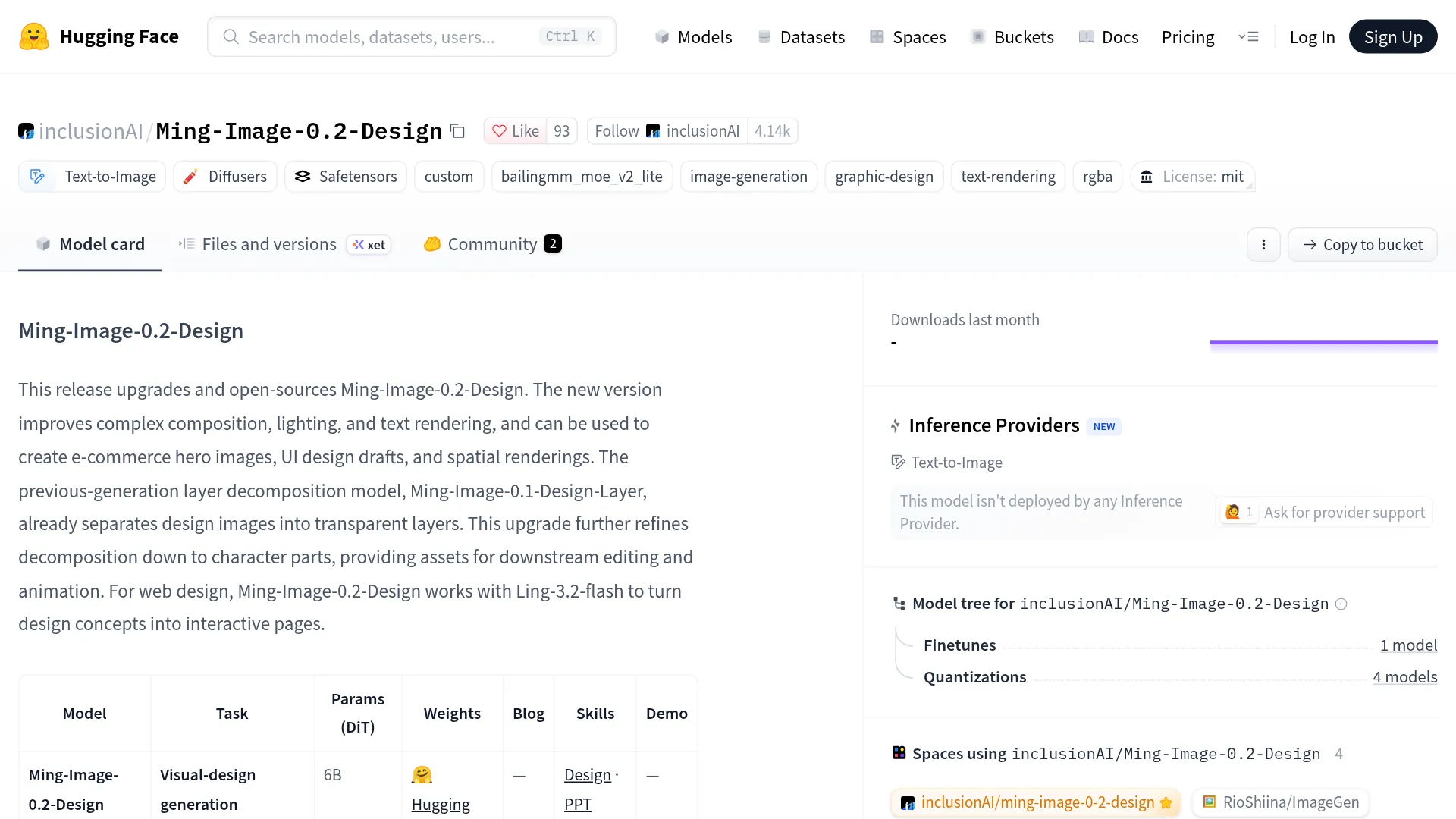
What Ming-Image-0.2-Design is, and what changed from 0.1
Ming-Image-0.2-Design is a 6-billion-parameter diffusion-transformer text-to-image model focused on visual design rather than generic illustration. InclusionAI publishes Ming-Image-0.2-Design under the MIT license with weights on Hugging Face and code in the inclusionAI/Ming-Image repository. Primary outputs are e-commerce hero images, UI and website drafts, posters, and architectural or interior spatial renders.
Version 0.2 upgrades three things over Ming-Image-0.1-Design from September 2026: complex composition, lighting, and text rendering. The ranking claim also widened. The model card lists version 0.1 as No. 1 among open-weight models only in UI/UX Design as of September 22, 2026; version 0.2 is listed as No. 1 among open-weight models overall on AA-Image-T2I v2.1, based on preliminary November 23 results with a November 25 snapshot.
Defaults matter because Ming-Image-0.2-Design is opinionated. The model card recommends 2,048 x 2,048 output, 12 sampling steps, CFG scale 1.0, and BF16 precision, served via vLLM-Omni. Faster square drafts can use 1,024 x 1,024; documented 2K variants include 2,560 x 1,440 (16:9), 2,432 x 1,824 (4:3), and 1,664 x 2,496 (2:3). For better text and layout, the card recommends Figma-style structured JSON prompts plus a prompt enhancer using Ling-3.0-flash-VL or qwen3.8-27B.
| Spec | Ming-Image-0.2-Design |
|---|---|
| Publisher | inclusionAI / Ant Ling (Ant Group) |
| Parameters | 6B DiT (+ 17B Ming VLM text encoder path in full pipeline) |
| License | MIT, commercial use allowed |
| Default output | 2048 x 2048, 12 steps, CFG 1.0, BF16 |
| Validated GPU | 1x CUDA GPU, 80 GiB VRAM (model card) |
| Repo size | ~52.9 GB listed on Hugging Face |
| Serving | vLLM-Omni recipes; no Hugging Face Inference Provider listed at release |
| Hosted price | Not listed ("Coming soon" on the leaderboard) |
Why #1 open-weight does not mean #1 image model
Ming-Image-0.2-Design scores 1,095 Elo on Artificial Analysis AA-Image-T2I v2.1, rank No. 24 overall in that snapshot. The benchmark is pairwise human-preference voting, not an isolated typography test. The sample is 4,936 votes with plus-minus 12 Elo uncertainty, interval 1,083-1,107, as shown on the leaderboard.
Ming's displayed 95% interval overlaps Seedream 5.0 Pro and Qwen-Image-3.0-Pro, so this snapshot does not show a clear separation there. H3-Image at 1,052-1,080 is the only listed mid-table comparison whose displayed intervals do not overlap Ming's. The distance to the frontier is separate and large at about 169 points (1,264 minus 1,095).
| Model | Open weights | Elo (95% interval) | Overall rank | Price per 1,000 images |
|---|---|---|---|---|
| GPT Image 2.6 Sunburst max | No | 1,264 (1,250-1,278) | 1 | $210.72 |
| Seedream 5.0 Pro | No | 1,105 (1,095-1,115) | 23 | $90.00 |
| Ming-Image-0.2-Design | Yes, MIT | 1,095 (1,083-1,107) | 24 | Self-host; hosted "coming soon" |
| Qwen-Image-3.0-Pro | No | 1,093 (1,082-1,104) | 25 | $40.00 |
| H3-Image | Yes | 1,066 (1,052-1,080) | 28 | $21.79 |
| Ming-Image-0.1-Design | Yes, MIT | 1,001 (992-1,010) | 56 | $30.00 |
Treat the crown as provisional: 4,936 votes is thin next to rivals at 12,000-21,000 on the same leaderboard, and general Elo does not establish poster-text or UI accuracy.
The 80-GiB question decides before quality does
The validated configuration calls for one CUDA GPU with 80 GiB of VRAM in BF16, per the model card. No smaller validated config, Mac path, or 16 GB laptop path is documented; the card specifies CUDA. Budget from an H100/A100-class rental, not a desktop GPU.
One early tester noted the same gap, pointing to the official 80 GB BF16 requirement as beyond consumer cards:
通用文生图一到海报、UI 和信息图就容易翻车……官方文档写明默认可跑配置是单卡至少 80GB 显存,BF16,消费级显卡按这个要求不够。 — @TianciZhutc
Beyond the official spec, one public compatibility analysis estimates the full pipeline at native 2,048 x 2,048. Figures below are those estimates, not measured runs on each card.
| Setup at 2048 x 2048 | VRAM needed | What it means |
|---|---|---|
| FP16, everything on GPU | ~63.9 GB | H100 80GB, GH200, RTX PRO 6000 class |
| FP8, everything on GPU | ~39.2 GB | Still above 32 GB consumer cards |
| FP16, text encoder offloaded | ~26.8 GB | RTX 5090 32GB class may fit with encoder in RAM |
| FP8, text encoder offloaded | ~20.6 GB | RTX 4090 / 3090 24GB class tight fit with encoder in RAM |
| FP8, sequential offload | ~16.4 GB | Fits lower VRAM but much slower |
The same source gives rough speed planning numbers, not guarantees:
| Hardware class | Rough speed guide |
|---|---|
| H100 / GH200-class, full FP16 | ~11-12s per image |
| RTX 5090 / 4090 in offloaded modes | ~14-15s per image |
| RTX 3090, FP8 offloaded | ~29s per image |
| Large unified-memory systems | ~31-36s per image |
ComfyUI is the practical bridge for tinkerers. Early testers report INT8 plus quantized-encoder packs running by reusing 0.1 workflows and swapping the checkpoint:
Wild! Ming-Image 0.2 Design is already in ComfyUI! bf16 + int8 — @wildmindai
Those files are repackaged community weights, not the original Hugging Face checkpoint, so verify hashes and expect slower iteration plus possible quality drift versus full FP16. If local hardware is the limit, a hosted closed API usually involves less deployment work until a priced Ming-Image-0.2-Design endpoint appears.
Text rendering is the reason to care; layer editing is the reason to wait
Text legibility is where Ming-Image-0.2-Design earns attention for posters, product labels, and UI mockups. The official guidance is unusually explicit: spell out every heading and label, quote each string once, tell the model not to invent extra copy, and end with "Render all text exactly as written." Structured prompts should order layers back-to-front in Figma style, or run a short brief through the published enhancer first.
The repo docs describe transparent RGBA output support for asset work, but edge cleanliness on complex backgrounds still needs checking in an editor. One Reddit tester flagged a steerability caveat; that single report does not prove a systematic rate, so test it directly with a ten-prompt set of real headings, prices, brand palette, multi-section layout, and two languages, counting misspellings rather than trusting gallery samples:
its heavily biased towards asian people (maybe the prompt did that), hard to steer it away but a cool model regardless. — u/intLeon on r/StableDiffusion
Layer decomposition needs a sharper warning. Reports of a 35-sublayer character split and 20+ isolated-edit consistency come from vendor demos summarized in launch coverage such as thehype.news, not independent testing. Ant Ling's launch post says Design weights are open-sourced now while Layer follows next week (announcement); the GitHub repo still points Layer users to Ming-Image-0.1-Design-Layer. Test the 0.1 Layer build today and treat the 0.2 demo as roadmap.
Self-host now, or wait for a hosted API?
There is no verified Ming-Image-0.2-Design hosted price and the model card plus repo publish no throughput or latency figures, so no exact breakeven exists yet. Use this formula once an endpoint lists a price: monthly fixed self-host cost (GPU, serving, storage, ops) / (API price per image - marginal self-host cost per image) = images per month to justify self-hosting, compared at the same resolution and quality.
For now the rule is capacity-based. Teams already holding an 80 GB reservation for other workloads can add Ming-Image-0.2-Design at marginal GPU cost with MIT deployment control. Sporadic users should pay per image to Qwen, Seedream, or H3 (about $40 / $90 / $21.79 per 1,000 in the same snapshot) and revisit when Ming-Image-0.2-Design lists a price.
Who gets value this week
- E-commerce or UI teams with 80 GB access: test now with ten production prompts; exact-copy posters and landing drafts are the fit.
- 24-32 GB owners: quantized ComfyUI evaluation only, experimental, with offload and slower iteration.
- Need isolated transparent layers for Figma or motion today: wait for 0.2-Layer or test 0.1-Layer first.
- Occasional posters, Mac-only teams, photoreal-human focus: use a hosted API and re-evaluate later.
FAQ
Does Ming-Image-0.2-Design work with ComfyUI?
Yes via community-quantized weights reusing 0.1 workflows with a checkpoint swap, including INT8 variants. Those files are repackaged, not the original checkpoint, so verify hashes and expect drift.
Is the layer-editing model available yet?
No. The 0.2-Layer weights were announced for the following week at launch; the downloadable layer path remains 0.1-Layer.
How much VRAM does Ming-Image-0.2-Design need?
The only validated setup is one CUDA GPU with 80 GiB in BF16. One public estimate puts FP8 offload near 20.6 GB, which is how 24 GB cards attempt it.