 AIREITER
Cursor's premise for its Nov 5 Build Live Apps release is that most apps never make it off localhost. The verdict after reading the changelog, the docs, and early user questions: strong for internal tools and prototypes behind Cursor SSO, not yet for complex or compliance-sensitive production backends.
What Build Live Apps ships
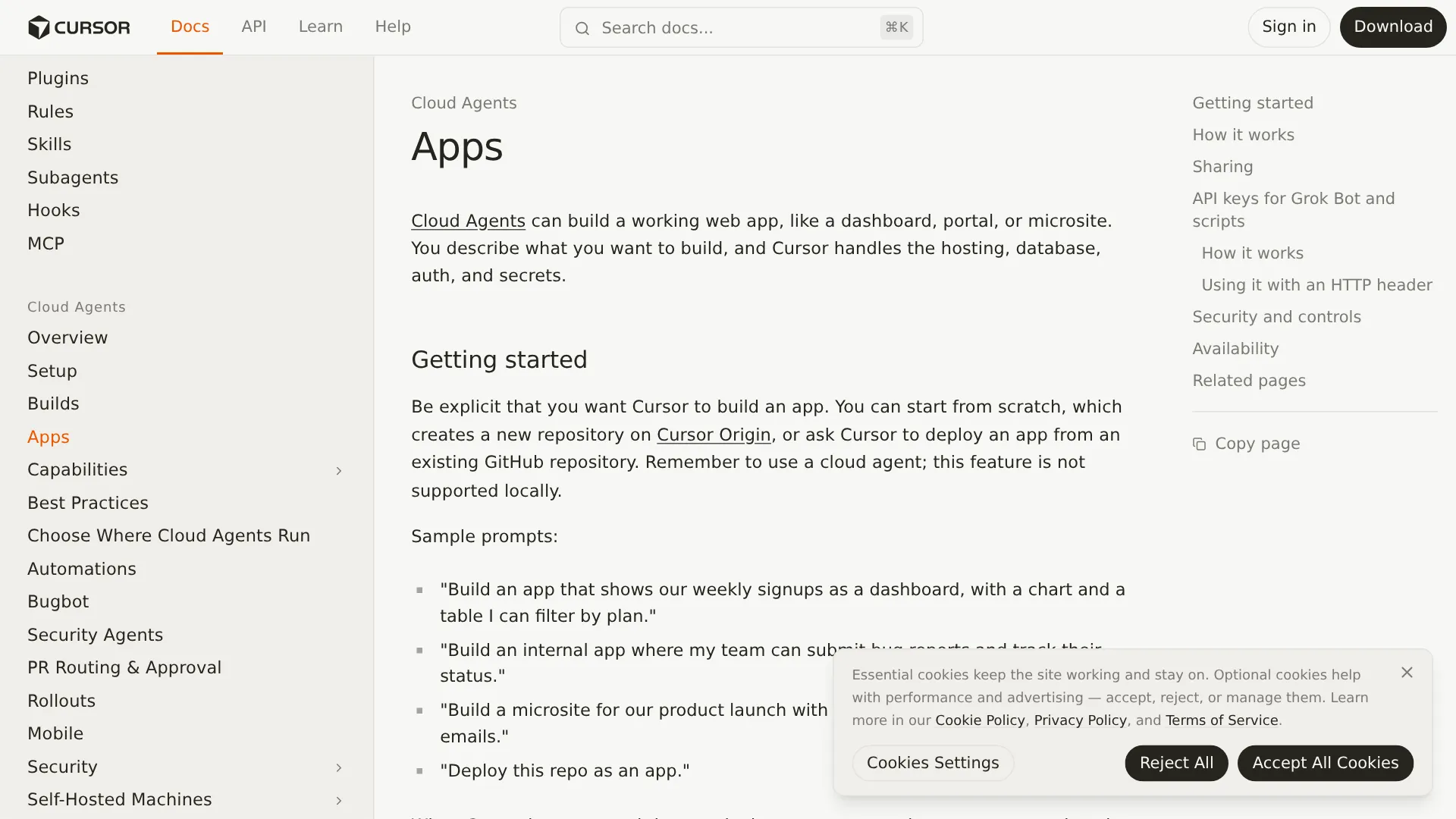
Build Live Apps is a cloud-agent workflow that turns a natural-language request into a deployed web app. Cursor announced the feature on November 5, 2026 in its changelog, and the companion Apps docs describe the same flow: prompt a cloud agent, preview in a tray, pick a URL, pass security checks, then publish to a live link.
The request has to be explicit. Cursor docs say the prompt should tell the agent to build an app. Apps can start from scratch on Cursor Origin, which creates a new repository, or from an existing GitHub repository that Cursor deploys. Only cloud agents can build apps.
When the app needs storage, Cursor provisions a PostgreSQL database. Hosting lands in a dedicated, isolated hosting account per user or per team. Authentication for team apps is Cursor SSO, so recipients sign in with Cursor before opening the app. Individual-plan users can also publish public apps that need no sign-in.
Some limits matter on day one. GitLab support is planned but not available. Custom domains are not confirmed. Cursor says the publisher selects a unique domain and the docs add that the URL can be changed later, but neither page shows a custom-domain flow.
No page lists frameworks, runtimes, regions, Postgres version, backups, scaling behavior, bandwidth quotas, or an SLA. Hosting is legally separate from Cursor services and provided "as is" and "as available", with Cursor reserving the right to revoke or suspend a subdomain or app.
The publish gate: 4 checks you cannot switch off, plus AI review
Nothing goes live until the user explicitly publishes. Preparation alone does not expose the app. Every publish runs four mandatory checks that stay on even if the team disables the separate AI review:
- Block publication when app files contain an API key or access token.
- Block credential files such as private keys or service-account keys.
- Exclude
.envfiles from the published bundle. - Strip source maps so visitors cannot reconstruct original source from the browser.
If a check fails, Cursor lists the issue and the user can ask the agent to fix it and retry.
The additional AI security review reads application files and can block serious issues before publication. Team administrators can add organization-specific instructions to that review prompt. Custom instructions can add rules but cannot remove or weaken Cursor's built-in checks. Administrators can override some publish blocks, but they cannot override blocks involving malicious code, hardcoded secrets, or exposed credentials. Changes to these settings appear in the team audit log.
What the gate does not prove matters more than what it catches:
"The catch: passing security checks doesn't prove your app gives the right people the right access." — @0node0, real user
Cursor names secrets and exposed credentials as examples. Cursor does not state that each app gets authorization testing, row-level permission testing, SQL injection coverage, dependency scanning, or business-logic review. TechRepublic's Nov 6 analysis makes the same point: test with multiple accounts at different permission levels, because one authenticated user reading another user's records is not shown to be covered.
Three questions users ask: extra cost, Vercel replacement, secrets
Does hosting cost extra? Cursor has published no separate hosting or database price. Build Live Apps has no standalone subscription. It is included in paid plans with cloud-agent access. The concrete numbers available come from TechRepublic's plan table, not from Cursor's feature pages:
| Plan | Listed price | Build Live Apps access |
|---|---|---|
| Plus | $8/month | No, no cloud agents |
| Premium | $30/month | Yes, lowest qualifying individual plan |
| Super | $100/month | Yes, larger usage allowance |
| Ultra | $200/month | Yes, highest listed allowance |
| Team | From $30/user/month | Yes, adds admin controls |
| Enterprise | Custom | Yes, policy dependent |
Cursor uses a shared weekly AI usage allowance (TechRepublic's plan breakdown), but Cursor publishes no token, request, or compute numbers per tier on these pages. Third-party models may incur separate charges (TechRepublic). Database, storage, traffic, and concurrency limits are unstated. Treat the $30 floor as the entry ticket, not the total operating cost, and confirm quotas before putting a customer-facing workload on the built-in hosting.
Does Build Live Apps replace Vercel? Not yet for complex or compliance-sensitive production backends. The built-in path fits Postgres plus SSO plus a share link. The traditional path with GitHub to Vercel, Netlify, Railway, Render, or a VPS still owns custom architectures and regulated data; the table below carries the full per-scenario split. Reddit hosting threads keep returning to the same classifier: how stateful or long-running the workload is decides the host.
"Most cursor demos I see on my timeline are focused on the UI… most aren't deployed to live paying users." — @mayowaoshin, real user
Where do secrets live, and does the agent see them? Cursor docs state that the coding agent never sees secret values. Apps that need a warehouse or external API prompt the user for secrets. Team secrets are normally created by a team administrator in the Apps dashboard or added later through the same dashboard.
Team administrators can see each team app and each team secret. That is governance and also a trust boundary to understand before pasting production keys. Automated clients such as scripts, CI jobs, and Grok Bot reach protected apps with a header-based key (x-cursor-app-token), not cookies or query parameters.
Use the built-in path for this, keep the old path for that
| Situation | Built-in Live Apps | Traditional deploy (Vercel / Railway / VPS) |
|---|---|---|
| Internal dashboard, signup tracker, onboarding portal behind SSO | Best fit, fastest path to a share link | Overkill unless the app outgrows quotas |
| Public marketing microsite with email form | Works on individual plans with public sharing | Use traditional path if custom domain, analytics, or edge caching is required |
| App needing Postgres plus Cursor SSO plus admin unpublish | Native, isolated hosting account with explicit publish and audit log | Rebuild auth, DB, and review gates by hand |
| Custom auth, SAML/OIDC beyond Cursor, RLS-heavy Supabase schema | Risky, permission model unproven with admin secret visibility | Use traditional path, own the auth and data layer |
| Long-running backend, workers, cron, WebSockets, non-Postgres store | Not documented, no runtime or scaling spec | Use traditional path if any of these is required |
| GitLab source, local-agent workflow, regulated residency/SLA | Blocked, GitHub or Origin only with cloud agents and as-is hosting | Use traditional path |
| Production payments, webhooks, PII | Pilot only, pass checks then prove authz independently | Use traditional path with staging, branch protection, restricted keys |
The old path keeps its own setup work: MCP config, hosting credentials, environment variables, and RLS hardening, as one builder's four-week path from landing page to Vercel to Supabase auth shows.
Before you share: a production-readiness checklist
Cursor's checks catch leaked secrets and credential files. The remaining risks are permissions, environment plumbing, async side effects, and code nobody read. Run this list before the first share, even for an internal tool.
- Rebuild from clean, then read the diff. Ask the agent to run the real production build, not the dev server. Open each changed file around payments, auth, and data writes. If the project already ballooned past the point where the diff is reviewable, restore a checkpoint and split the task instead of prompting over the mess.
- Test permissions with two accounts. Sign in as an admin and as a restricted member. Create a record as user A and try to read, edit, and delete it as user B. The security report passing is not evidence that row ownership is correct.
- Audit secrets end to end. Confirm no key is bundled into frontend code, no
.envshipped, and each external credential has the narrowest scope that still works. Remove direct production database URLs from the agent's reachable environment. One r/cursor report describes Cursor deploying straight to production Supabase instead of going through GitHub. - Exercise the async paths. Fire a real webhook, retry it, and kill it mid-flight. Check connection-pool behavior under concurrent use. Silent webhook failures and exhausted pools are the failures users report discovering only after launch.
- Define update and rollback. Confirm who can publish, who can override a blocked publish, who can unpublish, and where the audit log goes. Record how a bad publish gets reverted and how a schema migration runs, because the docs describe publishing but not version history or rollback.
"Once an app leaves localhost, its secrets come with it." — @1PasswordDev, real user on per-app secret isolation
If any step above has no answer, such as no staging project, no second test account, or no rollback, keep the app on a team-only link or on the traditional stack until it does.
FAQ
Does Build Live Apps require a paid Cursor plan?
Yes. Build Live Apps runs only on paid plans with cloud agents enabled. Plus at $8/month does not qualify. Premium at $30/month is the lowest qualifying individual plan.
Can Cursor build an app from my existing repository?
Yes, from an existing GitHub repository or from scratch on Cursor Origin. GitLab is planned but unavailable, and local agents cannot build apps.
Can a team app be public?
Team and Enterprise plans disable public sharing by default. An administrator can enable it in the Apps dashboard. Individual plans can publish public apps directly.
Does Cursor support custom domains?
Cursor says the publisher selects a unique domain and can change it later, but neither the changelog nor the docs confirm custom-domain mapping. Assume a Cursor-managed URL until Cursor documents otherwise.
How do scripts or bots access a private app?
Provision a Cursor API key and send it on every request as the x-cursor-app-token header. Personal keys open anything the owner can open. Team keys open only explicitly granted team apps.
What happens after I unpublish an app?
Administrators can unpublish any team app, and disabling public apps returns existing public apps to team-only visibility. Cursor does not document retention, backup, or data-export behavior after unpublishing.
Build Live Apps removes the hosting setup between a working prototype and a usable link. It does not remove the review, permission testing, and ownership work that decide whether anyone else can safely use the result.
Related reading: Best LLM for Coding Agents 2026 · Cursor Projects Beta Review · Cursor Router Explained