 AIREITER
If you want free AI selfies today, three tools deliver without a credit card: Magic Hour gives you 3 images a day with no account, Google's Gemini generates roughly 100 Nano Banana images a day on the free tier, and Canva includes about 50 AI generations a month. Most of the rest are either paid headshot packages in disguise or free tiers so thin you'll hit the wall on day one.
We checked every tool on this list on July 13, 2026 — not from their marketing pages, but from the generation screens, where the real limits show up in the credit counter. We also ran the same selfie prompt through two of the underlying image models via API to see what "skipping the app" costs: about 3 cents per image.
Selfie generator or headshot generator? Decide before you pick a tool
These are two different products that get bundled under one search term. A headshot generator (BetterPic, HeadshotPro, Aragon, InstaHeadshots) takes 10–20 photos of you, trains a model for 30–120 minutes, and returns polished business portraits for $27–49 per batch. A selfie generator takes one photo and restyles it in seconds: casual, phone-camera-looking shots for Instagram, dating profiles, or fun.
The distinction matters because the outputs don't interchange. One Reddit user in r/ChatGPT put the frustration plainly: "I need an AI that can take a bunch of selfies and generate realistic photos of them sitting, standing, etc. Not headshots." If that's you, the $29+ training-based tools will hand you a folder of suit-and-blazer office portraits you didn't ask for.
This list covers the selfie side only — tools that are free at the point of use and make casual selfies, not office portraits. If polished professional portraits are what you're after, the free AI portrait generator roundup covers that category separately.
The 5 free AI selfie generators that passed verification
Each tool below was tested from the generation screen itself. The free allowance quoted is what the interface showed us, not what the homepage promised.
Magic Hour — 3 per day, no signup, the easiest start
Magic Hour is the lowest-friction option we found: open the page, upload a photo, pick a style, generate. No account, no email, no credit card needed. The counter in the interface reads "3 images left today" and resets daily.
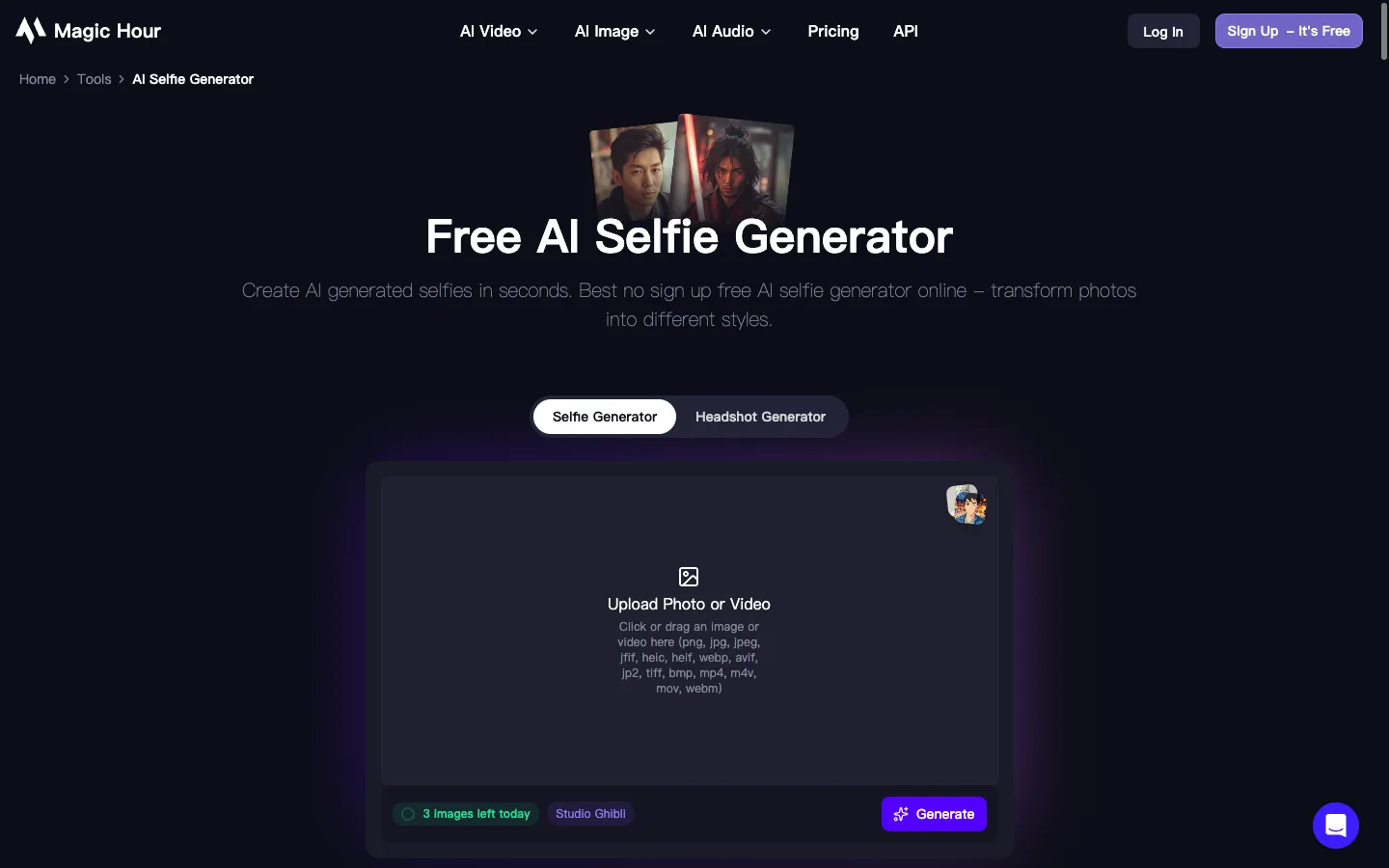
The catches: free outputs carry a watermark (removal requires a paid plan), and free use is licensed for personal, non-commercial purposes. Magic Hour's FAQ says uploads are deleted within 7 days, though another section of the same page says 1 day — the inconsistency is worth knowing if privacy is your main concern. Styles include anime, cartoon, and professional looks alongside realistic ones.
Best for: trying AI selfies in under a minute with zero commitment.
Google Gemini (Nano Banana) — the most generous free allowance
Nothing else on this list comes close to Gemini's free volume. Google's own help pages confirm a daily quota exists but decline to publish the number. Community reports through mid-2026 consistently place the standard Nano Banana model around 100–110 images a day on a free account, and our verification table treats that range as approximate for exactly that reason. You attach a selfie in the chat, describe the change ("put me on a beach at golden hour, keep my face exactly the same"), and it edits the photo.
Two limits to know. Nano Banana Pro, the higher-detail model, is capped at 2 images a day for free users, a limit Google attributes to high demand. And free downloads are capped at 1K resolution; 2K requires a paid Google AI plan. Each image also carries Google's invisible SynthID watermark, though nothing visible is stamped on the photo.
Best for: volume. If you want to iterate on 30 variations of one selfie, this is the only free tier that won't stop you.
Canva — about 50 AI generations a month, useful if you edit there anyway
Canva's AI headshot and selfie generation runs on Magic Media credits: Canva Free includes roughly 50 AI image generations a month, with the allowance resetting on the first of each month (Canva Pro at $13/month raises it to 500). Outputs carry no watermark.
The workflow is the draw here. Your generated selfie lands directly inside a design editor, so cropping it for an Instagram story or dropping it into a resume template takes seconds instead of a round-trip through another app. The generation quality is middle-of-the-pack: fine for social posts, less convincing at full-screen size.
Best for: people already living in Canva who want selfies inside their design workflow.
PixelPanda — advertised 3/day, but the counter says 1
PixelPanda shows why we verify from the interface instead of the marketing copy. The page's FAQ promises "3 generations per day, no account needed" and "no watermarks." The generation screen tells a different story: "1 free generation remaining today" for anonymous users, a "Sign in for 2 more free today" prompt, and a "Sign up free to download without the watermark" notice, meaning anonymous outputs are watermarked.
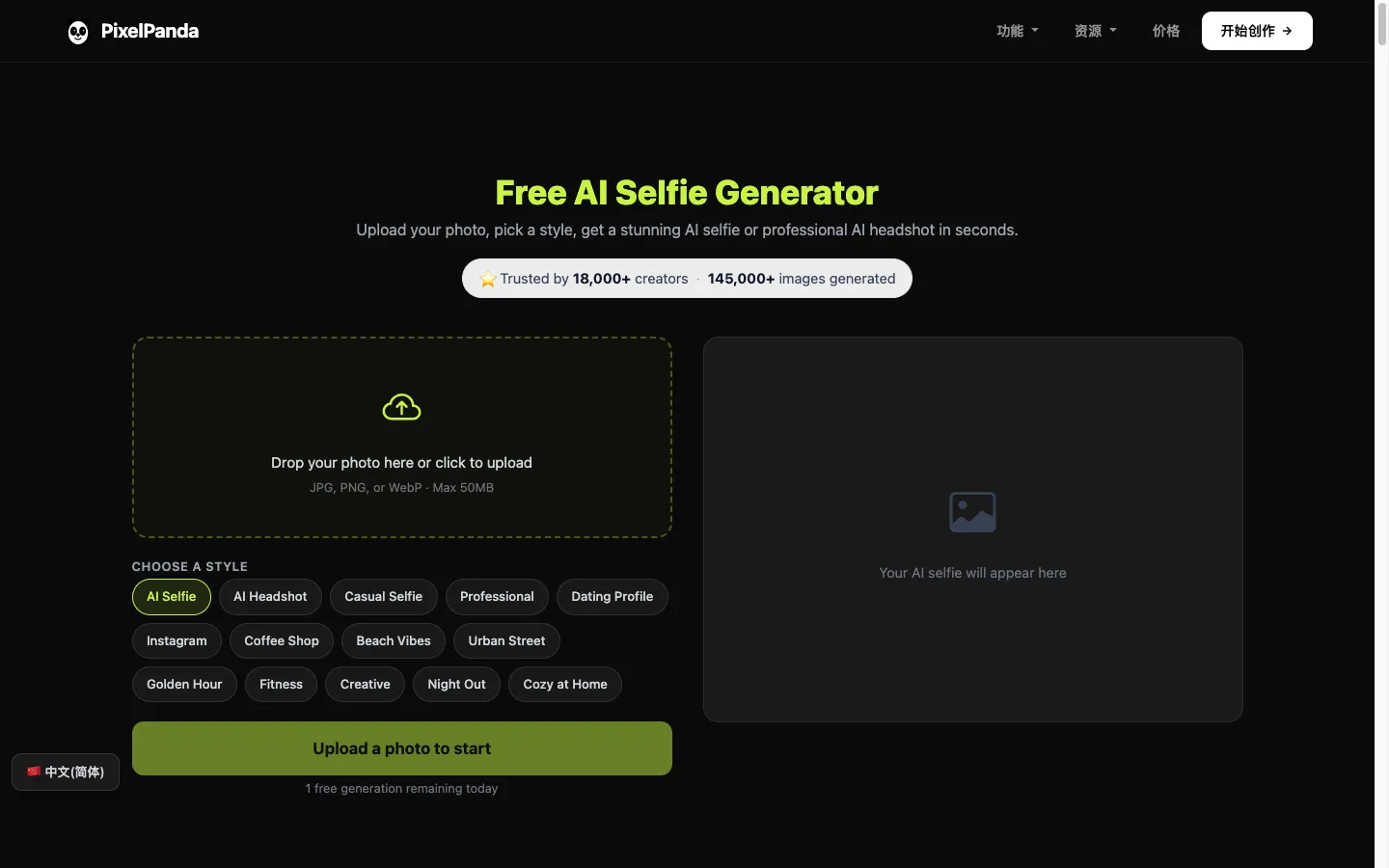
Once you know the real terms (1 anonymous generation a day, 3 with a free account) it's still a decent tool. You get 14 style presets (Casual Selfie, Dating Profile, Coffee Shop, Golden Hour, Night Out), uploads up to 50MB, and 3:4 portrait output. Paid is $7.99/week for 280 credits.
Best for: style variety from a single photo, once you've signed up for the real 3/day.
LightX — 5 daily credits, but 512px exports hold it back
LightX gives free users 5 credits a day on its lifetime-free Starter plan, with most AI portrait features capped at 2 uses. Output is the weak point: free exports are 512px JPG only, with a watermark, which looks noticeably soft on any modern phone screen. Paid unlocks 4096px.
It earns its slot because those 5 credits also cover a full editing suite (background removal, face retouch, outfit changes) that the single-purpose tools above don't have. As a pure selfie generator, though, the 512px ceiling makes it the weakest of the five.
Best for: quick low-res experiments plus general photo editing in one place.
Advertised vs. what the counter says
Here's the full verification table, checked July 13, 2026:
Tool | Advertised free tier | What the generation screen shows | Watermark | Signup |
|---|---|---|---|---|
3/day, no signup | "3 images left today" ✓ matches | Yes | No | |
"Daily quota" (unquantified) | ~100/day standard, 2/day Pro | Invisible SynthID only | Google account | |
Free plan AI tools | ~50 Magic Media credits/month | No | Yes | |
3/day, no watermark | 1/day anonymous, watermarked | Yes (anonymous) | For 3/day | |
"Try for free" | 5 credits/day, 512px JPG export | Yes | Yes |
Before you invest time uploading photos to any tool, a 60-second check saves disappointment. Look for the credit counter on the generation screen, not the homepage. Generate one image and inspect the corner for a watermark before batch-processing. And check the export dialog for the export resolution: "high quality" in marketing copy can mean 512px in practice.
Popular names that aren't actually free
Several tools dominate "AI selfie" searches without offering a usable free tier. Lensa, the app behind 2022's Magic Avatars wave, sells avatar packs as one-off purchases; there is no free generation. Remini is an enhancer rather than a generator: it sharpens and restores existing photos (free with ads on Android, trial-then-subscription on iOS), but it won't create a new selfie of you on a beach. OpenArt has a text-to-selfie tool, but beyond a small trial credit bundle its plans start at $14/month.
All three answer a different question than "free AI selfie generator."
The per-image route: calling the models directly
The consumer apps above are wrappers around a handful of image models. If you're comfortable with an API call, or you need more than any free tier allows, you can use those models directly and pay per image instead of per subscription.
We ran the identical prompt (a candid front-camera coffee-shop selfie, natural skin texture, no beauty filter) through two current models to see real costs and output quality:
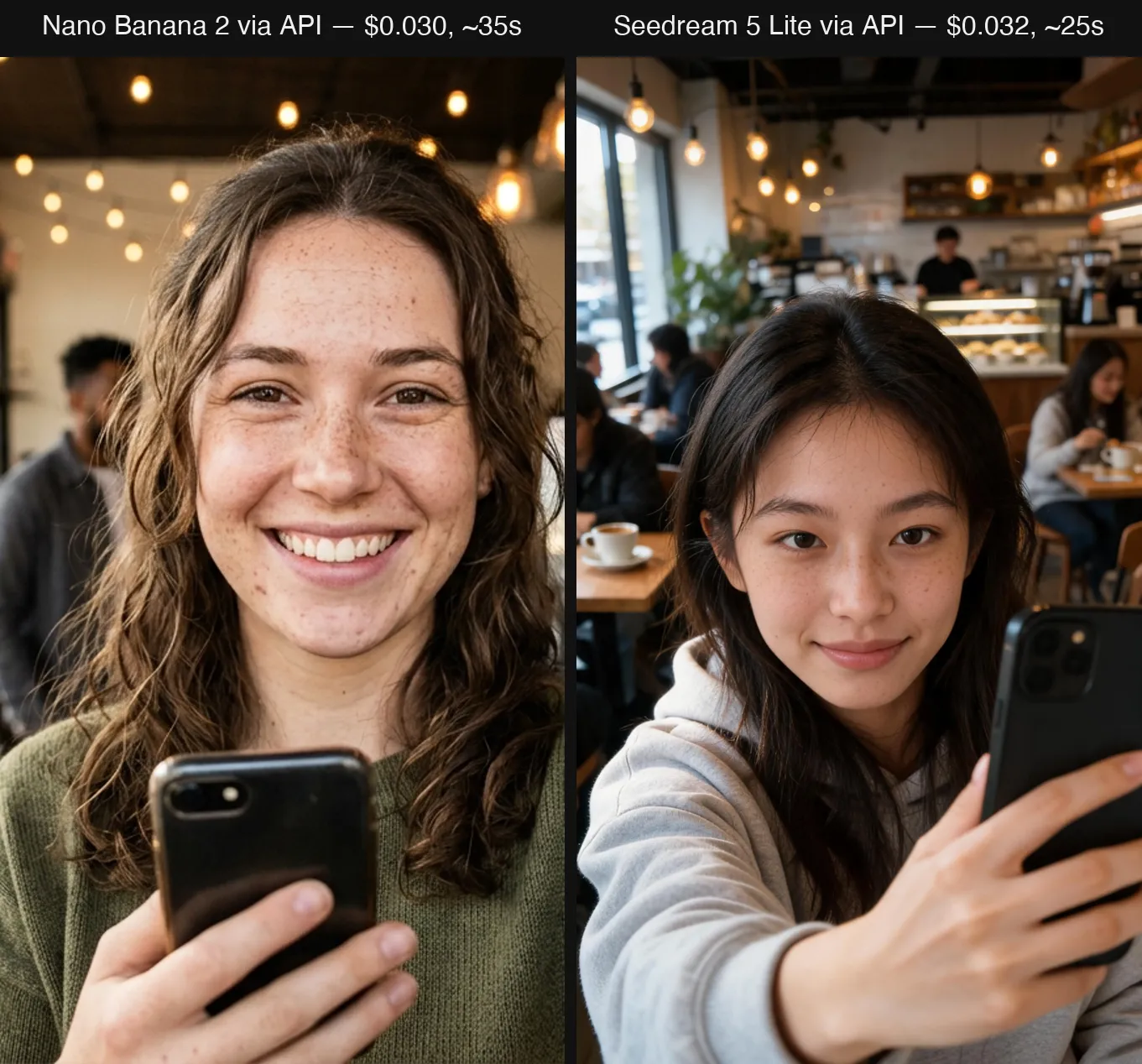
Nano Banana 2 cost $0.030 and took about 35 seconds; Seedream 5 Lite cost $0.032 and took about 25 seconds. Both nailed the phone-in-hand framing and the mixed café lighting; Nano Banana 2 rendered more convincing skin texture and freckles, while Seedream leaned slightly smoother. Both were single runs on July 13, 2026, at default settings, billed in platform credits. One prompt each: treat this as a snapshot, not a benchmark. We ran both through AIReiter, an API aggregator that resells these models at about 20% of list price, which is where the 3-cent figures come from.
Against subscriptions the comparison is stark: PixelPanda's $7.99/week works out to $32 a month, which at 3 cents per image buys over 1,000 API generations. The trade-off is that raw models don't come with style preset buttons — you write the prompt yourself.
Getting selfies that actually look like you
The single biggest quality lever is your input photo. Use a sharp, well-lit, front-facing shot with no filter, because the AI amplifies whatever it's given, including blur and beauty-mode smoothing. For tools that accept multiple references (Nano Banana accepts up to 9), three to five photos from different angles measurably improve likeness.
Be specific about lighting in prompts. "Golden hour," "window daylight," and "cinematic contrast" each pull the output in visibly different directions; vague prompts default to a generic studio look.
Watch for over-smoothing, the most common tell of an AI selfie. If a tool's output makes your skin look poreless, add "natural skin texture, visible pores" to the prompt or pick a tool that supports it. Real selfies have imperfections; keeping some is what makes the fake ones pass.
Finally, check the deletion policy before uploading. Magic Hour states uploads are removed within 7 days; many tools publish nothing at all. If a generator doesn't document what happens to your face photos, assume they're retained.
FAQ
What's the difference between an AI selfie generator and an AI headshot generator?
A selfie generator restyles one photo in seconds into casual, phone-style shots and typically has a free tier. A headshot generator trains on 10–20 of your photos for 30–120 minutes and returns formal business portraits, paid in nearly every case ($27–49 per batch).
Is there an unlimited free AI selfie generator?
No. All five tools we verified have hard caps; the most generous is Gemini's roughly 100 standard Nano Banana images a day. Tools advertising "unlimited" typically throttle speed or gate downloads instead.
Can I turn an existing photo into a selfie for free?
Yes — that's exactly what Magic Hour (3/day, no account) and Gemini do: upload the photo and describe the scene you want yourself in. PixelPanda does the same with preset styles at 1 free generation a day without an account.
Is it safe to upload my selfies?
It depends on the tool's retention policy. Magic Hour documents deletion within 7 days; Google retains Gemini uploads per its account-level privacy settings; several smaller tools publish no policy at all. Don't upload photos of other people without their consent.
Can I use free AI selfies commercially?
Usually not. Magic Hour and LightX restrict free outputs to personal use and reserve commercial rights for paid plans. Canva permits commercial use of Magic Media outputs under its content license, and API-generated images follow each model provider's terms. Read the specific license before publishing anything paid.