 AIREITER
DeepSeek put its App behind API parameters on November 13, 2026. Built-in search is model-controlled and billed per query with results, standalone Search/Fetch is code-controlled and billed per successful request, and file upload runs through a separate Files API by file_id.
A thinking-enabled call can fan out into about 20 tool calls (billed as queries and fetches). This guide covers activation, file upload, per-task math, and which path to pick.
What November 13 unlocked in the DeepSeek App API
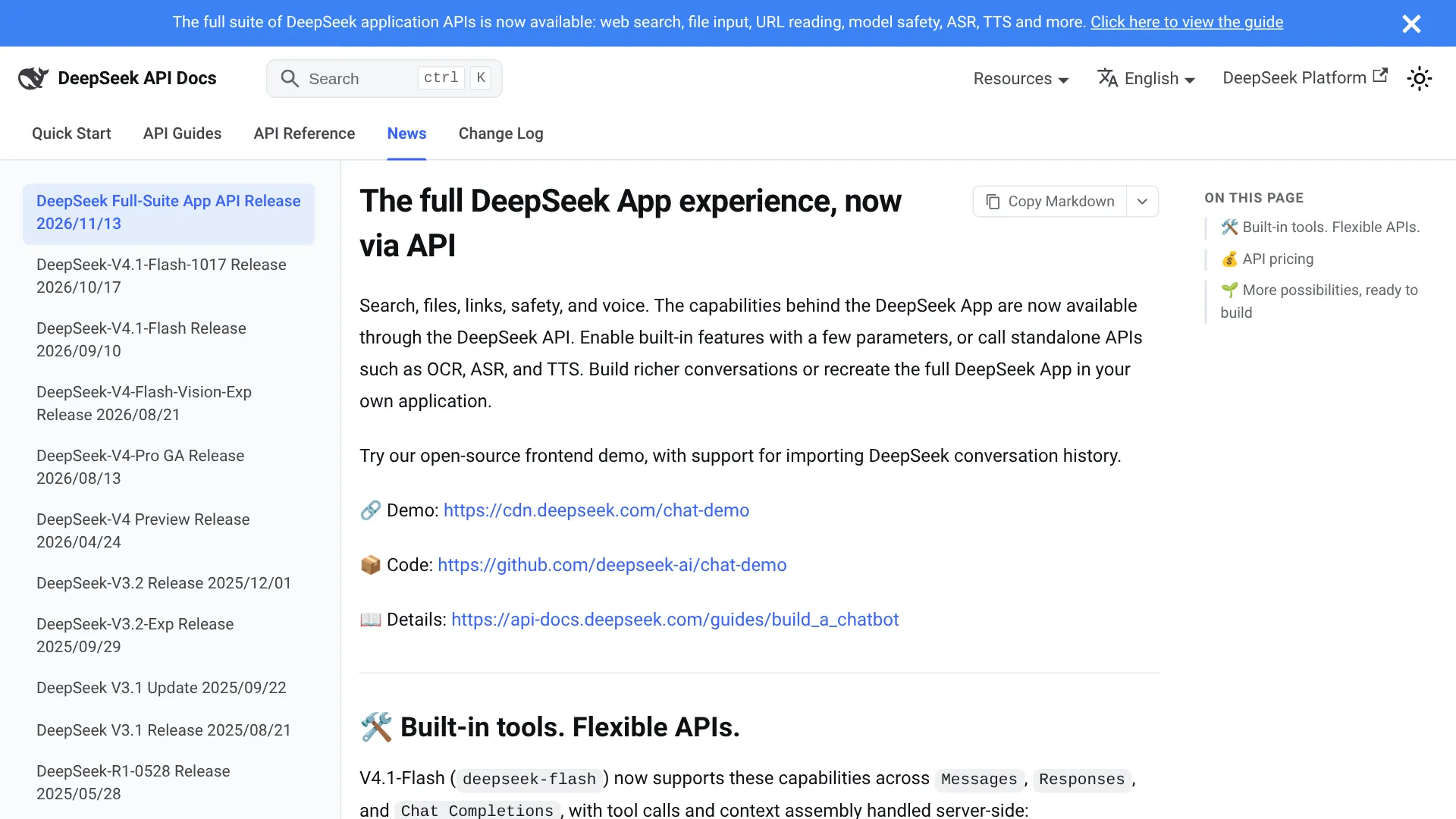
DeepSeek's announcement, The full DeepSeek App experience, now via API, makes web search, file input, and URL reading available through the API for the deepseek-flash model (DeepSeek-V4.1-Flash).
Three interfaces expose the same feature set: the Messages API, the Responses API, and the Chat Completions API, per the Build a Chatbot guide. Tool calls and context assembly run server-side, so the client renders structured blocks and passes them back unchanged. An open-source browser demo illustrates the wiring but is labeled demonstration-only.
Turn on web search and URL reading
Declare two tools in the request's tools array, on deepseek-flash, as documented in the Web Tools guide:
"tools": [{"type": "deepseek_web_search"}, {"type": "deepseek_read_url"}]With thinking disabled, deepseek_web_search behaves like chat search: the model decides whether to search, one call can carry multiple queries, and answers arrive with citations. With thinking enabled, the same tool becomes deep-thinking search with search, open_page, and find_in_page interleaved across reasoning steps, up to about 20 tool calls before the answer.
Four web-tool limits, from the same Web Tools guide:
- Only URLs in the latest user message count, capped at the first 10 distinct URLs, and the model picks which to read.
- You cannot force a tool via
tool_choice: naming one returns HTTP 400, and"none"disables URL reading too. - When web tools, high safety, or title generation are on,
temperature,top_p, and several tool-control fields are silently ignored. - A reply that used web tools cannot be continued, so resend the request instead.
"At $0.75 per 1000 requests, I want to know how many calls an agent makes in the background. Has anyone calculated the cost for typical research task?" — u/Glum-Guitar-5083 on r/DeepSeek
Billing differs by path. Built-in web search bills per query that returns results (three queries in one call counts as three); built-in fetch bills per page fetched, including pages later replaced by url_not_allowed or unavailable under safety review, while unfetchable links are not billed. Standalone Search/Fetch bill only on HTTP 200 with non-empty results or returned content. Failed or empty searches are not billed in either path.
File upload without your own parser
The Files API uploads once and references later by file_id. Minimal flow:
curl https://api.deepseek.com/files \
  -H "Authorization: Bearer $DEEPSEEK_API_KEY" \
  -F purpose="rich_layout_recognition" \
  -F file="@report.pdf"
# -> {"id": "file-api-xxxxxxxxxxxxxxxx", ...}

# then reference it in chat (Chat Completions shape):
# {"model": "deepseek-flash", "messages": [{"role": "user",
#   "content": [{"type": "text", "text": "Compare this with today's numbers"},
#   {"type": "file", "file_id": "file-api-xxxxxxxxxxxxxxxx"}]}]}
purpose decides processing, and for documents it must be sent before the file field. user_data accepts images (JPEG, PNG, GIF, WebP), plain text, spreadsheets, and ebooks; text_recognition parses PDF, Word, and PowerPoint plus images to text only; rich_layout_recognition returns text plus figures for tables and columns. Uploading a PDF as user_data returns HTTP 400, and parsed documents cannot be reused as images or downloaded afterward.
| Category | Cap |
|---|---|
Image by file_id | 64 MiB (vs 32 MiB inline Base64) |
| PDF / Word / PowerPoint | 100 MiB, 120s upload parse |
| Text / spreadsheet / ebook | 32 MiB, 10 min upload window |
| Account quota | 25 GiB, 10,000 files; expiry 1h–30d or permanent |
Files belong to the account, not the key, and the same ID works across OpenAI-compatible and Anthropic-compatible families (the latter needs the anthropic-beta: files-api-2025-04-14 header). Parsing runs during upload, so the file_id only returns after success.
Built-in tools vs standalone Search and Fetch
Use built-in tools when the model should decide to search or read inside a conversation. Use the standalone APIs from the Search & Fetch guide when your code decides: POST https://api.deepseek.com/v1/tools/search for ranked discovery (up to 50 results, rerank_score 0–3 with 1.5+ high quality, authority 0–4) and POST https://api.deepseek.com/v1/tools/fetch for one URL to Markdown. Standalone search does not yet do image search, while web tools do.
| Path | Control | Billing unit | Best for |
|---|---|---|---|
Built-in deepseek_web_search / deepseek_read_url | Model decides, server-side | Per query with results / per page fetched | Chat with citations, deep research |
| Standalone Search + Fetch | Your code decides | $0.75 per 1,000 successful requests each | Agents, RAG pipelines |
Rate limits are account-level and independent: 100 QPS for Search, 25 QPS for Fetch plus a per-domain Fetch cap, with HTTP 429 above quota. Retry 408, 429, and 5xx, and fix the request for other 4xx. Query operators (site:, -site:, "exact phrase", lang:, after:/before:) work in standalone Search.
What it actually costs
Tool fees stack on tokens: Search and Fetch at $0.75 per 1,000 successful requests each; OCR, ASR, and TTS carry separate tool prices with time-limited promos detailed in the announcement. count changes result volume without changing price.
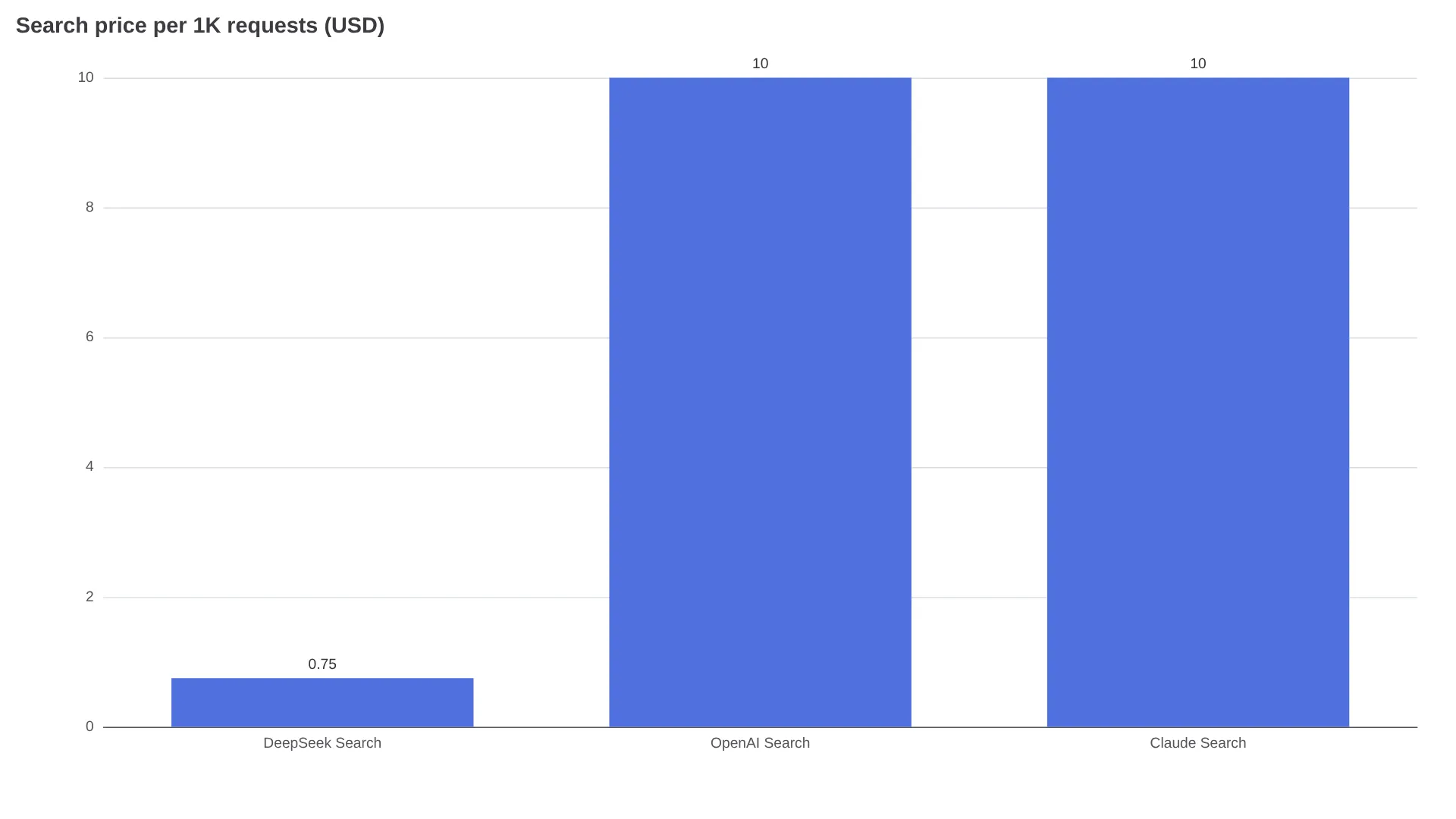
Community price checks put DeepSeek search near $0.75 per 1,000 against roughly $10 per 1,000 for OpenAI and Claude search as reported by developers (@berryxia), about a 13x gap on tool fees alone.
A single-query answer costs under a tenth of a cent in tool fees. A deep-thinking run with 8 queries and 6 page opens bills about 8 searches plus 6 fetches, still under two cents before tokens. The risk is volume: an agent looping dozens of searches multiplies the $0.75 units fast. Budget by successful calls, cap deep-search depth, and log tool_search versus tool_fetch from the final usage object (web_search_requests there is display-only, not the billed count).
Shipping checklist: citations, safety, demo
Citations arrive as web_search_result_location blocks with URL, title, and cited text, per the Web Tools guide. In streams they come as citations_delta events, one URL per text block at most, and they are ignored if echoed back in later requests. Preserve signature fields and tool blocks verbatim across turns: read pages restore from the signature, and an invalid or missing signature still succeeds but drops the page. The example trace in the chatbot guide grows from 40 input tokens to 9,078 after tools, with 4,096 served from cache, so plan context for search-inflated histories.
For public apps, DeepSeek requires the safety check and leaves moderation, model registration, and AI-content labeling to the developer. Treat the built-in review as a first screen, handle refusal stop reasons explicitly, and expect url_not_allowed when a page fails review. Those blocked fetches are billed anyway. The chat demo illustrates the wiring but keeps everything in-browser, so ship your own backend before production.
FAQ
Can I force the model to search on every request?
No. The model decides when the tools fire, and naming a web tool in tool_choice returns 400.
Which model and endpoints support web search and file upload?
deepseek-flash across Messages, Responses, and Chat Completions. File file_id references work in both OpenAI-compatible and Anthropic-compatible families.
Can uploaded files and web search combine?
Yes. That is the documented chatbot pattern: file context plus server-side search with citations.
How many searches does a typical agent task trigger?
One call with a few queries for simple answers, up to about 20 tool calls for thinking-enabled research. Measure tool_search and tool_fetch per task: built-in bills per query or page, standalone bills per successful request, both at $0.75 per 1,000.
Start with one built-in search request and one file upload in the demo, read the final usage object's tool_search and tool_fetch counters, and only then decide whether the per-task tool spend beats running your own Tavily or SearXNG layer.