 AIREITER
Seedream 5.0 Pro, released July 8, 2026, is ByteDance's pro-tier image model, the tier above Seedream 5.0 and 5.0 Lite, built around editing, separable layers, and multilingual text. This preview covers what's new, how to access it, and whether it's worth upgrading from 5.0 Lite, based on official sources; hands-on benchmarks follow once the API is callable at scale.
What Is Seedream 5.0 Pro?
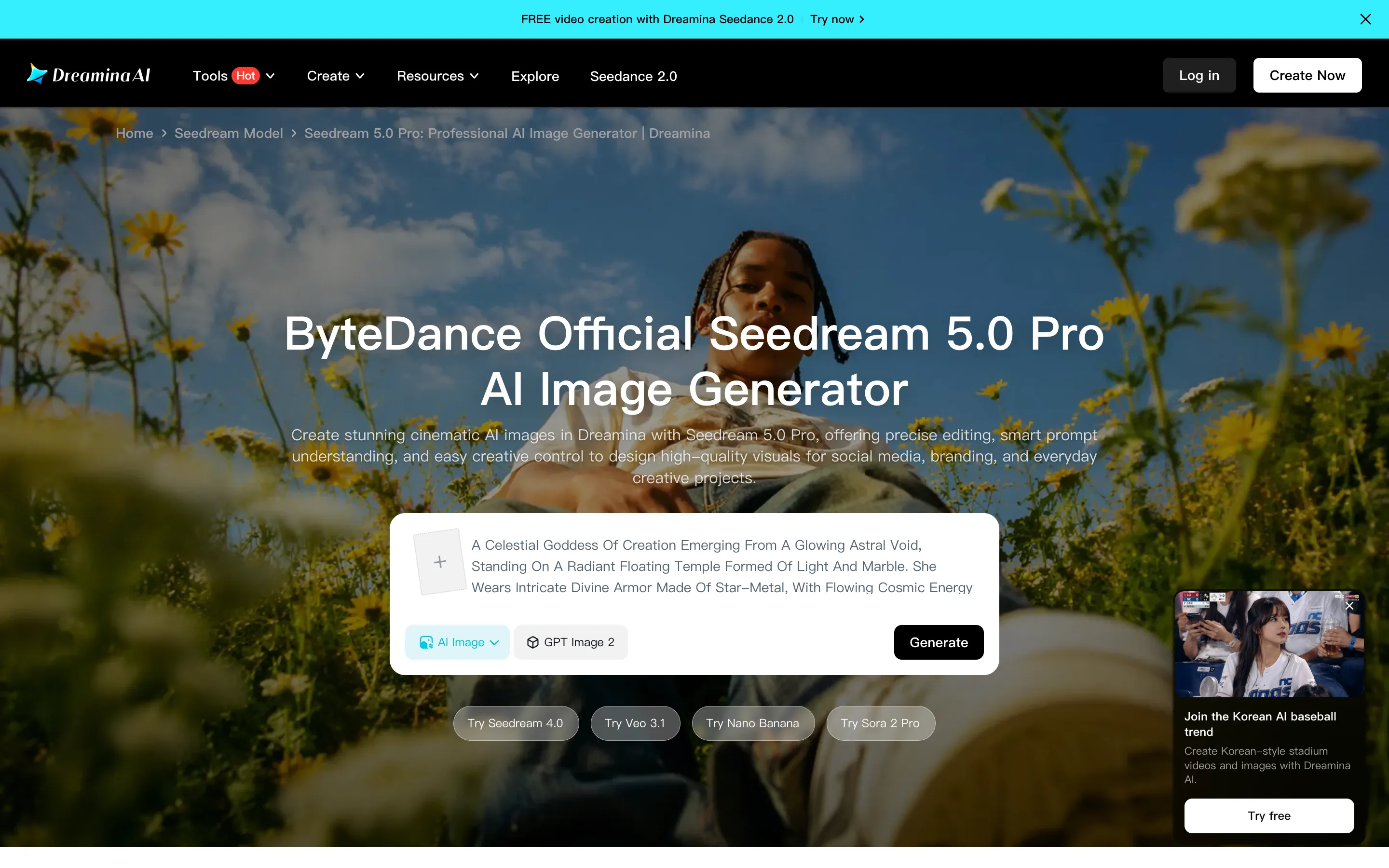
Seedream 5.0 Pro is the highest tier in ByteDance's Seedream image-model family, sitting above the 5.0 and 5.0 Lite versions that shipped earlier. ByteDance bills it as a "professional" and "cinematic" generator aimed at commercial work (product photography, ad creatives, branding) rather than the fast, basic generation that 5.0 Lite targets. The official Dreamina product page is the consumer face of the model.
Two access paths open on launch day. On the consumer side, it's live in Dreamina, where each account gets free daily credits. On the API side, it's available through Volcano Engine for the China market (model ID doubao-seedream-5-0-pro-260628, with the image-generation API reference and a separate tutorial) and through Byteplus internationally (model ID dola-seedream-5-0-pro-260628, under ModelArk, with the API reference and user guide). The API reference is already live; the Pro-specific entry and per-image pricing are being added at launch.
If you've used earlier Seedream versions, the Pro tier also inherits the 5.0 family's built-in web search (it pulls live context for brand, trending, and current-event prompts) and deep-reasoning generation (it processes the prompt step by step before rendering), both documented on the Dreamina page. The new territory is in editing, layers, and text.
What's New: The Four Pro Upgrades
Pro's launch groups its upgrades under four core capabilities — complex information visualization, interactive precise editing, realistic portrait quality, and native multilingual input. The four feature upgrades below cover the editing, layer, and text side; we tested the information-visualization side hands-on in our Seedream 5.0 Pro infographic test.
Pinpoint interactive editing
Pro adds point, box, and anchor selection for fine editing: select or describe what to change, and the model modifies, replaces, or refines that element while preserving the rest of the image. Per ByteDance's Dreamina description, it keeps lighting, textures, shadows, and composition intact, so a targeted edit (swap a label, change a color, replace a product) doesn't force you to regenerate the whole frame. For commercial work, that's the difference between a one-click tweak and starting over, and it's the capability most directly missing from 5.0 Lite, which regenerates rather than edits.
Layer separation with transparent PNG
This is the most differentiated feature in the release. Pro treats an image as separable layers (background, objects, lighting, effects) and can output the background and individual elements as transparent-channel PNGs. You can then drag, scale, re-layout, and re-design each element in a downstream tool like Figma or Photoshop without re-masking by hand. Most image generators flatten output into a single image and don't export separable layers; Pro's layer output removes the manual cut-out step from compositing workflows.
Small-text rendering at 1K and 2K
Text inside generated images has been a weak spot across the category: long strings render fine, but small text breaks down into artifacts. Pro improves small-text rendering so that 1K output is usable for small text and 2K is sharper still, which directly affects posters, slide decks, and ad creatives where small legal copy, prices, or labels need to stay legible.
14-language text rendering
Beyond English, Pro extends clean in-image text rendering to 14 languages, with named support for Russian, Japanese, Korean, German, French, Arabic, and Spanish, among others. For teams producing localized creatives, one model can handle multilingual posters without swapping tools or overlaying text in post-production.
Seedream 5.0 Pro vs 5.0 Lite: What You Actually Gain
The official Dreamina FAQ draws the line clearly: 5.0 Lite is for fast, basic generation; Pro targets high-fidelity editing, layered composition control, and professional output. Concretely, Pro adds the four upgrades above plus stronger prompt understanding and deeper reasoning-based generation, so it handles complex prompts, multiple subjects, and detailed layouts more cleanly than 5.0 Lite and produces what ByteDance describes as more cinematic, structured results.
If you're on 5.0 Lite today, the upgrade case is editing and layers. Lite generates a good image; Pro lets you change one thing in that image without regenerating it, and hands you separable layers for further design. If your workflow is "generate, then iterate on details" or "generate, then composite in another tool," Pro earns its keep in the iteration step. If your workflow is "generate a single good image and ship it," Lite remains the cheaper call.
For positioning against the broader field, see our Seedream 5 Pro vs Nano Banana Pro comparison. A Pro-tier head-to-head against Nano Banana Pro is the main thing this preview defers to the full review.
Pricing & API Access
Consumer access is simple: Dreamina gives each account free daily credits, so you can try Seedream 5.0 Pro without paying upfront. Heavy or sustained use depends on Dreamina's plan limits.
Platform | Model ID | Region | Access | Pricing |
|---|---|---|---|---|
Dreamina | (consumer, no model ID) | Global | Web UI, free daily credits | Free tier; plan limits apply |
Volcano Engine |
| China | Not listed at publication; see official pricing page | |
Byteplus |
| International | Not listed at publication; see official pricing page |
Per-image API pricing was not visible on the public doc pages at the time of writing; confirm the current rate on Volcano Engine's or Byteplus's official pricing page before locking in volume, since launch-day pricing can adjust.
If you don't want to register a Volcano Engine account or manage a separate Byteplus project, AIReiter now relays Seedream 5.0 Pro alongside the rest of the Seedream family — same model, one API key, no Volcano signup. That lets a team call Seedream 5.0 Pro alongside Nano Banana Pro, GPT Image 2, and the rest from a single endpoint.
Where 5.0 Pro Fits: The Seedance 2.5 Workflow
One detail in ByteDance's own positioning is easy to miss: the Dreamina page also describes Seedream 5.0 Pro as a still-frame generator for Seedance 2.5, ByteDance's video model. Pro generates high-quality stills that act as strong video frames (stable composition, consistent lighting), which Seedance 2.5 then animates. Pro remains a standalone image model; the Seedance pairing is an additional use case, useful if you're building image-to-video and want cleaner base frames than a weaker still would give the video model.
FAQ
When did Seedream 5.0 Pro release?
July 8, 2026, with same-day availability on Dreamina and on the Volcano Engine and Byteplus APIs.
Seedream 5.0 Pro vs Nano Banana Pro — which is better?
Too early to call without a side-by-side. Nano Banana Pro is the current benchmark for vibrant realism; Pro's stated edge is layer separation, pinpoint editing, and 14-language text. The honest verdict needs identical-prompt comparison, which we'll publish in the full review.
Is Seedream 5.0 Pro free?
On Dreamina, yes — each account gets free daily credits. API access is priced per image on Volcano Engine and Byteplus; see the official pricing page for current rates.
Does Seedream 5.0 Pro have an API?
Yes, under the image-generation API on Volcano Engine and Byteplus (see the linked doc references above).
What languages does Seedream 5.0 Pro support for text?
14 languages, including Russian, Japanese, Korean, German, French, Arabic, and Spanish, alongside English.
Seedream 5.0 Pro vs 5.0 Lite — should I upgrade?
If you iterate on details or need separable layers for compositing, upgrade. If you only need single good images quickly, 5.0 Lite stays the cheaper choice.
Can Seedream 5.0 Pro generate infographics?
Yes — high-density infographics are one of its four core capabilities. We tested it hands-on across data charts, dense text, layout, and four-language output: see our Seedream 5.0 Pro infographic test.