 AIREITER
Nano Banana Pro is built on Gemini 3 Pro Image. Unlike simpler models, it reasons about composition and lighting before generating — so detailed prompts get dramatically better results than keyword lists.
Every strong prompt covers six elements: subject, action/context, setting, lighting, style, and constraints (lens, aspect ratio). For advanced use, add text rendering instructions, factual context ("this is for a high-end cookbook"), and reference image roles.
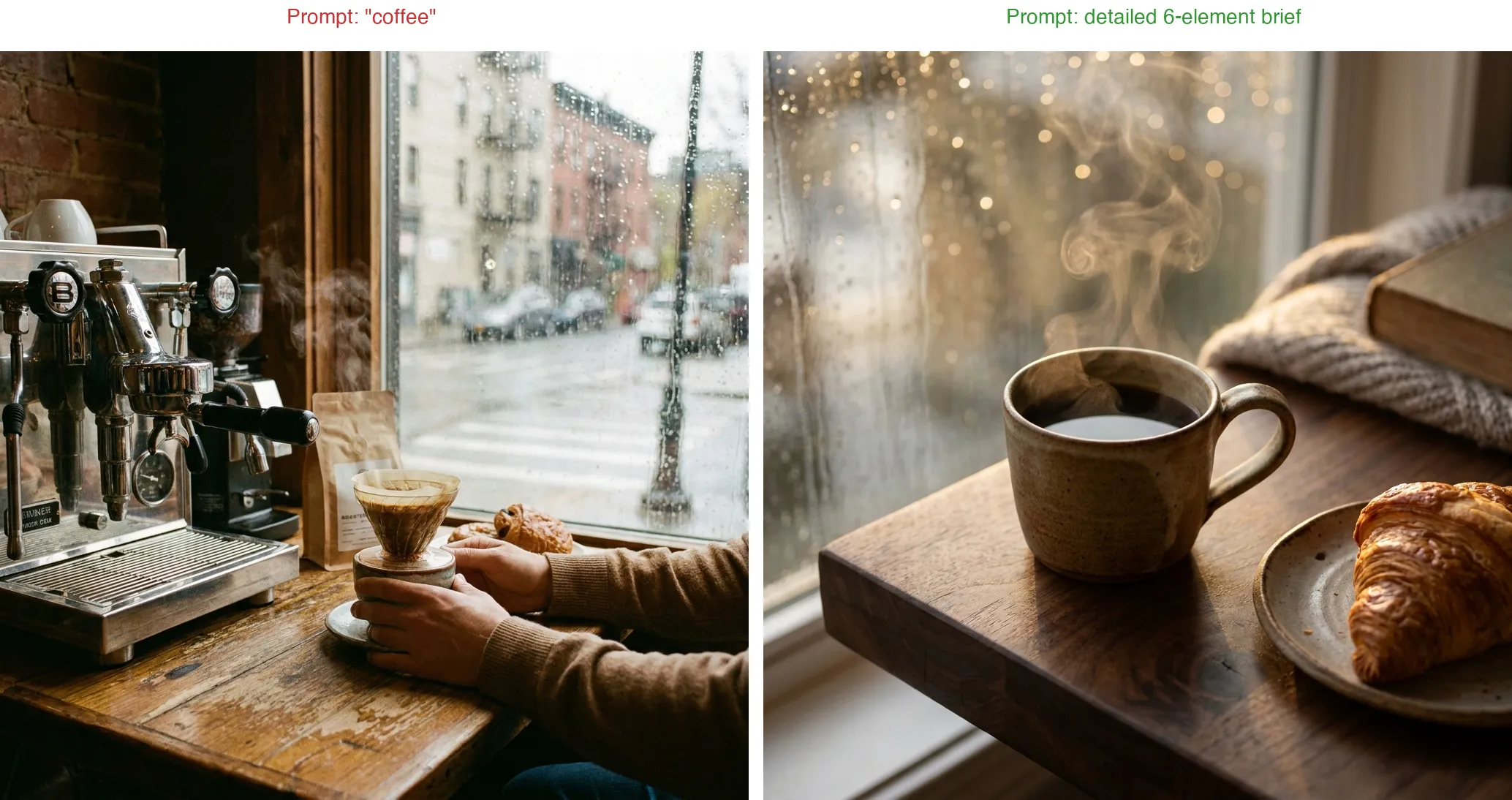
Vague vs. specific — same subject, different results:
Vague:
coffeeSpecific:
A single cup of black coffee in a handmade ceramic mug on a dark walnut table, steam rising in soft swirls, a croissant on a small plate beside it, early morning golden light streaming through a rain-streaked window, shallow depth of field with bokeh raindrops, overhead 45-degree angle, editorial food photography, Fuji GFX 100S with 110mm f/2
50+ Best Nano Banana Pro Prompts by Category
All prompts are copy-paste ready. Replace [brackets] to fit your project.
Portrait & Headshot Prompts
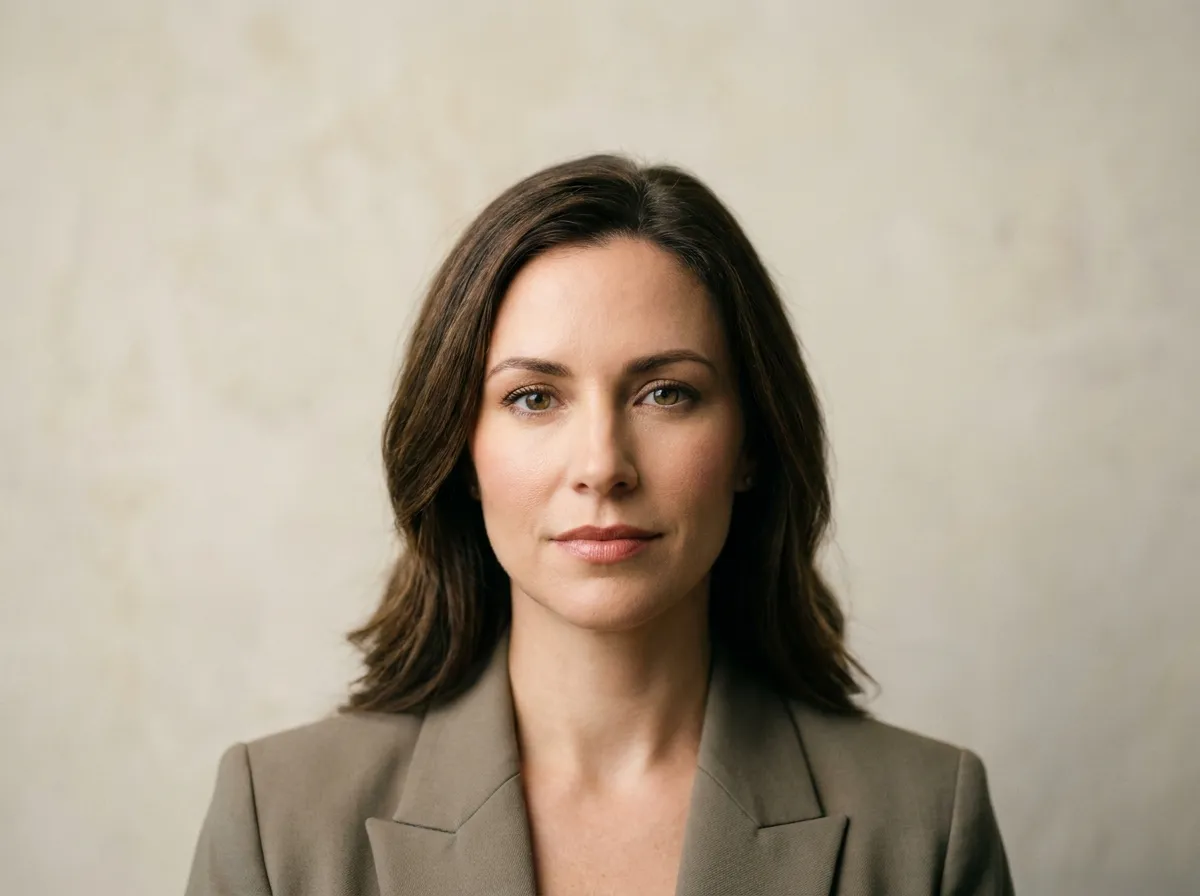
1. Professional LinkedIn Headshot
Professional headshot of a [man/woman] in a navy blazer, natural skin texture, soft studio lighting with a subtle rim light, neutral gray background, shallow depth of field, 85mm lens, corporate portrait photography
2. Creative Portrait with Color Gel Lighting
Close-up portrait of a young musician, dramatic color gel lighting in teal and magenta, dark studio background, visible texture in skin and fabric, cinematic photography, 50mm lens at f/1.8
3. Passport-Style Photo
Passport photo of a [man/woman] with a neutral expression, plain white background, even flat lighting from both sides, no shadows on the face, shoulders visible, sharp focus, ID photo style
4. Environmental Portrait
A female architect standing in front of her completed building, golden hour sunlight, reflections in glass facade behind her, editorial portrait photography, 35mm lens, slight low angle
5. Vintage Film Portrait
Portrait of an elderly man sitting in a leather armchair, warm tungsten lighting from a desk lamp, Kodak Portra 400 film grain, shallow depth of field, nostalgic documentary style
6. Fitness Profile Photo
Athletic man in a gym environment, dramatic side lighting emphasizing muscle definition, dark moody background with out-of-focus equipment, sports photography, 70-200mm telephoto lens
7. Candid Street Portrait
Candid street portrait of a woman laughing while holding a coffee cup, blurred city bokeh background, natural overcast lighting, 50mm prime lens, photojournalism style
8. Professional Headshot for Women
Business headshot of a woman with subtle makeup, soft butterfly lighting, light beige background, confident direct eye contact, shallow depth of field, 105mm portrait lens, modern corporate photography
Try these portrait prompts on Nano Banana Pro →
Product Photography Prompts
9. E-Commerce White Background
[Product name] centered on a pure white background, soft even studio lighting from three sides, no shadows, sharp focus across entire product, commercial product photography, 100mm macro lens at f/8
10. Lifestyle Product Shot
Premium wireless headphones resting on a marble desk next to a laptop and a ceramic coffee cup, soft natural window light, shallow depth of field, lifestyle product photography, warm color grading
11. Cosmetic Product with Water
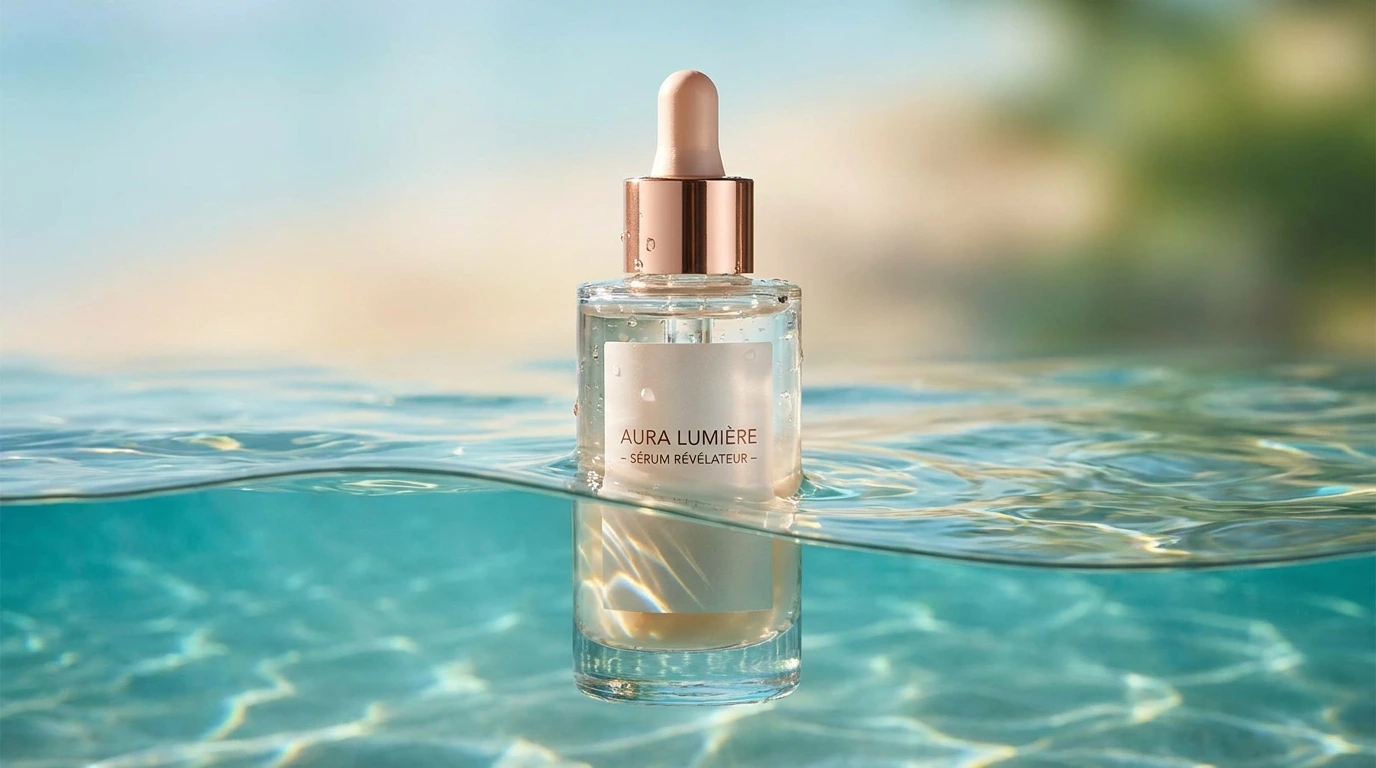
Luxury skincare serum bottle submerged halfway in clear turquoise water, caustic light reflections dancing on the glass surface, soft gradient background, premium cosmetic advertisement photography
12. Food Photography
Freshly baked sourdough bread on a dark wooden cutting board, one slice cut showing airy crumb structure, scattered flour dust, warm side lighting from the left, overhead shot at 45 degrees, editorial food photography
13. Tech Product Hero Shot
Latest smartphone floating at a slight angle against a dark gradient background, screen displaying a colorful abstract wallpaper, subtle reflection beneath, rim lighting highlighting the edges, Apple-style product photography
14. Jewelry Close-Up
Gold engagement ring with a round-cut diamond, placed on a black velvet surface, focused spotlight creating bright sparkle refractions, extreme macro photography, focus stacking, luxury jewelry advertisement
Try these product prompts on Nano Banana Pro →
Logo & Branding Prompts
15. Minimal Logo Concept
Minimal flat logo design for a coffee brand called "BREW", clean geometric lettermark, single color on white background, modern sans-serif typography, vector illustration style, professional branding
16. 3D Logo Mockup
3D metallic silver logo for a tech startup embossed on a dark concrete wall, soft directional lighting from the left, shallow depth of field, realistic office interior background, architectural photography
17. Vintage Badge Logo
Vintage hand-drawn badge logo for an outdoor adventure brand, mountains and compass elements, weathered texture, earthy brown and forest green color palette, retro illustration style
18. Brand Identity Packaging
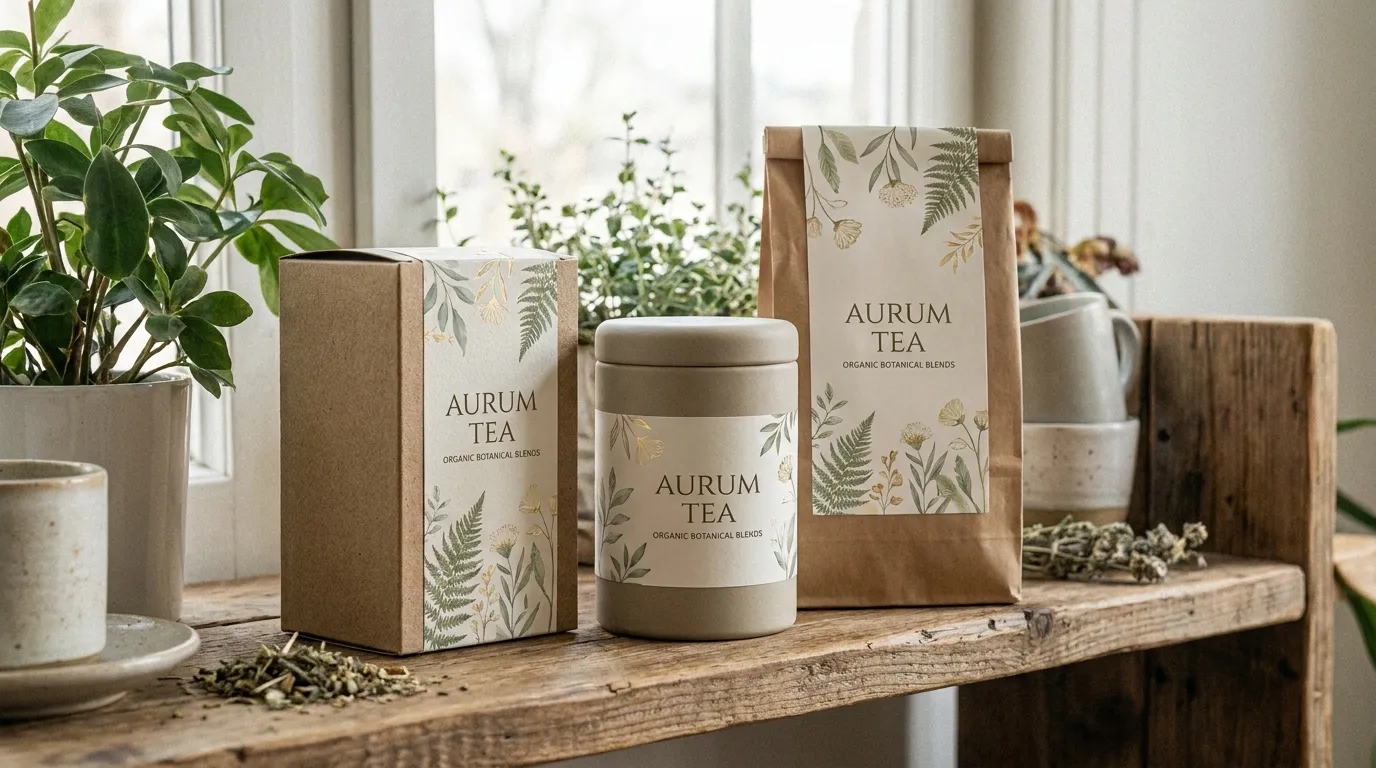
Complete brand packaging mockup for an organic tea brand: box, tin container, and paper bag arranged on a wooden shelf, consistent minimal design with botanical illustrations, soft natural lighting, lifestyle branding photography
19. App Icon Design
Modern app icon for a meditation app, soft gradient from lavender to pale blue, minimal lotus flower symbol in white, rounded square shape, flat design with subtle shadow, iOS app icon style
20. Full Brand Identity System
Complete brand identity board for a sustainable fashion brand called "TIERRA": logo in top-left with clear-space rules, color palette with 5 hex swatches below, primary and secondary font pairings (sans-serif + serif), pattern tile, and three sample applications (business card, tote bag, Instagram post), clean white background, professional brand guidelines layout
Create brand assets with Nano Banana Pro →
Interior Design & Architecture Prompts
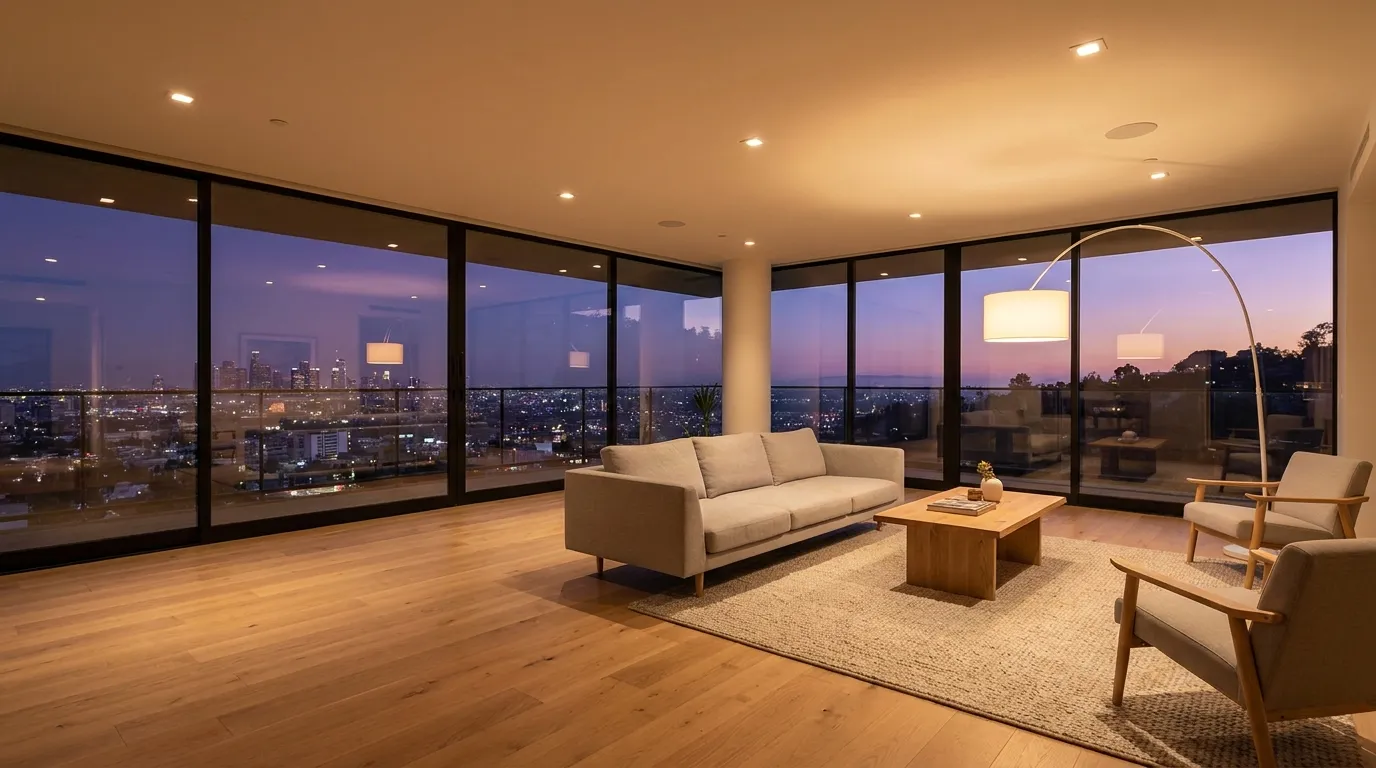
21. Modern Living Room Render
Spacious modern living room with floor-to-ceiling windows overlooking a city skyline at dusk, minimal Scandinavian furniture, warm ambient lighting from recessed fixtures, hardwood floors, interior design visualization, wide-angle 24mm lens
22. Kitchen Renovation Concept
Contemporary kitchen with white quartz countertops, dark walnut cabinets, brass hardware, a large island with bar seating, pendant lights overhead, soft morning light, real estate photography style, 16mm ultra-wide lens
23. Architectural Exterior
Modern residential house with a flat roof and large glass walls, surrounded by a minimalist Japanese garden, golden hour lighting, long shadows on the gravel path, architectural photography, 24mm tilt-shift lens
24. Cozy Reading Nook
Small reading nook built into a bay window with built-in bookshelves on both sides, plush cushions and a throw blanket, afternoon sunlight through sheer curtains, warm and inviting atmosphere, interior photography
25. Restaurant Interior
Upscale Japanese restaurant interior with a sushi counter, warm wood textures, hanging paper lanterns, ambient mood lighting, diners blurred in the background, editorial architecture photography, 35mm lens
Visualize interiors with Nano Banana Pro →
Social Media & Marketing Prompts
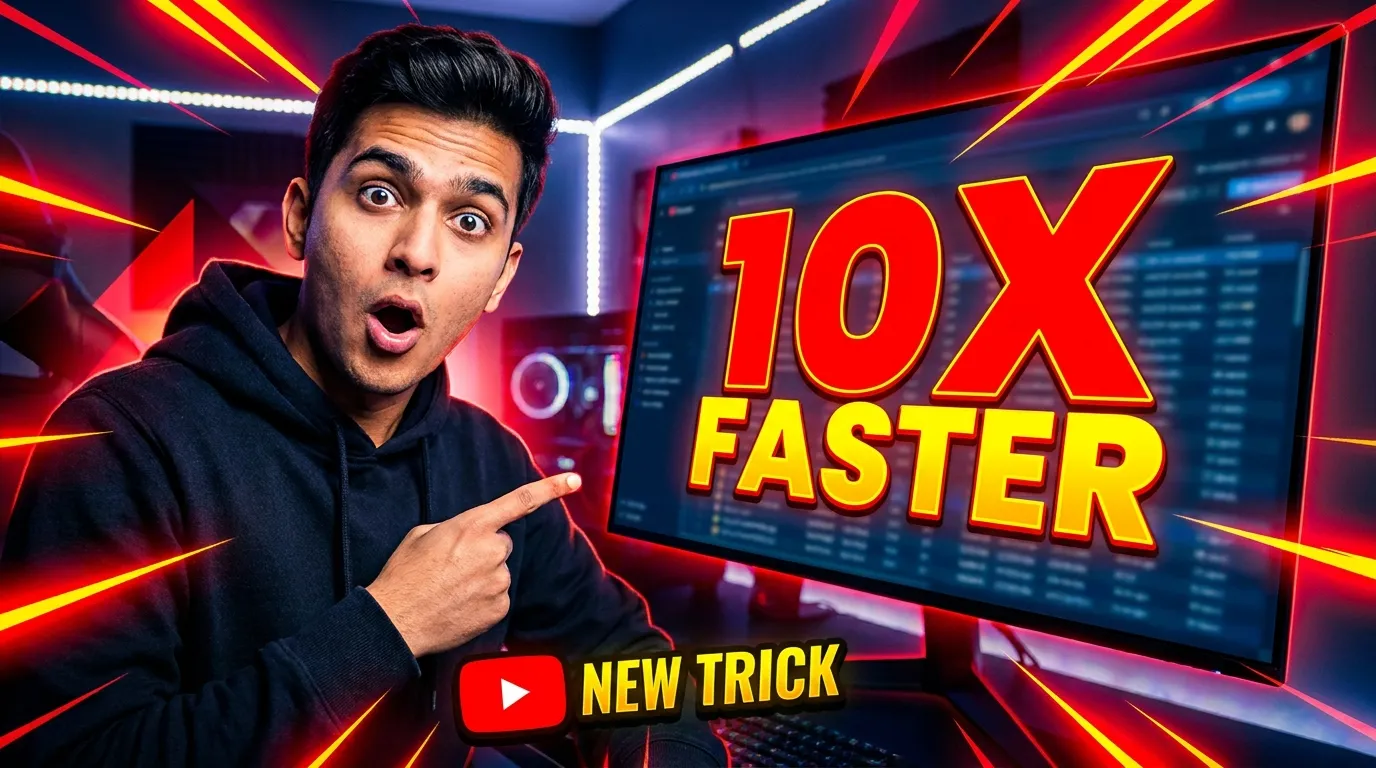
26. YouTube Thumbnail
Eye-catching YouTube thumbnail: a surprised person pointing at a large glowing screen showing "10X FASTER", bold text overlay area on the right side, saturated colors, dynamic diagonal composition, high contrast, 16:9 aspect ratio
27. Instagram Carousel Cover
Clean Instagram carousel cover slide with the text "5 Design Mistakes You're Making" in bold modern sans-serif typography, minimalist flat illustration of a broken grid layout, soft gradient background in coral and peach tones, 4:5 aspect ratio
28. LinkedIn Article Banner
Professional LinkedIn banner showing a clean workspace with a laptop, notebook, and coffee, "2026 Industry Report" text rendered on the laptop screen, corporate blue color palette, 1200x627 composition, business content photography
29. Facebook Ad Creative
Split-screen product comparison ad: left side shows a cluttered messy desk (desaturated), right side shows an organized minimal workspace (vibrant colors), clear dividing line, "Before / After" text rendered at the top, advertising design, 1:1 aspect ratio
30. Pinterest Pin
Tall vertical Pinterest pin layout for a recipe: overhead shot of a colorful poke bowl, bold white text "Easy 15-Minute Poke Bowl" at the top, clean food photography, vibrant colors, 2:3 aspect ratio
31. Event Promotion Graphic
Music festival promotional poster, bold typography reading "SOUNDWAVE 2026", abstract liquid gradient background in neon blue and purple, scattered geometric shapes, modern graphic design, dark mode aesthetic, 9:16 aspect ratio
Generate marketing assets with Nano Banana Pro →
Creative & Viral Prompts
32. Polaroid Memory
A hand holding an instant Polaroid photo of a sunset beach scene, the polaroid slightly tilted, real fingers visible with natural skin texture, blurred cozy living room background, nostalgic warm tones, lifestyle photography
33. Miniature World (Tilt-Shift)
Tilt-shift photography of a busy city intersection from a high vantage point, cars and pedestrians appearing as tiny miniatures, selective focus on the center, saturated toy-like colors, architectural tilt-shift photography
34. Time-Blend Split Image
A single landscape photograph split perfectly down the middle: left half shows a snowy winter scene with bare trees, right half shows the same location in lush summer with green foliage, seamless transition in the center, fine art photography
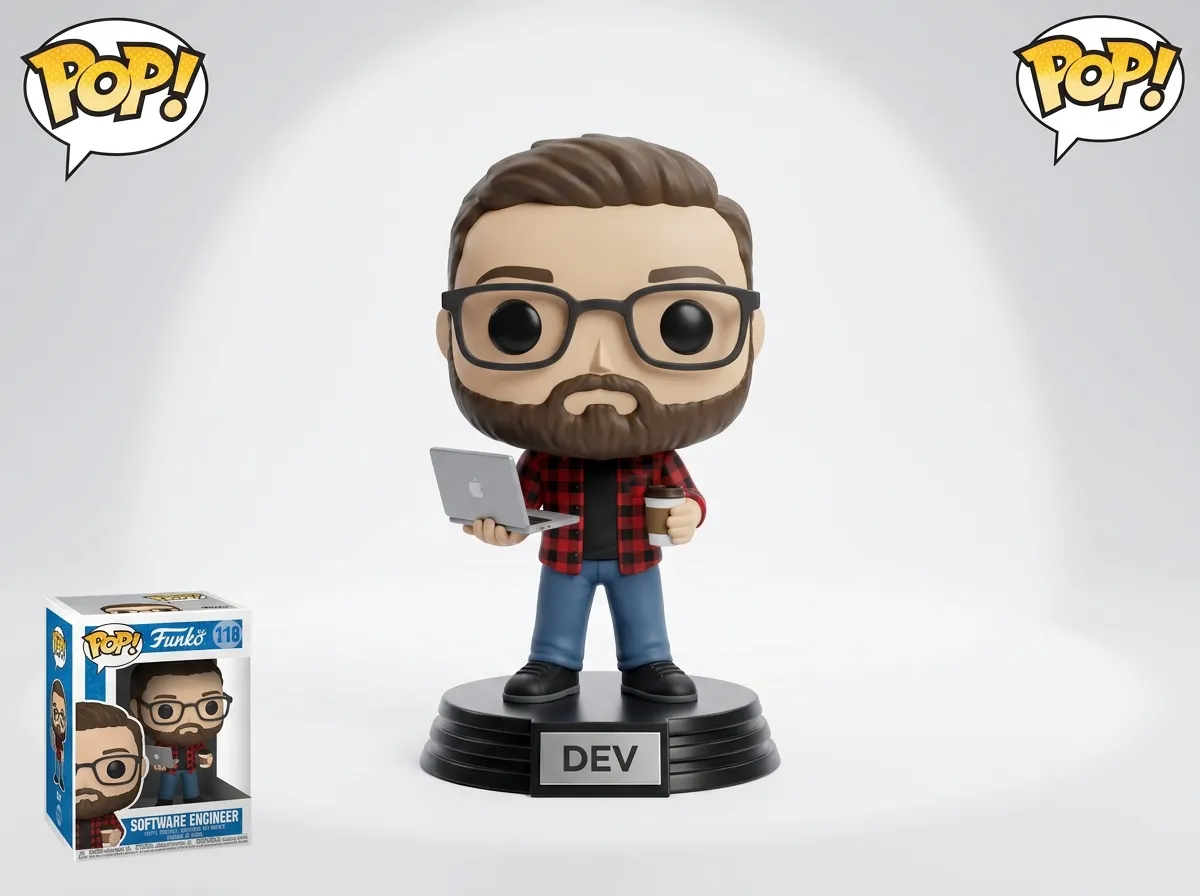
35. 3D Figurine / Funko Pop
A 3D Funko Pop figurine of a [character description: e.g., bearded man wearing a flannel shirt and holding a coffee cup], standing on a display base with a name plaque, studio lighting on a clean white background, toy product photography
36. Impossible Architecture
An Escher-inspired impossible building where staircases loop endlessly in different directions, people walking on walls and ceilings, dramatic shadows, black and white architectural illustration, surrealist art style
37. Retro Futurism
A 1960s retro-futuristic diner on Mars, chrome and pastel pink interior, large dome windows showing a red rocky landscape and Earth in the sky, vintage space-age illustration style, warm analog color palette
38. Pet Portrait (Renaissance Style)
A golden retriever dressed in 17th-century royal attire with a ruffled collar and velvet cape, sitting regally on a throne, oil painting style, dramatic Rembrandt lighting, classical portrait composition, museum-quality fine art
39. Surreal Still Life
A teacup filled with a miniature ocean scene, tiny waves splashing over the rim, a small sailboat floating inside, macro photography perspective, soft diffused lighting, magical realism style
Illustration & Manga Prompts
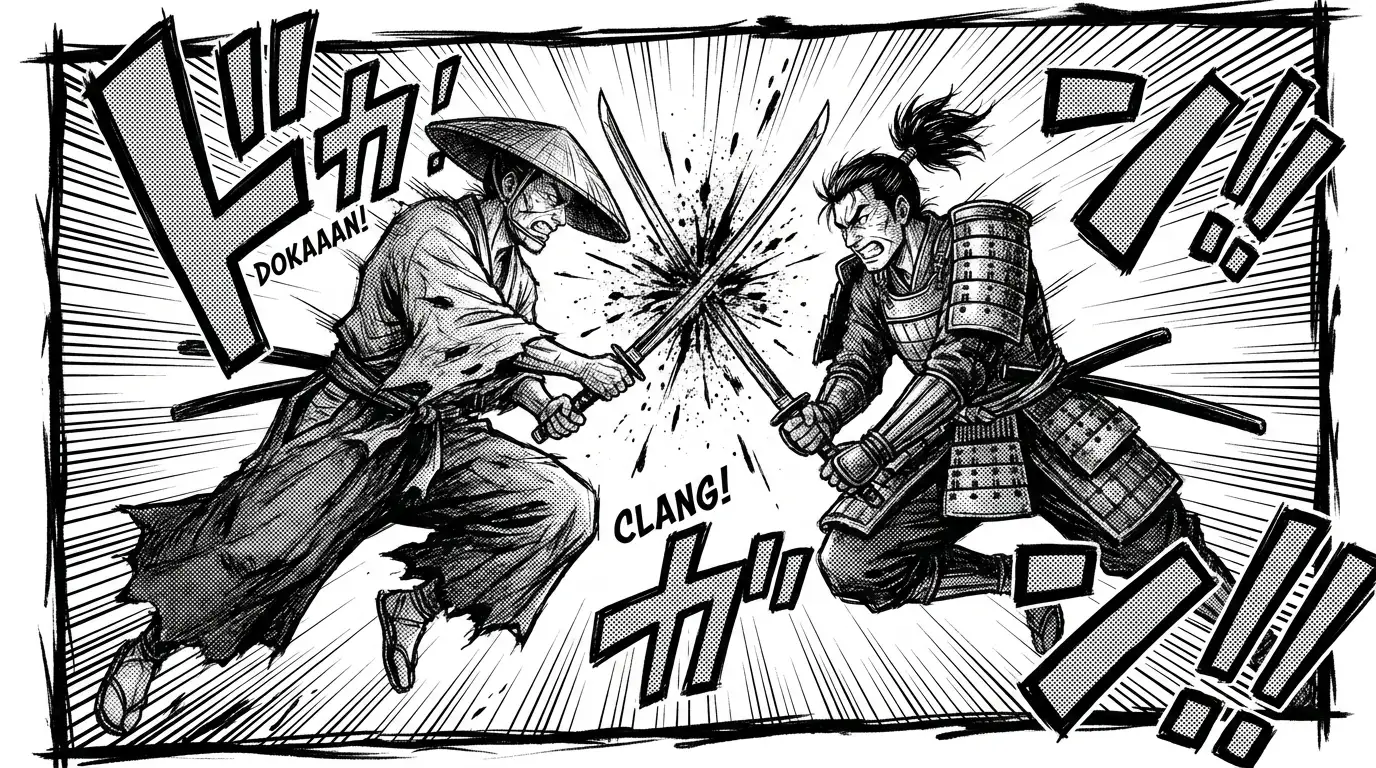
40. Manga Action Panel
Dynamic manga panel of two samurai clashing swords mid-air, speed lines radiating from the impact point, ink splatter effects, dramatic low angle, black and white manga illustration with screen tone shading, Shonen Jump style
41. Children's Book Illustration
A curious fox cub discovering a glowing mushroom in a moonlit forest, soft watercolor illustration style, muted earth tones with the mushroom glowing warm amber, whimsical storybook composition, picture book art
42. Anime Character Design
Full-body character design sheet of a female cyberpunk hacker: front view, side view, and back view on a white background, neon-accented outfit with holographic visor, detailed costume breakdown, anime concept art style
43. Comic Book Cover
Dramatic comic book cover: a masked vigilante standing on a rain-soaked rooftop, city skyline glowing behind, lightning striking in the background, bold title text "NIGHTFALL" at the top, American comic book art style with heavy inking
Create illustrations with Nano Banana Pro →
Swap Person Prompts
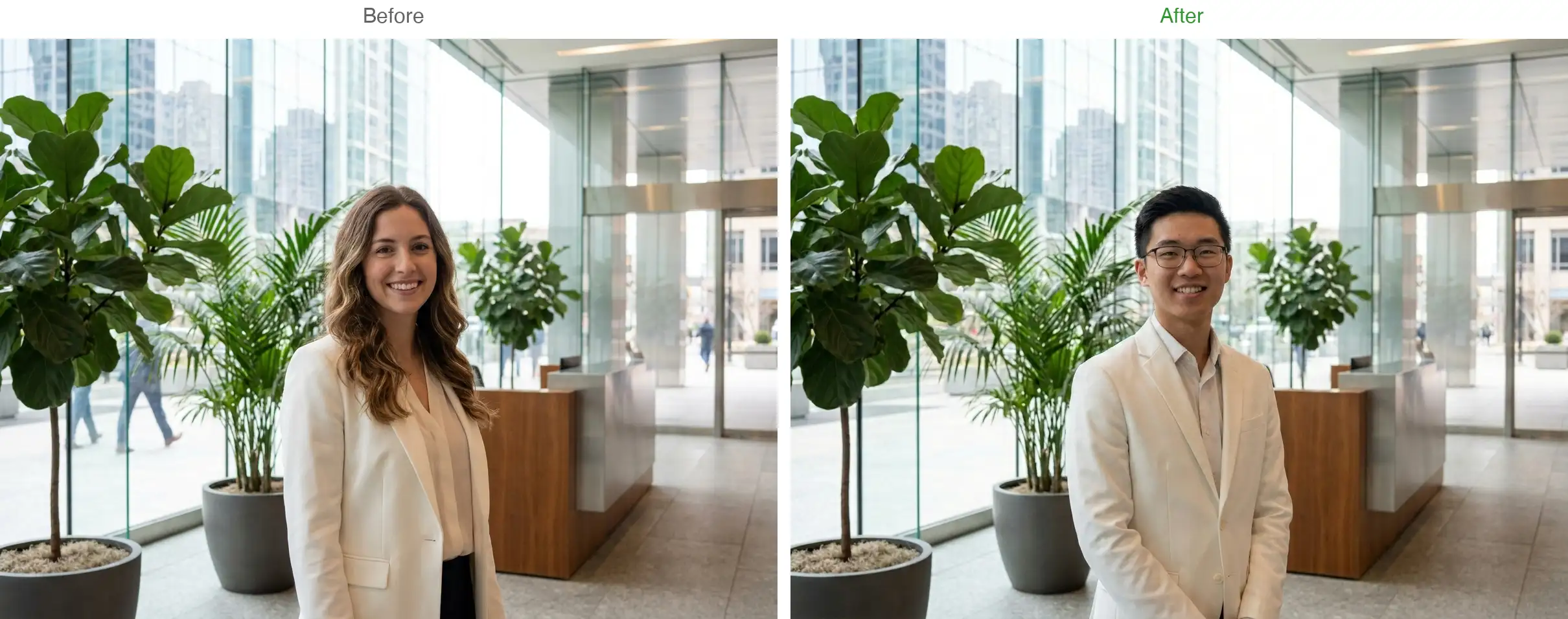
Nano Banana Pro can replace people in existing scenes while preserving other details. Here are quick examples — for a complete deep dive, read our Nano Banana Pro Swap Person Prompt Guide.
44. Basic Face Swap
Replace the person in this photo with a [young Asian woman with short black hair and glasses], keep the exact same pose, clothing, lighting, and background unchanged
45. Character Swap in a Scene
Replace the main character with [a tall man with a beard wearing the same outfit], preserve the background environment, lighting direction, and all other people in the scene exactly as they are
46. Professional Headshot Swap
Replace the face with [description of the new person], maintain the same professional studio lighting, suit/blazer, neutral background, and head position, ensure natural skin blending at the neckline
Text Rendering Prompts
Nano Banana Pro renders in-image text more accurately than most models. Wrap text in quotation marks, keep it under 5 words for best results, and place the text instruction at the beginning of your prompt.
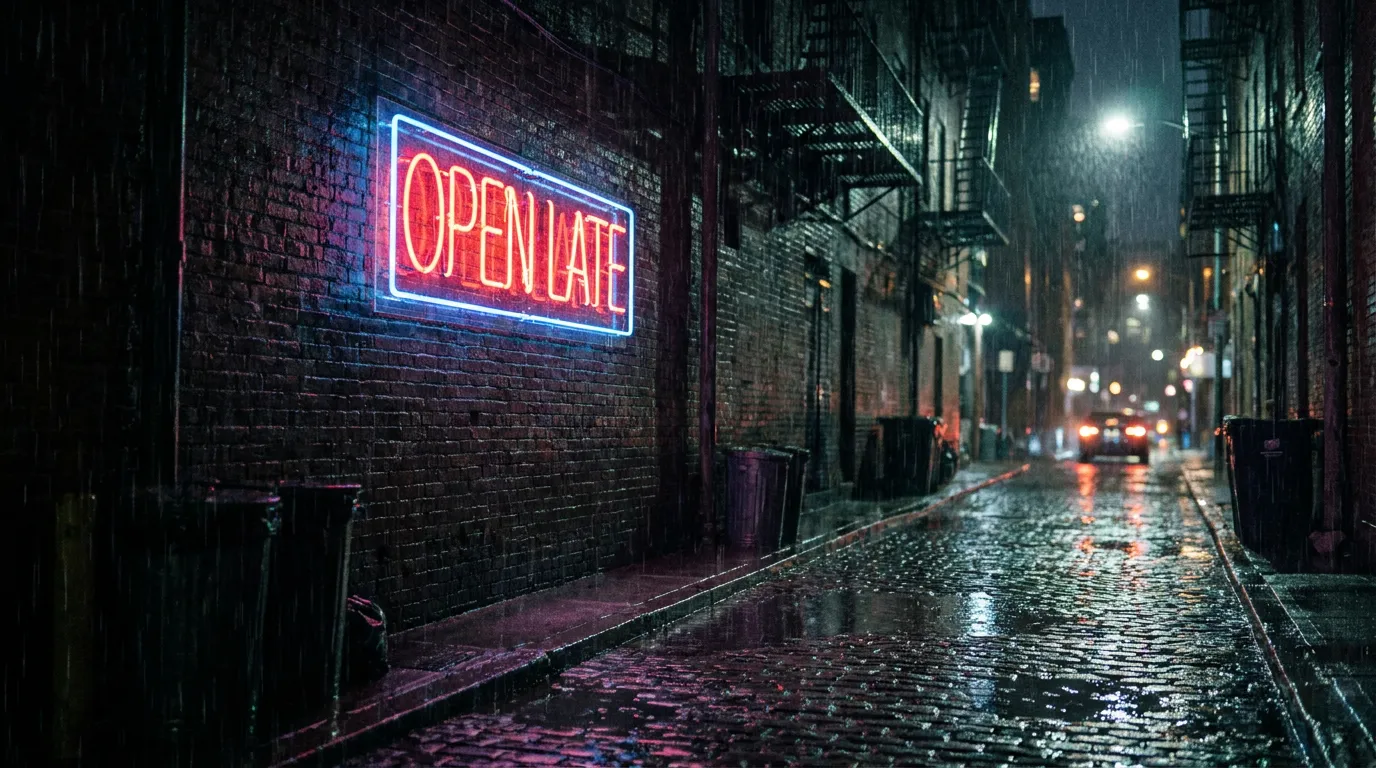
47. Neon Sign
A glowing neon sign reading "OPEN LATE" mounted on a dark brick wall in a rainy alley at night, wet reflections on the ground, cinematic moody lighting, urban night photography
48. Book Cover
A hardcover book mockup with the title "The Last Algorithm" in elegant serif typography on a dark navy cover, gold foil accents, the book standing upright on a wooden desk, soft studio lighting, publishing photography
49. Motivational Poster
Minimalist poster with the quote "Start before you're ready" in bold black sans-serif text on a white background, thin black frame, hanging on a light gray wall, interior lifestyle photography
50. Storefront Sign
A charming French bakery storefront with a hand-painted sign reading "Boulangerie du Coin", warm window display showing pastries, cobblestone street, morning light, European street photography
51. Product Label
Close-up of a premium olive oil bottle with an elegant label reading "TERRA NOVA" in gold serif typography, dark green glass, natural linen background, soft studio lighting, packaging design photography
Test text rendering on Nano Banana Pro →
Data Visualization Prompts
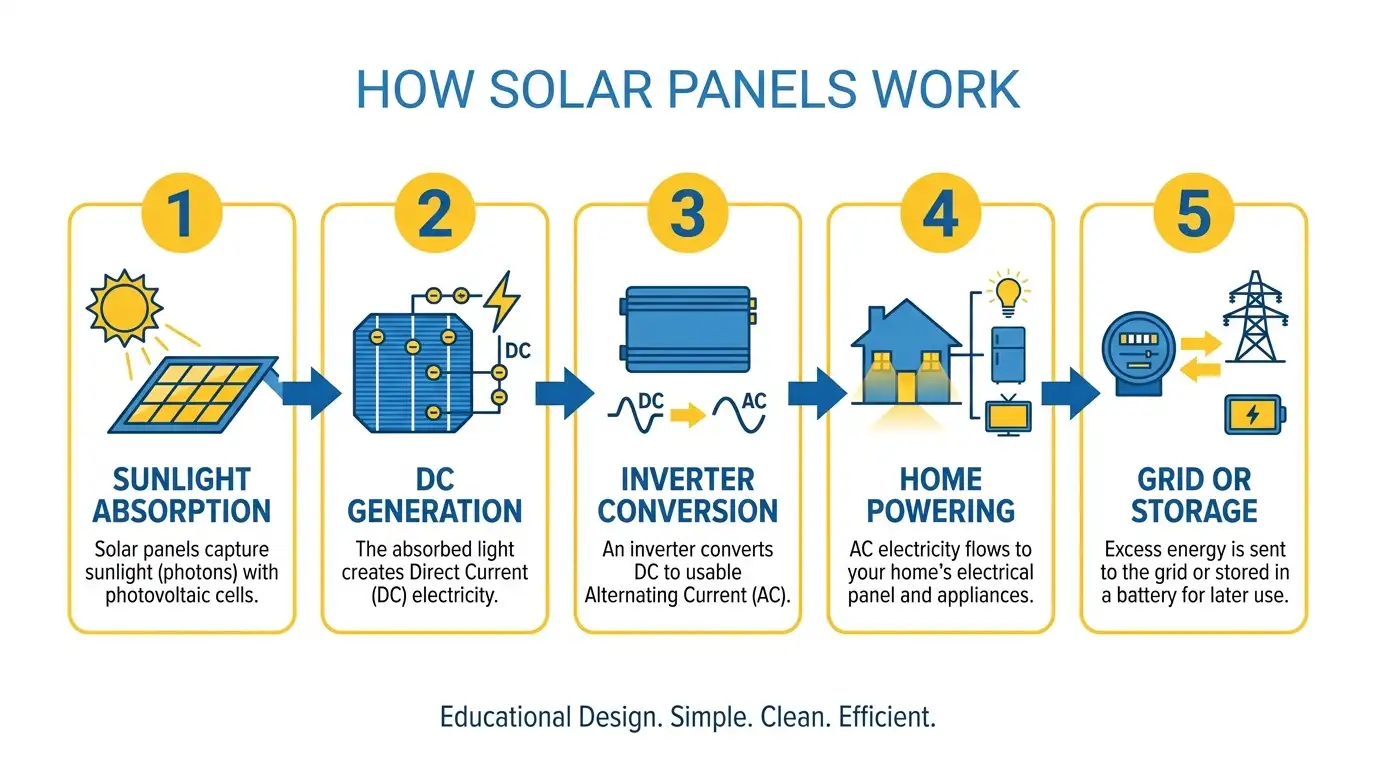
52. Infographic
Clean modern infographic explaining "How Solar Panels Work" in 5 steps, flat vector illustration style, consistent blue and yellow color palette, numbered sections with icons, white background, educational design
53. Dashboard UI
Modern analytics dashboard interface showing revenue metrics, a line chart trending upward, a donut chart for traffic sources, and KPI cards at the top, dark mode UI, minimal design with blue accent color, 16:9 aspect ratio
54. Wireframe to High-Fidelity UI
Convert this rough pencil wireframe into a polished mobile app screen: clean white interface, Inter font family, blue primary buttons, proper spacing and alignment, modern iOS design language, 9:16 aspect ratio
Prompt Templates You Can Customize
Instead of writing from scratch every time, use these parameterized templates. Replace {variables} with your specifics, and swap one variable at a time to generate batch variations.
Template 1: Product Shot Generator
{product_name} placed on {surface_material}, {lighting_type} lighting, {background_description}, {photography_style} style, {lens_spec}, {aspect_ratio}
Example fills:
{product_name}→ "matte black wireless earbuds in their charging case"{surface_material}→ "a dark slate stone"{lighting_type}→ "soft directional"{background_description}→ "gradient dark gray to black"{photography_style}→ "premium tech product photography"{lens_spec}→ "90mm macro at f/5.6"{aspect_ratio}→ "3:2"
Template 2: Portrait Generator
{shot_type} portrait of a {person_description}, {lighting_setup}, {background}, {mood_keywords}, {camera_spec}, {style}
Batch variation idea: Keep everything the same but swap {lighting_setup} across five variations — studio softbox, natural window light, golden hour outdoor, dramatic color gel, Rembrandt lighting — to quickly find the best look for your project.
Template 3: Social Media Asset
{platform_format} for {content_topic}, text reading "{headline_text}", {color_palette}, {design_style}, {aspect_ratio}
Example: Instagram story for a flash sale, text reading "50% OFF TODAY ONLY", bold red and white color palette, modern minimalist typography design, 9:16 aspect ratio
Template 4: Scene Variation
{base_scene_description}, {time_of_day}, {weather_condition}, {color_grading}, {photography_style}
Batch idea: Take one scene and generate 4 variations by only changing {time_of_day} and {weather_condition}:
Dawn + foggy
Noon + clear sky
Sunset + overcast
Midnight + rain
Same scene, four completely different moods — useful for choosing a hero image or creating a series.
Try these templates on Nano Banana Pro →
How to Edit Images with Nano Banana Pro
Nano Banana Pro doesn't just generate — it edits existing images through natural language. The key is a structured approach: Lock what must stay, Change the one thing you're altering, and Constrain what the edit must not break.
The Lock / Change / Constrain Framework
Lock: [describe everything that should stay exactly the same — face, pose, background, lighting]
Change: [the single element you want to modify]
Constrain: [what the edit must preserve — e.g., "do not alter skin tone" or "keep the same shadow direction"]
Example — changing a background:
Keep the person's face, hair, clothing, and pose exactly the same. Change only the background to a modern office with floor-to-ceiling windows. Maintain the same lighting direction and color temperature on the person's face.
Example — swapping product color:
Keep the product shape, label design, background, and lighting exactly as they are. Change the bottle color from green to matte black. Preserve all reflections and shadow angles.
When to Edit vs. Re-Generate
80% right → Edit. One or two things need fixing. Use Lock/Change/Constrain.
Less than 50% right → Re-generate. The composition or concept is wrong. Simplify your prompt and try again.
Text is wrong → Re-generate. Editing rarely fixes garbled text. Regenerate with the text placed earlier in the prompt and wrapped in quotation marks.
How to Fix Bad Nano Banana Pro Outputs
Symptom | Likely cause | Fix |
|---|---|---|
Text garbled or warped | Text not in quotation marks, or too many words | Wrap text in quotes, keep it under 5 words |
Face distorted | Conflicting descriptors | Remove contradictions, simplify face description |
Model ignores a detail | Important instruction buried mid-prompt | Move it to the first sentence |
Style inconsistent | Mixed style keywords ("watercolor cinematic photograph") | Pick one style, anchor it to specifics |
Composition random | No camera or framing instructions | Add lens, angle, and aspect ratio |
Colors wrong | Vague color words like "cinematic" | Use specifics: "teal-and-amber color grade, hard directional shadows" |
Quick fix process: Strip the prompt to subject + setting + style. If the base looks good, add details back one at a time. If it's still off, the subject description is the problem — rethink it. Always put your most important instruction (especially text rendering) in the first sentence.
FAQ
What's the difference between Nano Banana, Nano Banana 2, and Nano Banana Pro?
Feature | Nano Banana | Nano Banana 2 | Nano Banana Pro |
|---|---|---|---|
Engine | Google Nano Banana | Next-gen Nano Banana | |
Resolution | Standard | 1K / 2K / 4K | 1K / 2K / 4K |
Text rendering | Basic | Sharper | Most accurate |
Reference images | |||
Editing | Natural-language | Improved instruction following | Advanced with Lock/Change control |
Best for | Fast drafts, casual edits | Balanced speed & quality | Final assets, professional work |
For a full comparison, see Nano Banana 2 vs Nano Banana Pro. For a deeper look at the Pro model's capabilities, read the Nano Banana Pro Review.
How many prompts can you use per day?
No daily limit on AIReiter — pay-per-generation based on resolution (1K/2K/4K). Google AI Studio offers a free tier with regional rate limits.
Does Nano Banana Pro work with Chinese prompts?
Yes — Chinese, Japanese, Korean, and other non-Latin scripts all work in prompts and in-image text.
What is the best prompt for Nano Banana Pro?
Use the six-element framework: specific subject + lighting + style + at least one technical constraint (lens, aspect ratio, or composition).