 AIREITER
Exporting a frame, generating in a browser tab, then reimporting breaks the editing flow. Krea for Premiere Pro puts AI shots, plates and sound effects inside Premiere as normal timeline media, but full video access starts at $35 per month, and Krea publishes no per-clip unit cost or output specs.
Open the Krea panel in Premiere
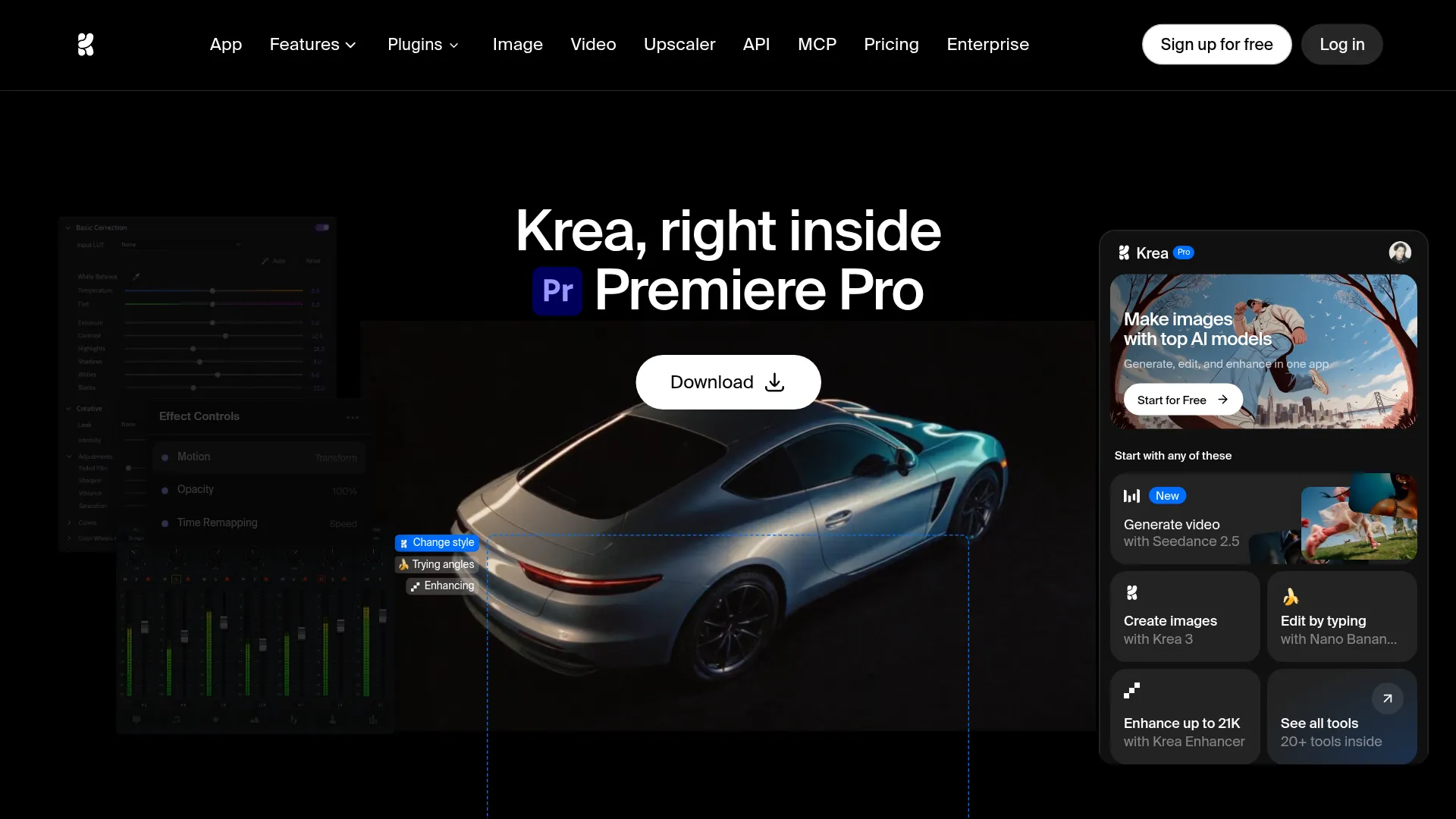
The Krea Premiere Pro plugin is a Premiere extension that lives under Window → Extensions → Krea. It requires a Krea account and an internet connection because all generations run on Krea servers.
- Download the signed installer from the official Krea for Premiere Pro page.
- Double-click the installer. Adobe Creative Cloud installs the extension automatically.
- Open Premiere Pro, then choose
Window → Extensions → Krea. - Sign in with a Krea account on first open.
The official Krea Premiere Pro guide lists support for recent Premiere Pro versions on macOS and Windows, but Krea does not publish exact version numbers. If the panel does not appear, quit Premiere, reinstall through Creative Cloud, and check Adobe's Premiere plug-in install help for extension troubleshooting.
Krea announced the plugin on X on October 26, 2026 as storyboard, video generation and SFX without leaving the timeline, now in trial (@krea_ai announcement).
Four timeline jobs, and where each hits a wall
The Krea panel covers four practical jobs: missing shots, composite plates, look exploration, and sequence consistency. It returns outputs as regular Premiere media for trimming, grading, masking and sound work.
1. Generate a missing shot or insert. Describe the cutaway, title material or transition at the gap in the edit, generate, then cut it in. This fits docs, pitch cuts and B-roll rescue.
2. Build plates and backgrounds for composites. Krea generates environments, textures and plates sized for the sequence. Krea does not state whether plates arrive as stills, video clips or image sequences, and Krea lists no alpha, tracking or camera-match details.
3. Explore looks in real time. Test composition, color, lighting and style before committing. Krea calls this real time but publishes no latency, preview resolution or per-plan availability.
4. Keep related shots consistent. Krea can generate related frames with a shared visual language. Krea does not explain the consistency mechanism, and Krea publishes no identity-retention benchmark.
Resolution, duration, frame rate and codec caps are undisclosed on both official pages. Verify any client-facing shot before delivery:
If you try it, generate one insert for a scene you've already cut, then grade it until nobody watching could pick it out.
Consistency is the first open question from editors:
does it keep the same character across shots or reprompt every clip
The page shows curated related-frame examples for continuity. If recurring-character continuity is critical, use the browser workflow with reference images, which documents controls the panel does not.
What it costs, and what Krea does not tell you
The Krea Premiere Pro plugin has no separate plugin fee. Billing uses Krea compute units on the normal Krea plan. Video gating below follows the official pricing section.
| Plan | Price | Compute | Video inside Premiere |
|---|---|---|---|
| Free | $0 | 100 units/day, no card | Limited, install test only |
| Basic | $9/month | 5,000 units/month | Selected video models only |
| Pro | $35/month | 20,000 units/month | All video models |
| Max | $105/month | 60,000 units/month, unlimited relaxed | All video models + concurrency |
Yearly billing is advertised as 40% off on the official pricing section, which also lists a commercial license from Basic upward.
Krea does not publish how many units one video shot, plate or upscale costs. Tier prices alone cannot produce a per-clip price, so no per-month clip estimate is possible from public docs. Start on Free to verify the panel opens and returns editable media, then assume Pro if video is the reason for installing.
On privacy, neither the plugin page nor the guide publishes retention, training-use or audit details for timeline uploads as of October 27, 2026. For client work, keep sensitive source frames local until Krea documents retention.
Panel vs browser vs Runway plugin
Editors have three ways to get AI shots into Premiere. The Krea panel reduces export and reimport steps, but provides no quality benchmark.
| Route | Best for | Friction | Cost signal |
|---|---|---|---|
| Krea panel inside Premiere | Missing shot at the gap, quick plates, look tests | Lowest: generate where the gap is | Same Krea plan, Pro needed for full video |
| Krea web app + manual import | Fine control and batch work | Highest: export, generate, download, reimport | Same Krea plan, manual reimport |
| Other NLE plugin | Teams already on another AI stack | Low if already subscribed | Separate subscription, see our Runway Adobe plugin guide |
The browser workflow may expose controls that the panel does not document.
Install now or wait a version
Install now if missing B-roll, plates or pitch frames constantly pull the edit out of Premiere, and the team already pays for Krea Pro. The trial lets you test the workflow before committing.
Wait if the timeline needs guaranteed character continuity, published resolution and duration caps, or documented retention for client footage. Krea discloses none of those yet. Re-run the one-insert grade test after each Krea update.
FAQ
Where do I open the Krea panel?
Install via Creative Cloud, open Premiere, then use Window → Extensions → Krea. Sign in with a Krea account on first launch.
Which versions work?
Recent Premiere Pro releases on macOS and Windows are stated as supported. Exact build numbers are not published, so test on the current release.
Does it need an account or internet?
Yes to both. A Krea account sign-in is required, and generations run on Krea servers.
Are results editable timeline clips?
Yes. Generated shots arrive as standard project media for trimming, grading, compositing and sound.
How much video do I get?
There is no separate plugin charge; usage draws Krea units. Free allows 100 units daily, and all video models unlock at Pro at $35 per month. Per-clip unit cost is unpublished.
Which models are inside?
The launch overview reports Seedance 2.5 for video, Krea 3 for images, Nano Banana Pro for edit-by-typing and Krea Enhancer for upscaling, and Krea's own guide documents Krea 3 image generation. Krea does not confirm full parity with the web app.
Can client footage be used commercially?
Krea lists a commercial license from Basic upward on its pricing page. Retention and training-use terms for uploads are still undocumented, so hold back sensitive material.