 AIREITER
Factory Automations can start a Droid session from a schedule, a top-level Slack message, a GitHub event, or an inbound HTTP request. Webhook triggers remain Private Preview, while schedules use fixed UTC times and do not automatically follow daylight saving changes. It is ready for a bounded pilot, not a blank-check production rollout.
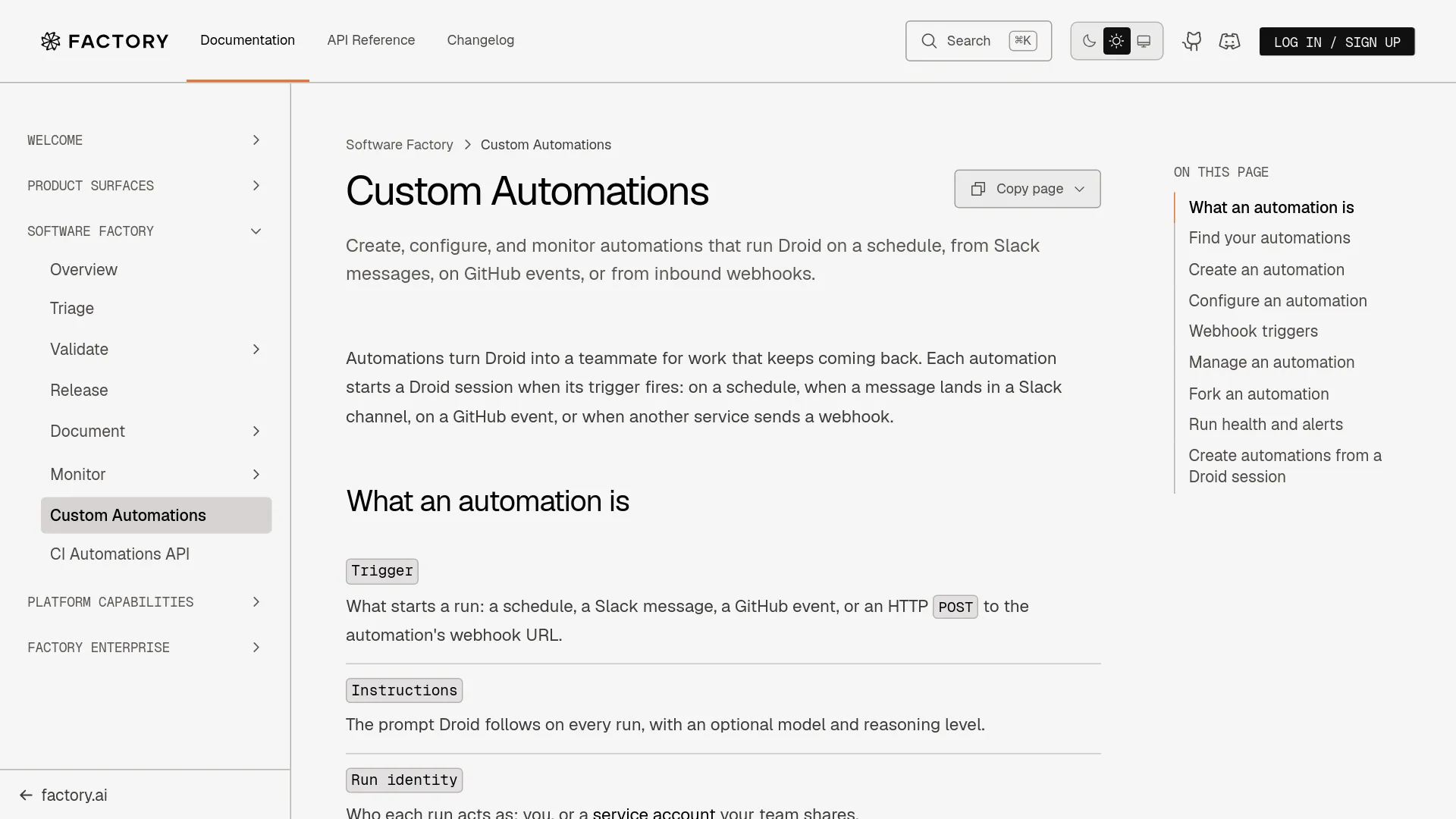
What Factory Automations actually runs
Each automation combines a trigger, instructions, identity, and execution target (Factory documentation).
| Trigger | What starts the run | Main execution detail |
|---|---|---|
| Scheduled | Natural-language frequency or five-field cron | Runs on a selected computer or execution target; managed computers support 10 automations and 5 scheduled for one minute |
| Slack | Matching top-level channel message | Replies in the originating thread |
| GitHub | Pull requests, comments, pushes, labels, checks, or a schedule | Runs in GitHub Actions after setup is merged |
| Webhook | HTTP POST from another service | Droid Computer or execution template; Private Preview |
An automation can be private or shared with an organization. Session privacy separately controls who can open the sessions created by its runs.
Trigger choice changes the operating model
Scheduled runs: the safest starting point
Schedules accept plain language such as “every Monday at 9am PST” or cron such as 0 9 * * 1. Factory previews the resulting time, but cron runs in UTC. A written time zone is converted into a fixed UTC schedule and does not adjust itself for daylight saving time (Factory documentation).
Good first jobs are a daily status digest, dependency audit, stale-documentation check, or PR reviewer that prepares evidence instead of merging code.
Slack messages: useful, but only for top-level signals
A Slack automation starts when a matching top-level message appears in an accessible channel. Thread replies do not independently trigger a run. Filters can restrict messages by channel pattern, sender type, keywords, excluded keywords, or excluded senders.
Runs reply in the triggering message’s thread. If several automations match, only the first replies there; the others post separate messages linking to the original. Factory documents these behaviors, including private-channel access rules (Factory documentation). This works well for a controlled incident channel, but not for workflows that depend on every follow-up reply.
GitHub events: powerful after a visible setup gate
Custom GitHub automations can react to pull requests, pushes, comments, label changes, completed checks, or a schedule. They run in GitHub Actions, and creation opens a setup pull request in each selected repository.
That setup pull request must be merged before the workflow is active. Runs started before the workflow reaches the default branch fail, and the automation cannot post comments, push commits, or open pull requests before then. GitHub is the strongest trigger when the recurring work already has a repository event and normal pull-request review remains the shipping boundary.
Webhooks: real capability, limited availability
Factory documents webhook automations as a Private Preview and tells organizations to contact support for enablement. A webhook starts a run from an external HTTP POST, but it cannot run on a user’s local machine; it needs a Droid Computer or execution template.
Factory provides a webhook URL, an X-Webhook-Secret header option, and a URL form for senders that cannot set headers. The documentation recommends the header because URL secrets can appear in logs; the secret is shown once and rotation invalidates the old value (Factory webhook documentation).
The same documentation sets a 200 KiB body limit, 60 accepted requests per minute, 30-day delivery records, a 10-minute identical-body deduplication window, and a 10-run-per-hour cap. Those controls make webhooks testable for alert response, but preview status is a production blocker when access must be predictable.
The controls that decide whether it is safe to automate
Scheduled, Slack, and webhook automations can run as the user or as a shared service account. Identity affects connector access, billing, and Slack attribution; execution-target rules are listed in the Factory documentation.
Keep the prompt narrow, use revocable credentials, select a dedicated execution target, and leave deployment and merge authority with existing repository controls. Factory’s Slack Marketplace listing explicitly says the app can make mistakes and tells users to double-check code and responses.
One user noted supervision gaps including no Linux desktop app and no cross-computer sync (post by @JoelDeTeves on X); that matters when a team expects to supervise long-running automated work away from a desktop.
Factory Automations vs a simple GitHub Action
| Need | Factory Automations | Simple GitHub Action |
|---|---|---|
| Run a prompt against a repository | Native Droid session and execution target | Team supplies agent runtime and workflow code |
| Scheduled work | Natural language or cron, with UTC caveat | GitHub cron and custom logic |
| Slack trigger | Top-level messages with filters and thread replies | Slack app or webhook plumbing |
| GitHub event | Guided setup PR and GitHub Actions execution | Direct workflow file |
| Webhook | Built in, but Private Preview | Build endpoint, authentication, retries, and worker |
| Review boundary | Can prepare work for human review | Depends on workflow permissions |
Use a GitHub Action when the task is deterministic API plumbing, such as a daily PR digest. Use Factory when the recurring step requires investigation, repository context, a proposed code change, or a human-readable session. Do not choose an agent platform merely to avoid writing a short script.
A low-risk pilot that can earn more authority
- Pick one recurring task with a bounded input, such as reviewing new pull requests or checking generated files.
- Start with a scheduled automation rather than a webhook; this avoids preview access and makes cadence easy to inspect.
- Make the output a report or pull request, not a deployment or merge.
- Record failed runs, blocked work, changed files, and human corrections; accepted pull requests alone are not enough evidence.
- Expand only one dimension at a time: another task class, repository, or trigger.
Factory’s workflow guidance recommends reproducing the original failure, testing a correction in a clean environment, and checking a neighboring case before retaining a reusable instruction. That is a sensible standard for an Automation pilot.
FAQ
Does Factory Automations support webhooks?
Yes, but webhook triggers are Private Preview and may require organization-level enablement. Runs require a Droid Computer or execution template. Details are in the webhook section above.
Do Slack thread replies trigger an automation?
No. Only a matching top-level message starts the run; see Slack messages.
Does the schedule follow daylight saving time?
No. Factory saves a fixed UTC schedule; review it when local daylight-saving rules change. See Scheduled runs.
Do GitHub automations run before the setup pull request is merged?
No. The setup pull request must reach the default branch first; earlier runs fail. See GitHub events.
What happens when a webhook delivery is repeated?
An identical body received within 10 minutes is recorded as Deduped and does not start another run. Factory also records filtered, rate-capped, skipped, and failed deliveries.
The trade-off to keep visible
Pilot scheduled or GitHub-triggered work when the output can stay inside a pull-request review loop. Slack is practical with top-level-message conventions; webhooks are detailed enough to test, but Private Preview status means they should not yet underpin a production incident system.