 AIREITER
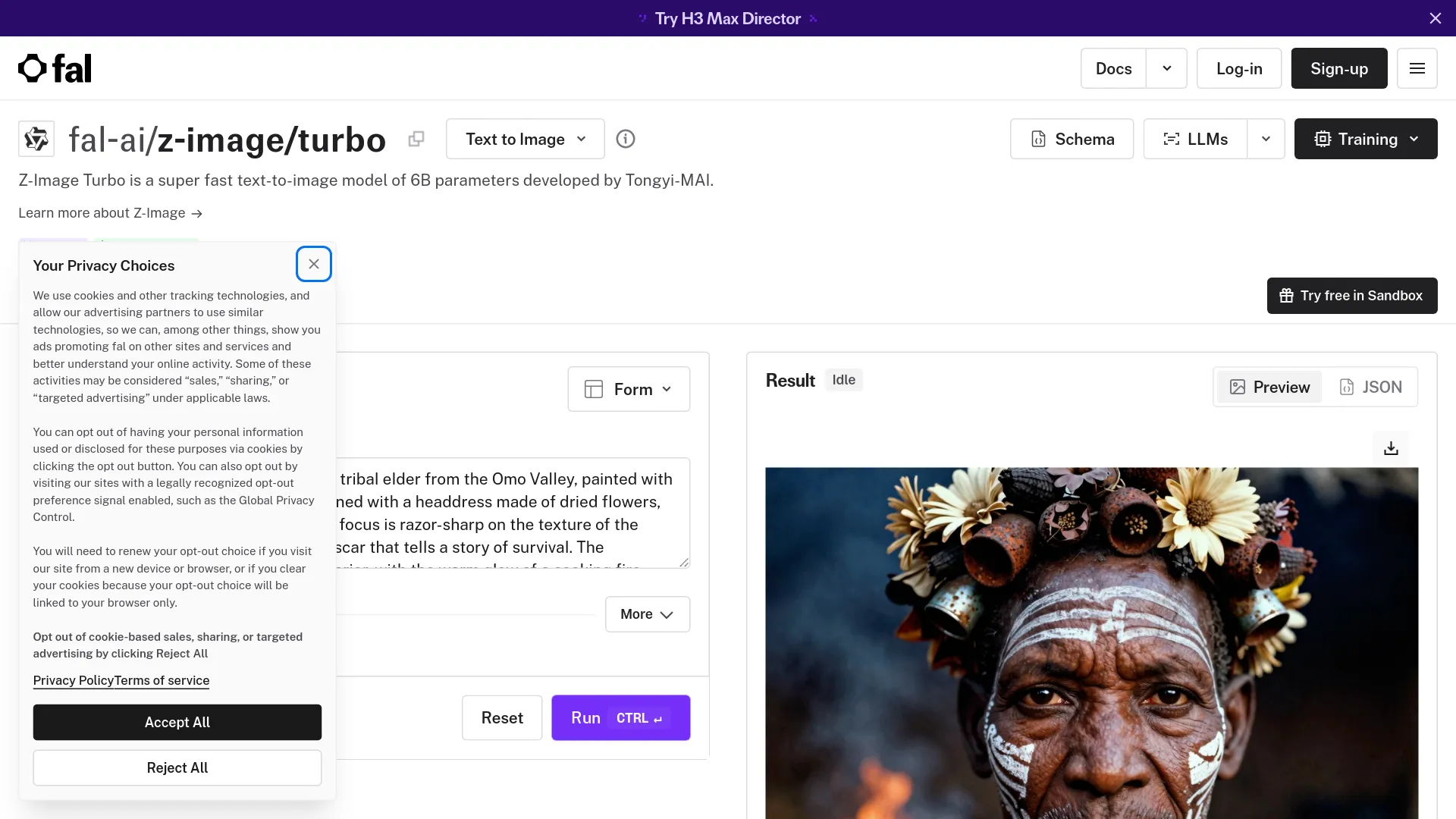
Z-Image Turbo uses zero guidance and puts constraints in the main prompt, not a separate negative field. Describe the image as a compact creative brief, then add cleanup requirements to that same prompt; this is the workflow documented by Tongyi-MAI and fal.
The prompt decision that changes every Z-Image Turbo result
Write one natural-language creative brief rather than a pile of tags: lead with image type and subject, then composition, setting, light, style, and constraints. The official model card describes Turbo as an 8-NFE distilled model with guidance_scale=0.0; the fal prompt guide likewise says negative prompts are not supported.
Use this order as a dependable starting point:
- Image type and composition: close portrait, product photograph, editorial illustration, or 16:9 cinematic scene.
- Subject and action: who or what is visible, what it is doing, and the defining physical details.
- Environment: location, time of day, background, and one or two meaningful props.
- Lighting and palette: light source, direction, softness, temperature, and dominant colors.
- Style anchor: documentary photography, clean product photography, watercolor, or another single medium.
- Constraints in the main prompt: sharp focus, clean background, natural hands, exact quoted text, no watermark or branding.
A prompt rewrite clinic: from pretty but unusable to production-ready
These rewrites isolate one production requirement at a time, so you can diagnose failures instead of adding random adjectives.
Put the visual hierarchy before the adjectives
Loose prompt:
Beautiful woman in a garden, cinematic, highly detailed, 8K.
Production prompt:
Medium portrait of an adult woman pruning red roses in a Victorian garden, three-quarter view, her hands and pruning shears visible in the foreground. Moss-covered stone wall behind her, early morning, dappled sunlight through oak leaves, muted green and warm red palette, documentary lifestyle photography, soft natural skin texture, sharp focus on her face and hands, clean composition with no logo or watermark.
The second prompt leads with shot type, action, depth, light, and palette; vague adjectives such as “beautiful” give Z-Image Turbo nothing concrete to draw.
Replace negative prompts with main-prompt constraints
Do not rely on a separate field such as negative_prompt: "blur, extra fingers, clutter" for the Turbo pipeline. Put both desired traits and exclusions in the main prompt:
| Failure to avoid | Wording to try in the main prompt |
|---|---|
| Blurry subject | sharp focus on the subject, crisp fine detail |
| Busy background | simple clean backdrop, uncluttered negative space |
| Awkward hands | natural hands with five clearly separated fingers |
| Unwanted branding | plain unbranded surface, no visible logo or watermark |
| Random lettering | no extra lettering, only the quoted title is readable |
Turbo has no separate negative-prompt field; “no watermark” can still be written as an exclusion inside the primary prompt.
Add one camera cue, not a camera résumé
Use one camera or film cue and reserve the rest of the prompt for the subject and layout, such as 35mm street-photography framing, cool window light, visible fabric texture.
The eight-step baseline—and when not to chase speed
The official Z-Image-Turbo example uses num_inference_steps=9, which the Tongyi-MAI model card explains results in eight DiT forward passes. The same example uses guidance_scale=0.0, a fixed seed, and a 1024 × 1024 image. Do not confuse that reproducible model setting with a universal wall-clock promise: the project’s sub-second claim is tied to enterprise H800 hardware, while consumer runs can be much slower.
The fal model page lists a configurable 1–8 step range, up to 4 images per request, and output up to 4 megapixels. Its guidance is sensible for a production loop: use the lowest step setting for rough thumbnails, then move toward eight steps for assets worth keeping.
| Control | Practical starting point | What it changes |
|---|---|---|
| Inference steps | 8 forward passes, often exposed as 9 settings | The main quality/latency trade-off for Turbo |
| Guidance scale | 0.0 | Turbo is distilled without normal CFG control |
| Resolution | 1024 × 1024 for a balanced test | Larger outputs cost more and expose composition errors |
| Aspect ratio | Square, portrait, or landscape preset | Match the canvas to the publishing channel |
| Seed | Fixed while editing a prompt | Makes wording changes easier to compare |
| Batch | 2–4 variants when supported | Lets you curate instead of trusting one sample |
| Prompt expansion | Optional, mainly for short prompts | Can add detail, but may over-elaborate a detailed brief |
How the fast alternatives differ
Public sources use non-comparable hardware and settings, so this is a workflow—not same-GPU speed—comparison.
| Model | Documented fast path | Prompt and quality trade-off | Best decision |
|---|---|---|---|
| Z-Image Turbo | 8 NFEs; 16 GB consumer-device fit is claimed; H800 sub-second latency is claimed | Strong photorealism and English/Chinese text claims, but the model table rates diversity low and Turbo does not use CFG | Choose it for high-volume first passes and bilingual commercial concepts |
| FLUX.1-schnell | 1–4 steps; official Diffusers example uses 4 and guidance_scale=0.0 | 12B model with a broad local ecosystem and Apache 2.0 license; the model card does not publish a wall-clock benchmark | Choose it when the 1–4-step workflow and established local tooling matter more than Z-Image’s text emphasis |
| SDXL Turbo | 1–4 steps, guidance_scale=0.0, trained/default at 512 × 512 | The Diffusers docs warn that 768² and 1024² can degrade; commercial licensing needs checking | Choose it for 512px real-time previews or an existing SDXL pipeline |
The model table and endpoint docs are not perfectly aligned on adapters: the official model zoo marks Turbo fine-tunability as N/A, while the fal guide documents a Turbo LoRA endpoint. Treat LoRA availability as wrapper-specific; if adapter training is central, the base Z-Image model is the safer starting point.
Prompt patterns that survive batch production
For batch production, fix the seed while editing wording and vary it only after the composition is stable.
Use a three-stage loop:
- Explore: use a short, structured prompt and several seeds at a low or balanced step setting.
- Curate: keep the composition that communicates the idea, then tighten text, hands, and product placement with a fixed seed.
- Finish: move the selected concept to a slower or more controllable model when a campaign frame needs maximum detail, diversity, or fine-tuning.
Editorial and social visuals
Use one visual metaphor and one focal point that remains legible at thumbnail size.
Template: Editorial illustration of [subject] showing [visual metaphor], [foreground focal object] placed at [left/center/right], [simple background], [two-color palette], [lighting], clean thumbnail-readable composition, no text, no watermark.
Example: Editorial illustration of a crowded AI content pipeline narrowing into a single human editor’s desk, a bright blue funnel on the right guiding scattered paper drafts toward one selected page, warm orange and teal palette, clean isometric composition, soft studio lighting, no text, no watermark.
Product and packaging
For product shots, prioritize geometry and surface behavior over atmosphere. State the product’s position, material, light direction, and the exact copy that must appear.
Example: Photorealistic matte-black coffee bag standing upright on a warm-gray stone surface, front-facing three-quarter product view, softbox from the upper left, controlled shadow to the right, subtle paper texture, premium packaging photography. The front label contains only the readable text “YUNNAN COFFEE” in small cream serif capitals, no other lettering, no logo, no watermark.
For packaging, keep required text short and quote it exactly. The official Z-Image model card highlights English and Chinese text rendering, but short labels are a safer production target than a dense menu or a paragraph of small copy.
Portraits that do not look airbrushed
For portraits, add an ordinary action, a concrete expression, and one restrained texture cue instead of relying on “photorealistic” alone.
Example: Candid medium portrait of an adult man repairing a bicycle outside a neighborhood workshop, slightly uneven eyebrows, natural skin texture, worn navy work jacket, eyes focused on the bicycle rather than the camera, late-afternoon side light, muted blue and rust palette, 35mm documentary photography, sharp hands and face, clean background with no branding.
Text-bearing images
Put exact text early enough to receive attention, then describe its location and typography. Keep English and Chinese text as separate elements when both appear in the same design.
Example: Photorealistic tea-bar storefront at dusk, centered hanging sign with the exact Chinese text “山茶” above the exact English text “MOUNTAIN TEA,” both in large cream serif lettering, warm interior light, clean glass facade, menu board with only the short word “OOLONG,” uncluttered urban composition, no extra text, no logo, no watermark.
Short headlines with large placement are more reliable than small labels; inspect text output before publishing.
Debugging the failures users actually hit
The recovery table below prioritizes one prompt change before a seed or runtime change. A real user summarized the experience this way:
“It was Z Image Turbo, it can be janky sometimes, and needs proper prompting but it can deliver really good stuff.” — @RodAndByte
| Symptom | First prompt change | Then change |
|---|---|---|
| Plastic face or fixed eye contact | Add a real action, candid, unposed, and a clear gaze direction | Change the seed only after the wording is stable |
| Text drifts or extra words appear | Quote the exact short text, specify size and placement, and remove secondary copy | Try a different seed and inspect at final output size |
| Product scene becomes cluttered | Limit props to one or two and define foreground/background positions | Reduce style language before increasing steps |
| Hands look wrong | Describe the visible hand action and request natural five-finger anatomy | Generate several seeds; do not expect one sample to settle it |
| Local generation is slow or unstable | Check the wrapper, dtype, GPU memory, and resolution before rewriting the prompt | Use a hosted endpoint for throughput testing |
Reports from @iamzhihui and @9o_zZz_o6 show that local speed varies across Macs, older GTX hardware, and configurations, so test the wrapper, dtype, memory, resolution, and compilation state before judging the prompt.
Z-Image Turbo prompt guide FAQ
Do negative prompts work with Z-Image Turbo?
No separate negative-prompt field is supported in the documented Turbo workflow; put desired traits and exclusions such as “no watermark” in the main prompt.
Should I use 8 or 9 inference steps?
Follow the endpoint’s naming: Tongyi-MAI uses num_inference_steps=9 for eight DiT forwards, while fal exposes a 1–8 range.
How long should a Z-Image Turbo prompt be?
The community prompting manual and MindCraft guide both use roughly 80–250 words as a working range, not an official token limit; cut competing concepts before adding detail.
Is Z-Image Turbo faster than FLUX schnell or SDXL Turbo?
There is no fair same-hardware latency test in the public sources; Z-Image Turbo uses eight NFEs, while FLUX.1-schnell and SDXL Turbo document one to four steps.
Is it suitable for a large image-generation batch?
Yes, for generating and curating first-pass concepts: fal lists up to four images per request, so fix the seed for prompt edits and vary seeds for selection.
Why do local runs get slow or unstable?
The sub-second claim is tied to H800 hardware, so check VRAM, dtype, resolution, wrapper, and compilation before treating a local slowdown as a prompt failure.