 AIREITER
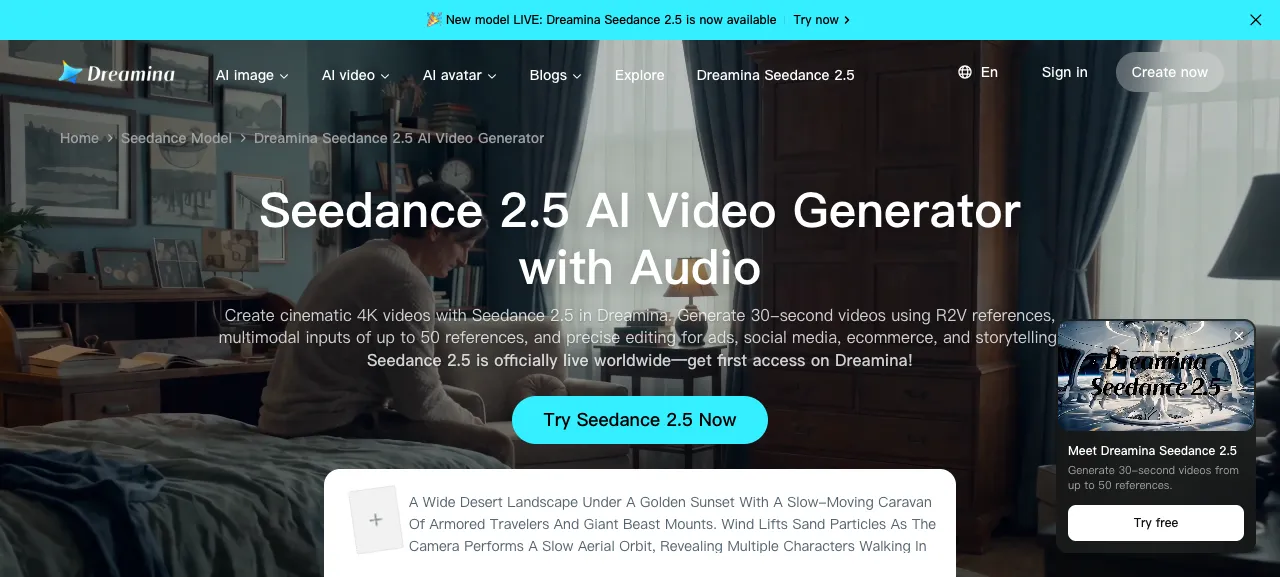
Use Seedance 2.5 prompts as short shot briefs: define the scene, action beats, camera path, sound, and constraints in that order. The templates below follow the current Dreamina Seedance 2.5 workflow, which exposes a prompt box, reference inputs, model selection, and duration controls. They are starting points to test, not guarantees of a particular frame or audio result.
The Short Answer: Use A Shot Brief, Not A Keyword Pile
Use five controls in order: visible subject, action beats, camera, sound, and invariants. This is a model-specific shot brief, not a request for a generic cinematic paragraph.
[FORMAT AND LENGTH]. [SUBJECT] in [SETTING] at [TIME].
Action beats: [BEAT 1] -> [BEAT 2] -> [BEAT 3].
Camera: [SHOT SIZE], [MOVEMENT], [FOCUS CHANGE].
Look: [LIGHTING], [COLOR], [LENS OR DEPTH OF FIELD], [MOTION STYLE].
Audio: [DIALOGUE IN QUOTES], [SOUND EFFECTS], [MUSIC OR SILENCE].
Keep [IDENTITY / PRODUCT / LOCATION] consistent. Avoid [UNWANTED ELEMENTS].
For a 30-second scene, try 0-8 seconds for setup, 8-22 seconds for action, and 22-30 seconds for the reveal or ending.
The Seedance 2.5 Prompt Formula
Use these seven slots when you need more control, then edit one variable at a time.
| Slot | Write this | Example |
|---|---|---|
| Format | Aspect ratio, duration, and shot type | 16:9, 30-second single continuous shot |
| Subject | The main person, object, or group | a ceramic pour-over coffee set |
| Setting | Place, time, and physical details | a quiet kitchen at blue hour |
| Action | Ordered movement and outcome | water blooms, coffee drips, steam rises |
| Camera | Framing and movement | slow tabletop push-in, then a close-up |
| Look | Light, palette, texture, and motion | soft window light, warm neutral palette |
| Audio | Spoken words, effects, music, or silence | ceramic clink, gentle room tone, no music |
Describe environment, lighting, action, camera movement, and mood; replace generic adjectives with visible camera instructions.
Keep The Action In A Visible Order
Write actions as a sequence rather than a list of simultaneous wishes. “The runner crosses the bridge, stops at the midpoint, looks toward the skyline, and raises a red flag” gives the model a path. “A dramatic runner with a flag and city skyline” gives it a collection of ingredients.
Use verbs that can be filmed: walks, turns, lifts, pours, opens, tracks, circles, lands, and pauses. Add a physical result after the verb when it matters, such as “the paper bends in the wind” or “the liquid catches the light.”
Put Camera Direction Next To The Action
Attach a camera move to the beat it should cover:
Start on a wide establishing shot. Track beside the cyclist as she enters the market.
At the bell sound, arc around to a front three-quarter close-up.
Hold on the basket as the cyclist stops and lifts one orange toward camera.
Pair one camera move with each beat; competing moves in one sentence are difficult to control and revise.
Copy-Paste Seedance 2.5 Prompt Templates
The following prompts use bracketed slots so you can adapt them without rewriting the control logic. Remove the brackets after filling them in.
Cinematic Story Scene
This template uses the longer single-generation format for a small story with a visible ending.
Create a 30-second cinematic 16:9 video in one continuous generation.
Setting: [PLACE] at [TIME OF DAY], with [TWO PHYSICAL DETAILS].
Main subject: [CHARACTER] wearing [COSTUME OR DISTINCTIVE DETAIL].
Story beats: 0-8 seconds, [SETUP]; 8-22 seconds, [MAIN ACTION AND CHANGE];
22-30 seconds, [REVEAL OR QUIET ENDING].
Camera: begin with a [WIDE / MEDIUM] shot, [CAMERA MOVE] through the action,
then hold a [CLOSE-UP / WIDE] final frame for two seconds.
Look: [LIGHTING], [COLOR PALETTE], natural motion and stable body proportions.
Audio: [AMBIENT SOUND]. Add [DIALOGUE IN QUOTES] only if spoken words are needed.
Keep the character, clothing, location, and lighting consistent throughout.
Avoid subtitles, logos, random text, extra limbs, and abrupt camera cuts.
For complex motion, use fewer than three beats.
Product Advertisement
Product prompts need identity locks and a controlled reveal. Describe the product's material and the action that proves its purpose instead of relying on “premium product shot.”
Create a 15-second vertical 9:16 product advertisement for [PRODUCT].
Product identity: [SHAPE], [MATERIAL], [COLOR], and [ONE DISTINCTIVE DETAIL].
Scene: [SURFACE] in [SETTING] with [LIGHT SOURCE].
Beat 1, 0-4 seconds: macro close-up of [DETAIL], with [MOTION].
Beat 2, 4-11 seconds: camera performs a slow [PUSH-IN / ORBIT] as [PRODUCT ACTION].
Beat 3, 11-15 seconds: clean hero frame, product centered, front surface readable.
Look: controlled reflections, realistic material texture, soft background separation.
Audio: [SOUND EFFECTS]. No voiceover, music, captions, or invented brand text.
Keep the product shape, color, label placement, and proportions unchanged.
If the finished ad needs copy, add the exact words as a separate constraint and expect to verify them frame by frame. For a brand-safe workflow, it is usually better to add final typography in an editor than to depend on generated lettering.
Reference-Driven Character Scene
The official page highlights reference-driven creation and shows examples that use labels such as @Image 1 and @Audio 1. Give each reference one job.
Use @Image 1 as the identity and face reference for the main character.
Use @Image 2 as the costume reference. Use @Image 3 as the location and lighting reference.
Create a 20-second 16:9 scene in which the character [ACTION].
Blocking: start at [POSITION], move [DIRECTION], then stop beside [OBJECT].
Camera: [SHOT SIZE] with a slow [MOVE], keeping the face visible during the main action.
Preserve the character's face, hairstyle, costume colors, body proportions, and age.
Match the lighting direction and overall palette from @Image 3.
Audio: use @Audio 1 as the rhythm reference; add [SOUND OR DIALOGUE].
Do not merge identities, change the costume, add people, or introduce text.
If references are unavailable, describe identity locks in words and do not request preservation of unseen details.
Image-To-Video Motion Template
Use image-to-video when the supplied frame must remain the visual starting point. The image carries composition and identity; the prompt should spend its space on motion, camera, timing, and sound.
Use the supplied image as the opening frame. Preserve the subject's identity,
silhouette, colors, clothing, product shape, and overall composition.
Create a [DURATION]-second [RATIO] video.
Motion: [ONE PRIMARY ACTION] followed by [ONE SECONDARY ACTION].
Camera: keep the opening framing for [SECONDS], then [CAMERA MOVE] without
changing the subject's position or inventing a new location.
Lighting: preserve the source direction and palette; animate only [DETAIL].
Audio: [AMBIENCE / DIALOGUE / SILENCE]. Avoid extra people, text, logos,
identity changes, and camera cuts.
State what must stay fixed and what is allowed to move instead of redescribing every pixel in the source image.
Social Reel With Native Audio
For a vertical social clip, specify the hook, action, and payoff. Put spoken lines in quotation marks so they are distinct from scene description.
Create a 15-second vertical 9:16 social video about [TOPIC].
0-3 seconds: open on [VISUAL HOOK] with a fast but readable push-in.
3-11 seconds: [SUBJECT] performs [ACTION] in three clear movements.
11-15 seconds: end on [PAYOFF] and hold the final composition for one second.
Use bright [LIGHTING STYLE], [COLOR PALETTE], and stable handheld motion.
Dialogue: the subject says, "[SHORT LINE]" once, with natural lip sync.
Sound: [SOUND EFFECTS] under the voice. Use [MUSIC STYLE] at low volume.
Keep the subject centered in the safe area. Avoid subtitles, watermarks,
extra dialogue, crowd noise, and cuts that hide the main action.
When music is added in post, request a silent video with only required action sounds.
How To Control Duration, Camera, References, And Audio
The prompt handles the creative brief; render settings such as duration and format depend on your interface or API surface.
Duration And Pacing
| Goal | Prompt change |
|---|---|
| Quick concept test | Use one subject, one action, and one camera move at 5-10 seconds. |
| Product reveal | Reserve the final 2-4 seconds for a stable hero frame. |
| Short story | Write three beats and name the intended time window for each. |
| Complex reference scene | Reduce the number of actions before increasing duration. |
Test the shortest duration that proves the action, then increase length once the opening, movement, and ending are clear.
Camera Verbs
| Desired result | Useful wording |
|---|---|
| Reveal a setting | start wide, then slow push-in |
| Follow movement | tracking shot beside the subject |
| Show a product detail | macro close-up, shallow depth of field |
| Connect two positions | arc from front three-quarter view to profile |
| Preserve readability | hold the final frame for two seconds |
Use a shot size, a direction, and a speed. “Cinematic camera” is a look label, not a camera instruction.
Audio Instructions
Name the source, timing, and priority: “footsteps become louder as the subject approaches; one spoken line in quotes; no background music.” Separate dialogue from sound effects and music. If an audio reference is available, identify its role instead of saying only “use this audio.”
For route-specific settings such as duration, ratio, audio, references, and output format, see the Seedance 2.5 API guide.
Fixes For Common Seedance 2.5 Prompt Failures
When a result misses, change the sentence that controls the failure. Replacing every adjective at once makes it hard to identify what helped.
| Symptom | Likely prompt problem | Targeted fix |
|---|---|---|
| Story rushes to the ending | Too many actions and no timing | Cut one beat and assign a time window to the remaining beats. |
| Character changes between shots | Identity is described once, then ignored | Repeat the identity, costume, and age lock near the action and reference instructions. |
| Camera becomes chaotic | Several moves compete in one sentence | Use one camera move per beat and add a hold at the end. |
| Dialogue is missing or replaced | Spoken words are mixed into scene description | Put the exact line in quotes and say how many times it is spoken. |
| Product shape drifts | Product details are treated as mood | List shape, material, color, label placement, and the detail that must not change. |
| Unwanted text appears | Text is implied by a sign, screen, or logo | Say no generated text or provide the exact text and verify it before delivery. |
| References fight each other | Roles are not assigned | Label each reference as identity, costume, location, motion, style, or audio. |
Do not add a negative prompt as a reflex. “Avoid subtitles” is useful when subtitles are a known risk; a long artifact list can compete with the action you want to preserve.
“Generic ChatGPT and Claude prompts don't match what Seedance actually wants.” — title of a public Reddit discussion in r/Seedance_AI, accessed August 12, 2026.
A Prompt Checklist Before You Generate
Before submitting a Seedance 2.5 prompt, check these nine items:
- The output format, aspect ratio, and intended duration are stated.
- The main subject is named before secondary details.
- Actions appear in the order they should happen.
- Each major beat has a camera instruction.
- The final frame or ending action is explicit.
- Identity, product, or location locks are stated where they matter.
- References have roles, not just filenames or numbers.
- Dialogue is quoted and sound effects are separate.
- Unwanted text, logos, subtitles, or extra people are called out only when relevant.
Start with one subject, one action, and one camera path; add references, audio, and a longer story only after that core shot is clear. A larger prompt is not automatically a more controllable prompt.
FAQ
How long should a Seedance 2.5 prompt be?
Specify the subject, action order, camera, look, audio, and constraints. Concrete verbs are usually more actionable than interchangeable adjectives.
Do Seedance 2.5 prompts support references?
The official Dreamina page presents reference-driven creation and up to 50 combined inputs as part of its current Seedance 2.5 workflow. Assign each reference a role such as identity, costume, location, motion, style, or audio, and verify the limits of the interface or API route you use.
How do I prompt dialogue in Seedance 2.5?
Put the exact spoken line in quotation marks and state who says it and how many times. Add the intended sound effects separately so the model does not treat them as dialogue.
Can I make a 30-second video with one prompt?
The official Dreamina page currently presents native 30-second generation. Plan the prompt as three visible beats with a clear ending, then confirm the duration and access settings in the surface where you generate the clip.
Should I use negative prompts?
Use short, relevant constraints such as “no subtitles, no logos, no extra people” when they address a specific failure. Do not replace the main action with a long artifact list.