 AIREITER
An OpenAI key can be valid, the request can succeed, and your OpenRouter balance can still drop. OpenRouter BYOK is not one billing switch: provider cost, platform fee, and fallback capacity follow different paths. The current rule also replaced the older one-million-request answer.
Start with the charge you are trying to explain
OpenRouter BYOK lets a request use a provider credential stored in your workspace while keeping OpenRouter as the API and routing layer. That creates three separate money paths:
| What you see | What it usually means | Where to verify it |
|---|---|---|
| A charge from OpenAI, Anthropic, Google Cloud, AWS, or another provider | Your provider account served the request | The provider's billing and usage console |
| A BYOK fee deducted from OpenRouter credits | Your workspace exceeded its current fee-free BYOK allowance | OpenRouter pricing and Activity |
| OpenRouter credits deducted for model inference | The request used OpenRouter-funded capacity, often after a BYOK failure or cross-provider fallback | Activity: serving provider, model, and API-key filters |
The first diagnostic question is not “Did I add my key?” It is “Which provider actually served this request?” A configured key can fail because of rate limits, insufficient upstream funds, permissions, or a temporary provider outage. If fallback is enabled, OpenRouter can complete the request through another provider and charge your OpenRouter balance for that route, as its support explanation of BYOK charges describes.
What OpenRouter BYOK changes, and what it does not
BYOK routes eligible traffic through your provider credential while retaining OpenRouter’s API and routing layer; OpenRouter says the credentials are encrypted and used for requests routed through the specified provider in its BYOK documentation.
BYOK does not make inference free: the provider still accounts for model usage, and OpenRouter may charge a separate platform fee after the applicable allowance. Supplying your own key also does not bypass workspace, account, or request-level privacy rules; if no eligible endpoint remains, the request fails even when the credential is valid.
The current BYOK fee is based on inference value, not request count
The current OpenRouter pricing page lists BYOK’s fee-free allowance by the list-price value of inference, not by the number of requests:
| Plan | Monthly BYOK amount before the platform fee | Fee after the allowance |
|---|---|---|
| Pay-as-you-go | $25,000 of list-price inference | 5% |
| Enterprise | $200,000 of list-price inference | 5% |
The allowance is measured against what the same model and provider would normally cost on OpenRouter, not necessarily your negotiated provider invoice. After the allowance, the 5% BYOK fee is deducted from OpenRouter credits; the provider charge remains separate.
Three charges to keep in separate ledgers
- Provider inference cost: the provider bills the account represented by the BYOK credential.
- BYOK platform fee: OpenRouter charges 5% after the current plan allowance, using OpenRouter credits.
- Fallback inference cost: OpenRouter credits pay for a route that used OpenRouter-funded provider capacity instead of your intended BYOK path.
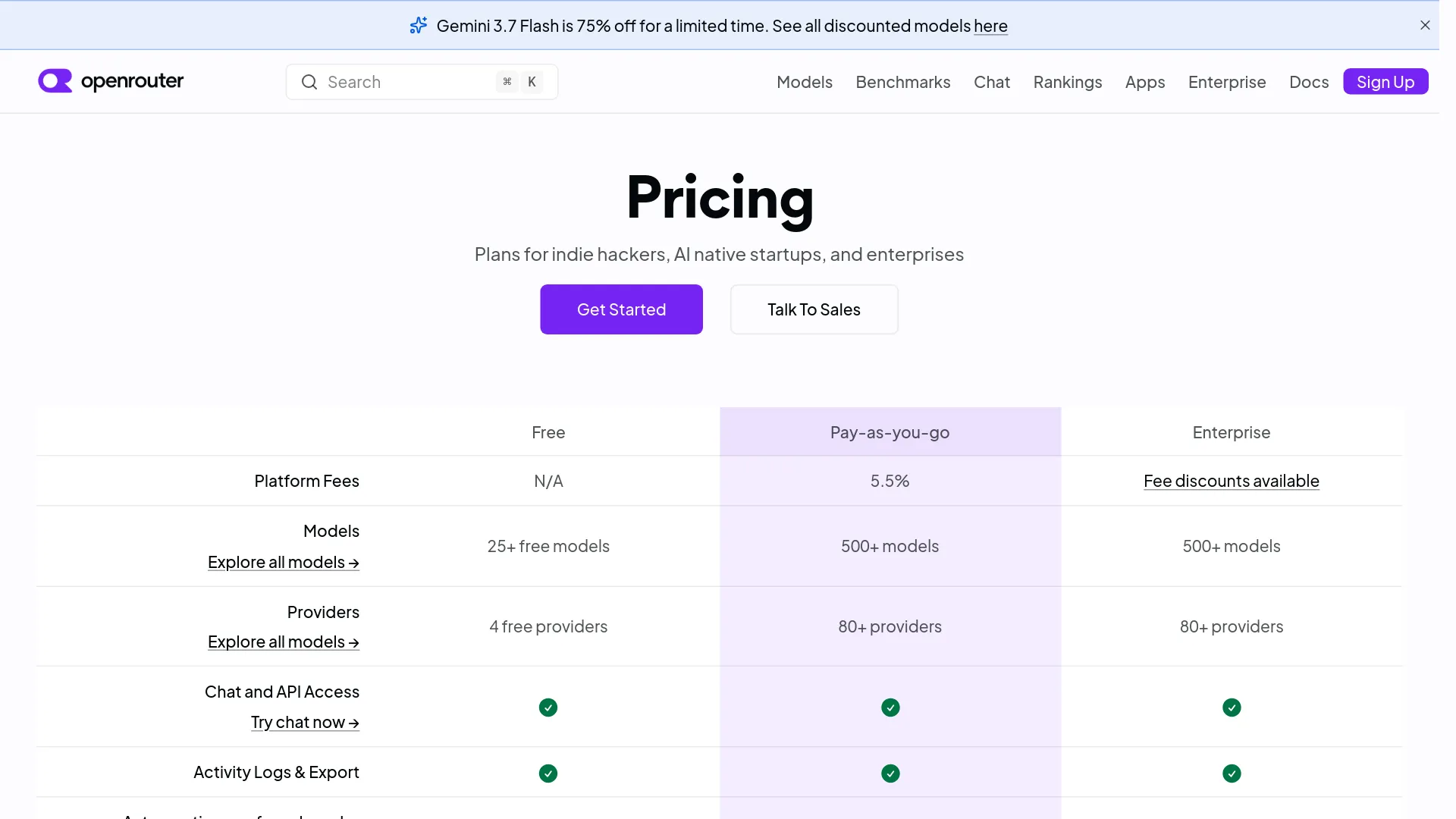
Credit-purchase fees are separate again: OpenRouter pricing lists a 5.5% Pay-as-you-go platform fee. A top-up charge does not prove that a particular request used fallback.
Why the old 1M-request answer still appears in search
OpenRouter’s October 2025 announcement described one million BYOK requests per month without a platform fee, followed by a 5% fee. That was the historical policy in the dated announcement; the page now notes that BYOK pricing changed in August 2026. Use the current pricing page’s list-price-inference allowance for estimates, and record the date you checked it.
Fallback is the setting that decides whether BYOK is a hard boundary
OpenRouter’s default routing goal is request success. The BYOK guide describes prioritized keys, shared OpenRouter endpoints, and fallback keys as different positions in the route:
- Prioritized BYOK keys are tried in their configured order.
- If those attempts fail, OpenRouter shared capacity can be tried.
- BYOK keys marked as fallback are tried after shared endpoints.
- Multiple matching keys for the same provider can be tried in order.
Provider ordering adds another wrinkle: matching BYOK endpoints are attempted before shared endpoints even when that provider appears later in your requested order array. A request can therefore use a BYOK key earlier than your general provider-order rule suggests.
Choose reliability or billing certainty
The dashboard option Always use for this provider prevents OpenRouter from using its shared credential for that same provider. It is not a global “never use OpenRouter credits” switch. OpenRouter’s support article says a request can still move from an Anthropic BYOK key to another compatible provider such as Google Vertex if cross-provider fallback remains available.
For billing certainty, constrain the request itself:
{
  "model": "anthropic/claude-sonnet-4.5",
  "messages": [
    { "role": "user", "content": "Summarize this document." }
  ],
  "provider": {
    "only": ["anthropic"]
  }
}
With provider.only, an Anthropic failure becomes an API failure instead of a silent route to another provider. That is the right choice for regulated workloads, provider-specific data agreements, or a cost report that must map every request to one upstream account. It is a poor default for an interactive product where availability matters more than strict provider ownership.
A real user in r/openrouter described the same control:
“you can specify order/only providers in the request itself to force it to only use your BYOK ones.” — u/Randomdotmath, Reddit thread
If fallback is part of your reliability design, budget for it; if it is not, disable it at the request boundary.
Verify the route in Activity before blaming the fee
OpenRouter’s FAQ says Activity can show usage history and filter it by model, provider, and API key. Check:
- Serving provider: Does it match the provider tied to your BYOK credential?
- Model and endpoint: Did the router choose another compatible endpoint?
- Application API key: Which environment or workspace key made the request?
- Credit deduction: Is the amount inference spend, a BYOK fee, or a top-up-related balance change?
If the Activity provider differs from the BYOK provider, investigate fallback before changing the credential. If the provider matches and volume is near the plan allowance, investigate the BYOK platform fee. This avoids rotating a valid key to solve a routing-policy problem.
A production key layout that survives rotation
Treat the OpenRouter application key and the upstream BYOK credential as different secrets with different owners:
| Secret | Used by | Rotation owner | Typical control |
|---|---|---|---|
| OpenRouter application API key | Your application or client | Platform/security team | Per-environment key, limit, expiry, and rapid replacement |
| Upstream provider credential | OpenRouter’s provider connection | Cloud/provider owner | Provider IAM, quota, model scope, and provider-side rotation |
| OpenRouter Management API key | Provisioning and administration | Security/platform team | Highly restricted secret-manager access; never use for completions |
Set up and test a BYOK credential
Use this short path before debugging production traffic:
- Add the provider credential in the workspace BYOK settings, or create it through the BYOK management API.
- Give it a name that identifies provider, environment, and purpose.
- Apply model, OpenRouter API-key, or member filters before sharing the workspace credential.
- Place the key in the prioritized section, and add a fallback key only if its billing and outage role are explicit.
- Send a test request, inspect Activity for the serving provider, then decide whether shared fallback should remain enabled.
For cloud providers, credentials are not interchangeable:
| Provider path | Detail to validate before testing |
|---|---|
| Azure AI Foundry | Use the *.services.ai.azure.com resource family and a resource_name; the official guide recommends the Foundry configuration. |
| Azure OpenAI | Use the *.openai.azure.com resource family with explicit deployment mappings when required. |
| Amazon Bedrock | A Bedrock API key is region-bound; AWS credentials are more flexible when workloads span regions. |
| Google Vertex AI | Supply the service-account JSON and validate project permissions plus the selected region. |
These constraints come from OpenRouter’s provider-specific BYOK documentation. A valid secret with the wrong resource type, region, deployment, or permission is a configuration failure, not evidence that BYOK is unsupported.
OpenRouter’s BYOK settings support filters for model slugs, OpenRouter API-key hashes, and workspace members. Each active filter must match before a credential is eligible, and the documentation allows up to 100 entries per filter. Use explicit allowlists; split large teams by workspace rather than maintain one increasingly broad credential.
Rotate the OpenRouter application key without rotating provider keys
OpenRouter’s API key rotation cookbook describes BYOK provider credentials as associated with the OpenRouter account rather than a particular application key. Its zero-downtime sequence is:
- Create a replacement OpenRouter application key with a descriptive name and appropriate limit.
- Store it in your secrets manager and deploy it to every service, job, and environment that uses the old key.
- Confirm production traffic is using the replacement key in Activity.
- Delete the old key only after the migration is complete.
The Management API documentation states that Management API keys are administrative credentials and cannot call completion endpoints. The replacement must be available before the old application key is revoked.
Rotate the provider credential separately
Provider-key rotation is a different change. Follow the provider’s own credential policy and test the exact model, region, permissions, and quota used by the workload.
- Create the replacement credential upstream with the narrowest required permissions.
- Add it to the OpenRouter BYOK connection with a distinct name and controlled priority.
- Send a test request and inspect Activity.
- Move the replacement into primary position and watch errors and provider usage.
- Revoke the old credential upstream after the overlap window.
This sequence is an operational recommendation built from OpenRouter’s documented priority behavior; the provider’s own revocation rules remain authoritative. OpenRouter’s BYOK create API accepts a raw credential but says it is encrypted at rest and not returned in later API responses. Keep the source credential in your own secret manager because OpenRouter is not a recovery copy.
When OpenRouter BYOK is the wrong default
Direct provider access is a better default when one provider’s native logs, exact endpoint behavior, or vendor tooling matters more than unified routing. BYOK is a better fit for multiple provider accounts, existing provider credits or committed capacity, and workspace-level controls.
OpenRouter BYOK FAQ
Does OpenRouter still charge when I use my own key?
Yes. The provider can bill inference through the BYOK credential; OpenRouter can deduct a 5% BYOK platform fee from credits after the current plan allowance; and fallback can make OpenRouter credits pay for another provider route.
Does “Always use for this provider” stop all fallback?
No. It stops OpenRouter from using its own shared credential for that named provider, but it does not stop a request moving to a different compatible provider. Use provider.only when that cross-provider path must be impossible.
How should an enterprise handle BYOK safety and budgets?
OpenRouter says credentials are encrypted, raw provider keys are not returned through the management API, and BYOK spend is excluded from guardrail and workspace budgets by default. The BYOK documentation says to enable Include BYOK spend or include_byok_in_budgets when a combined budget is required; enterprise teams should also use least-privilege credentials, workspace separation, filters, secret-manager custody, rotation, and Activity review.
Your default should match the failure you can tolerate
| Dominant requirement | Recommended setup | What you give up |
|---|---|---|
| Several providers, unified API, and resilience | BYOK with prioritized keys and controlled fallback | Some requests may use OpenRouter credits or another provider |
| One provider account, predictable billing, or strict data boundary | BYOK plus provider.only and Activity checks | Provider outages and rate limits become application errors |
| One provider, native diagnostics, and exact vendor behavior | Direct provider API | OpenRouter’s unified routing, cross-provider fallback, and workspace analytics |
| Enterprise shared access | Workspace-scoped BYOK, filters, management-key rotation, and explicit budget inclusion | More administration before a credential can be broadly shared |
Choose the routing and budget controls according to whether request completion, provider ownership, or cost visibility is the requirement you cannot compromise.