 AIREITER
Midjourney’s V8.2 edit-model test is real, but this is an evidence-led workflow test rather than a benchmark: official sources confirm the controls, while early user posts show examples without measuring success rates. The practical question is whether the new path can make useful creative changes without breaking the parts you need to preserve.
What the Midjourney V8.2 image editing test actually is
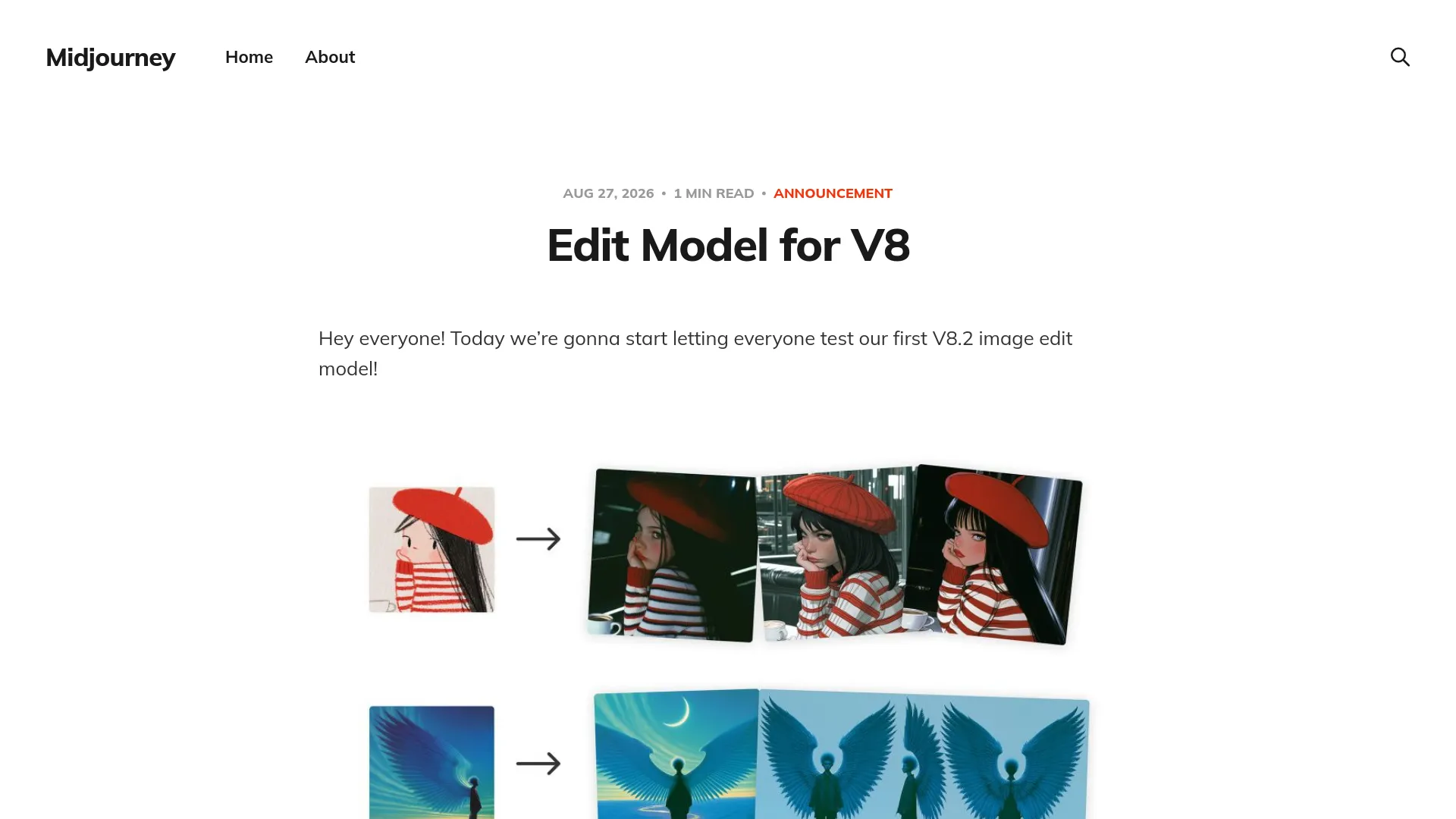
The V8.2 base image model became Midjourney’s default on July 24, 2026, with a stated focus on aesthetics, image quality, and Personalization, according to the official V8.2 release note. The separate V8.2 edit-model announcement opened testing on August 27, 2026, adding instruction editing, multi-image input, brush-based inpainting, and outpainting.
Midjourney calls the edit model an early test and says to expect edge cases and fast-follow updates. The announcement does not publish edit-accuracy, color-preservation, latency, or failure-rate measurements.
| Capability | Documented status | Test question |
|---|---|---|
| Instruction editing | Supported | Does the requested change happen without unacceptable scene drift? |
| Image references | Up to four images at once | Do extra inputs help, or do they blend unpredictably? |
| Inpainting | Brush-based editing is supported | Does the selected area change while nearby detail survives? |
| Outpainting | Supported | Do new canvas areas match perspective and lighting? |
| Personalization | Supported and emphasized in V8.2 | Does a profile move the edit toward the user’s taste? |
Moodboards and sref | Supported; extra prompt direction may help | Do style controls cooperate with the edit? |
The ratings and recommendations below are evidence-weighted judgments, not measured pass rates. Official documentation establishes availability; early user posts establish that some workflows work in practice, not how reliably they work for every account.
How to access the test and control the comparison
The announced entry points are the left-side Edit tab, the Edit action in the image lightbox, image attachment in the prompt bar, and Discord with an --edit image URL. Midjourney says the alpha interface is changing as it experiments with this workflow.
A fair test changes one variable at a time:
- Save the source image, prompt, aspect ratio, visible version setting, and reference files.
- Run one instruction-only edit with Personalization, moodboards, and
srefdisabled. - Repeat the instruction with one style or taste control enabled at a time.
- Test a small inpaint mask and a one-edge outpaint before attempting a large transformation.
- Keep the initial result set and one retry, then inspect identity, colors, geometry, boundaries, shadows, and perspective.
Approve a workflow only when the requested change succeeds and the preserved elements remain acceptable across the initial set and one retry. The current Version documentation says Omni Reference is tied to V7, so an Omni Reference result cannot serve as evidence of native V8.2 edit-model behavior.
Instruction editing: test the change and the preservation clause
The meaningful instruction-editing test is whether the requested change occurs while the unrequested subject, composition, lighting, and palette remain acceptably stable. Write the prompt in two parts: name the change, then name what must stay.
Try a constrained instruction such as: “Replace the red backpack with a black canvas messenger bag; keep the person’s face, pose, street background, camera angle, and afternoon lighting unchanged.” Record whether the model changes the bag only, changes the full outfit, or shifts the scene.
A real early tester described the workflow this way:
“Open the Editor, drop in an image, and use the Imagine bar like a chat, just tell it what you want to change.” — @ciguleva, X
The same tester preferred results with Personalization but said more experiments were needed for color consistency. This is a workflow observation, not a measured V8.2 success rate.
Use instruction editing first for creative variations and scene adjustments. “Change only the shoes” should be treated as a preservation request to evaluate, not a pixel-level guarantee.
Four image references are not four role-locked slots
The V8.2 edit model accepts up to four image references, but this does not mean the interface provides independent slots for “person,” “clothing,” “composition,” and “style.” Midjourney’s Image Prompts documentation describes image inputs as guidance and does not promise stable natural-language role binding across four images.
| Reference test | Inspect for | Safe interpretation |
|---|---|---|
| Four images of one subject | Face, clothing, pose, and background consistency | More evidence about one subject, not four identity locks |
| Subject plus environment references | Whether the subject remains distinct | Directional control with possible merged textures |
| Product, layout, and style references | Product shape, label, and placement | Concepting help, not production-accurate packaging control |
| Four unrelated references | Which visual elements dominate | A stress test for blending and prompt control |
A practical instruction is: “Use the four images as visual references for one editorial portrait; preserve the subject’s face and pose, borrow the jacket material from reference two, and do not copy the backgrounds.” Treat those role labels as a test of prompt adherence, not a documented feature.
@LudovicCreator reported testing up to four references and observed that moodboards and srefs might need extra prompt direction in this X post. That is an early user report; it does not turn four references into guaranteed role-specific inputs.
For a repeatable run, label files by intended role and state those roles in the instruction. Inspect the output rather than inferring role-level control from the fact that four images were accepted. Omni Reference remains a separate V7 path and should not be mixed into this comparison.
Inpainting and outpainting: selection still matters
Inpainting changes a selected area; outpainting extends the canvas beyond the original frame. Test them as separate operations because a local replacement and a scene extension expose different failure modes.
For inpainting, begin with a narrow selection around one object. Try: “Replace only the ceramic mug with a clear glass tumbler; preserve the hand, table, shadows, and background.” Inspect the boundary, reflections, hands, hair, typography, and nearby textures, not only the center of the masked area.
For outpainting, extend one edge first and ask for continuity rather than a new focal subject. Try: “Continue the same kitchen to the right, matching the camera height, window light, floor perspective, and color temperature; add no new person.” A mismatch in horizon, perspective, lighting direction, or subject scale is a failure even if the added border looks attractive on its own.
The Midjourney Editor guide creates an important version boundary: V8.2 images can be opened in the Editor, but the guide says the Editor’s functionality is still based on V6.1. Its documented tools include Erase, Restore, Smart Select, Pan, Zoom Out, Layers, and Retexture. A result made there should not automatically be labeled a native V8.2 edit-model result.
Personalization, moodboards, and sref behavior
The V8.2 release note highlights Personalization, and the edit-model announcement says Personalization, moodboards, and sref style references work with the test. Midjourney also warns that moodboards and style references may need additional prompt direction.
Use one source image and one edit instruction, then change only the taste or style control:
| Run | Control | Question |
|---|---|---|
| A | None | What does the edit model do without taste or style guidance? |
| B | Personalization only | Does the edit move toward the user’s taste without changing the subject? |
| C | Moodboard only | Does the visual language transfer while the instruction survives? |
| D | One sref only | Does the reference affect finish and palette more than structure? |
| E | Best single control | Does the strongest style result still preserve the requested edit? |
Use a boundary instruction such as: “Apply the moodboard’s color and material language, but do not change the subject’s identity, pose, or framing.” This tests whether a style control changes the requested edit into a broader restyle.
@ciguleva reported preferring Personalization in a with-and-without comparison. @seeksteve also reported that moodboards and srefs might work best with extra prompt direction in this X post. Both are early user observations, not behavior guarantees.
Midjourney V8.2 editing test: evidence-weighted decisions
The table separates documented capability from demonstrated reliability. “Unvalidated” means the supplied sources do not justify a production approval, not that the feature cannot work.
| Use case | Current read | Evidence basis | Minimum validation |
|---|---|---|---|
| Creative scene changes | Good test candidate | Official instruction-editing support plus a conversational workflow report | Check composition and lighting after one retry |
| Four-reference concept exploration | Experimental | Official four-image limit plus an early four-reference report | Run subject, product, and layout references separately |
| Local object replacement | Test before approval | Official inpainting support; no edit benchmark | Start with a small mask and inspect the boundary |
| Canvas expansion | Test before approval | Official outpainting support; no continuity benchmark | Extend one edge and check perspective and scale |
| Identity-sensitive portrait series | Do not assume locked identity | No official role-lock promise; reference behavior is input-sensitive | Compare face, pose, clothing, and background across retries |
| Exact typography or product geometry | Unvalidated for approval | No official precision benchmark in the test announcement | Require close inspection and a separate precision-edit step |
V8.2 is therefore a credible creative-editing experiment, but the sources do not justify a universal precision-editing verdict. Keep the result labels tied to the workflow you actually ran.
Midjourney V8.2 image editing test: quick answers
Is Midjourney V8.2 image editing officially available?
Midjourney has officially opened testing of a V8.2 edit model. It is a real test experience, but the announcement does not present it as a finished or benchmarked editing product.
Can I use four reference images in one V8.2 edit?
Yes, the official announcement says up to four image references can be used at once. Treat them as influencing inputs, not guaranteed slots with stable assignments.
Is the V8.2 edit model the same as the regular Midjourney Editor?
No. The new edit-model test is a distinct path. The regular Editor guide says its functionality remains V6.1-based, even though it can open images generated with V8.2.
Why did my edit change parts I did not select?
Instruction editing, references, Personalization, moodboards, and sref can all influence the image’s full interpretation. Reduce the mask, disable extra controls, and compare an instruction-only run before diagnosing a model failure.
The practical decision
Use the Midjourney V8.2 edit-model test for creative variations, reference-led exploration, local experiments, and canvas extensions that can tolerate iteration. Do not approve it as a precision editor from one attractive result; retain a separate step for exact typography, locked identity, and unchanged product geometry until your own test set passes.