 AIREITER
Typing a question into ChatGPT is easy; getting an answer you can safely use takes a clearer process: define the job, provide context, specify the output, improve the first draft, and verify important claims. Better prompting reduces ambiguity but does not make ChatGPT a final authority.
Start with the job, not the prompt
Define what the answer must help you decide, make, or understand, and state what “done” means.
Before asking ChatGPT to “write a report,” decide what the report must do. For example:
Task: Draft a one-page decision memo about whether to replace our support inbox.
Audience: The operations lead, who needs a recommendation this week.
Done when: It compares three options, names the biggest risk, and ends with one recommendation.
Use a six-part brief for better answers
A reliable ChatGPT prompt names six things: the task, context, constraints, source material, output format, and success criteria. Use only the fields that matter, but make the important ones explicit.
Task: [What should ChatGPT do?]
Context: [Who is this for, and what is already known?]
Constraints: [Length, tone, deadline, exclusions, tools, or policy limits]
Source material: [Paste or attach the material; say what is authoritative]
Output: [Format, headings, table columns, or code language]
Success criteria: [What must be true for the result to be usable?]
Provide the decision, audience, relevant facts, and whether attached material is the only allowed source. Use concrete constraints such as “three bullets, flag uncertainty, and do not invent missing figures”; specify the output shape separately from the criteria that make it usable.
Match the workflow to the task
ChatGPT is more useful when the capability matches the job. Use ordinary chat for quick transformations, file analysis for source-bound work, Search for current facts, and Deep Research for multi-step investigations that need sources; OpenAI describes these distinctions in its search and deep research guidance.
| Task | Useful workflow | Give ChatGPT | Review gate |
|---|---|---|---|
| Rewrite or brainstorm | Regular chat | Audience, source text, tone, and exclusions | Compare the result with the original intent |
| Analyze a document | File workflows, when available | The file, the exact questions, and what must not change | Check claims against the file |
| Answer a current question | ChatGPT Search | A date range, location, and preferred source types | Open the cited sources and check dates |
| Build a sourced report | Deep Research, when available | Research question, source boundaries, and report format | Inspect citations and sample key claims |
| Repeat a project workflow | Projects and work context, when available | Stable instructions, reference files, and a definition of done | Refresh changing inputs before reuse |
| Choose speed or depth | Fastest available option for simple transformations; stronger reasoning or research capability for multi-step work | Say whether speed or depth matters more | Verify more carefully when the task is complex or consequential |
Choose the smallest workflow that can supply the evidence and format the task needs.
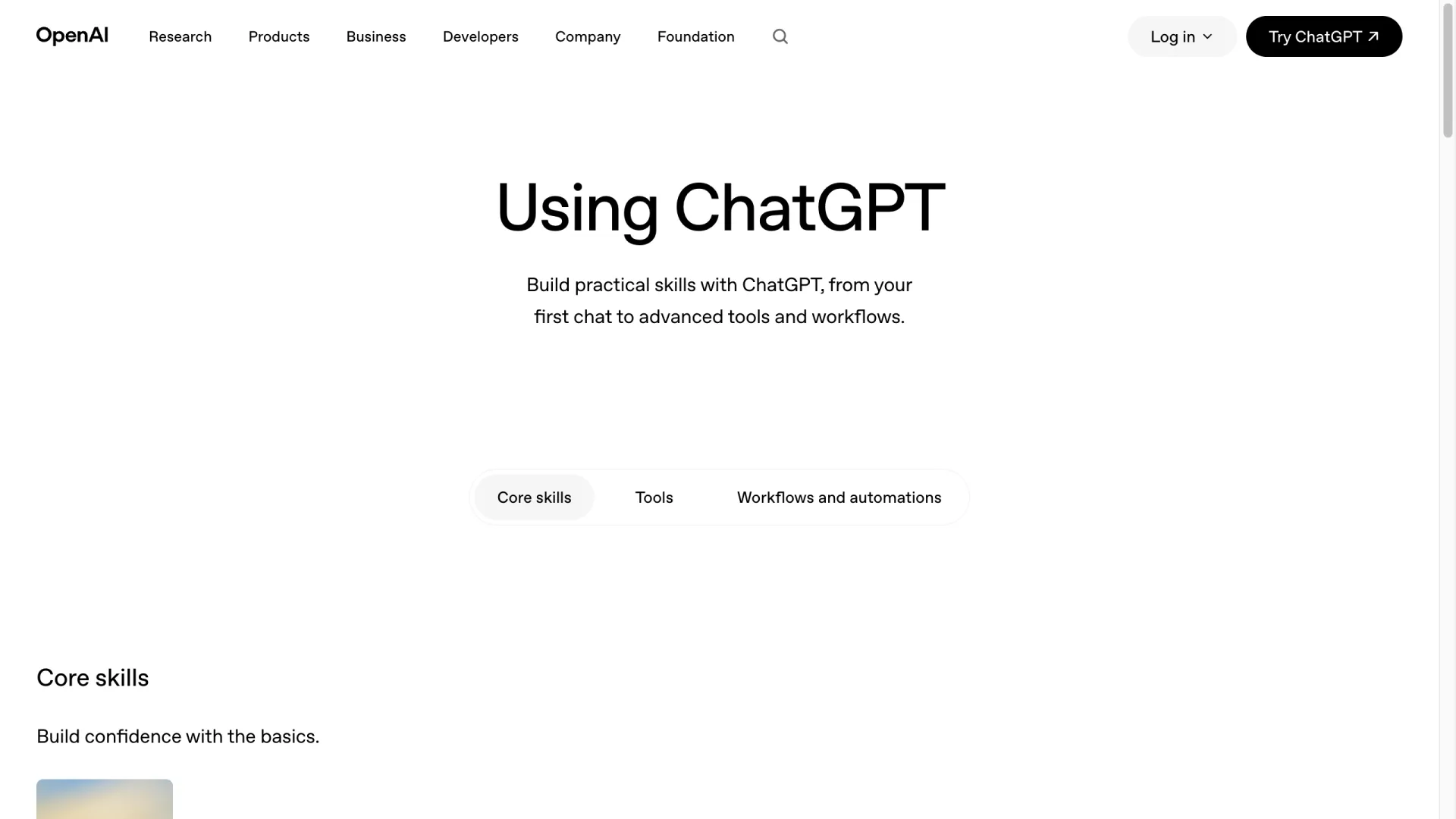
The public OpenAI Academy guide I captured puts “Core skills” before “Tools” and “Workflows and automations.” That is a useful progression: learn the task loop first, then add a capability only when it removes a real bottleneck.
Iterate in passes instead of restarting
The first ChatGPT response is a draft. Keep the same thread when the task and source material are still relevant, and change one variable at a time so you can tell why the next answer improved.
- Clarify: Ask ChatGPT to list its assumptions and the questions that would change the answer.
- Draft: Request the smallest useful version in the format you need.
- Critique: Give it the success criteria and ask it to identify unsupported claims, omissions, and awkward choices.
- Revise: Ask for a new version that addresses only the identified problems.
If the output is generic, add missing context. If it is too long, tighten the constraints. If it misses the point, restate the decision the answer must support. If the structure is wrong, show the desired headings or table columns. Restarting the chat is appropriate when the topic, source set, or goal changes enough that old context becomes a liability.
Verify the answer before you rely on it
Verification should scale with consequence. Check a casual brainstorm lightly, but independently confirm claims, numbers, quotations, citations, calculations, and assumptions before they affect money, health, legal rights, security, or a public statement.
| Risk | Minimum check |
|---|---|
| Low: ideas, rewrites, outlines | Confirm that the result follows your brief and preserves the intended meaning |
| Medium: research notes, summaries, code changes | Check key claims against the supplied source or a trusted reference; test the code or calculations |
| High: medical, legal, financial, employment, or security decisions | Use primary sources and qualified human review; treat ChatGPT as an assistant, not the approver |
Privacy is part of verification
Remove unnecessary personal, confidential, credential, and proprietary data before you paste or upload it; replace identifiers with placeholders, check approved data controls, and involve a qualified human reviewer for high-stakes decisions.
Ask ChatGPT to expose uncertainty instead of hiding it:
For every material claim, label it as supported by the provided source, an inference, or unknown.
List the claims I should verify first. If the source does not answer the question, say so.
The OpenAI accuracy and limitations guidance makes the same practical point: outputs can be useful without being guaranteed correct. In an OpenAI Developer Community discussion, one user described a modular error-logging approach while preserving that limitation:
“I still have not gotten 100% reliability, but these methods have definately decrease the amount of errors I get by an order of magnitude,” Steve_Z, OpenAI Developer Community, June 26, 2025.
Apply the method to common tasks
| Task | Prompt starter | Done when |
|---|---|---|
| Writing | “Draft this for [audience]. Preserve these facts, use this tone, and mark any missing evidence.” | The voice and facts match the source, and unsupported claims are flagged |
| Research | “Answer [question] using sources from [date range]. Separate sourced facts from inference.” | Key claims have inspectable sources and the answer states its limits |
| Learning | “Teach me [topic] at my current level. Ask two diagnostic questions, then give an example and a short quiz.” | You can explain the idea or solve a new example without copying the answer |
| Coding | “Review this code for correctness, security, and performance. State assumptions and give a minimal patch.” | The change is tested against the stated case and the risks are named |
| Planning | “Turn this goal into milestones with owners, dependencies, and a first action.” | The plan has a next step, a decision owner, and a way to tell whether it is working |
Avoid asking for a fixed number of real examples when you do not know whether that many exist. “Give up to five verified examples; if fewer are available, say so” is a small instruction that removes pressure to fill a quota with plausible inventions.
FAQ
How can I make ChatGPT ask clarifying questions?
Tell it to ask up to a specific number of questions before drafting, and say which uncertainties matter most. You can also ask it to state assumptions when an answer cannot wait for clarification.
How can I make ChatGPT’s answers more accurate?
Provide authoritative source material, ask it to separate facts from inference, request uncertainty labels, and verify important claims independently. No prompt removes the need for review when the consequences are high.