 AIREITER
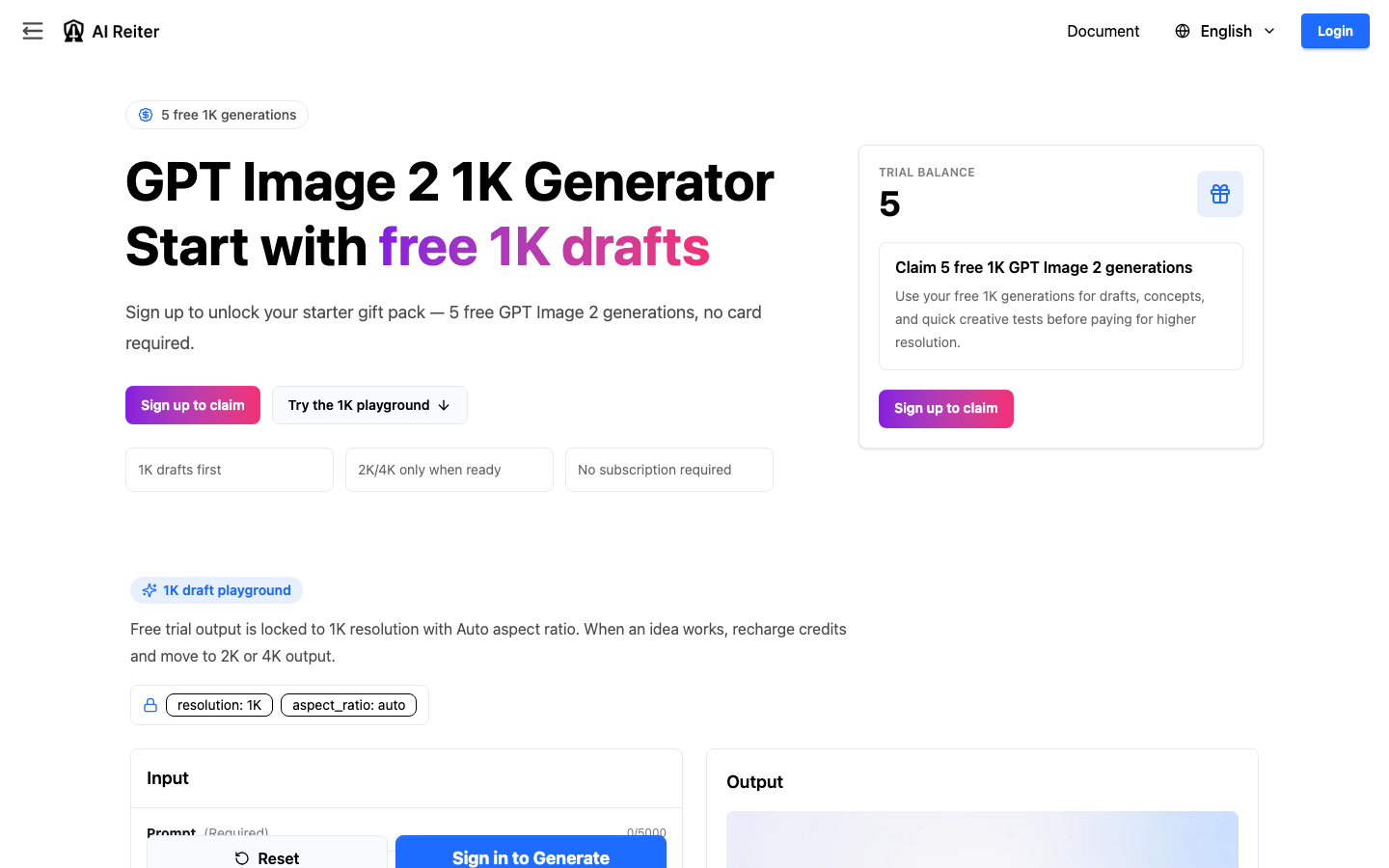
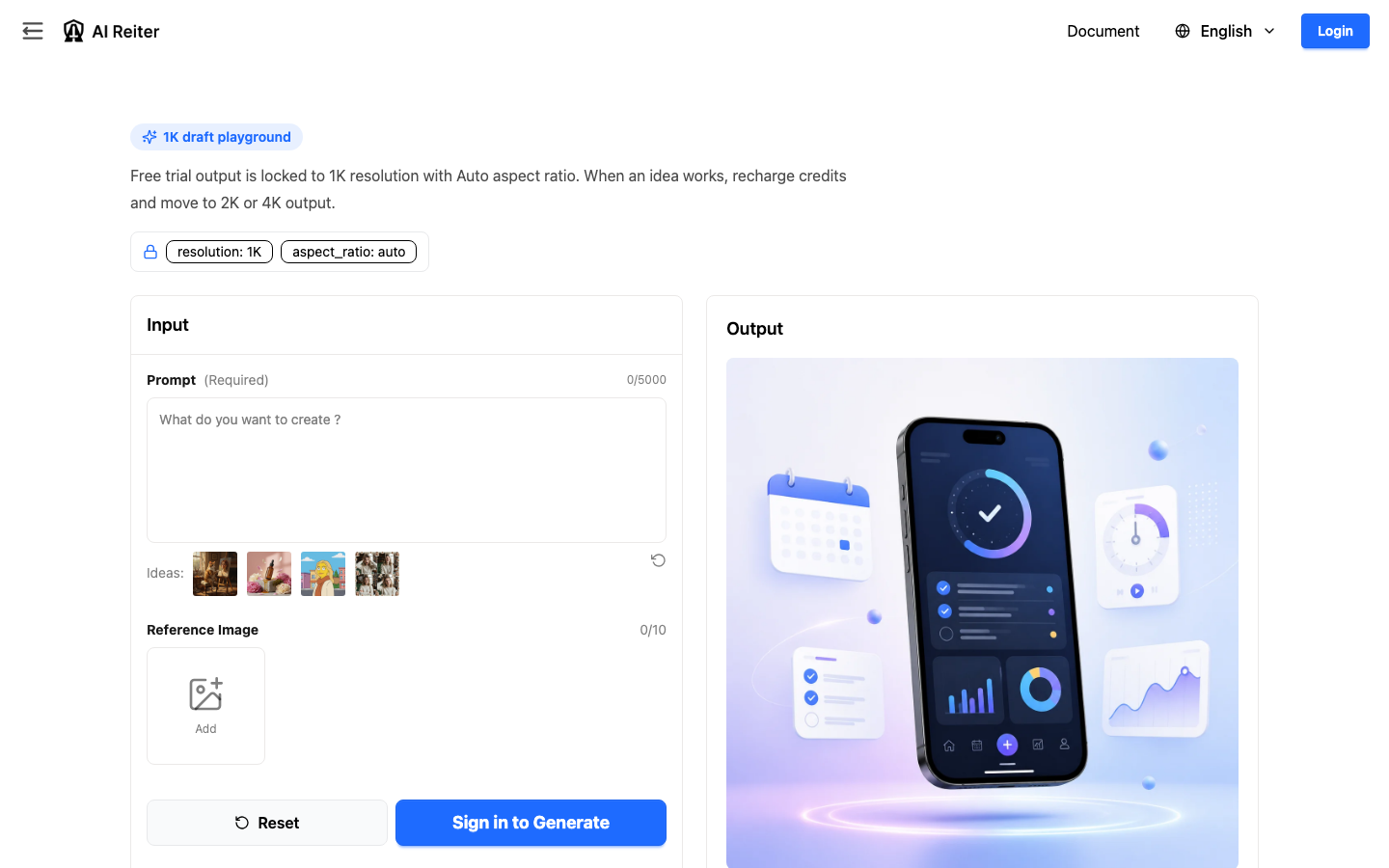
AIReiter offers a GPT Image 2 free trial for eligible accounts: 5 free 1K generations, no card required, and a 1K playground with Auto aspect ratio. The page positions 2K and 4K as recharge paths, so the useful workflow is to test image direction at 1K before paying for sharper output.
AIReiter is an independent GPT Image 2 workflow tool. It is not an official OpenAI product. If you specifically need native official access, check ChatGPT or OpenAI first; if you need a low-cost 1K test before paying for higher resolution, AIReiter fits that decision better.
Best Ways to Try GPT Image 2 for Free
The SERP for this keyword mixes official references, free-generator pages, credit-based tools, and editorial comparisons. Those pages serve different jobs.
Option | Public positioning | Best use | Main thing to verify |
|---|---|---|---|
ChatGPT / OpenAI | Native official route | Official access and account-based image features | Current account limits, model availability, and size controls |
VisualGPT | Free/no-signup generator positioning | Fast prompt experiments | Quota, watermark status, output size, and commercial terms |
Flaq AI | Generator/editor page with prompt examples | Comparing generation and editing claims | Active model, editing limits, and high-quality output terms |
EaseMate AI | Free online generator positioning | Quick browser-based testing | Whether login appears after use, download limits, and watermark status |
Genspark | Credit-based GPT Image 2 tooling | Repeated tests with credit accounting | Credit cost by size and whether high-res output fits the trial path |
PhotoGPT | Free/no-signup/no-watermark positioning | Comparing low-friction generator claims | Actual cap, output size, and commercial-use clarity |
ChatCut | Editorial comparison of free access routes | Understanding the broader market | Whether a video/editor workflow fits image-only testing |
AIReiter | 5 free 1K generations before paid 2K/4K | Testing whether a prompt direction is worth upgrading | Download behavior, watermark status, and production terms after login |
If your priority is no signup, AIReiter is not the lowest-friction route because the claim path starts with signup. If your priority is avoiding upfront payment before testing quality, the free GPT Image 2 generator is more specific: it gives you a small 1K test budget before the paid resolution step.
What the AIReiter Free Trial Includes
The public trial page confirms these points:
Trial detail | Confirmed on page |
|---|---|
Free allowance | 5 GPT Image 2 generations |
Eligibility wording | Claim flow is for eligible accounts/users; the public page does not list every eligibility rule |
Free output scope | 1K drafts |
Trial settings | 1K resolution with Auto aspect ratio |
Claim path | Sign up to claim |
Payment language | No card required; no subscription required |
Upgrade path | Recharge when you need 2K or 4K |
The public page does not fully confirm every production detail. Keep these separate from the trial offer:
Detail | Status before logged-in generation test |
|---|---|
Watermark behavior | No obvious watermark was visible in the page preview from the first 1K test; downloaded file still needs checking |
Download format and final file dimensions | Download button appears after generation; file format and exact downloaded dimensions still need checking |
Commercial-use/license wording | Must be checked in current terms or the logged-in flow |
Reference-image input | The 1K form shows a Reference Image field with 0/10 slots; editing/inpainting behavior still needs a separate test |
Exact post-trial credit cost for 2K/4K | Check the recharge screen before upgrading |
This split matters because a free trial can prove creative direction without proving every production requirement.
What a Real 1K Test Showed
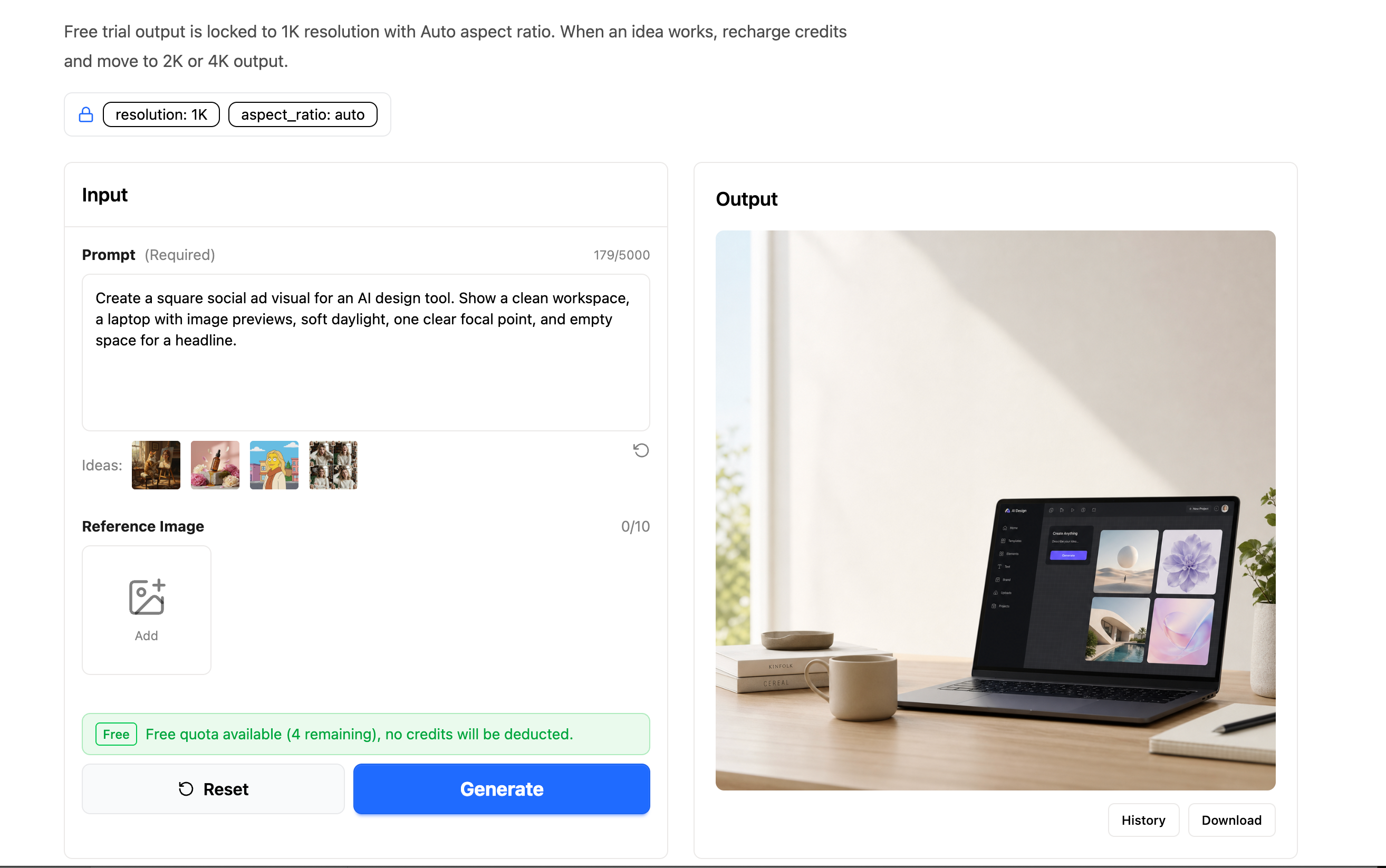
For the first test, we used the baseline social ad prompt from this guide. The generated preview appeared in the Output panel, and the interface still showed the locked trial settings: resolution: 1K and aspect_ratio: auto.
The screenshot also showed three practical details after one generation:
Observed detail | What it means |
|---|---|
Free quota banner: "4 remaining" | One of the 5 trial generations had been used |
"no credits will be deducted" message | The next 1K trial generation was still covered by free quota |
Download button under the output | The result can be downloaded from the generated-output panel |
Reference Image field: 0/10 | The form exposes reference-image input slots, but this does not prove editing or inpainting behavior |
The preview did not show an obvious watermark. Treat that as a preview observation only; the downloaded file still needs to be checked for final format, dimensions, and watermark behavior.
How to Claim the AIReiter GPT Image 2 Free Trial
The public page shows this claim path:
Open the GPT Image 2 1K trial page.
Click "Sign up to claim."
Create or sign into an AIReiter account.
Claim the 5 GPT Image 2 trial generations if your account is eligible.
Use the 1K playground, where the public page shows
resolution: 1Kandaspect_ratio: auto.After the 1K tests, recharge only if you need 2K or 4K output.
The claim flow is best treated as a draft test, not a production-license review. Do the creative checks first, then confirm production details only if a result is worth using.
1K vs 2K vs 4K: Sizes and Use Cases
AIReiter's current tool-size mapping uses resolution tiers rather than one fixed size for every aspect ratio. These examples come from the current AIReiter size mapping, not from a downloaded-output test. In this article, "4K" means AIReiter's 4K tier label; it should not be read as a promise that every output is 4096 pixels wide.
Tier | 1:1 size example | 16:9 size example | Best use |
|---|---|---|---|
1K | 1024x1024 | 1536x864 | Drafts, thumbnails, prompt tests, early direction |
2K | 2048x2048 | 2048x1152 | Sharper review, layout checks, client/team review |
4K | 2880x2880 | 3840x2160 | Final ads, product pages, posters, campaign visuals |
Auto aspect ratio can choose other valid dimensions based on the source or reference shape, so confirm the final downloaded file after a real generation. The table is still useful for the payment decision: 1K is enough to judge whether the idea is close; 2K and 4K are for assets that already have a clear use.
Use AIReiter as a GPT Image 2 1K vs 2K vs 4K workflow when the cost decision matters. A weak concept does not become useful just because it has more pixels.
A 5-Generation Test Plan Before Paying
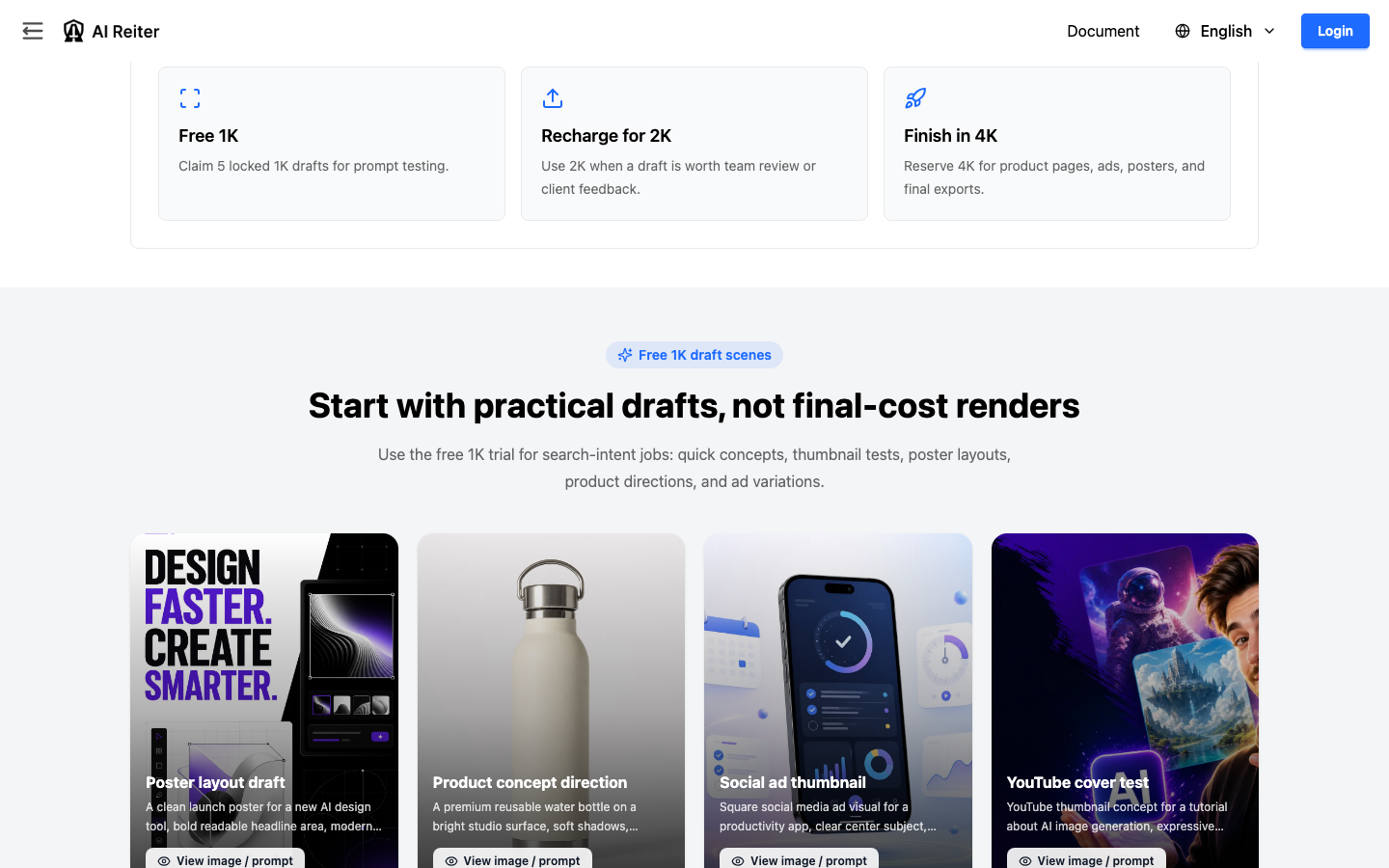
Spend the 5 free generations on different risks, not tiny variations.
1. Baseline Prompt
Create a square social ad visual for an AI design tool. Show a clean workspace, a laptop with image previews, soft daylight, one clear focal point, and empty space for a headline.
Check subject accuracy, scene quality, and whether the layout is usable.
2. Composition Variation
Create the same concept as a before-and-after visual: rough sketch on the left, polished AI-generated visual on the right, clean background, square format.
This shows whether the first draft failed because of layout rather than model fit.
3. Style Variation
Keep the subject but change only the mood: soft daylight, studio lighting, editorial contrast, clean SaaS styling, or cinematic lighting. If the model changes the subject too much, tighten the prompt.
4. Channel Variation
Create a YouTube thumbnail concept about testing GPT Image 2 before paying. Use strong contrast, one clear focal point, clean title space, modern tutorial style, no logos.
This checks whether the image still works in the format where it will appear.
5. Refined Winner
Refine the strongest direction. Keep the subject clear, reduce clutter, improve lighting, preserve headline space, and make the composition readable at thumbnail size.
After the fifth result:
Result after 5 free 1K generations | Decision |
|---|---|
No draft is close | Do not upgrade yet; rewrite the prompt or try another tool |
One draft is promising | Move to 2K if sharper review is useful |
One draft is production-bound | Move to 4K only if the final placement needs it |
When 1K Is Enough, and When It Fails
1K is usually enough when you are checking:
Overall composition
Subject choice
Color direction
Thumbnail readability
Whether the prompt follows the intended scene
1K is often not enough when you need:
Product label inspection
Fine material detail
Poster or print-like review
Client-ready campaign assets
Precise text rendering in the final file
For text-heavy graphics, spend at least one 1K generation on a prompt with real headline space. Zoom out to feed size before judging the result; large previews can hide letter-shape problems that become obvious in thumbnails.
What to Check Before You Pay
Before upgrading from any GPT Image 2 trial, inspect the output against practical criteria:
Check | Why it matters |
|---|---|
Subject accuracy | Higher resolution will not fix a wrong product, scene, or composition |
Text rendering | Look at spelling, letter shapes, spacing, and thumbnail readability |
Crop and channel fit | A square draft may not work as a wide landing-page hero |
Detail needs | Product pages, posters, and client assets need sharper inspection than rough thumbnails |
Production rights | Confirm watermark, download, and commercial-use terms inside the logged-in flow |
Paid step | Check the live recharge screen before choosing 2K or 4K |
For editing workflows, do a separate test before committing. A normal text-to-image draft does not prove reference-image fidelity, mask behavior, object replacement quality, text preservation, or style consistency. If those controls matter, verify the live inputs and output behavior inside your logged-in account.
If these checks fail at 1K, do not pay to upscale that draft. Rewrite the prompt first.
Who Should Use AIReiter, and Who Should Skip It?
Use AIReiter if you want low-cost GPT Image 2 experimentation for drafts, thumbnails, quick concepts, and early creative direction before choosing a paid resolution.
Skip AIReiter if your top requirement is official OpenAI access, instant no-signup use, included high-resolution output, or verified production licensing before you create a test image. In those cases, start with the native OpenAI route or compare other generator pages first.
The best fit is a cost decision: use the GPT Image 2 free trial to find out whether the idea is worth finishing.
FAQ
Is signup required?
Yes. The public page shows "Sign up to claim" for the 5 free 1K trial generations.
Does the free trial add a watermark?
The first 1K test preview did not show an obvious watermark. Check the downloaded file before using an image in production.
Can I use AIReiter GPT Image 2 images commercially?
Do not assume commercial-use rights from the free-trial page alone. Check the current terms or logged-in flow before production use.
What are the exact 1K, 2K, and 4K dimensions?
AIReiter's current mapping includes 1024x1024 for 1K square, 2048x2048 for 2K square, and 2880x2880 for 4K square. Auto aspect ratio can produce different valid dimensions.
Is AIReiter an official OpenAI product?
No. AIReiter is an independent tool for GPT Image 2 workflows.