 AIREITER
A single 8-second Veo 3.1 clip in Google Flow costs 100 credits. On the $19.99/month Google AI Pro plan, that buys about 10 clips a month; on the free tier's 50 credits a day, you can't generate one Quality clip in a single day. For creators hitting that wall — the 8-second cap, credits that drain even on failed generations, and a model lineup locked to Google's — the alternatives below are worth your time.
The short version: Runway is the strongest all-round switch if you want a multi-model studio with transparent pricing; Sora 2 and Seedance 2.0 lead for photorealistic long-form and native audio; and if what you want is Veo 3.1 without Flow's credit ceiling, a platform like AIReiter (playground or API) lets you pay per generation instead of per month. Free options like PixVerse and Qwen AI cover the low end.
Why people switch away from Google Flow
Google Flow is Google's AI filmmaking studio — built on Veo 3.1 for video, Nano Banana Pro for images, and Gemini Omni for multimodal input, all named on Flow's own models page. Launched in May 2026 and updated that month with a Flow Agent, custom Flow Tools, and mobile apps, it pairs a Scenebuilder for scene composition with video extension, 2K/4K upscaling, and character/avatar tools. Veo 3.1 itself delivers 4K output with native audio, and Google's model page highlights its physics, realism, and prompt adherence.
The friction is structural, not about quality:
An 8-second ceiling per clip. Veo 3.1 Quality generations cap at 8 seconds, so anything longer means stitching multiple clips and re-prompting for consistency. On X, users describe paying thousands for credits while getting "8sec per generation" (post by @deekor_v), and the r/VEO3 community runs an active thread asking for a Flow alternative that still uses Veo 3.1.
Credits that disappear fast. A failed generation still deducts credits, and the Flow Agent "can also empty your credit balance before you've approved a single frame" (post by @usestork). Others report editing glitches, avatar policy blocks, and lost credits.
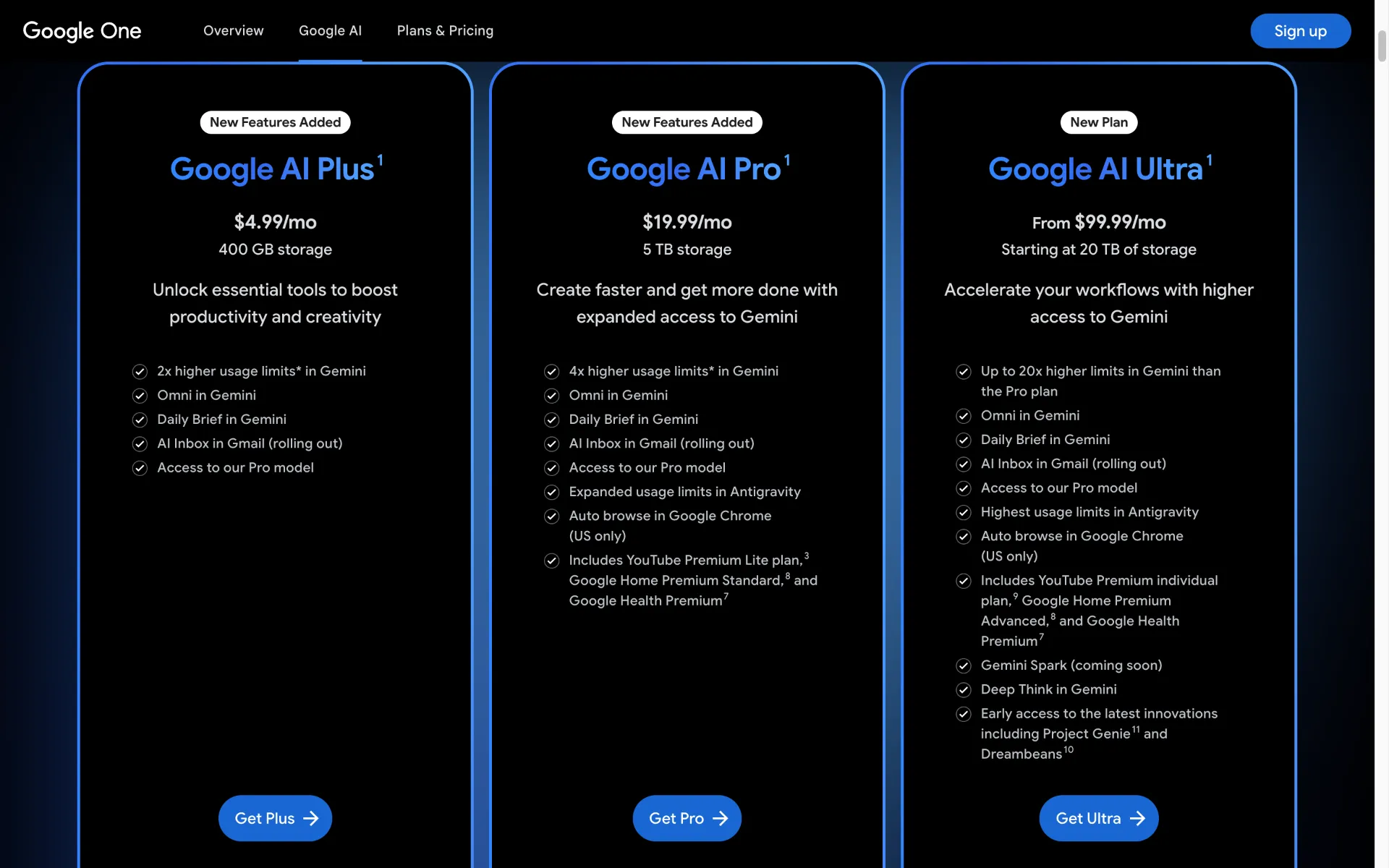
A free tier that barely starts. Free users get 50 credits a day; a Quality clip costs 100, so you're limited to cheaper Fast (10 credits on Ultra, 20 otherwise) or Lite generations unless you pay. Even on Ultra — $99.99/month for 10,000 credits (roughly 100 Quality clips) or $199.99/month for 25,000 — you're capped monthly; fine for experimentation, tight for production.
Model lock-in. Flow only runs Google's models. If you want Sora 2, Seedance, or Kling for a specific look, Flow can't help.
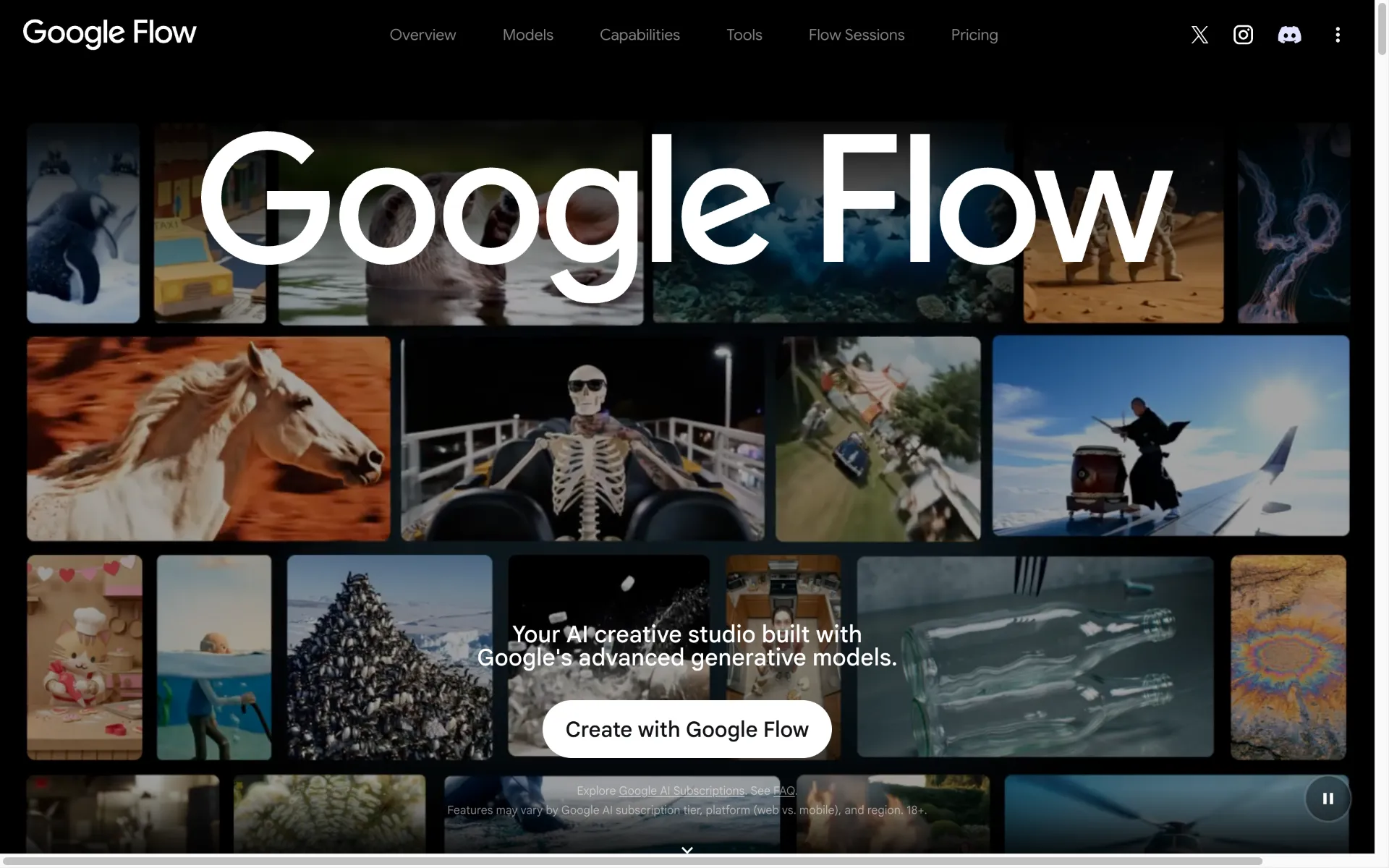
Having used Flow, the polish is real — the UI is genuinely polished, image generation carries a free quota, and the scene-building interaction is smooth. For storyboard-driven short concepts inside Google's ecosystem, it's capable. The catch is scale: those 8-second clips and per-generation credits add up fast once you move from prototyping to producing.
Google Flow alternatives compared
Tool | Engine / model | Max clip | Native audio | Free tier | API | Best for |
|---|---|---|---|---|---|---|
Google Flow | Veo 3.1 + Nano Banana Pro | 8s (stitch for more) | Yes | 50 credits/day | No | Google-ecosystem short concepts |
Runway | Gen-4.5, Veo 3.1, Kling 3.0, Seedance 2.0 | ~5–10s | No | 125 credits (once) | Yes | Multi-model studio + editing |
Sora 2 | OpenAI Sora 2 | Longer, multi-scene | Check OpenAI | Via ChatGPT Plus | ChatGPT only | Photorealistic long-form |
Seedance 2.0 | ByteDance | Multi-shot, one pass | Yes | Via third parties | Yes | Native audio + multimodal input |
Kling AI | Kling 2.x | Longer than 8s | No | Limited | Yes | Motion / physics realism |
Hailuo AI | MiniMax | ~6s | No | Yes | Yes | Speed, human movement |
Pika | Pika 2.5 | ~5s | Limited | 80 credits, 480p | No | Fast stylized social clips |
Luma | Dream Machine / Ray | ~5s | No | Limited | Yes | Image-to-video, camera motion |
PixVerse | PixVerse V6 | 1–15s | Switchable | Yes | Yes | Storyboard, flexible t2v |
The API column and per-clip limits are where most competing listicles go vague. Google Flow and Runway pricing below is verified against the official sites (flow.google and runwayml.com/pricing, mid-2026); Kling, Pika, Luma, and Hailuo figures are per mid-2026 listings — confirm on each tool's site before buying.
The best Google Flow alternatives in 2026
Runway
Runway is the closest thing to a full studio rather than a clip generator. The Standard plan at $12/month (625 credits) gets you Gen-4.5 at 60 credits per 5-second clip — about 10 clips — and the $28 Pro plan (2,250 credits) lifts that to roughly 37. Per-clip costs are public on Runway's pricing page: Gen-4.5 is 60 credits per 5 seconds, Seedance 2.0 Pro is 160 credits per 4 seconds, a Gen-4 image is 8 credits. Unusually, Runway hosts other vendors' models too — Veo 3.1, Nano Banana Pro, Kling 3.0 (a newer version than Kling's own 2.x), Seedance 2.0, and Aleph all run inside one credit pool — so you're not locked to one model the way Flow locks you to Google's.
The trade-off is native audio and clip length — Gen-4.5 clips are 5 seconds with no native audio, so for sound-on long-form you'll pair it with another tool. Skip it if you need 4K native or long single takes.
Sora 2
OpenAI's Sora 2 produces highly photorealistic output and handles longer, multi-scene generations that Flow's 8-second cap forces you to stitch. Access runs through ChatGPT Plus at $20/month (Sora 2 included) or Pro at $200/month for higher limits and priority. The trade-offs are cost and the lack of a clean standalone API. Best when realism and length matter more than budget.
Seedance 2.0
ByteDance's Seedance 2.0 does two things Flow doesn't: native audio in the same pass, and multimodal input — up to 12 reference assets (images, video clips, and audio) uploaded together for consistency. It generates multi-shot sequences in one pass, which sidesteps Flow's stitch-it-yourself problem. Available through ImagineArt, Runway, or via API. The gap is 4K output. Pick it when audio and character or scene consistency across shots are the priority.
Kling AI
Kling (currently 2.x) is the pick for motion realism: physical action, product motion, and multi-subject scenes with fewer artifacts. It also generates longer clips than Flow's 8 seconds. Pricing is credit-based, around $8/month Standard and $28/month Pro. No native audio. Strong for action-driven and character-led clips where Flow's physics feels off.
Hailuo AI (MiniMax)
Hailuo's edge is speed and human movement — usable clips in less time than most competitors, competent on people walking, gesturing, dancing. Free queue-based access with premium tiers from around $10/month for faster turns. Clips cap around 6 seconds with no native audio. Good for high-volume short social where turnaround is the constraint.
Pika
Pika 2.5 targets fast, stylized social content. Its Pikaffects (melt, explode, inflate, morph) are tuned for short-form virality rather than realism. The free tier gives 80 credits at 480p; Standard at $8/month unlocks all resolutions. Clips run under 5 seconds with limited audio. Skip it if you need cinematic realism; use it for playful, effects-driven social.
Luma Dream Machine
Luma is the image-to-video and camera-motion specialist — fluid camera moves and realistic light physics from a reference image, and it hosts multiple models (including Kling 2.6 and Veo 3.1) in-platform. Plans run Plus $30, Pro $90, Ultra $300 per month. No native audio, ~5-second clips. Best when you're driving video from a still and want expressive camera work.
PixVerse
PixVerse V6 is the flexible text-to-video and storyboard option — 1–15 second clips, 360p to 1080p, switchable audio, and a multi-panel storyboard-to-video mode (C1) that Flow's clip-by-clip approach lacks. Free to start, credit-based after. No 4K. Good for storyboard-driven creators who want more control over scene flow than Flow's prompt box gives.
How to get Veo 3.1 without Google Flow's credit limits
Most alternatives listicles gloss over one point: several "alternatives" run on Veo 3.1 themselves. Runway hosts Veo 3.1 in its model pool. Atlabs bundles Veo 3.1 by the second across its plans. Arcads (also Veo 3.1-powered) exists specifically to extend short clips into longer ones. Leaving Flow often isn't about leaving Google's model — it's about changing how you access it.
That splits the decision into two paths:
Switch the model — pick Sora 2, Seedance, Kling, or Hailuo for a different look, longer clips, or native audio Flow lacks.
Switch the access — keep Veo 3.1 but drop the subscription credit ceiling. Several hosts run Veo 3.1 alongside other models in a browser playground or over API, charging per generation rather than into a monthly bucket that failed generations eat into. AIReiter, for example, exposes Veo 3.1 (Standard, Fast, and Lite), Sora 2, Seedance 2.0, and Kling 3.0 in a web playground — first-and-last-frame control, reference images, native audio — plus an Anthropic-compatible API for programmatic use; Runway and ImagineArt host overlapping model sets. The cost is a per-clip price rather than Flow's 100-credits-per-clip against a monthly cap.
For power users willing to run local, the r/comfyui path is WAN, LTXV, or Hunyuan image-to-video models with LatentSync for lip sync — free, but GPU-bound and steeper to set up.
How to choose the right Flow alternative
Match the wall you're hitting to the tool:
Short social ads, fast turnaround → Pika or Hailuo
Long-form narrative or multi-scene → Sora 2 or Seedance 2.0
Use Veo 3.1, Sora, Seedance, or Kling without a monthly subscription (hands-on or programmatic) → AIReiter, playground or API, pay per clip
Free, or testing the tools → PixVerse (storyboard control) or Qwen AI (Alibaba's free daily-limit short-video tool, no payment required)
Native audio required → Seedance 2.0, or Veo 3.1 via Flow or an API
4K output → Veo 3.1 (Flow or API), or Runway's upscaled 4K
Storyboard-driven control → PixVerse or Flow itself
FAQ
What is the best alternative to Google Flow AI?
Runway is the strongest all-round alternative — a multi-model studio with transparent credit pricing and a real editor. For photorealistic long-form, Sora 2; for native audio and consistency, Seedance 2.0.
Is Google Flow free to use?
Yes, with limits. The free tier gives 50 credits a day; since a Veo 3.1 Quality clip costs 100 credits, free users are mostly limited to cheaper Fast or Lite generations.
How many credits does a Veo 3.1 video cost in Google Flow?
100 credits for an 8-second Veo 3.1 Quality generation. Veo 3.1 Fast costs 10 credits on Ultra (20 otherwise), and Lite is cheaper still.
Which Google Flow alternative has native audio?
Seedance 2.0 generates native audio in-pass, and Veo 3.1 itself has native audio (via Flow or an API). Runway, Kling, Luma, and Hailuo do not.
Can I use Veo 3.1 without Google Flow?
Yes. Runway hosts Veo 3.1 in its model pool, and platforms such as AIReiter expose Veo 3.1 in a browser playground or via API, per generation, without Flow's subscription credit cap.
What is the cheapest Google Flow alternative?
For free use, PixVerse and Qwen AI have no-cost tiers (best free AI video generators, ranked). For paid Veo 3.1 access without a $20/month subscription floor, a per-generation platform like AIReiter is the cheapest way to run a few clips.
Verdict
If you want one tool that solves most of Flow's limits, Runway is the safest switch. If what you want is Veo 3.1 without Flow's monthly credit ceiling, use a platform like AIReiter (playground or API) and pay per clip. For free work, start with PixVerse. Pick against the specific wall you're hitting, not because "alternatives" sounds like an upgrade.