 AIREITER
Google moved Gemini Computer Use to general availability on October 30, 2026, but the announcement was a two-line changelog entry: GA across the Interactions and GenerateContent APIs, no new model, no pricing change. For production teams the practical question is narrower — same screenshot loop, same paid-only token billing, but now safe to build on.
GA removes the preview-stability objection, but screenshot billing and safety handling stay with you.
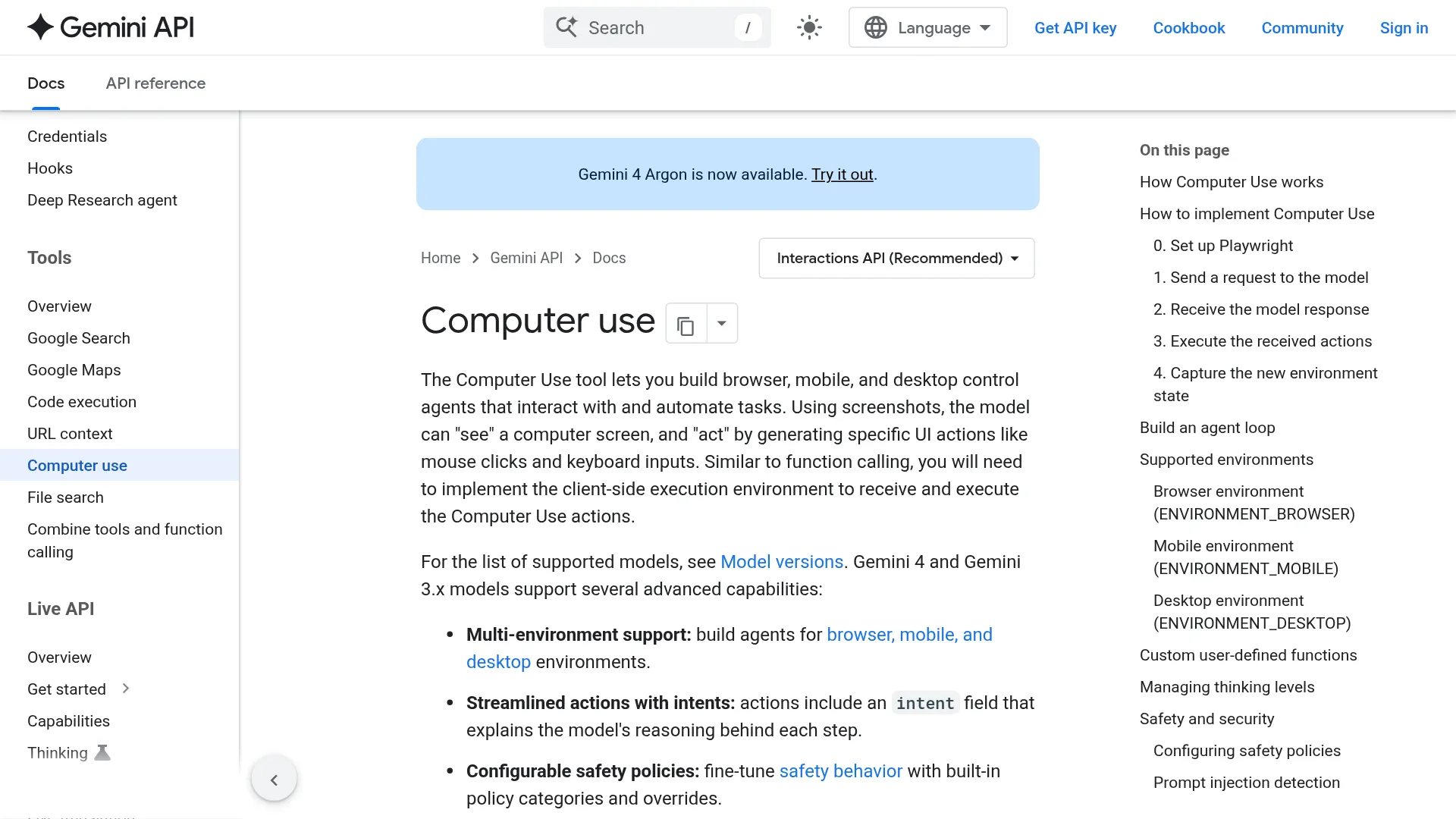
What the Oct 30 GA actually changes
The October 30, 2026 GA entry says one thing: the Computer Use tool is generally available across the Interactions API and the GenerateContent API. The changelog lists no new model IDs, no new action schema, no rate limits, and no pricing numbers in that entry.
What changes is status, not mechanics. Preview integrations that used computer_use with a screenshot loop keep working. GA removes the preview-status limitation, but reliability and safety stay with your implementation. What does not change: billing stays paid-tier only as regular tokens, you still execute every click yourself, and every consequential action still needs your confirmation handling.
If you built on the Gemini 2.5 Computer Use preview (announced October 7, 2025 as public preview), the migration is configuration, not rewrite. Point requests at the GA tool on either Interactions (https://generativelanguage.googleapis.com/v1/interactions in the REST example) or GenerateContent, keep your Playwright or Browserbase executor, and re-test safety decisions. The reference implementation still defaults its README example to gemini-3.6-flash, so pin an explicit GA-supported model ID instead of relying on that default.
How the loop works
The Gemini Computer Use API does not drive your computer directly. Your app sends a screenshot and a prompt, the model returns a proposed UI action as a function_call, your code executes it, captures a new screenshot, and sends it back. That loop repeats until the task completes, errors, hits a safety stop, or the user terminates it.
The minimal Python path needs google-genai version 2.7.0 or higher (per the Computer Use docs), plus Playwright for browser execution:
pip install google-genai playwright
playwright install chromium
The docs example launches Chromium with headless=False, a 1440 x 900 viewport, and starts at https://www.google.com. The request sets "environment": "browser", model gemini-3.8-flash, and tool type computer_use. Full agent-loop examples in Python, JavaScript, Java, and Go use a turn limit of 5 as sample code, not as an API-wide quota.
Coordinates are the detail most implementations get wrong. The model returns x and y normalized to a 1000 x 1000 space, generally integers 0 through 999. You convert them to real pixels yourself:
actual_x = int(x / 1000 * screen_width)
actual_y = int(y / 1000 * screen_height)
You do not send display dimensions in the request. For Gemini 4 and Gemini 3.x responses, each action also carries an intent string explaining why the model chose it, plus an optional safety_decision.
Models and environments that support it
Four models support Computer Use in the current Computer Use docs. Gemini 3.8 Flash is Google's recommended default for UI interaction and reliable tool calling. Gemini 4 Argon is positioned as most capable for complex agentic workflows.
| Model ID | Positioning |
|---|---|
gemini-4-argon | Most capable, complex reasoning and agentic UI workflows |
gemini-3.8-flash | Recommended for Computer Use, high-accuracy UI interaction |
gemini-3.5-flash-lite | Low-latency, cost-effective option |
gemini-3-flash-preview | Preview variant, behavior may still shift |
| Environment | Best for | Action highlights |
|---|---|---|
Browser (ENVIRONMENT_BROWSER) | Web forms, testing, research | Click, double, triple, right, middle, move, type with press_enter, drag-and-drop, scroll 0-999 default 300, press_key, hotkey, back, forward, navigate, wait default 1s, screenshot |
Mobile (ENVIRONMENT_MOBILE) | Android app flows | open_app, list_apps, touch click, type, drag-and-drop, long_press default 2s, back, wait, screenshot |
Desktop (ENVIRONMENT_DESKTOP) | OS-level cursor tasks | Click variants, move, type, drag-and-drop, scroll, press_key, hotkey, wait, screenshot |
The GitHub reference (google-gemini/computer-use-preview, Apache-2.0) runs the same task two ways: local Playwright Chrome or Browserbase cloud browser. The CLI is python main.py --query "Go to Google and type 'Hello World' into the search bar" --env="playwright", with --initial_url defaulting to https://www.google.com and --highlight_mouse for visual debugging. Its known issue is worth knowing before you debug for an hour: Playwright can fail to capture native HTML <select> dropdowns because the OS renders them outside the page, and the README calls Browserbase the better fix over CSS/JS injection.
Thinking levels let you trade action quality against speed. Lower levels suit standard form-filling and testing loops, higher effort suits ambiguous UI states. The docs do not publish level names or latency numbers, so treat this as a knob to A/B on your own flows.
What it costs
Computer Use has no free tier. The pricing page states it directly under Pricing for tools: Computer use is not available on Free, and on Paid it is charged as regular tokens, for example at Gemini 3.8 Flash pricing. There is no separate Computer Use surcharge; usage bills as regular input and output tokens at the base model's rates.
That single line is why task cost surprises people. Each turn bills screenshot input plus carried history plus action output, so a 20-step form fill is 20 vision calls plus retries. Estimate with turns x (screenshot + history input tokens + action output tokens) x base-model rate. The pricing page lists Flash Standard at $0.75 input and $3.75 output per 1M tokens through Dec 31, 2026; Batch and Flex list lower token rates, but Computer Use itself stays Paid-only.
Every round sends back a screenshot, billed as tokens — random clicks burn the bill, not just break the page. — @vastplan, AI deployment account, post
Budget by loop: cap turns, screenshot resolution, and retries in code.
Safety you have to build yourself
Safety in Computer Use is a service around the model, not inside it. Gemini 4 and Gemini 3.x evaluate each proposed action against seven built-in policy categories and may return require_confirmation or blocked instead of an executable action. Your client must handle that response every time.
| Policy | What it guards |
|---|---|
FINANCIAL_TRANSACTIONS | Payments, retail checkout, regulated goods |
SENSITIVE_DATA_MODIFICATION | Health, financial, government records |
COMMUNICATION_TOOL | Sending email, chat, drafts |
ACCOUNT_CREATION | Registering new site accounts |
DATA_MODIFICATION | File changes, sharing, storage deletion |
USER_CONSENT_MANAGEMENT | Cookie banners, privacy prompts |
LEGAL_TERMS_AND_AGREEMENTS | ToS and binding contracts |
When the model returns a safety_decision with decision: require_confirmation and an explanation such as must check check-box, the docs flow is explicit: prompt the human, let them continue or terminate, and if approved include safety_acknowledgement in the next function_result with your CONTINUE or TERMINATE outcome. Disabling policies via disabled_safety_policies (the example disables data_modification) only expresses preference; confirmation can still be required.
Prompt-injection detection is opt-in and off by default. Enable it with enable_prompt_injection_detection: true, available for Gemini 3.5 Flash-Lite or later. It scans screenshots for hidden instructions such as ignore previous commands and blocks execution when found. Google also recommends sandboxing in a VM, Docker container, or dedicated browser profile with limited permissions, plus allowlists or blocklists for navigation, input sanitization, content guardrails, stable GUI state from a clean start, and logging of prompts, screenshots, suggested function_call actions, safety responses, and executed actions for audit.
The sample safety instruction lists what must never run autonomously: accepting ToS or cookie banners, solving CAPTCHAs, completing purchases or moving money, sending emails or posts, touching health or financial records or SSNs and card numbers, downloading files, sharing data, reading history or passwords, logging in, impersonating identity, or looping forever when stuck. The production pattern is to let the agent do prep work and stop before the final Send, Submit, Confirm purchase, or Share.
Should you ship it now? Checklist and comparison
GA makes Computer Use a reasonable production bet for browser automation, form filling, automated UI testing, and research across product pages. It is still a screenshot-driven agent that can misread UI, lose context over long runs, and burn tokens on retries.
Before enabling it for real users:
- Pin an explicit GA model ID
- Cap turns and add idle-loop detection
- Run in a sandboxed browser profile or container with an allowlist
- Require human confirmation before any irreversible action
- Enable prompt-injection detection
- Log screenshots plus safety decisions
- Start each task from a known clean state
- Test checkout and login flows with confirmations on
On benchmarks, Google's model card reports results for the 2.5 Computer Use lineage, not current GA models. Treat them as lineage context for browser tasks:
| Benchmark | Gemini 2.5 lineage | Best comparator |
|---|---|---|
| Online-Mind2Web (official) | 69.0% | 61.3% OpenAI Operator |
| WebVoyager (official) | 88.9% | 87.0% OpenAI |
| Online-Mind2Web (Browserbase) | 65.7% | 55.0% Sonnet 4.5, 61.0% Sonnet 4, 44.3% OpenAI |
| WebVoyager (Browserbase) | 79.9% | 71.4% Sonnet 4.5, 69.4% Sonnet 4, 61.0% OpenAI |
| AndroidWorld | 69.7% | 56.0% Sonnet 4.5, 62.1% Sonnet 4 |
OSWorld desktop control was not yet supported in that card versus 61.4% self-reported for Claude. The current docs now list desktop as supported, but treat OS-level control as newer and less proven than browser flows.
| Task | Pick |
|---|---|
| High-volume simple filling, cost-first | gemini-3.5-flash-lite + strict turn caps |
| General browser automation, accuracy-first | gemini-3.8-flash |
| Complex multi-app reasoning | gemini-4-argon, sandboxed, human approvals on |
| Anything touching money, accounts, or legal terms | Human-in-loop, no disabled financial policies |
A Browserbase template with Stagehand (npx create-browser-app --template gemini-cua) is one hosted path to try first if local Playwright rendering fights you. Either way, the bill and the trust boundary stay with you.
FAQ
Did the Gemini Computer Use API change endpoints at GA?
No new endpoint was announced in the GA entry. Google lists the same tool across the Interactions API and the GenerateContent API. Point the same executor at the GA tool with an explicit model ID.
Is Gemini Computer Use free or paid?
Paid tier only. The official pricing page states Computer Use is not available on Free and is billed as regular tokens at the underlying model's rates. Each screenshot and action loops as billable tokens.
Which Gemini model should I use for Computer Use?
Google recommends gemini-3.8-flash for UI accuracy and reliable tool calling. Use gemini-3.5-flash-lite for low-latency high-volume tasks and gemini-4-argon for complex agentic workflows. Avoid preview IDs for production.
Does it control a full desktop or only the browser?
The GA docs list browser, mobile Android, and desktop OS-level cursor support. Browser flows are the most mature and benchmarked. Treat desktop control as newer and sandbox it harder.
Do I have to execute the clicks myself?
Yes. The model only proposes a function_call with 0-999 normalized coordinates and an intent. Your Playwright, Browserbase, or native harness moves the mouse, types, screenshots, and returns the result.
How do safety confirmations work in code?
Check every response for safety_decision. On require_confirmation, prompt the user, then send safety_acknowledgement with CONTINUE or TERMINATE in the next function_result. Keep handling it even if you disabled a policy.
Related reading: Gemini 3.8 Flash pricing and agent-task costs, Gemini 4 Argon API pricing and availability, CUA-Lite review for computer-use agents.