 AIREITER
Flova’s advertised price is a starting point: actual billing can vary by account, region, taxes, campaigns, and model. Verify the in-app price and model table before paying.
What Flova AI is—and what the pricing question covers
Flova AI is an all-in-one video workspace with agent-led workflows, multiple generation models, reusable Skills, and an Agent Canvas. It covers planning, storyboards, assets, scenes, editing, and export rather than selling one fixed text-to-video model.
That matters because you are not buying a fixed number of identical video generations. Flova uses subscriptions plus credits, and project cost depends on the selected model, duration, resolution, frame rate, references, and other settings.
Flova AI pricing at a glance
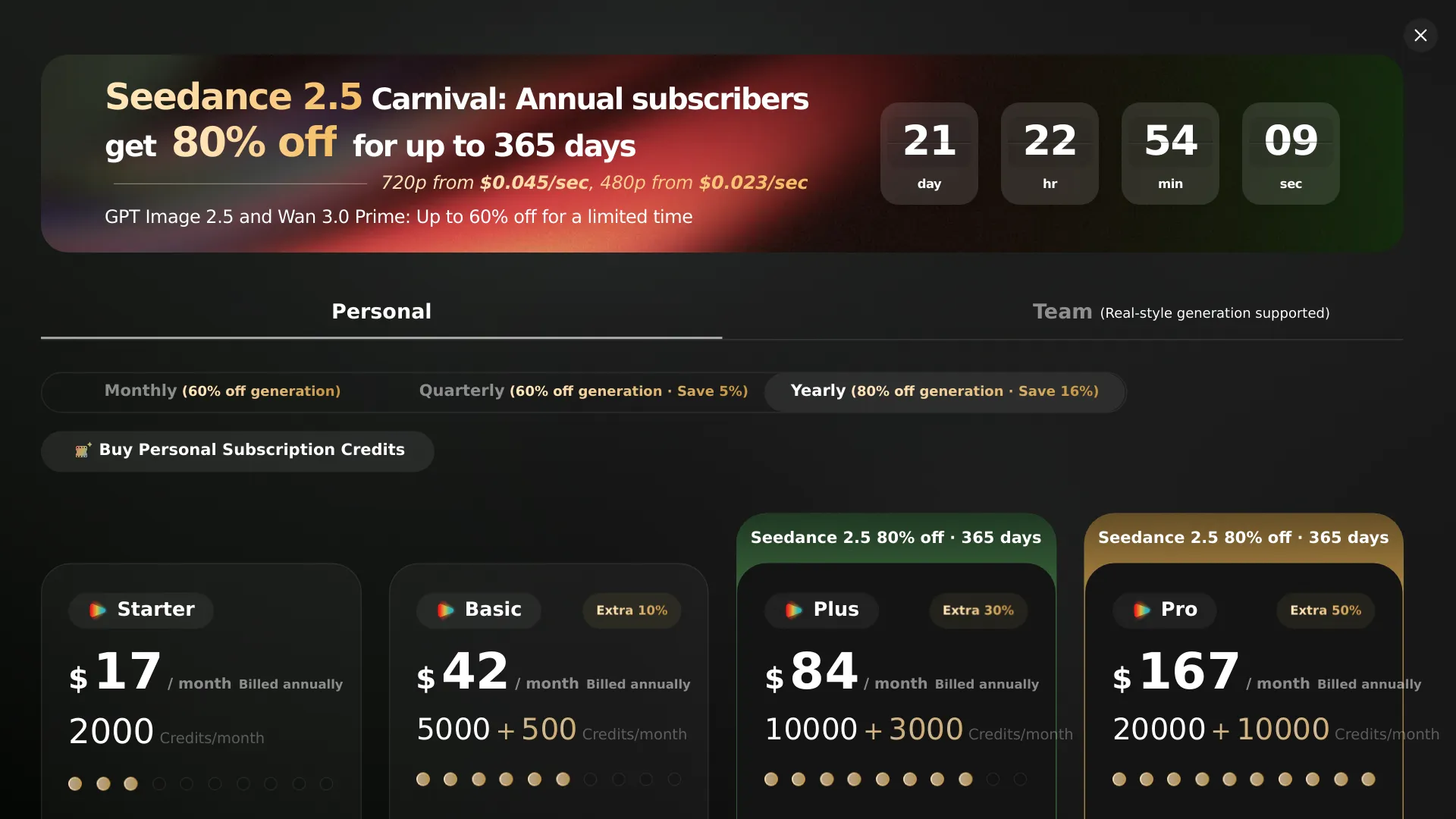
The official Flova pricing page currently advertises these annual-billing figures. Treat them as reference prices because Flova says the account view and campaigns can change.
| Plan | Advertised price | Included credits shown | Important conditions |
|---|---|---|---|
| Personal | $17/month, billed at $200/year | 2,000 base + 800 bonus credits/month | Individual plan; watermark-free export and commercial use shown |
| Team | $19/seat/month, billed at $220/seat/year | 2,000 base + 800 bonus credits/month per seat, as displayed | First purchase requires at least 2 seats |
The annual equivalents are about $16.67 per month for Personal and $18.33 per seat per month for Team. A two-seat Team purchase therefore starts at $440 per year at the displayed annual rate, before account-specific taxes or changes.
Both plans show multiple model categories, HD enhancement, watermark-free export, and commercial use. Team adds centralized team, project, and credit management. The pricing page also shows Personal tiers named Starter, Basic, Plus, and Pro, with different concurrency and authorized-user limits; open the live page for the figures available to your account.
How Flova credits work in practice
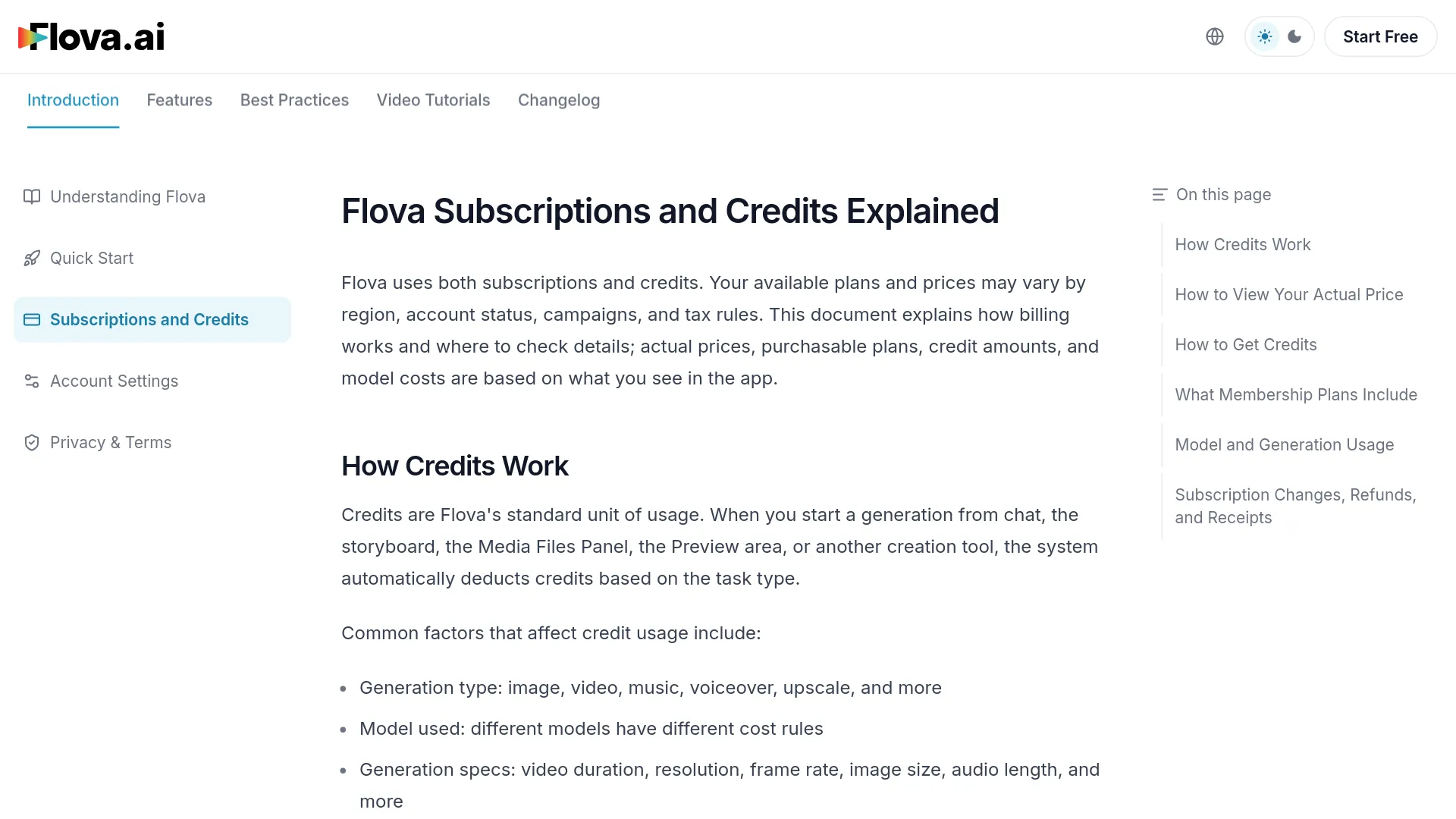
Flova credits are the platform’s standard usage unit. Credits are deducted when you create content from chat, the storyboard, the Media Files Panel, the preview area, or another creation tool. There is no universal “one video equals X credits” price.
| Output | Billing basis described by Flova |
|---|---|
| Images | Per image |
| Videos | Per second, with model and specification effects |
| Music and audio | Per generation or applicable audio measure |
| Upscaling | Amount of content processed |
The official credit documentation says the selected model can change the unit price, as can video duration, resolution, frame rate, image size, audio length, reference mode, membership tier, channel, and whether the task is an initial generation or a discounted regeneration. A reference image, video, or first-and-last-frame workflow may change the pricing category.
Check the estimate shown before generation, then inspect the account record afterward. Flova’s official paths are Manage Account → Pricing Details → Model Pricing for model costs and Manage Account → Credit Details for deductions and expiration records. The membership path is Upgrade Membership → Membership page.
Subscription credits are generally valid for 30 days. The documentation says invite bonus credits are valid for 7 days, while exploration rewards are generally valid for 30 days. Event and Super Creator credits follow their campaign rules. Flova says deductions prioritize credits that expire sooner, with additional rules for model-specific credits.
Is Flova AI free?
Yes, Flova documents a Free membership tier, but “free” does not mean unlimited access or a clearly stated recurring weekly allowance. The official feature table lists Free with 720P video, three single-model concurrent tasks, and an element-library capacity of five. It does not list watermark-free export, commercial licensing, upscaling, advanced model concurrency, fast generation, or exclusive Seedance 2.0 access for Free.
The official credit documentation does not state a guaranteed number of free credits that renew every week. Flova separately offers exploration, invitation, weekly, and event credits, with amounts, eligibility, and expiry that can vary. A real-user question shows why the distinction matters: @josedr0X asked whether Flova is free.
Which Flova plan should you choose?
Choose Free first if you are testing the workflow
Free is the sensible starting point for checking whether Flova’s agent, Skills, and storyboard process fit your working style. It is not the right assumption for commercial delivery because the documented Free tier does not include commercial licensing or watermark-free export.
Choose Personal if you work alone and need paid-use rights
Personal is the default paid choice for a solo creator, freelancer, or small independent project. The displayed annual price is $200, and the comparison includes commercial use, watermark-free export, HD enhancement, and access to multiple model categories. Confirm the credit allocation, renewal amount, and model prices on your membership page.
Choose Team only when two seats are justified
Team makes sense for a studio, agency, or marketing group that needs shared project and credit administration. It is poor value for a solo user because the first purchase requires at least two seats, creating a displayed minimum annual commitment of $440. Higher concurrency allows more tasks to run at once; it does not automatically make each generation cheaper.
Billing traps to check before paying
The official pricing page says Flova subscriptions automatically renew at the end of the billing cycle unless canceled. To stop renewal, use Subscription page → Manage Subscription → Cancel Subscription. Existing benefits generally remain active through the current billing period.
Credits and promotional benefits are the bigger risk than the headline subscription price. A Chinese-speaking user complained that unused credits were deducted at the end of the month: “flova垃圾,瞎扣积分,到月没用完也直接扣光” ( @sfegcbc80966 on X). Because the official credit documentation says validity varies by credit type, use the account-specific Credit Details page rather than a generic monthly-credit claim.
Flova says system-caused failed generations should automatically return the corresponding credits. It also says a full refund may be requested within seven days of the latest payment if no generation feature was used after that payment, including chat, image, video, music, or narration generation. Refunds usually go back to the original payment method within 5–10 business days.
Before checkout, record the exact plan price, credit expiry dates, and model cost for the kind of video you intend to make. Those numbers determine whether Flova fits your workflow.
Flova AI pricing FAQ
How much does Flova AI cost per month?
The official homepage currently shows Personal at $17/month when billed annually, or $200/year, and Team at $19/seat/month when billed annually, or $220 per seat per year. Prices can vary by account, region, taxes, campaigns, and product version.
Does Flova AI have a free plan?
Yes. The documented Free tier includes 720P video, three single-model concurrent tasks, and an element-library capacity of five. It does not list commercial licensing or watermark-free export.
Does Flova AI offer free weekly credits?
Flova may issue weekly, exploration, invitation, or event credits, but the amount and expiry are program-dependent. The official documentation does not establish one permanent weekly quota for every account.
How much does a Flova AI video cost?
There is no single fixed video price. Flova calculates video usage primarily by duration, then adjusts for model, resolution, frame rate, references, channel, membership, and other settings. Check the in-app Model Pricing table before generating.
Do Flova credits expire?
Yes. Subscription credits are generally valid for 30 days. Invite credits are listed as valid for 7 days, and other bonus credits follow their program rules. Check Credit Details for the records attached to your account.
Does Flova AI renew automatically?
Yes. Subscriptions generally renew automatically unless canceled before the renewal date. Cancel from the Subscription page under Manage Subscription.
Can I get a Flova AI refund?
A full refund may be requested within seven days of the latest payment if you have not used generation features after that payment. System-caused failed generations should generally receive an automatic credit refund.
Does Flova AI include commercial use?
The advertised paid plans and the documented paid tiers list commercial use, while the Free tier does not. Confirm the license shown on your checkout page before using an output for a client or commercial campaign.
Before you subscribe
Flova AI pricing is attractive only when the credit rules match the way you generate. Start with Free or a documented bonus-credit offer, then move to Personal if you need paid-use rights and watermark-free exports. Pick Team only when shared administration and at least two seats solve a real workflow problem. Do not budget from the headline $17 alone: open the in-app model table, check credit expiry, and price one representative video before committing.