 AIREITER
Cloud Cowork and direct computer use have different background rules: cloud-only tasks can continue with the laptop closed, while screen control, local files, and desktop apps need an awake computer running Claude Desktop.
The short answer: background Cowork has two different modes
Claude Cowork suits bounded, reviewable work but is not a safe unattended substitute for tasks involving sensitive data or irreversible actions.
| Cowork mode | Can continue with the laptop closed? | What it needs | Good first use |
|---|---|---|---|
| Cloud-only Cowork task | Yes | A supported paid Claude account and an internet connection | Summaries, reports, document transformation |
| Scheduled cloud task | Yes | A configured schedule and cloud-accessible files or connectors | Low-risk briefings and recurring research |
| Local-file task through Desktop | No | Claude Desktop open, connected, and the computer awake | Organizing a dedicated project folder |
| Direct computer use | No | Claude Desktop active, app permission, screenshots, and an awake computer | A small task inside a trusted desktop app |
Anthropic’s Cowork guide confirms this distinction: cloud sessions may continue while the user is away, while local-file, browser, and computer actions require Claude Desktop to be open and connected. (Anthropic Help Center)
What Claude Cowork computer use actually adds
Anthropic describes Cowork as a no-terminal, agentic work mode for multi-step knowledge tasks. Computer use extends it beyond connectors and browser tools so Claude can interact with the visible desktop: clicking, typing, opening applications, opening files, and running developer tools. Anthropic says Cowork tries connectors first, then a browser, and only then direct screen interaction when a more precise tool is unavailable. (Anthropic Cowork guide; computer-use guide)
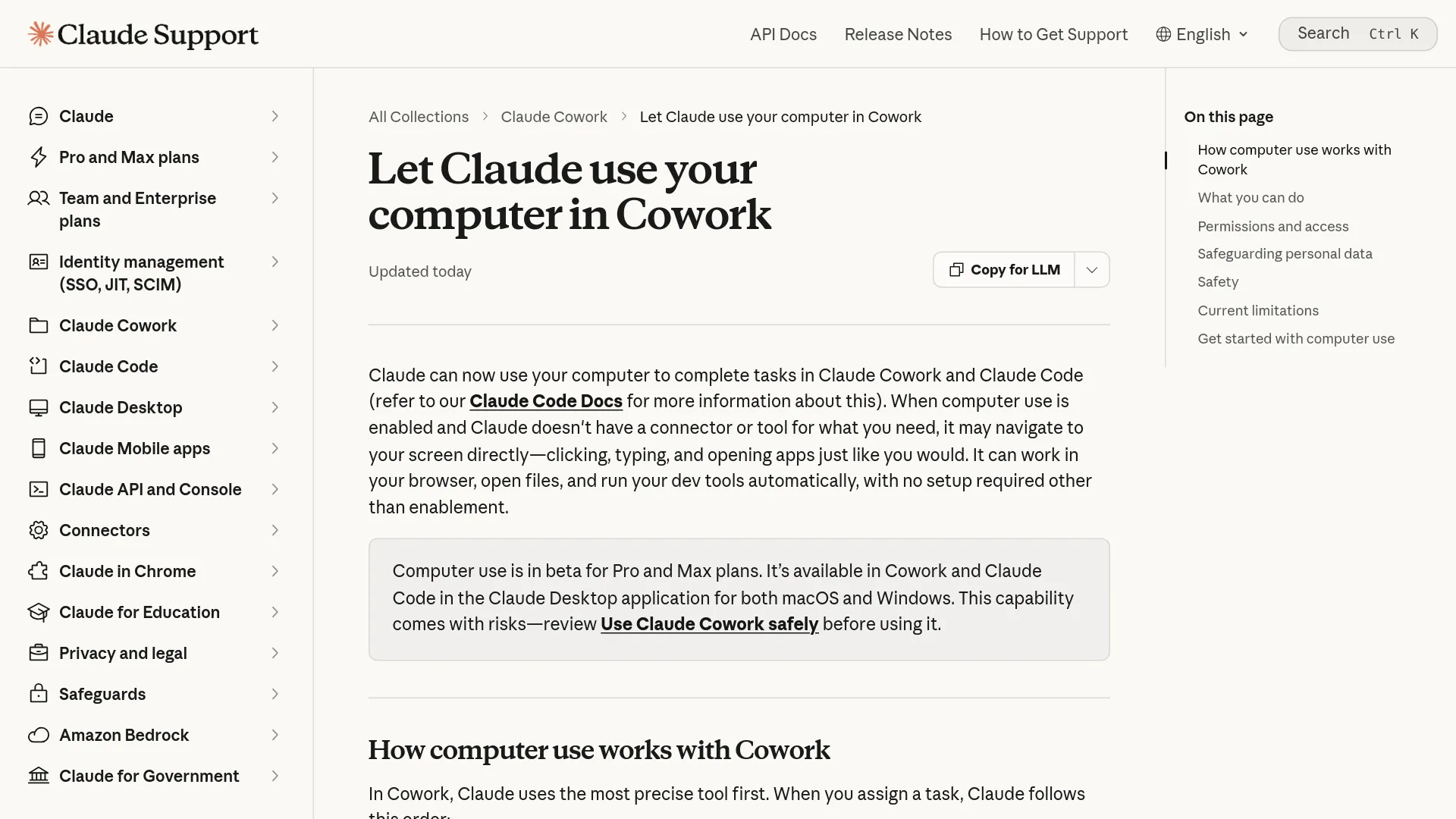
The feature is currently described by Anthropic as beta. The computer-use help page lists access for Claude Pro and Max in Claude Desktop on macOS and Windows; it says Team and Enterprise accounts do not currently have this specific beta capability. That is narrower than Cowork generally, which Anthropic documents for additional paid plans and surfaces.
According to Anthropic’s setup guide, on macOS 15 or later Claude normally operates in background windows rather than taking over the pointer or keyboard. Users can switch to full control through Settings → General → Desktop app → When Claude requests access to an app. Claude still asks for permission before accessing each application, and it uses screenshots to understand what is on screen.
Because Claude navigates with screenshots, visible passwords, customer records, or private messages can enter the session; Anthropic says computer use has no sandbox between Claude and the applications it operates. Cowork is bundled into paid Claude plans rather than priced as a separate add-on: Pro is $20 monthly ($17 with annual billing), while Max starts at $100. Pro is the sensible starting point for occasional work; Max is for users whose heavier tasks repeatedly hit limits. (Claude pricing)
The evidence: practical delegation works best inside a boundary
The practical evidence favors tasks whose input, destination, and acceptable actions are clearly bounded. The available reports are hands-on tests, not standardized benchmarks.
Tasks that fit the feature
A WIRED hands-on review published on January 15, 2026, reported that Cowork sorted a desktop screenshot collection into three monthly folders in about one minute. The reviewer also described a workflow in which Cowork found a 9:00 p.m. movie showing and updated Google Calendar after the reviewer manually bought the tickets. Cowork stopped before the purchase, which is an appropriate boundary for a financial action. (WIRED hands-on review)
The same review found a more mixed result in Gmail: Cowork struggled to batch-archive promotional mail, then completed a request to delete 1,000 unread promotional messages. That is a useful illustration of both capability and risk. A tool that can delete 1,000 messages is efficient only when the scope is unambiguous and the user has a recoverable backup or archive strategy.
“This is the first agent that has really clicked for me.” — Reece Rogers, WIRED, describing the early Cowork experience (source)
Other independent reviews point in the same direction, but their numbers should be read as individual test results, not product guarantees. One 21-day review reported 47 receipts organized in 11 minutes and 31 of 40 Gmail drafts accepted with minor or no edits. The author also reported reaching Pro limits around day 12 under heavy automation. Those results make a useful case for testing Cowork with real work, not for assuming that every account will save 4.5 hours per week. (Booststash review)
The best starting tasks share four properties:
- The source material is known and preferably non-sensitive.
- The destination folder or application is explicit.
- The output can be checked quickly.
- A mistake is reversible.
That includes sorting a dedicated folder, turning approved research into a draft report, extracting fields from receipts without deleting originals, and preparing—but not sending—calendar or email actions.
Where it still needs a human
Cowork is less convincing when it must supply fresh facts, infer personal judgment, or complete a high-stakes transaction. The independent task reports include a failed or incomplete batch-archive attempt, variable draft quality, and a purchase workflow that required a human handoff. Anthropic’s own computer-use guide says complex tasks may need a second try and recommends beginning with simple research or organizing tasks.
Cowork consumes more allocation than ordinary chat because agentic tasks plan subtasks and use tools. Anthropic says limits reset on a rolling five-hour window, vary with task complexity, and share one pool across Claude surfaces; start on Pro for occasional use and move to Max only if repeated limits block real work. (Claude pricing)
Permissions are the real product decision
The central risk is not where Cowork’s cloud code runs. Anthropic says Cowork sessions use an isolated, temporary environment on its servers. The harder question is what Claude can read through a connector or screenshot, and what it can change through a write action.
| Access layer | Example | Anthropic safeguard | Residual risk |
|---|---|---|---|
| Read access | Inbox, file, or visible screen | App and tool permissions | Private data can enter the task context |
| Write access | Edit file, create event, send message | Approval modes and action review | A mistaken action can create real consequences |
| Permanent deletion | Delete local files | Explicit deletion permission prompt | The user can still approve the wrong scope |
| Direct screen control | Click and type in an app | Per-app permission and stop control | Computer use has no sandbox between Claude and the app |
| Web or document content | Email, page, or uploaded file | Injection detection and classifiers | Untrusted text can contain prompt-injection instructions |
Anthropic’s safety guidance gives a concrete prompt-injection example: an email can contain an instruction to transfer $1,000, even when the user only asked Claude to summarize messages. The guidance says safeguards reduce risk but do not make it zero. It also notes that a link opened in one permitted application can lead to another application, so app permission is not a perfect boundary once screen control is active. (Anthropic safety guidance)
For a first run, use Manually approve rather than skipping approvals. Anthropic documents three broad modes: manual approval, automatic approval with safety review, and skipping all approvals. Automatic approval is more convenient, but it consumes more usage and still is not a guarantee against a bad outcome. Skip-all-approvals removes the automatic action review and is a poor default for unfamiliar apps or sites.
Avoid computer use with banking, healthcare, government, legal, investment, or third-party personal-data applications. Anthropic also recommends narrow file access, backups, trusted websites, and close monitoring when the feature is new to you. (Anthropic safety guidance)
A low-risk background rollout in five steps
- Update Claude Desktop and enable computer use. Anthropic’s setup path is Settings → General → Desktop app → Enable computer use. Start in Cowork with the latest desktop version rather than assuming the feature is enabled by default. (official setup instructions)
- Create a bounded working area. Use a dedicated folder containing copies of non-sensitive files. Do not begin by granting access to the whole desktop, an entire home directory, or an account containing financial records.
- Prefer a connector or cloud-only task. If Gmail, Drive, Slack, or another supported connector can perform the action precisely, use it before screen interaction. For recurring work, choose a read-only summary or report that can run in the cloud while the computer is offline.
- Keep writes reversible. Ask Cowork to draft, copy, label, or export before asking it to delete, send, purchase, or overwrite. Keep manual approvals on for unfamiliar applications and consequential actions.
- Inspect the result and the schedule. Check the files, numbers, recipients, and sources—not just whether the task says “complete.” Pause or remove a recurring task that reaches beyond its original scope. Direct local-file or screen-control work should be assumed to stop when Claude Desktop closes or the computer sleeps.
Dispatch can let a user assign work from a phone and retrieve the result on a computer, but it does not remove the dependency for direct computer actions. Anthropic’s product announcement still requires the desktop app to remain awake and running when Claude needs to operate that computer. (Anthropic product announcement)
Cowork or Claude Code? Choose by action surface
Anthropic positions Cowork as a no-terminal workspace for files, documents, browser tasks, and connected applications, while its Claude Code desktop documentation covers developer work in repositories, terminals, tests, and pull requests.
| If your task begins with… | Use first | Why |
|---|---|---|
| A folder of documents or images | Cowork | The task is organization and transformation, not software development |
| A spreadsheet and a request for a report | Cowork | It can structure source material into a deliverable |
| A bug in a repository | Claude Code | Terminal and codebase context are the primary work surface |
| A desktop app with no connector | Cowork computer use | Screen interaction can fill an integration gap, with tighter supervision |
| A recurring low-risk briefing | Cloud Cowork or a scheduled Cowork task | It can run without keeping the laptop online when no local access is required |
Who should use Claude Cowork computer use now?
Use it now if you have repetitive, low-stakes digital work and can define a narrow workspace, a clear output, and a human review point. Start with document organization, research compilation, file conversion, or draft creation; these tasks match the strongest evidence and the safeguards Anthropic recommends.
Do not make direct computer use the unattended layer for money, medical information, legal documents, credentials, customer records, or messages that cannot be recalled. If the workflow must run reliably while every laptop is closed, use a cloud-native automation or integration path instead of screen control.
Claude Cowork computer use FAQ
Can Cowork work while my laptop is closed?
Only cloud-only Cowork and scheduled cloud tasks can continue with the laptop closed; local-file, browser, and computer actions need Claude Desktop and an active connection, as shown in the table.
Does direct computer use run without Claude Desktop open?
No. Anthropic says direct computer access requires the Claude Desktop app to be open and connected, with the computer awake. Closing the app or allowing the computer to sleep can interrupt local or screen-based work.
Is Claude Cowork computer use available on Windows?
Anthropic’s computer-use help page lists Claude Desktop support for both macOS and Windows. The feature is documented as beta and its eligibility is narrower than Cowork generally: the page lists Pro and Max access for computer use.
Is Claude Cowork computer use safe for banking or medical apps?
It is not an appropriate default for banking, healthcare, government, legal, investment, or third-party personal-data applications. Anthropic warns that screenshots can expose visible information and that computer use has no sandbox between Claude and the applications it operates.
Does Cowork replace Claude Code?
No. Cowork is the more approachable surface for knowledge work and desktop tasks, while Claude Code is aimed at developers working in repositories, terminals, and software-delivery workflows. Choose based on the action surface rather than the word “agent.”