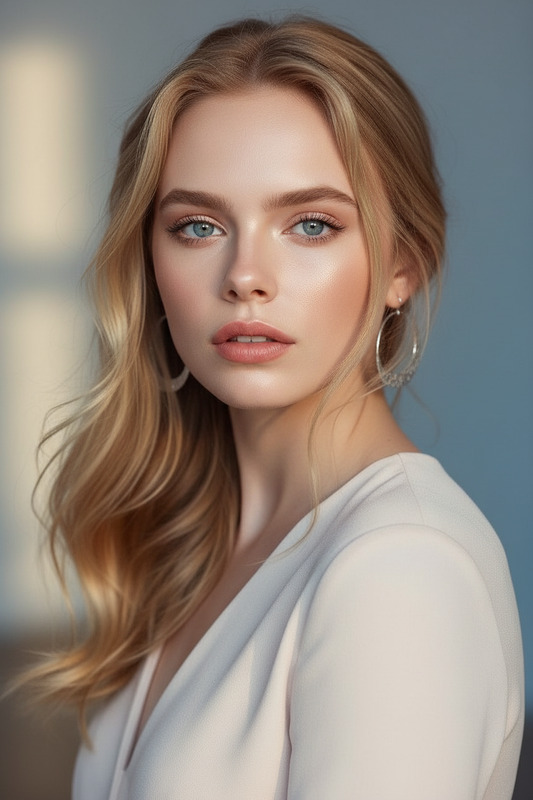
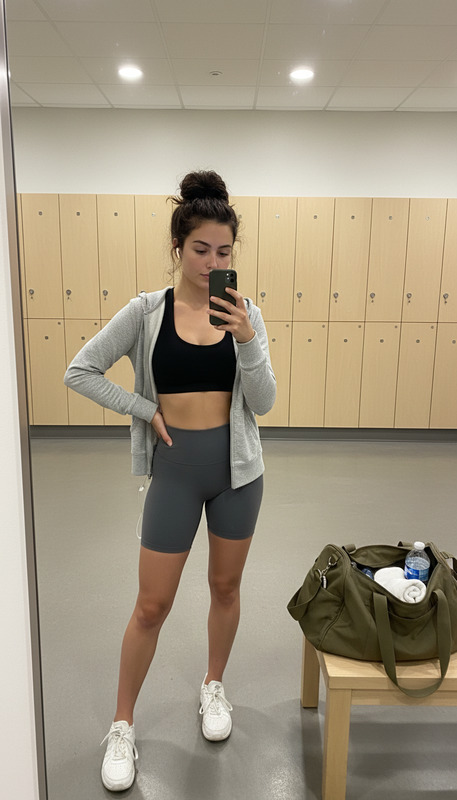
Cinematic Fashion B-Roll Template with Seedance 2.0
Generate multi-shot fashion b-roll from one reference image with Seedance 2.0. Run online or reuse the setup through AIReiter's Video API.
Video model for motion, camera control, and image-to-video workflows.
View model APIOverview
Model capability
Seedance 2.0 is used here to validate a ready-made image-to-video workflow: Generate multi-shot fashion b-roll from one reference image with Seedance 2.0. Run online or reuse the setup through AIReiter's Video API.
Prompt direction
Generate a 16:9 cinematic fashion b-roll video from the input image. Use a multi-shot editorial structure: composed medium shots, low-angle fashion poses, close-up beauty details, mirror or reflective inserts, lateral tracking, night-drive or city-light mot...
Search and social signals
This template is organized around keywords such as Seedance 2.0 fashion video, cinematic fashion b-roll, image to video fashion, editorial AI video, fashion campaign motion, social media broll.
Prompt & Params
Default prompt
Generate a 16:9 cinematic fashion b-roll video from the input image. Use a multi-shot editorial structure: composed medium shots, low-angle fashion poses, close-up beauty details, mirror or reflective inserts, lateral tracking, night-drive or city-light motion, and a final quiet hero shot. Preserve the subject identity, wardrobe mood, makeup, and styling consistency across shots. Keep the color grade high-fashion, moody, realistic, and social-video ready.
Key parameters
duration 10s, resolution 720p, aspect ratio 16:9
API reuse
Run it online first, then reuse the same model key, prompt, and parameter setup through AIReiter's Video API.
How to Use
Upload or start from the sample
Use the included preview media or provide your own reference image/video to test the template setup.
Adjust editable parameters
Change the prompt, reference media, ratio, duration, or resolution only where the model form allows it.
Run and reuse
Generate a result online, then open the model page for pricing, batch usage, response format, and API integration details.
Best Practices

Use a clear subject
Choose input media where the main subject is easy for Seedance 2.0 to preserve across the generation.
Keep motion readable
Use one strong motion idea instead of several competing scene changes.
Match the output format
duration 10s, resolution 720p, aspect ratio 16:9
Use Cases
Template-based generation
Offer users a one-click video style with a controlled prompt and parameter preset.
Batch creative production
Reuse the same prompt structure across many reference assets for campaigns, catalogs, or social posts.
API workflow testing
Use this page as a concrete example before moving the same setup into an automated Video API workflow.
Frequently Asked Questions
Which model powers this template?
This template is powered by Seedance 2.0. The model page contains the full API contract, pricing, and response format.
Can I copy the API parameters?
The template preloads the prompt and default parameters. Open the model page to inspect API examples and reuse the setup in your own workflow.
Can this be generated in batch?
Yes. Treat this page as a tested preset, then use the model API for batch requests with your own reference media and prompt variations.
Trend Materials
Segmind source page exposes the workflow and cost
The public Segmind page identifies this as a Seedance 2.0 Pixelflow template with fashion, film-making, and social-media tags and an estimated cost around $1.2125.
The source workflow is editable
Segmind exposes a clone/edit URL for workflow template 69dddbb3adecbd0671e4e357, which makes the Pixelflow structure verifiable.
Aireiter generated a Seedance face-preserving preview
The generated example uses seedance2_face with all_reference and a single reference image, then stores a no-crop display MP4 plus the full 16:9 original preview on OSS.