
Writing a Sora 2 prompt that produces something usable on the first try is surprisingly hard. Most people type a vague sentence, get a jittery 5-second clip, and burn through credits before figuring out what went wrong.
The fix isn't more words — it's structure. Below I break down the five-layer prompt anatomy that works, compare five free Sora 2 prompt generators, and include 10 copy-paste templates for common use cases.
Quick status note: As of April 2026, OpenAI has temporarily taken Sora offline. Your prompts and prompt generator outputs will still be ready when it returns — and the structure principles apply equally to Kling, Veo 3, and other AI video tools. You can still test Sora 2 prompts via third-party API platforms (see the comparison table below).
Quick picks — best Sora 2 prompt generator for your situation:
Fastest, no signup: sora2prompt.co — paste an idea, get a structured prompt in seconds
Most flexible: ChatGPT Custom GPT — conversational refinement (needs ChatGPT subscription)
Test prompts live: Third-party API playgrounds let you generate actual Sora 2 videos (see comparison table)
How Sora 2 Prompts Actually Work
Sora 2 reads your prompt roughly as a linear timeline — what you write first tends to happen first in the video.
A complete Sora 2 prompt has five layers:
Layer | What It Controls | Example |
|---|---|---|
Subject & Setting | Who/what, where | "A barista in a dimly lit Tokyo café" |
Action Sequence | What happens, in order | "pours steamed milk, creates a rosetta pattern, slides the cup forward" |
Camera & Motion | How the viewer sees it | "Medium close-up, slow dolly-in, shallow depth of field" |
Visual Style | The look and feel | "Warm tungsten lighting, film grain, 2.39:1 aspect ratio" |
Audio (optional) | Sound design | "Ambient café chatter, espresso machine hiss, soft jazz piano" |
The key insight from OpenAI's prompting guide: describe actions as observable physical events, not emotions or abstractions. "She feels nervous" gives you nothing. "Her fingers tap the table three times, she glances at the door" gives you a usable shot. In practice, Sora tends to weight earlier instructions more heavily, so lead with the most important visual elements.
Weak vs. Strong Prompts
Weak | Strong | Why |
|---|---|---|
"A beautiful sunset on the beach" | "Golden hour on a volcanic black sand beach, waves receding in slow motion, sun touching the horizon line, warm amber flare through an anamorphic lens" | Specific visual details anchor the generation |
"Person moves quickly" | "Cyclist pedals three times, brakes hard, rear tire skids 2 feet on wet asphalt" | Observable physics > vague verbs |
"Cinematic look" | "Anamorphic 2.0x lens, shallow DOF at f/1.4, volumetric light through dust particles" | Technical parameters > adjectives |
Best Sora 2 Prompt Generators Compared
Writing prompts from scratch takes practice. These tools generate structured prompts from a simple idea — useful as a starting point you can refine.
Tool | Price | Signup? | Output Quality | Best For |
|---|---|---|---|---|
Free | No | Detailed, includes camera + audio layers | Quick single prompts | |
Free | No | Clean structure following OpenAI best practices | Beginners | |
Free | No | Supports reference image upload | Image-to-video workflows | |
Studio Prompt (Reddit) | Free | No | Community-built, regularly updated | Power users who want customization |
ChatGPT sub | Yes | Most flexible, conversational refinement | Iterative prompt development | |
API pricing | Yes | Full Sora 2 API access — write prompt and generate | Testing prompts with actual Sora 2 output |
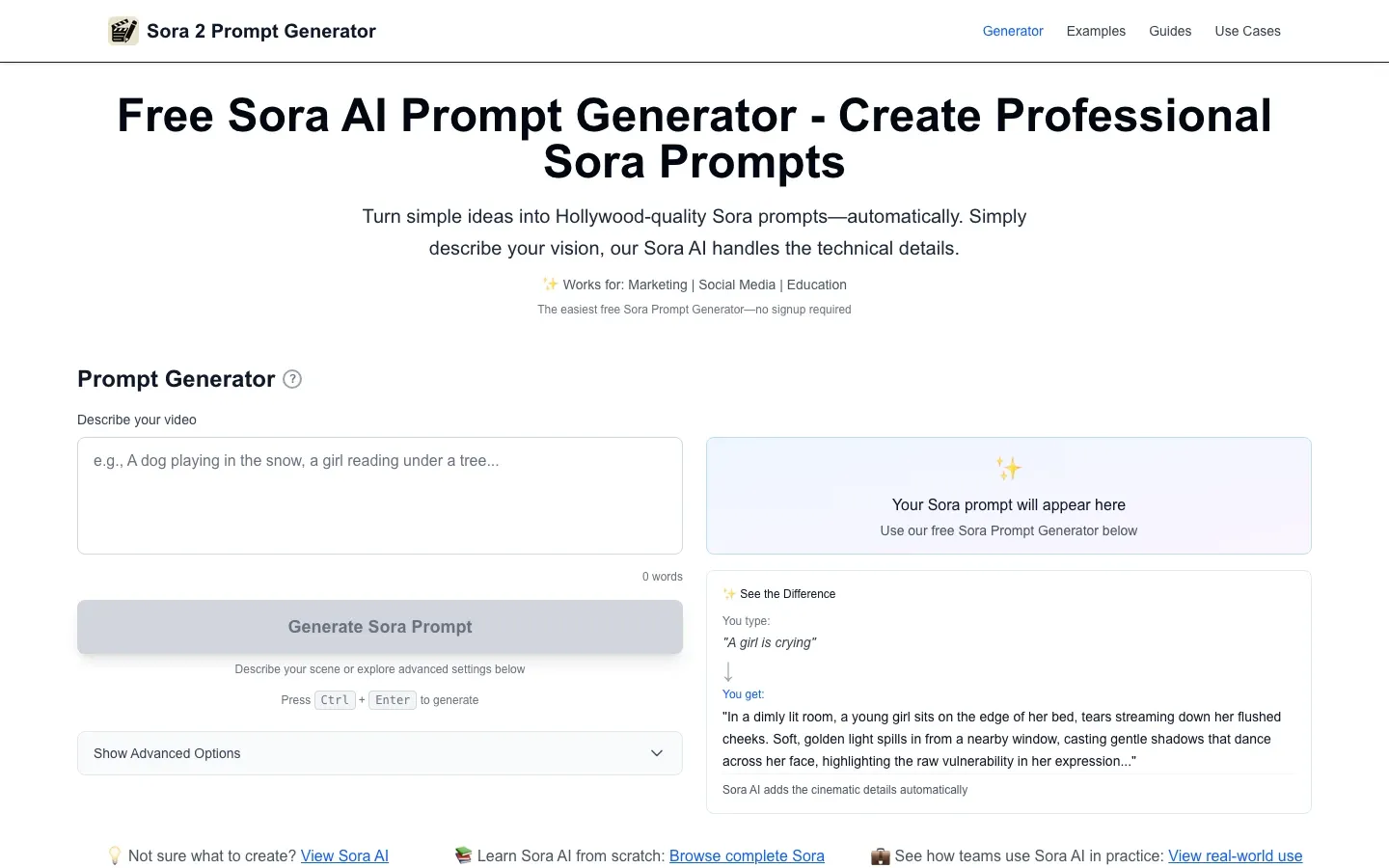
sora2prompt.co turns a one-line idea into a detailed prompt with camera angles, lighting, and audio — no signup needed.
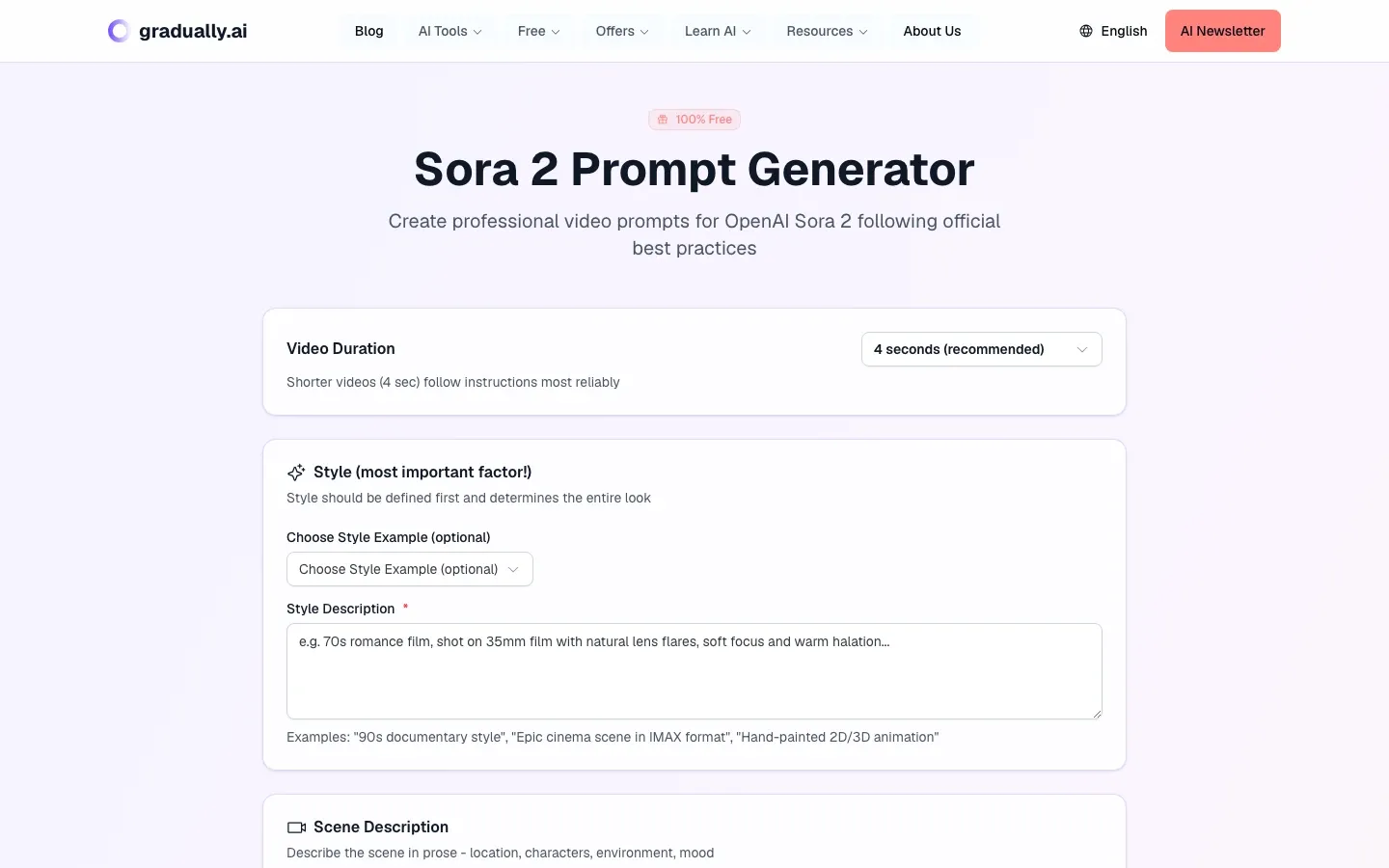
Gradually AI walks you through style, scene, camera, and audio as separate fields — great for beginners learning the structure.
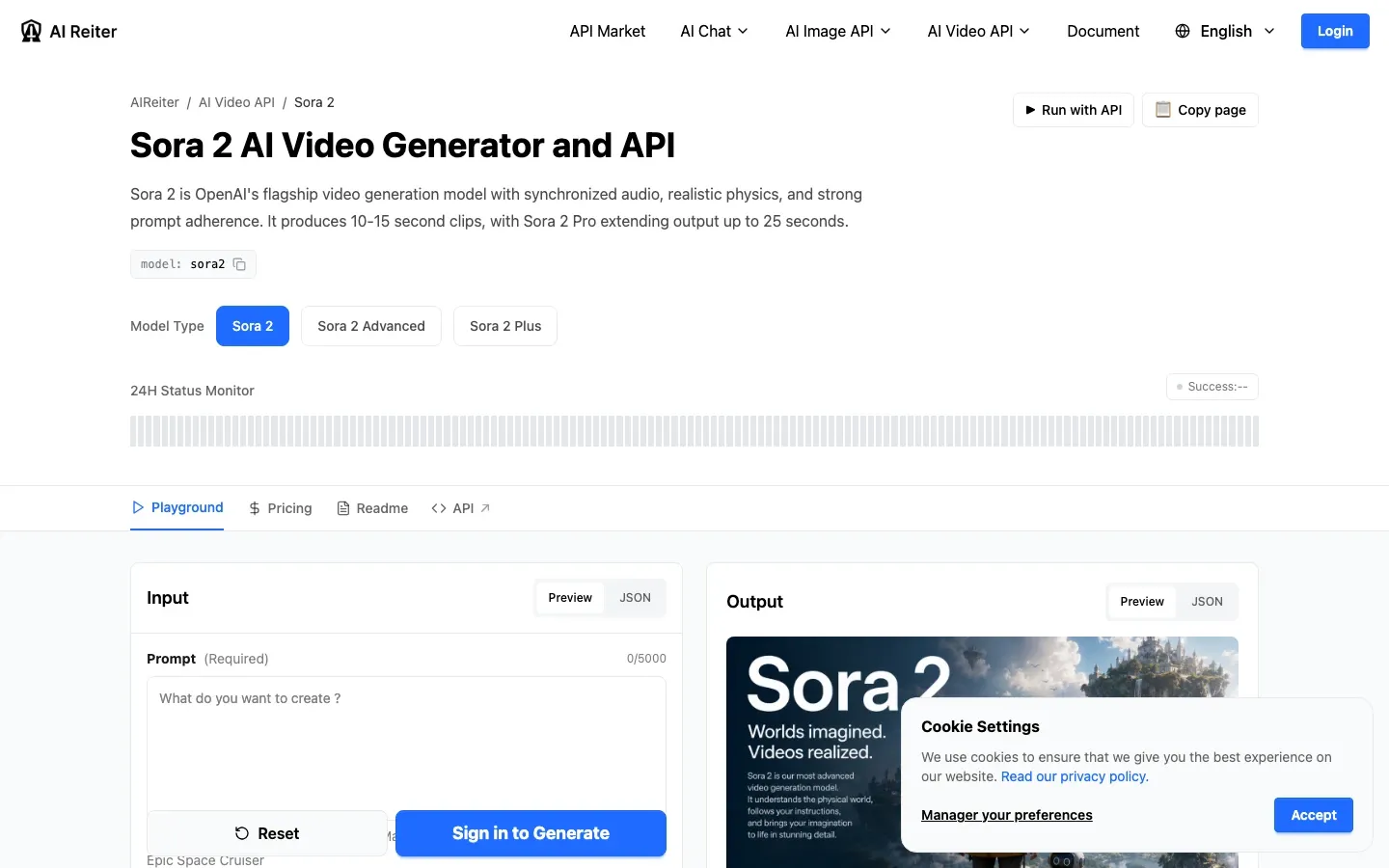
AI Reiter provides a full playground with Sora 2 / Advanced / Plus model selection, prompt input, and direct video generation via API.
For a quick one-off prompt, sora2prompt.co gets you 80% of the way there without an account. For iterative refinement — where you go back and forth tweaking shot length, camera angles, audio — the ChatGPT custom GPT is better because you can have a conversation with it.
None of these replace understanding the five-layer structure above. They're shortcuts, not substitutes.
10 Sora 2 Prompt Templates You Can Copy
Each template follows the five-layer structure. Replace the bracketed sections with your specifics.
1. Product Showcase (10-15 sec)
A [product] sits on a [surface material] in a [setting]. Soft directional light
from the left catches the [key material/texture]. The camera does a slow 270-degree
orbit at tabletop level, [product detail] catching light at different angles.
Shallow depth of field, f/2.8. Background gradually shifts from dark to a warm
gradient. No music. Only the faint sound of [ambient detail].
2. Talking Head / Interview (5-10 sec)
Medium shot of a [person description] speaking directly to camera in a [setting].
Natural window light from the right side. Shallow DOF blurs the background into
soft bokeh. The person says: "[1-2 short sentences of dialogue]". Subtle head
movements and hand gestures. Shot on 85mm lens equivalent.
3. Cinematic Landscape (8-15 sec)
[Time of day] aerial shot slowly descending over [landscape]. Camera tilts down
from sky to reveal [key feature]. Mist moves through [terrain detail]. Birds cross
the frame at [timestamp]. Color palette: [2-3 specific colors]. Anamorphic lens
flare as camera faces the light source. Ambient wind sound, distant [natural sound].
4. Tutorial / How-To Step (5 sec per step)
Close-up of hands [performing action] on a [workspace]. Step 1 (0-3s): [specific
action with observable result]. Step 2 (3-6s): [next action]. Camera is locked,
overhead angle at 45 degrees. Even soft lighting, no harsh shadows. The sound of
[tool/material interaction] is audible.
5. Social Media Hook (3-5 sec)
Fast zoom-in from wide to extreme close-up of [subject] in 2 seconds. [Subject]
does [one surprising action]. Freeze frame at peak moment for 0.5 seconds.
Saturated colors, high contrast. Punchy bass-heavy sound effect on the freeze.
6. Before/After Transformation (8-12 sec)
Split composition. Left half: [before state] in desaturated, flat lighting.
Right half: [after state] in vibrant, directional light. At the 4-second mark,
a vertical wipe transitions from left to right, revealing the full "after" scene.
Camera slowly pulls back to show the complete [subject]. Subtle rising orchestral tone.
7. Food / Recipe Shot (10 sec)
Overhead shot of [dish] being assembled on a [plate/surface]. [Ingredient 1] is
placed first, then [ingredient 2] is drizzled in a circular motion. Steam rises
from [hot element]. Camera racks focus from the dish to a [background element]
and back. Warm color temperature, 3200K. Sound of sizzling and plating.
8. Urban Street Scene (10-15 sec)
Eye-level tracking shot following a [person] walking through [specific neighborhood].
Rain-wet asphalt reflects neon signs overhead. Person passes a [shop/landmark],
pauses to look at [detail], then continues. Handheld camera with slight stabilization.
Evening blue hour. Street noise, distant traffic, a muffled song from a passing car.
9. Abstract / Artistic (8 sec)
Macro shot of [liquid/material] interacting with [second material]. [Color 1] ink
drops into [color 2] water, forming fractal tendrils. Camera maintains fixed position.
Time dilation — real-time for 3 seconds, then slow to 25% speed. Pure black
background. No audio except a low-frequency hum.
10. Character Introduction (10 sec)
A [character description] stands in [setting], [one defining posture or action].
Camera starts on their [specific detail — boots, hands, badge] and tilts up to
reveal their face at the 3-second mark. [Character] turns to look directly at
camera. Shallow DOF, backlit with [light source]. [One ambient sound detail].
Want to see these in action? Copy any template, fill in your details, and run it through a prompt generator or API playground from the comparison table above.
5 Prompt Mistakes That Waste Your Credits
Emotion dumping. "The scene feels melancholic and nostalgic" tells Sora nothing. Describe what melancholy looks like: overcast sky, a person sitting alone on a park bench, leaves falling slowly past the frame.
Overloading a single generation. Sora handles 2-3 actions per 5-second clip well. Beyond that, it starts ignoring instructions. Split complex scenes into shorter clips and stitch them in editing.
Ignoring shot duration. A 4-second clip can hold one camera move and one action. An 8-second clip can handle a two-beat sequence. Don't write a 30-second screenplay for a 5-second generation.
Putting style before content. Sora processes your prompt linearly. If you start with "35mm film grain, teal and orange color grade, shallow DOF" before describing what's actually happening, the visual style may override the action.
Skipping audio direction. Sora 2 generates synchronized audio. If you don't specify, you get generic ambient sound that may clash with your visuals. Even "no music, ambient room tone only" is better than nothing.
What About Sora Being Offline?
OpenAI suspended the Sora service in late April 2026. No official return date has been announced. If you're building prompts now, they'll transfer directly when the service returns — the prompt format hasn't changed.
You still have two options to use your Sora 2 prompts right now:
Third-party API access — Some platforms still provide Sora 2 API access (see the comparison table), letting you generate videos even while the official site is down.
Cross-platform transfer — Kling 3.0 (closest to Sora's prompt style), Google Veo 3 (strong natural motion), and Runway Gen-4 (best image-to-video) all accept similar prompt structures. The five-layer anatomy works across all of them with minor parameter adjustments.
FAQ
What makes a good Sora 2 prompt?
Specificity. Describe observable actions in order, include camera positioning, and specify at least one visual style parameter. The five-layer structure (subject, action, camera, style, audio) covers what the model needs.
Is there a free Sora 2 prompt generator?
Yes — sora2prompt.co, Gradually AI, and NanoPhoto AI all offer free Sora 2 prompt generators with no signup required. For more control, the ChatGPT-based AI Video Prompt Generator GPT works well if you have a ChatGPT subscription.
How long should a Sora 2 prompt be?
Community consensus suggests 50-150 words for a single clip. Under 50 words usually produces generic output. Over 150 words and the model tends to ignore later details. For complex scenes, split into multiple shorter prompts and edit the clips together.
Can I use Sora 2 prompts on other AI video tools?
The core structure transfers well to Kling 3.0, Veo 3, and Runway Gen-4. You may need to adjust technical parameters (each tool has different resolution and duration options), but the prompt anatomy — subject, action, camera, style — is universal.
Why is Sora 2 offline?
OpenAI suspended the Sora service in late April 2026. They haven't announced a specific return date. Your saved prompts and account remain intact. Third-party API platforms (see the comparison table above) may still offer access.
What's the best free Sora 2 prompt generator in 2026?
For most people, sora2prompt.co — it's free, requires no account, and generates well-structured prompts with camera, lighting, and audio layers. If you need to iterate on a prompt through conversation, the ChatGPT-based generator offers more flexibility but requires a ChatGPT subscription.
Next step: Pick a template from this guide, run it through a free prompt generator to polish the details, and test it on an API playground like AI Reiter. Even with OpenAI's official site down, you can have a finished video clip in minutes.