
Artificial intelligence image generation has evolved from experimental tools into production-ready creative systems. Designers, marketers, and developers are now using AI image models to generate visuals, test concepts, and iterate designs in minutes instead of hours.
One model gaining attention among creators is Seedream 5.0 Lite. The model focuses on efficient generation, improved prompt interpretation, and flexible editing capabilities. Instead of treating image generation as a single step, many creators now use the model as part of a broader AI image generation workflow.
This guide explores how creators use Seedream 5.0 Lite to generate images, refine visuals, and build structured creative pipelines. It also examines prompt strategies, editing workflows, and practical use cases that show how AI models are transforming visual production.
The Shift Toward AI Image Generation Workflows
Many early AI image tools were designed for simple prompt-to-image generation. Users would enter a text description and wait for a generated result. While this approach works for experimentation, it often falls short in professional workflows.
Modern creators increasingly rely on structured AI image generation workflows that include multiple stages:
idea exploration
prompt development
image generation
visual refinement
editing and iteration
Seedream 5.0 Lite fits well into this process because it supports fast generation and iterative editing. Instead of generating a single image and stopping there, creators can generate variations and refine the result step by step.
Platforms like aireiter allow creators to test different AI models and experiment with prompt workflows that combine generation and editing in a single pipeline.
Performance Analysis of Seedream 5.0 Lite Image Generation
One of the most noticeable aspects of Seedream 5.0 Lite image generation is speed. Compared with larger AI image models, the Lite version focuses on generating results quickly while maintaining visual coherence.
This balance makes the model particularly useful for creators who need to experiment with multiple prompts in a short time.
Performance can be evaluated through several factors:
generation speed
prompt interpretation accuracy
image consistency
editing flexibility
During typical creative workflows, creators often generate several variations of the same prompt. A faster model allows these iterations to happen more efficiently.
Seedream 5.0 Lite is particularly suited for concept exploration where rapid visual feedback is more important than perfect final rendering.
How to Generate Images With Seedream Prompts
Prompt design plays a central role in how AI models interpret visual instructions. Creators who want to generate images with Seedream often develop structured prompt strategies that improve consistency.
Effective Seedream 5.0 Lite prompts usually include several descriptive components:
subject description
environment context
lighting conditions
visual style
camera perspective
For example, a prompt designed to generate a product-style image might describe a smartwatch resting on a clean wooden desk, soft natural light coming from a nearby window, and a simple background that keeps the focus on the product itself.
By structuring prompts carefully, creators can control the composition and mood of the generated image.
The Seedream prompts tutorial approach often encourages experimentation with variations of the same prompt. Slight adjustments in lighting or perspective can dramatically change the resulting image.
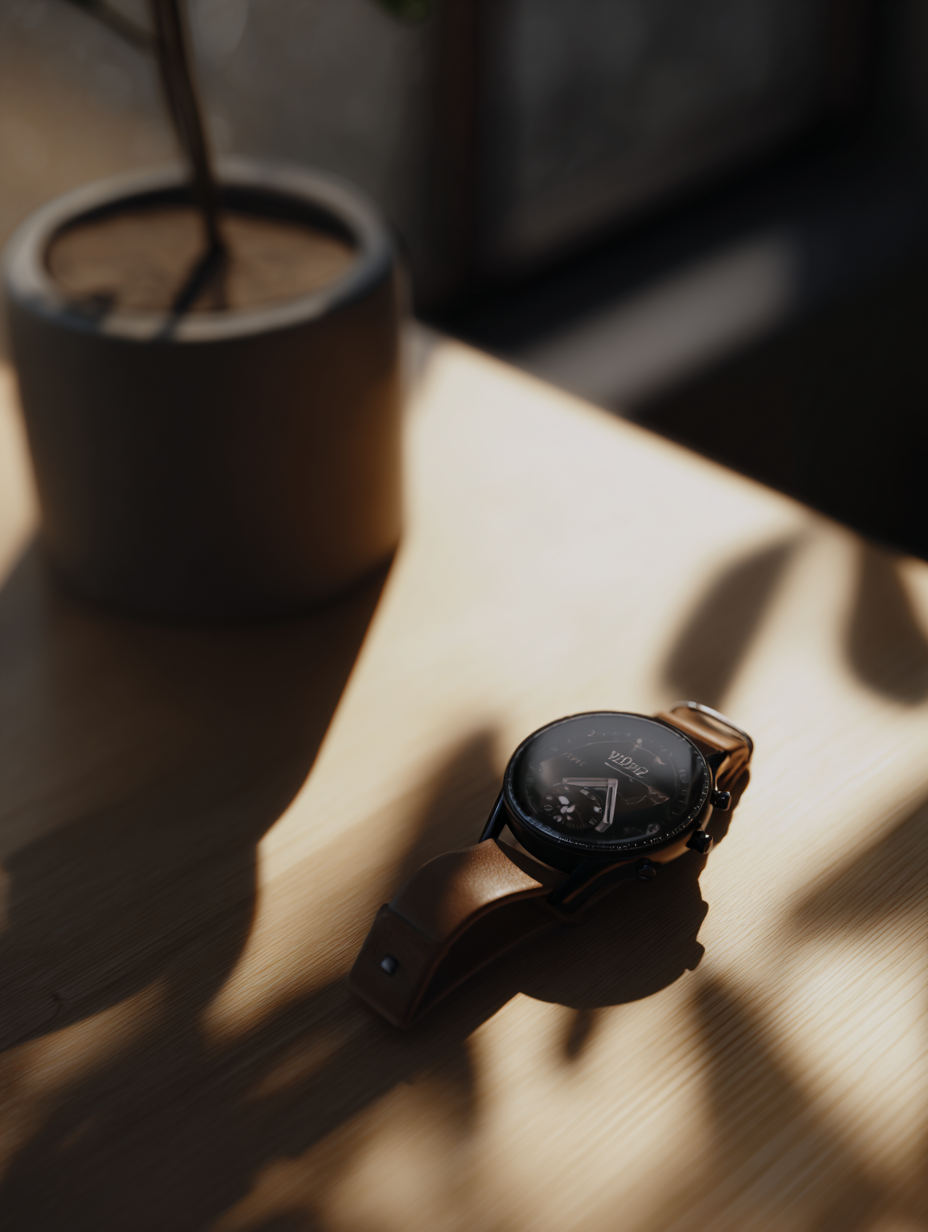
Developing a Prompt Strategy for Consistent Results
Many creators eventually develop a personal prompt strategy when working with AI image models.
Rather than writing completely new prompts every time, they refine existing prompts by adjusting individual components.
For instance, a base prompt might describe a character, while additional prompt layers adjust environment, lighting, and camera perspective.
This layered prompt structure allows creators to maintain consistency across multiple generated images.
Seedream 5.0 Lite prompts are particularly effective when they describe visual relationships clearly. For example, specifying where objects appear in the scene or how lighting interacts with surfaces often improves the final image.
Over time, prompt strategies become part of a creator’s workflow, enabling faster and more predictable results.
Building an AI Image Editing Workflow
Another key advantage of Seedream 5.0 Lite is its compatibility with iterative editing processes. Instead of generating images in a single step, creators can integrate editing stages into the workflow.
A typical AI image editing workflow might look like this:
initial prompt generation
review of generated variations
prompt adjustments
editing and refinement
final image selection
This workflow approach treats AI generation as a creative exploration process rather than a one-time action.
When combined with editing tools, the process allows creators to gradually refine images and adjust visual elements.
The integration of generation and editing is becoming a standard approach in modern AI creative pipelines.
Creator Workflow Using Seedream 5.0 Lite
Creators across different industries use Seedream 5.0 Lite in different ways depending on their goals.
Some designers use the model primarily for concept visualization. By generating multiple visual directions quickly, they can explore ideas before committing to a final design.
Marketing teams often use AI image generators to prototype advertising visuals. Instead of commissioning multiple photoshoots, they can test visual styles and compositions using AI models.
Game designers and filmmakers also rely on AI image generation for environment and character concepts.
Within these workflows, Seedream 5.0 Lite often acts as the first stage of visual exploration before additional editing and refinement occur.
Platforms like aireiter help streamline these workflows by allowing creators to test multiple AI tools within the same creative environment.
Real Use Cases of Seedream 5.0 Lite
The practical applications of AI image models continue to expand across industries.
One common use case is product visualization. Businesses can generate early-stage product concepts or promotional visuals using AI-generated images.
Another use case is social media content creation. AI models allow creators to quickly generate visuals tailored to specific campaigns.
Concept art development is another area where Seedream 5.0 Lite image generation proves valuable. Artists can explore different scene ideas without spending hours creating manual sketches.
In these scenarios, the ability to generate and refine images quickly becomes a major advantage.
Limitations of Current AI Image Generation Models
While AI image models have improved significantly, they still have limitations that creators should understand.
One challenge is prompt interpretation variability. Even well-written prompts may produce slightly different results across multiple generations.
Another limitation involves visual consistency. Maintaining the same character or object across multiple generated images can still require careful prompt adjustments.
Editing workflows also require experimentation. Not every generated image can be easily refined into a final result.
Despite these limitations, AI models continue to improve rapidly as training techniques and computational resources evolve.
The Future of AI Image Creation Workflows
AI image generation tools are gradually becoming integrated into professional design pipelines. Rather than replacing traditional creative tools, they expand the possibilities available to creators.
Seedream 5.0 Lite demonstrates how AI models can support faster visual experimentation and more flexible editing workflows.
As models become more capable, creators will likely combine multiple AI systems within the same workflow. Prompt design, generation, editing, and refinement will all become part of a unified creative process.
Understanding how to generate images with Seedream and build structured workflows will become increasingly important for creators working with AI-driven design tools.