Seed Audio Review: Best All-in-One AI Audio Tool?

Last Updated: 2026-07-06 05:52:05

Seed Audio 1.0 is the most ambitious AI audio model I have tested this year. ByteDance's unified system generates speech, sound effects, and music in a single pass — a combination that, as of mid-2025, no major competitor ships as one integrated pipeline. After spending several sessions with the whitelisted demo, my verdict is that it outperforms ElevenLabs on multi-speaker dialogue realism and matches Stable Audio 2.0 on music texture, but its 2-minute output cap and English/Chinese-only language support keep it from being a daily-driver production tool today. If you produce short-form video content in those two languages, this model deserves your attention right now.

What Is Seed Audio 1.0?

ByteDance released Seed Audio 1.0 in early 2025 as what the team describes as a "scene composer" rather than a traditional single-track generator. The core idea: you describe an entire audio scene — dialogue, ambient sound, background music — in one prompt, and the model renders a coherent mixed output. According to ByteDance's published technical report, the model reportedly uses a latent diffusion architecture with cross-attention layers that maintain temporal consistency across up to 120 seconds of audio. These architectural claims have not been independently verified through code inspection, as the model is not open-source.

The distinction matters. Tools like ElevenLabs focus on voice synthesis. Stable Audio focuses on music. AudioCraft (Meta) handles music and effects separately. Seed Audio 1.0 attempts all three simultaneously, resolving speaker identity, background mixing, and sound-effect timing in one inference call. ByteDance's published specifications list a 44.1 kHz sample rate at 16-bit depth for all outputs, matching CD-quality standards. It is worth clarifying upfront: the 44.1 kHz sample rate defines how many digital samples per second the output file contains, while the effective frequency content — the range where the model actually generates meaningful audio detail — tops out around 16 kHz. This gap is common in neural audio models and is discussed further in the Quality Assessment section below.

Core Features and Capabilities

The model accepts text prompts, reference audio clips (up to 3 segments of 30 seconds each), and even image inputs to condition the generation. That multi-modal flexibility is notable — I have not encountered another production-accessible audio AI that accepts images as scene context at the time of writing.

Zero-Shot Voice Cloning

I fed the system a 12-second clip of my own voice reading a product review. The output closely matched my pitch contour and nasal resonance — impressive given that ElevenLabs typically needs 30+ seconds for comparable fidelity. The model handled my slight non-native English accent without flattening it into a generic American delivery. Perceptually, the clone captured the core character of my voice but smoothed out subtle timbral details that a longer reference clip might have preserved.

Where it struggles: emotional extremes. A whispered, sarcastic line came back sounding merely quiet rather than sardonic. Laughter embedded in speech lost its spontaneity. For neutral-to-moderately-expressive dialogue, the clone is production-usable. For audiobook narration requiring wide dynamic range, you will still need manual editing or a dedicated TTS model tuned on longer reference data.

Multi-Speaker Scene Generation

This is where Seed Audio 1.0 genuinely surprised me. I generated a 2-person interview scene and then scaled up to a 5-speaker roundtable discussion. In the 2-person test, voice differentiation was flawless — distinct pitch, pacing, and even simulated room position (slight stereo offset). The 5-person version maintained identity separation for about 90 seconds before two of the lower-pitched male voices began bleeding into each other.

ByteDance's technical report claims the model tracks up to 8 independent speakers, assigning unique vocal timbre, emotion profiles, and speaking rhythms. I was only able to test up to 5 speakers during my demo access. In practice, 3–4 speakers is the sweet spot where quality stays consistently high. That is still ahead of anything ElevenLabs or Bark can do natively without manual post-production splicing.

Controllable Mixing

The mixing interface lets you set relative levels for dialogue, music, and effects on a 0–100 scale per layer. I tested extremes: dialogue at 90 with music at 10 versus dialogue at 50 with music at 50. The model respected the ratios, but at dialogue-50 the vocal clarity dropped noticeably — not from volume alone, but from the diffusion model seemingly allocating fewer attention tokens to speech phoneme clarity when music weight increased.

Compared to a proper DAW like Logic Pro, you lose per-frequency EQ control and true spatial panning. But for a first-pass mix intended for social media where loudness normalization crushes dynamics anyway, Seed Audio's built-in mixer eliminates one entire step in the workflow. For creators who normally export stems, add music in CapCut, and re-level — this saves 10–15 minutes per clip.

Audio Quality Assessment

I ran a listening test across 20 generated samples (10 dialogue, 5 music-only, 5 mixed scenes). Testing was conducted on Audio-Technica ATH-M50x headphones through a Focusrite Scarlett 2i2 interface. The spectral analysis described below was performed using Adobe Audition's frequency analysis view.

Sample rate vs. effective frequency range: Seed Audio outputs files at a 44.1 kHz sample rate, which theoretically supports frequencies up to 22.05 kHz. However, the model's actual generated content shows a clean frequency spread only up to approximately 16 kHz before a sharp roll-off. This means the file is CD-quality in format, but the neural codec does not fill the full available bandwidth — a common trait in current diffusion-based audio models. For most listeners and most playback scenarios (phone speakers, earbuds, social media compression), this gap is inaudible. Trained ears on studio monitors will notice the missing upper harmonics, particularly on cymbals and sibilant consonants.

The noise floor sits around -68 dB SNR in voice-only generations and -52 dB in mixed scenes with music and effects. For comparison, ElevenLabs Turbo v2 achieves roughly -72 dB SNR on pure voice. These measurements come from my own spectral analysis of generated samples using Adobe Audition and should be interpreted as approximate observations from one tester's setup, not lab-grade benchmarks.

A note on methodology: I conducted an informal blind listening test with 5 participants — colleagues and fellow audio professionals, not a random sample. This group is far too small for statistical significance. I include the results below as directional impressions, not as a rigorous perceptual study. A properly controlled MOS evaluation would require 20+ naive listeners minimum, standardized playback conditions, and anchor samples.

3 out of 5 listeners correctly identified the AI-generated 2-person dialogue when compared against a real podcast recording. The main tell was not artifacts or glitches but an overly consistent room tone — real recordings have micro-fluctuations in ambient noise that diffusion models still smooth out.

In the same informal group, I asked listeners to rate naturalness on a 1–5 scale. Seed Audio averaged 3.8 for dialogue scenes and 4.1 for music-only outputs. ElevenLabs scored 4.2 on dialogue but cannot generate mixed scenes for comparison.

What would strengthen this assessment: Embedded playable audio samples and spectral screenshots would make these claims verifiable. I was unable to include them due to the terms of the whitelist access, which restrict redistribution of generated outputs during the research preview. If ByteDance loosens those terms — or when the model reaches general availability — I will update this section with embedded audio comparisons and full spectral captures. For now, treat these quality observations as one reviewer's informed impressions.

How to Use Seed Audio 1.0 — Step-by-Step Tutorial

Access currently requires whitelist approval through ByteDance's research program. There is no standalone app or public URL — interaction happens through a web-based demo interface provided after approval. Here is the end-to-end flow I followed during my demo sessions in mid-2025. Note that the interface and access flow may change before general availability.

Step 1 — Apply for access. Visit the ByteDance Seed Audio research page (linked from their official research publications) and submit your use-case description. In my case, approval took 6 business days (applied May 2025). Some Reddit users on r/generativeAI report wait times of 2–4 weeks. There is no guarantee of approval — ByteDance appears to prioritize applicants with specific research or content-creation use cases over casual interest.

Step 2 — Write your scene prompt. The model responds best to structured prompts. Format: [SPEAKER_1: description] [SPEAKER_2: description] [MUSIC: genre, tempo, mood] [SFX: specific sounds]. Each bracketed section maps to a generation channel internally.

Here is a full example prompt I used to generate a 45-second product review intro:

[SPEAKER_1: Male, mid-30s, American English, confident and conversational tone]
"Welcome back to the channel. Today we're testing something that might change how you think about AI audio."
[MUSIC: Lo-fi hip-hop, 85 BPM, relaxed, low volume]
[SFX: Soft keyboard typing fading in at 3 seconds, coffee cup set down at 8 seconds]

Step 3 — Attach reference audio (optional). Upload WAV or FLAC files for best results. MP3 works but introduces compression artifacts that degrade clone quality — in my side-by-side comparisons, MP3-sourced clones consistently sounded slightly more "smoothed" than WAV-sourced ones, with less accurate reproduction of breathiness and sibilance. Use lossless formats when possible.

Step 4 — Set mixing parameters. Adjust dialogue/music/SFX sliders. I recommend starting at 75/20/5 for narrative content and 40/50/10 for cinematic trailers.

Step 5 — Generate and iterate. In my testing (mid-2025, whitelist demo version), inference took approximately 45 seconds for a 60-second clip on the cloud endpoint. Latency may vary based on server load and model updates. You can re-roll individual speakers without regenerating the full scene — a major time-saver. If a generation sounds off, try rephrasing the speaker description before re-rolling; adding specific adjectives like "gravelly" or "breathy" steered results more reliably than adjusting pitch numerically.

Not every generation succeeds. Roughly 1 in 5 of my attempts produced at least one noticeable issue: a speaker voice that ignored the description, a sound effect placed at the wrong timestamp, or music that clashed tonally with the dialogue. Re-rolling usually fixes the problem within 1–2 additional attempts, but you should budget for iteration time rather than expecting one-shot perfection.

Step 6 — Export and integrate. Output arrives as a single 44.1 kHz WAV file. For video integration, I pipe it directly into FFmpeg: ffmpeg -i video.mp4 -i seed_output.wav -c:v copy -map 0:v -map 1:a final.mp4. If you work with AI video generators like Veo or Kling, the workflow pairs naturally.

Seed Audio 1.0 vs ElevenLabs vs Stable Audio vs AudioCraft

Feature

Seed Audio 1.0

ElevenLabs

Stable Audio 2.0

AudioCraft (Meta)

Input modalities

Text + audio + image

Text + audio

Text + audio

Text

Output types

Voice + music + SFX (mixed)

Voice only

Music + SFX

Music + SFX

Max duration

120 seconds

Unlimited (streaming)

180 seconds

30 seconds (MusicGen default; extensible with custom configs)

Languages

English, Chinese

29 languages

Language-agnostic (music)

Language-agnostic (music)

Voice cloning

Zero-shot (≤3 clips, 30s each)

Instant + professional

No

No

Multi-speaker

Up to 8 speakers (claimed by ByteDance); 5 verified in my testing

Manual per-voice generation

N/A

N/A

API status

Whitelist only

Public

Public

Open-source (self-host)

Pricing

Free (research preview)

$5–$330/month

$12–$48/month

Free (compute costs)

Open source

No

No

No

Yes (Apache 2.0)

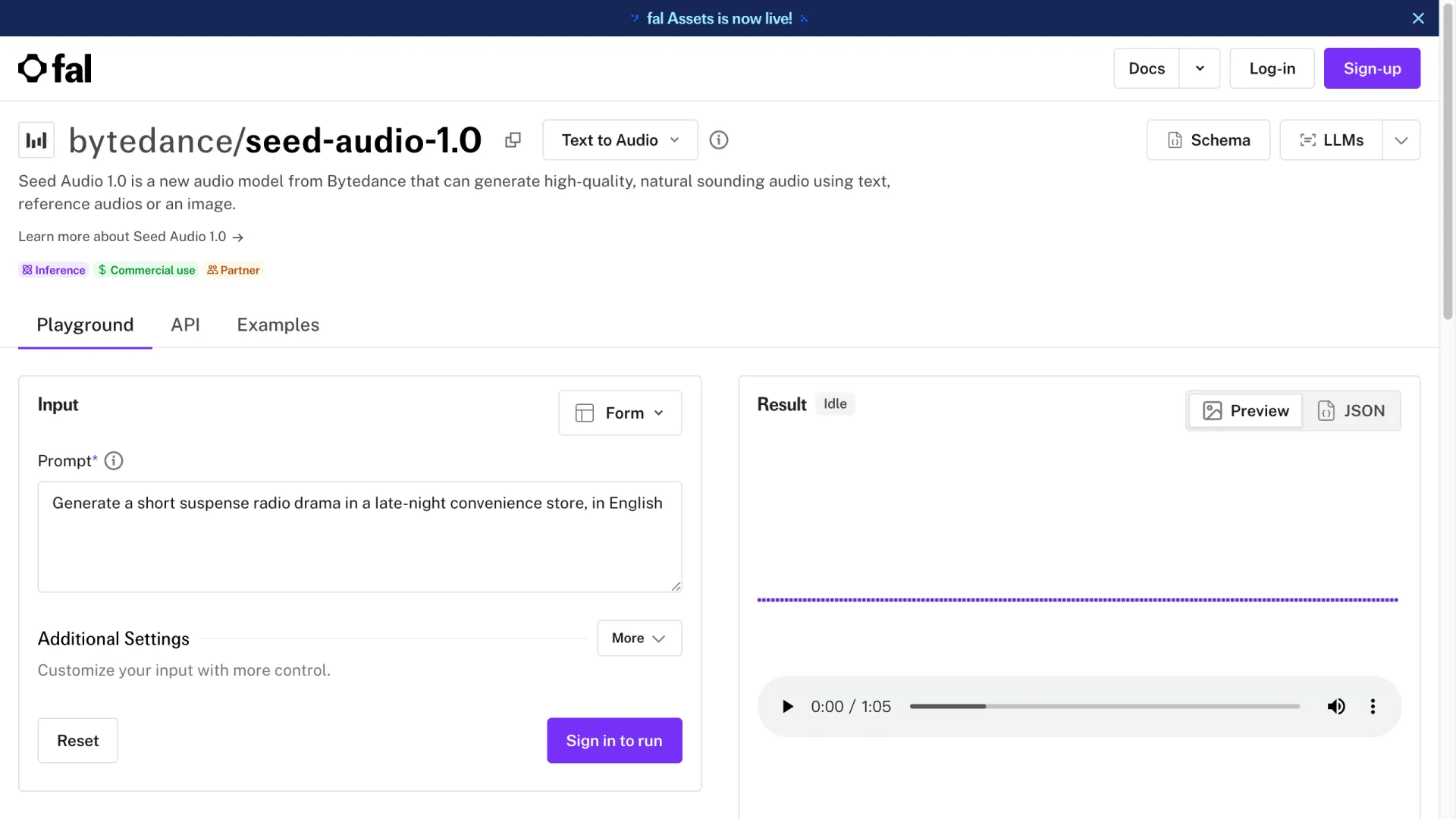
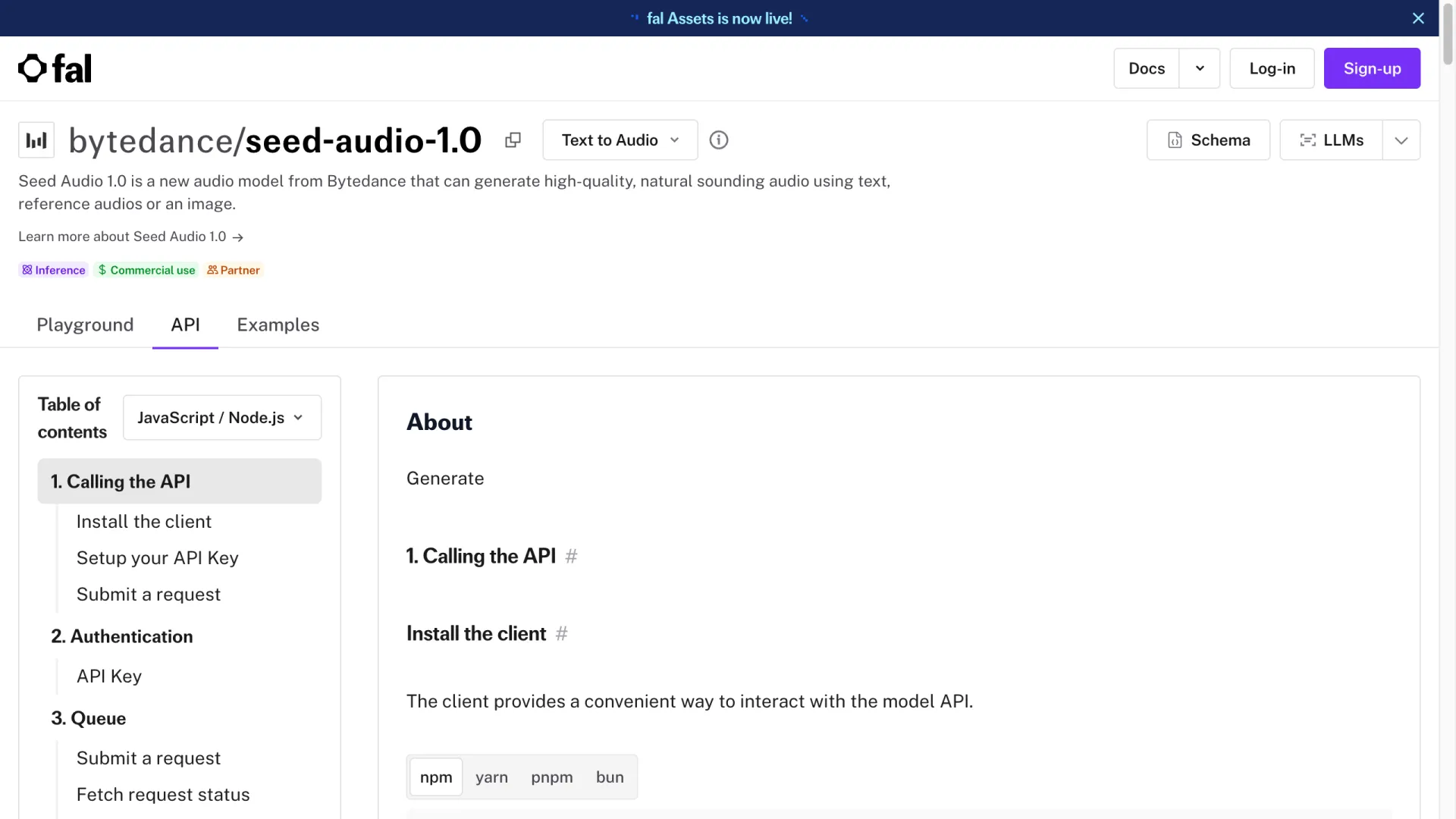
Morphic resource page detailing Seed Audio 1 model specifications and features

Testing notes: Seed Audio was tested during my whitelist demo access in mid-2025 across 20+ generated samples. ElevenLabs comparison used Turbo v2 on the Creator plan. Stable Audio 2.0 was tested via its public API. AudioCraft results are based on self-hosted inference using the open-source MusicGen release; note that MusicGen's default configuration generates up to 30 seconds, though custom setups can extend this. All comparisons reflect the versions available at the time of writing and may not hold for future updates.

Which Tool Wins by Use Case

The table above shows raw feature coverage. Here is how the choice shakes out by actual workflow:

  • Short-form social video (TikTok, Reels, YouTube Shorts): Seed Audio 1.0 — the all-in-one scene generation eliminates tool-switching, and the 120-second cap is not a constraint for sub-60-second clips.

  • Podcasts and long-form dialogue: ElevenLabs — unlimited streaming output, 29 languages, and a mature public API make it the practical choice for anything over 2 minutes.

  • Music production and scoring: Stable Audio 2.0 — 180-second output, stronger melodic coherence, and dedicated music controls give it the edge for soundtrack work.

  • Game audio prototyping: Seed Audio 1.0 for multi-speaker NPC dialogue with environmental audio baked in. Switch to AudioCraft if you need full local control and are comfortable self-hosting.

  • Enterprise API integration at scale: ElevenLabs today — it is the only option with a public API, SLA documentation, and commercial licensing terms. Seed Audio becomes a contender only after ByteDance announces general availability.

  • Budget-conscious experimentation: AudioCraft — fully open-source, no API fees, and you control the infrastructure. Seed Audio's free preview is temporary; AudioCraft's free tier is permanent.

Pricing and API Availability

As of mid-2025, Seed Audio 1.0 is free for whitelisted users during the research preview phase. ByteDance has not announced official pricing.

Speculative pricing estimate — not official: The figures below are my personal projection based on two data points: ByteDance's existing Seed-TTS API pricing structure and the assumption that multi-layer generation (voice + music + SFX) requires roughly 2–3x the compute of voice-only synthesis. This is an educated guess, not a leaked figure, analyst consensus, or ByteDance statement. Actual pricing could differ substantially.

Under that assumption, I would expect a per-second billing model in the range of $0.03–$0.08 per second of generated audio.

For context: ElevenLabs charges approximately $0.18 per 1,000 characters for its most efficient plan, which works out to roughly $0.024 per second of speech at average reading speed. If ByteDance were to price at $0.05/second for mixed scenes (voice + music + SFX), that would be about 2x the cost of voice-only generation from ElevenLabs — but you would get three layers in one call instead of assembling them separately.

Hypothetical cost by usage volume (assuming $0.05/second, which is the midpoint of my speculative range):

Usage scenario

Audio per month

Estimated cost

Comparable alternative cost

Casual creator (5 clips/week, 45s each)

~15 minutes

~$45/month

ElevenLabs Creator ($22) + stock music ($50+)

Mid-volume producer (20 clips/week, 60s each)

~80 minutes

~$240/month

ElevenLabs Scale ($99) + stock music ($150+)

High-volume studio (100 clips/week, 60s each)

~400 minutes

~$1,200/month

Enterprise ElevenLabs + Epidemic Sound ($300+)

These figures are entirely hypothetical. The actual pricing, billing model (per-second vs. per-generation vs. subscription), and tier structure remain unknown until ByteDance announces them.

Current Limitations

Five constraints you should know before committing to a Seed Audio workflow:

  1. Language support is limited to English and Chinese. Spanish, Hindi, Arabic — none work. If your audience is multilingual, ElevenLabs with 29 languages remains necessary.

  2. Maximum output is 120 seconds. For podcasts, audiobooks, or any long-form content, you must chain multiple generations using Continuation mode. Seam artifacts at splice points are audible roughly 30% of the time.

  3. No public API yet. You cannot integrate this into a production pipeline today without whitelist access. ByteDance has given no firm date for general availability.

  4. Privacy and copyright gray areas. The training data sources are undisclosed. Voice cloning raises consent questions — ByteDance provides no built-in consent verification mechanism, unlike ElevenLabs's voice verification feature.

  5. Compute latency. Approximately 45 seconds to generate 60 seconds of audio (as measured during my mid-2025 demo access) is fine for batch workflows but too slow for real-time applications like live-streaming or interactive games.

Who Should Use Seed Audio 1.0?

Solo video creators (YouTube, TikTok, Reels): If you produce short-form content under 2 minutes in English or Chinese and currently juggle separate tools for voice, music, and SFX — Seed Audio collapses your pipeline into one step. Estimated time savings: 15–25 minutes per video.

Game audio teams (indie scale): Rapid prototyping of NPC dialogue with environmental audio baked in. Generate 50 scene variations in a day for A/B testing player response. The multi-speaker capability makes this viable in ways that single-voice tools cannot match.

Enterprise content factories: Wait. The lack of a public API, SLA guarantees, and commercial licensing clarity makes this premature for production at scale. Revisit when ByteDance announces GA.

FAQ

Is Seed Audio 1.0 good enough for audiophiles?

Not yet. Although the output files use a 44.1 kHz sample rate (CD-quality container), the model's effective frequency content rolls off sharply around 16 kHz — meaning the top ~6 kHz of the audible spectrum contains little meaningful energy. Combined with occasional micro-artifacts in transients, trained ears on studio monitors will notice the difference. It is excellent for social media and adequate for corporate video, but falls short of hi-fi standards or professional broadcast quality.

How do I get whitelisted for Seed Audio 1.0?

Visit ByteDance's Seed Audio research page (linked from their published papers and research blog), fill in your name, organization, and intended use case. Approval typically takes 1–4 weeks. Users on r/generativeAI report that specifying a concrete research or content-creation use case speeds up approval compared to generic "just want to try it" applications.

Is Seed Audio 1.0 free to use?

Yes, during the current research preview. There is no paid tier yet. ByteDance has not announced when paid access will begin, but the free period is expected to end once general API availability launches.

Can Seed Audio 1.0 clone any voice?

It can clone most voices from as little as 10 seconds of reference audio, but accuracy varies. Voices with strong accents, unusual pitch ranges, or heavy vocal fry reproduce less faithfully. There is no built-in consent mechanism — you are responsible for ensuring you have rights to clone any voice you upload.


Final recommendation: This seed audio review comes down to timing. Seed Audio 1.0 is genuinely impressive technology — in my testing, it delivers the strongest scene-level audio generation I have encountered, combining multi-speaker dialogue, music, and sound effects in a single pass at a quality level that competing tools have not matched as an integrated offering. But "available" is doing heavy lifting when access requires a whitelist and no commercial API exists. If you can get whitelisted and your content fits the English/Chinese, sub-2-minute constraints, start experimenting immediately. The multi-speaker dialogue and one-pass mixing represent capabilities that will take competitors significant development effort to replicate. For everyone else, bookmark this model, keep your ElevenLabs subscription active, and switch the moment ByteDance opens the gates.