 AIREITER
A 3 a.m. fix is valuable only if it does not create the 3:15 a.m. outage. This Replit Monitoring Agent review finds Auto-fix useful for supervised production triage, but experimental Auto-republish too weakly specified for critical production paths.
Replit formally launched Monitoring Agent on October 22, 2026. The feature can inspect production telemetry and code, attempt a fix, validate it, and optionally republish the app. Replit exposes separate controls for detection, code changes, and deployment, so teams do not have to grant all three permissions together.
Production verdict: use the middle setting
The safest useful configuration is Monitoring alerts on, Auto-fix on, Auto-republish off. That setting lets Replit investigate an incident and prepare a fix while preserving a human approval step before production changes.
| Workload | Alerts | Auto-fix | Auto-republish | Recommendation |
|---|---|---|---|---|
| Disposable demo or low-impact internal tool | On | On | Optional | Reasonable after a rollback drill |
| Customer-facing app | On | On | Off | Best default |
| Payments, authentication, regulated data, or irreversible workflows | On | Optional | Off | Require normal review and release controls |
| App with no tested recovery procedure | On | Off | Off | Establish recovery before delegating changes |
This judgment follows Replit's own documentation. Auto-republish is experimental, and Replit specifically warns that migrations and index operations can be risky. The same page does not document a canary rollout, an automatic rollback, a post-deploy error-budget gate, or the exact validation suite a fix must pass.
That is not evidence that automatic fixes will fail. It means an operator cannot yet audit the release policy well enough to entrust high-impact incidents to it.
Follow one incident through the control chain
The launch announcement describes an incident path from production telemetry through diagnosis, a code change, validation, and reporting.
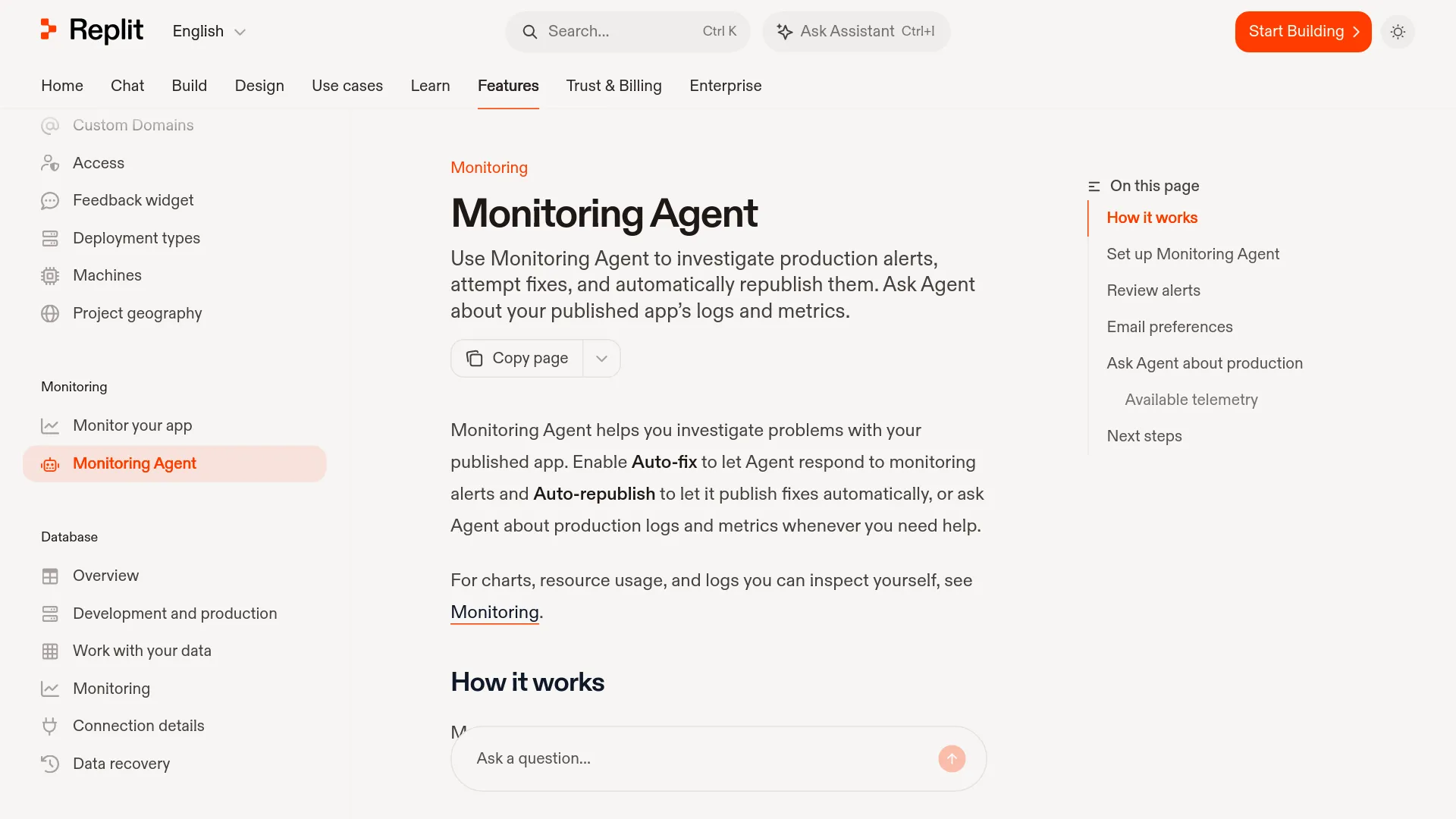
- Monitoring detects an application error, HTTP error, or request-latency problem.
- Auto-fix allows Agent to inspect production metrics, runtime logs, source code, and the relevant alert.
- Agent attempts a code change and validates the result.
- With Auto-republish off, the fix waits in Agent chat for human review and manual publishing.
- With Auto-republish on, Agent can publish the validated fix without that review step.
- Monitoring Agent documentation says resolved alerts remain in the table for 30 days, while Replit emails recipients according to their severity preferences.
An alert does not guarantee a repair. Replit names external-service failures as one class that may require action outside the application, and the monitoring documentation says deployment logs are retained for 30 days.
Detection is narrower than the telemetry Agent can query
Automatic alerts watch only three signal groups: application error logs, HTTP errors, and request latency. They do not represent all production conditions that can break an app.
On demand, Agent may query a wider set of telemetry, depending on deployment type and cloud provider: request count, availability, 4xx and 5xx counts, endpoint latency, average and p50/p95/p99 latency, CPU, memory, active instances, startup latency, uptime, disk, network egress, and revision-filtered runtime logs. Replit does not publish alert thresholds, polling intervals, telemetry retention for all metrics, or an uptime SLA on the Monitoring Agent page.
This distinction matters during incidents caused by queue depth, third-party timeouts, data corruption, a regional dependency, or a business-level invariant. The agent can inspect more data when asked, but its automatic trigger set is not a complete observability system.
“Validated” is not a disclosed production gate
Replit says Monitoring Agent validates a fix before it becomes eligible for Auto-republish. The documentation does not specify which tests run, whether validation uses production-like data, what pass threshold applies, or whether a successful publish must remain healthy for a defined interval.
There is also no documented canary percentage, staged rollout, automatic halt after repeated repairs, or automatic rollback when the production error rate rises again. Those missing controls are decisive for high-risk applications because a test can pass while a new regression remains outside the tested path.
A launch-day user, @_ItsmeJJ_9, asked the core question directly:
“When Monitoring Agent fixes a problem and publishes it automatically, how does it make sure the fix is safe, and what happens if the fix makes things worse?” — @_ItsmeJJ_9 on X
The feature was one day old when this review was prepared, so the recommendation rests on documented controls rather than a longitudinal field record.
The three switches are the real safety model
| Setting | Detects issues | Changes code | Changes live production |
|---|---|---|---|
| Monitoring alerts | Yes | No | No |
| Auto-fix | Yes | Yes | No |
| Auto-republish | Yes | Through Auto-fix | Yes |
Auto-republish requires Auto-fix. Disabling email does not disable monitoring or Auto-fix, and monitoring must be configured separately for each published app. Those details make it possible to match permissions to the consequences of a bad change.
Why Auto-fix is the useful default
Auto-fix can reduce time spent collecting relevant logs, metrics, code context, and a candidate patch. Keeping Auto-republish off leaves the proposed diff and publish decision with a person.
That middle setting is compatible with a conventional review gate. An operator can inspect the changed files, confirm that the fix addresses the observed failure, run application-specific tests, check migrations, and then publish deliberately. Replit's setup instructions explicitly support this mode.
Where Auto-republish crosses the line
Auto-republish turns a diagnosis tool into a release actor. The feature becomes unsafe for a workload when a bad release can charge money, alter identity or authorization, write irreversible external state, or require coordinated database recovery.
Replit explicitly calls out migrations and index operations as risky. Its documentation does not state that Monitoring Agent blocks changes to billing or authentication code, limits the number of autonomous deploys per incident, or requires approval for particular directories or change classes.
A real user summarized the missing policy control in practical terms:
“i'd turn auto-republish on if i could cap it, like a couple of auto deploys a night max and anything touching billing or auth waits for me” — @_AdityaSriv on X
For low-impact internal apps, that risk may be acceptable. For revenue-sensitive or regulated systems, validation without documented release containment is not enough.
Pricing turns each incident into an open meter
Monitoring Agent runs may generate Agent usage charges, but Replit publishes no Monitoring-specific price per alert, investigation, fix, or republish; cost depends on effort-based Agent work instead of a fixed incident-response fee.
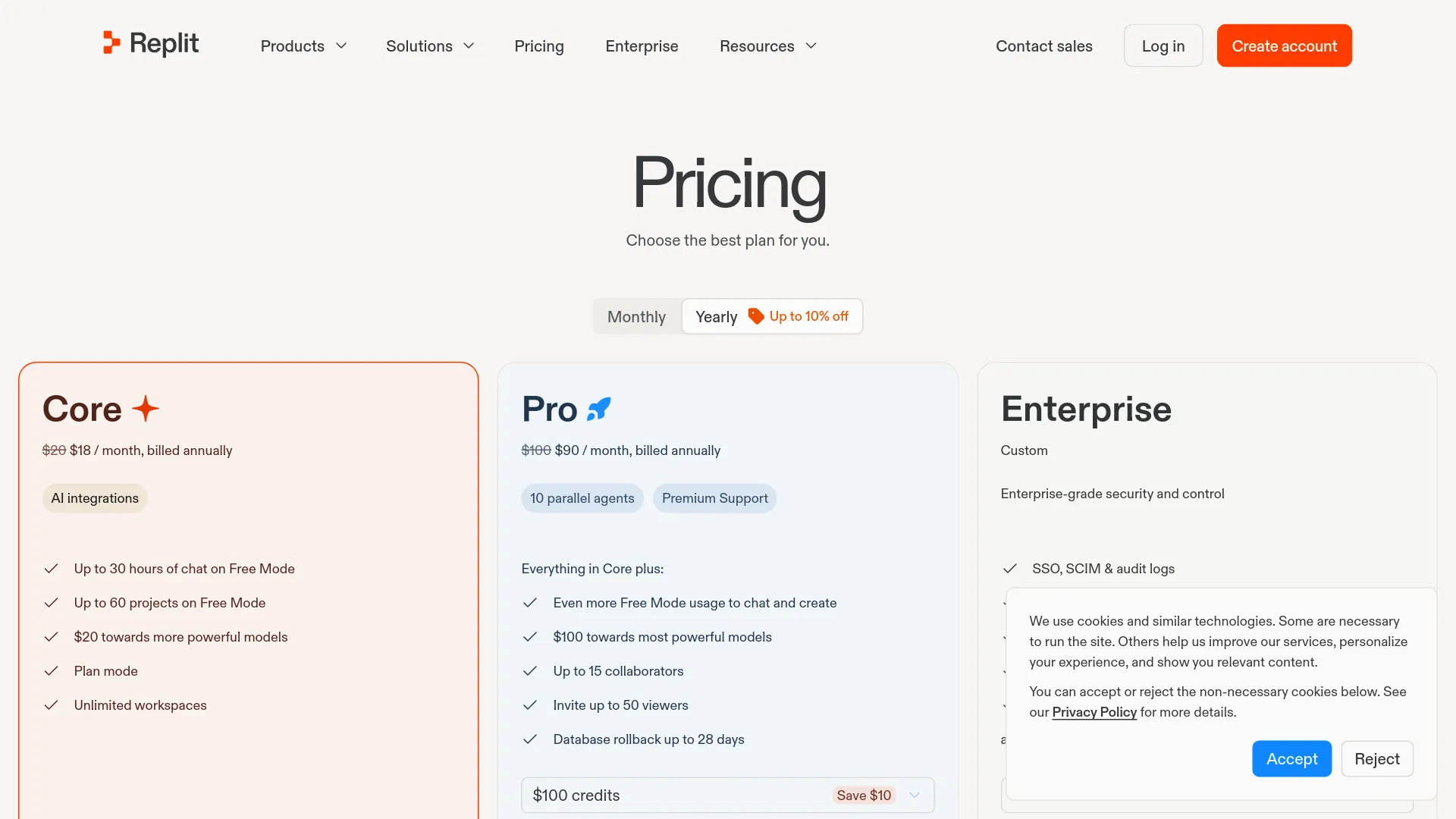
| Plan | Monthly price | Annual billing equivalent | Displayed included value | Relevant control |
|---|---|---|---|---|
| Core | $20/month | $18/month | $20 toward more powerful models | 1 active background task in plan docs |
| Pro | $100/month | $90/month | $100 toward more powerful models | 10 parallel tasks and 28-day database rollback |
| Enterprise | Custom | Custom | Not public | SSO/SAML, advanced privacy, single tenancy |
These figures come from Replit's current pricing page. Subscription credits can also cover publishing, storage, databases, network transfer, and AI integrations, so the displayed allowance should not be treated as a dedicated Monitoring Agent budget.
The Monitoring Agent documentation provides no per-run rate, maximum investigation cost, or included number of automatic fixes. A production budget must therefore assume variable usage plus the underlying cost of the published app.
What spending controls do and do not guarantee
Replit's spend-management documentation supports account usage limits and a service shutdown limit. Reaching a limit blocks or suspends usage-based services until the next cycle or until the limit is raised. Replit describes usage as near real time, while its AI billing documentation says dashboard data may take up to 30 minutes to appear.
These are account-level financial brakes, not an incident policy. Replit does not document a Monitoring Agent control such as “spend at most $5,” “attempt one fix,” or “stop after 15 minutes” for each alert. A service shutdown limit can also suspend services, which may be undesirable during an outage.
Set a conservative account limit, but do not mistake it for a bounded autonomous-remediation budget.
Rollback is recovery work, not a safety net
A Replit checkpoint can restore project files, packages, configuration, Agent context, and optionally database state. The checkpoint documentation also says each checkpoint creates a Git commit and can be navigated backward or forward.
That does not equal automatic production rollback. Replit's current project help says a published app cannot be rolled back directly to an earlier deployed version; the supported path is to restore the project to an earlier checkpoint and publish that state again. Production database recovery is a separate operation, and checkpoint database restoration is optional rather than automatic.
Rollback also cannot reverse an email already sent, a payment captured by an external processor, a webhook delivered, or an irreversible third-party API call. Those side effects require application-level idempotency and compensating actions.
Run this rollback drill before enabling automation
- Record the currently deployed revision and identify the checkpoint that represents it.
- Create a controlled bad release in a non-production app and confirm that Monitoring detects the intended signal.
- Restore the project checkpoint without selecting a database restore; verify code, secrets references, build configuration, and Agent context.
- Test the separate production database recovery procedure and document who can authorize it.
- Republish the restored project and measure the time until health checks and business-level smoke tests pass.
- Verify external side effects separately, including payments, emails, webhooks, and queued jobs.
- Assign an escalation owner for failures that Agent cannot fix or for platform-side publishing problems.
If the team cannot complete that drill, Auto-republish should remain off. An untested rollback button is not an incident-response plan.
A production adoption policy that fits the evidence
Use the following additional gates alongside the workload settings at the start of this review:
| Requirement | Internal low-impact app | Customer-facing app | Critical or regulated app |
|---|---|---|---|
| Human approval | Afterward acceptable | Before publish | Before publish plus change control |
| Recovery drill | Before Auto-republish | Before Auto-fix | Required with database and side-effect testing |
| External observability | Optional | Recommended | Required |
Before changing that policy, look for five additions: disclosed validation criteria, per-incident cost and attempt caps, canary or staged rollout, automatic post-publish health gates, and an automatic rollback that clearly states how code, deployment state, databases, and external side effects are handled.
Replit Monitoring Agent FAQ
Is Replit Monitoring Agent available now?
Yes. Replit formally announced Monitoring Agent on October 22, 2026, and published setup documentation for monitoring alerts, Auto-fix, and Auto-republish.
Does Auto-fix publish automatically?
No. Auto-fix may investigate, change code, and validate a proposed fix, but production publishing remains manual unless Auto-republish is enabled.
Is Auto-republish safe for production?
Auto-republish is experimental. It may fit low-impact apps with a tested recovery process, but it lacks documented canary deployment, automatic rollback, validation thresholds, and sensitive-path approval controls for critical production systems.
How much does Monitoring Agent cost?
Replit says Monitoring Agent runs may incur Agent usage charges but publishes no fixed per-incident rate. Core currently costs $20 monthly and Pro $100 monthly before usage beyond included credits and other cloud consumption.
Can Monitoring Agent roll back a bad deployment automatically?
No automatic rollback is documented. Current recovery requires restoring an earlier project checkpoint and republishing, with production database recovery handled separately.
What production data can Monitoring Agent inspect?
Depending on deployment type and provider, Agent may inspect production metrics, runtime logs, source code, HTTP traffic, endpoint latency, CPU, memory, instance, disk, network, and application-error data. Automatic alerts trigger from only application error logs, HTTP errors, and request latency.