
If you need ecommerce product photos quickly, a practical GPT Image 2 workflow is not to chase a final render on the first try. Start with 1K drafts, test product angles and backgrounds, revise the useful directions, and upgrade only when a mockup is ready for a listing, ad, landing page, or campaign asset.
A GPT Image 2 product mockup generator with credit-based access and no subscription is useful for limited ecommerce batches. AIReiter is an independent tool for AI image workflows. It is not an official OpenAI product.
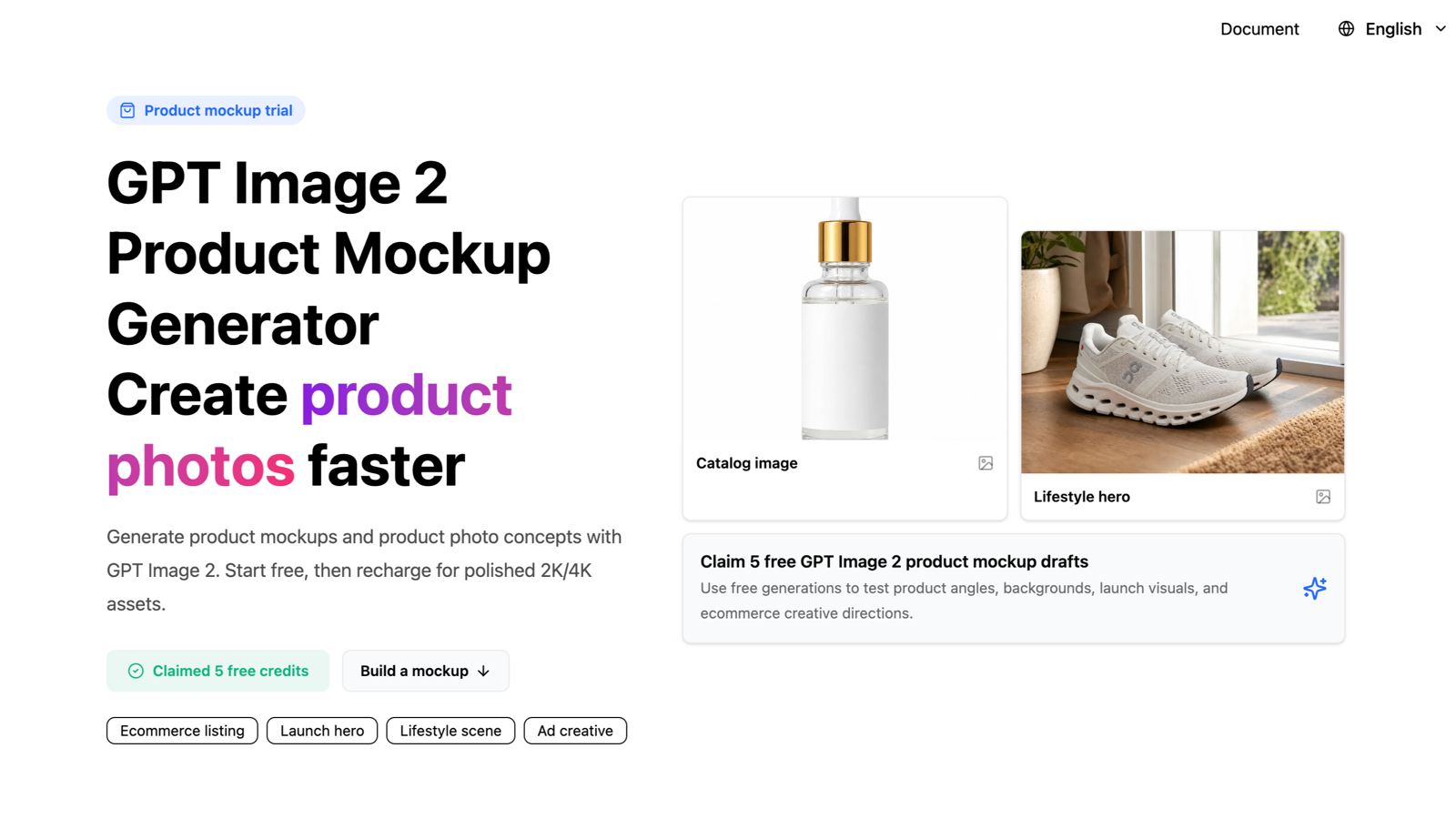
Checked in the logged-in AIReiter UI on July 7, 2026:
Detail | Verified value |
|---|---|
Trial | 5 free GPT Image 2 trial generations when eligible |
Draft mode | 1K draft flow locked to Auto aspect ratio |
Recharge | Packages from $5 for 500 credits, with larger packages showing savings labels |
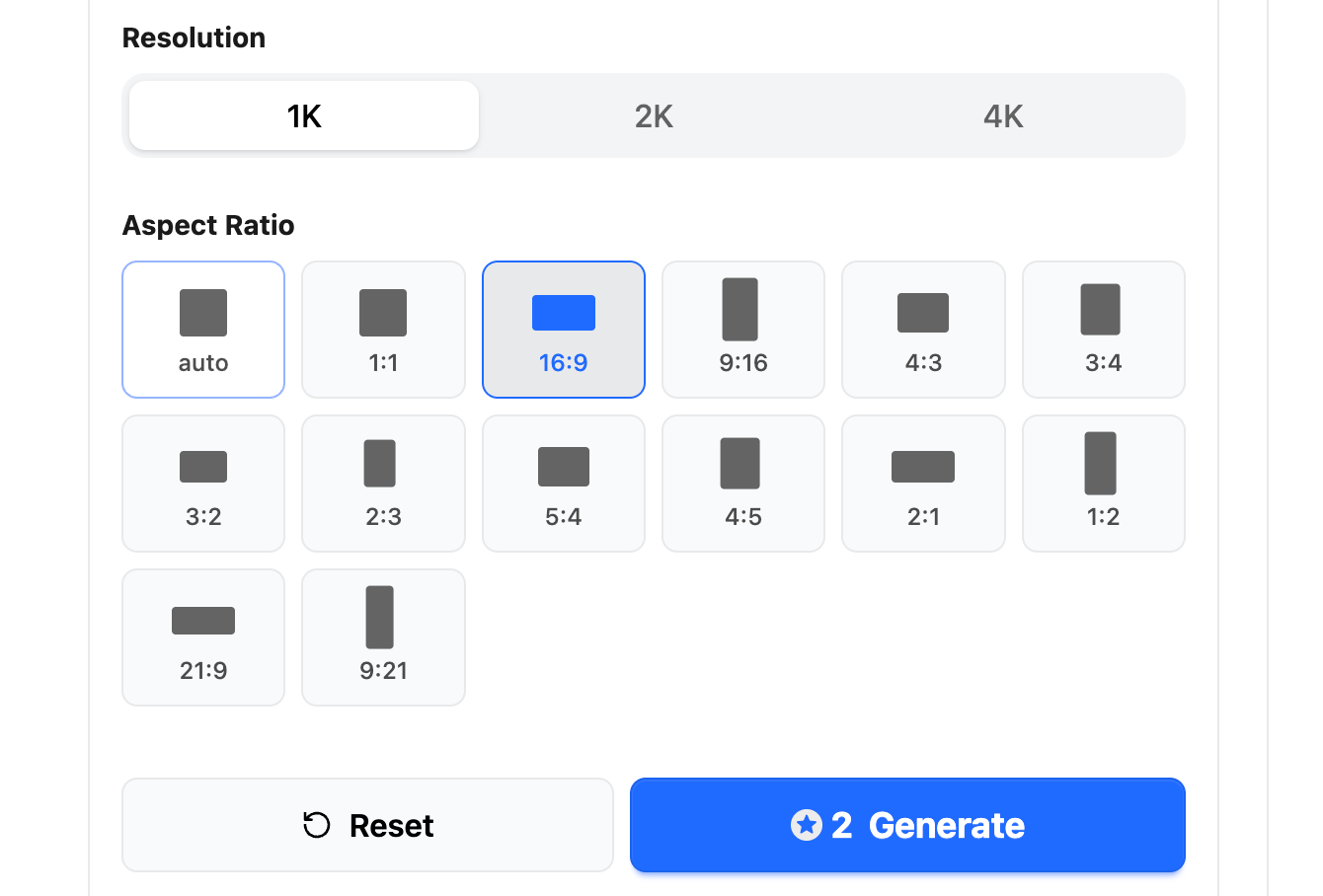
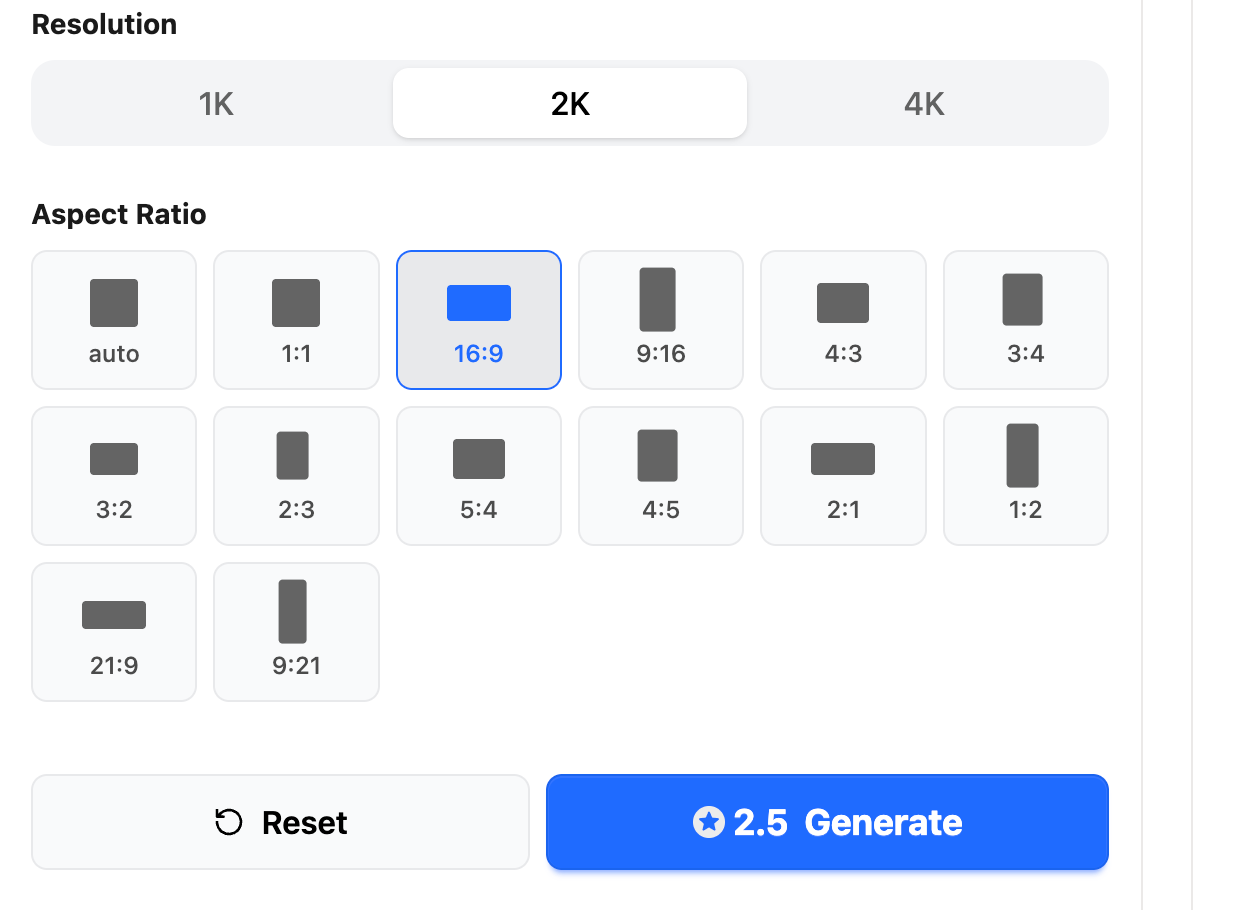
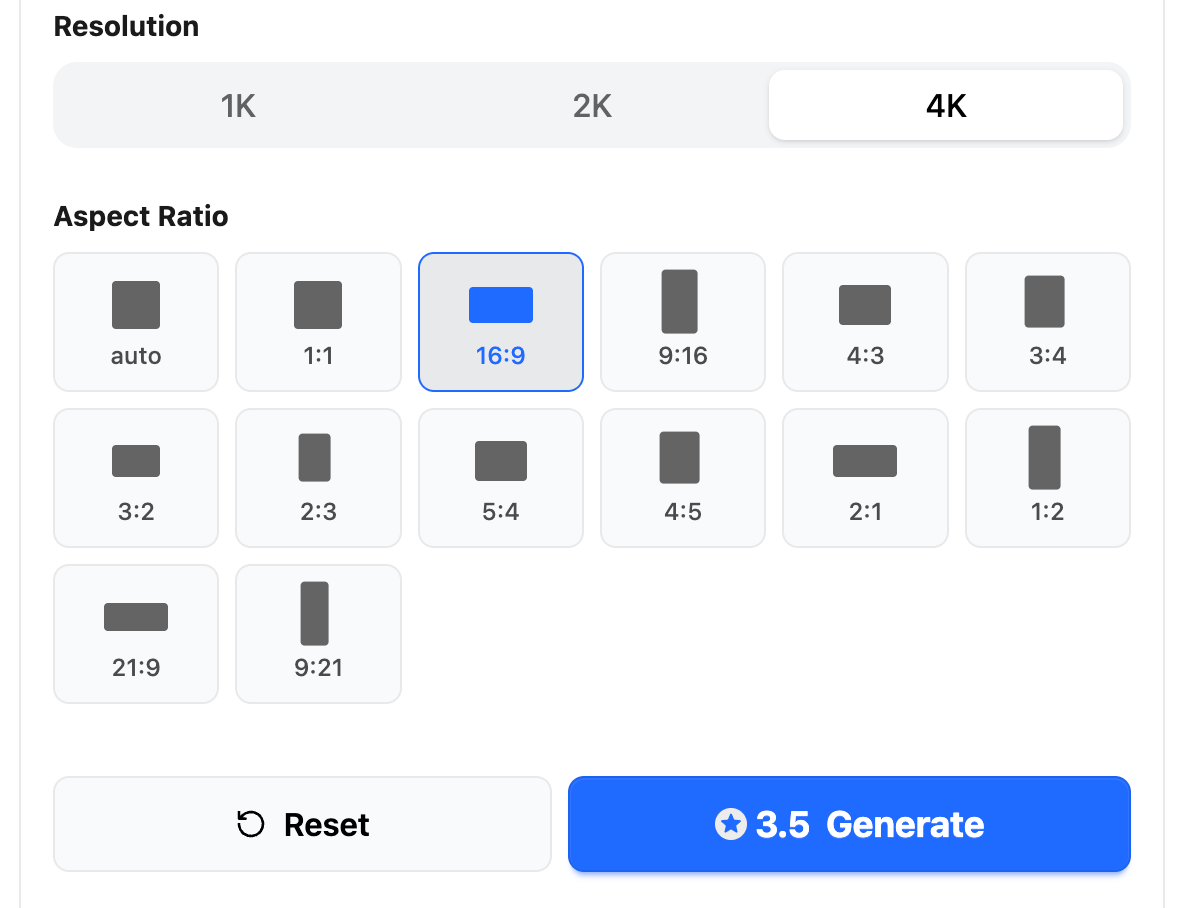
Submit cost | 1K: 2 credits, 2K: 2.5 credits, 4K: 3.5 credits in the tested UI |
Final assets | Recharge for more generations or 2K/4K output |
Choose AIReiter if | Choose another workflow if |
|---|---|
You need a limited batch of GPT Image 2 product mockups without a subscription | You need bulk template automation across hundreds of SKUs |
You want 1K draft testing before spending credits on 2K/4K assets | You need strict print-production files or guaranteed label fidelity |
You prefer credit recharge over a monthly product-photo tool | You need a full design suite, team approvals, or a real photoshoot |
How the No-Subscription Workflow Works on AIReiter
Open the GPT Image 2 product mockup generator, claim the starter trial if eligible, compare catalog/lifestyle/ad directions in 1K, then recharge only when a direction is worth continuing.
Start with 1K Drafts
Use 1K drafts when you are still choosing the visual direction. Here, "1K" means the lower-resolution draft mode shown by the tool, not 1,000 generated images. Confirm exact pixel dimensions in the live output settings before final export.
At this stage, compare:
Should the product be shown on white, on a marble counter, on a desk, or in a lifestyle scene?
Does the front angle or three-quarter angle work better?
Does the image need room for headline text?
Is this meant for Amazon, Shopify, Instagram, a landing page, or a paid ad?
1K drafts are for comparing ideas before spending credits on higher-resolution output.
Refine Drafts with Prompt Edits
Product-image work is usually a loop:
Generate a draft.
Check the product shape, label area, lighting, background, and crop.
Tighten the prompt.
Generate again.
Keep the best direction and discard the weak ones.
Prompt edits are useful when a draft is close but not layout-ready. "Move the product left", "make the background less busy", "keep the bottle cap black", or "leave space for headline text" are practical ecommerce controls.
Use Credits Instead of a Monthly Plan
Subscription-first tools make sense for constant volume, shared brand templates, and a predictable monthly production pipeline. If you launch products occasionally, test seasonal ads, or need a few Amazon listing concepts, a credit-based workflow can be easier to justify than keeping a monthly plan active.
Treat "cheap credits" as a measured cost-control point here: in the tested UI, 1K, 2K, and 4K generations cost 2, 2.5, and 3.5 credits.
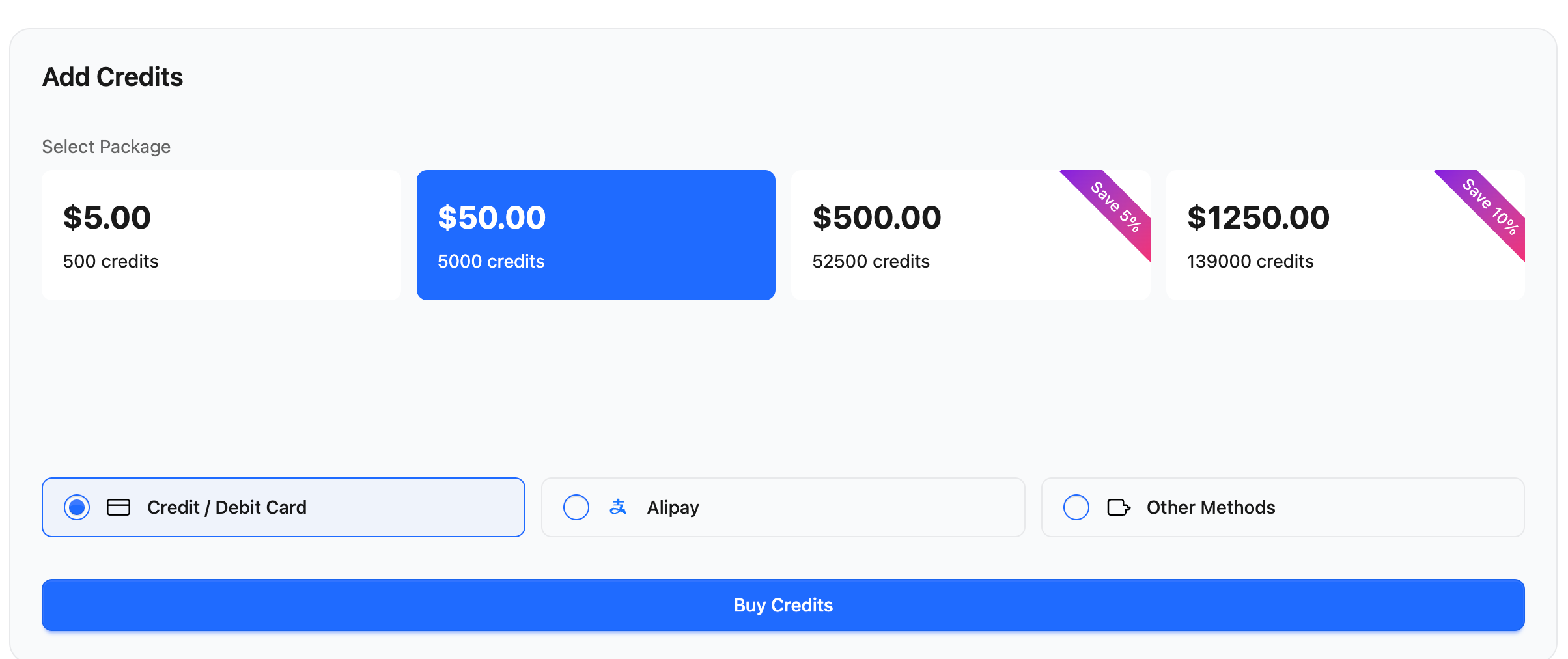
This screenshot is the pricing evidence behind the credit workflow. Check live pricing before purchase.
Verified submit-button costs in the tested UI:
Resolution | Submit-button cost | Best use |
|---|---|---|
1K | 2 credits | Low-cost product mockup drafts and prompt tests |
2K | 2.5 credits | Review-ready product photos and sharper layout checks |
4K | 3.5 credits | Final ecommerce, ad, or campaign assets |
Upgrade Only for Final Assets
Save higher-resolution generation for approved images. The target page describes 2K/4K as the final-asset path after recharge.
Do not present this workflow as free high-resolution output. The practical rule is:
Stage | Access path | Resolution and aspect ratio | Best use |
|---|---|---|---|
Trial draft | 5 free trial generations when eligible | 1K, Auto aspect ratio | Try backgrounds, product angles, crops, and moods |
Paid draft or edit | Recharge credits | 1K, 2K, or 4K options shown in the live tool | Continue a promising direction |
Final export | Recharge credits | 2K/4K if needed | Approved listing, ad, hero, or campaign image |
For Shopify hero images, Amazon listing assets, Meta ads, or landing-page graphics, check the live export options and upgrade when the asset will be published.
A GPT Image 2 Product Mockup Prompt Framework
A product mockup prompt should describe the product, the selling channel, and the constraints. The more specific the channel, the easier it is to evaluate the result.
Product Details
Start with the physical object:
Product type: serum bottle, coffee bag, sneaker, supplement jar, candle, phone case
Material: matte glass, glossy plastic, kraft paper, brushed metal, soft fabric
Shape: rectangular pouch, tall cylinder, pump bottle, square box
Key visible details: label area, cap color, logo placement, texture, transparent liquid, stitching
Angle: straight-on, three-quarter view, top-down, slightly low angle
If you have a reference image, mention what must stay consistent: packaging shape, product color, label placement, or key materials.
Scene and Channel
Then define where the image will be used:
Amazon-style listing image: white background, product centered, controlled shadow
Shopify hero: wider lifestyle composition with room for headline text
Paid social creative: square crop, high contrast, bold product placement
Landing page visual: clean hero image, brand mood, enough negative space
Packaging mockup: product in a launch context, with props that do not distract
Lighting, Composition, and Crop
Lighting and crop should be explicit:
Soft studio light with a clean shadow
Natural daylight from the left
Minimal background with no clutter
Product centered with safe margins
Empty space on the right for headline copy
Square 1:1 composition for social ads
Wide hero crop for a landing page
Constraints to Prevent Bad Outputs
Add constraints for the failure modes that matter:
Do not change the packaging shape.
Do not warp the label area.
Do not add extra logos or fake certification marks.
Do not invent claims on the package.
Do not make small legal text readable unless it is provided.
Keep the background simple enough for product focus.
For exact label text, treat AI-rendered text as a placeholder unless you provide the artwork and manually review the result. For multi-scene campaigns, reuse the same product description, reference image when available, angle, material, and label constraints across prompts.
These constraints do not guarantee a clean output, but they give the edit loop a better starting point.
Example Prompts by Ecommerce Use Case
Use these as starting points. Replace product details with your real packaging, color, material, and channel.
Amazon-Style Listing Image
Create a clean ecommerce product photo mockup for an unbranded fictional skincare serum bottle. The bottle is matte frosted glass with a blank soft white label and a black dropper cap. Front-facing angle, centered composition, seamless warm-white background, soft studio shadow under the bottle, realistic product photography, label area clean and unwarped, no brand name, no logo, no badges, no certification marks, no claims, no small legal text.
Use this when you need a product-first image for a catalog, marketplace test, or listing concept. Keep the background controlled and avoid decorative scenes.
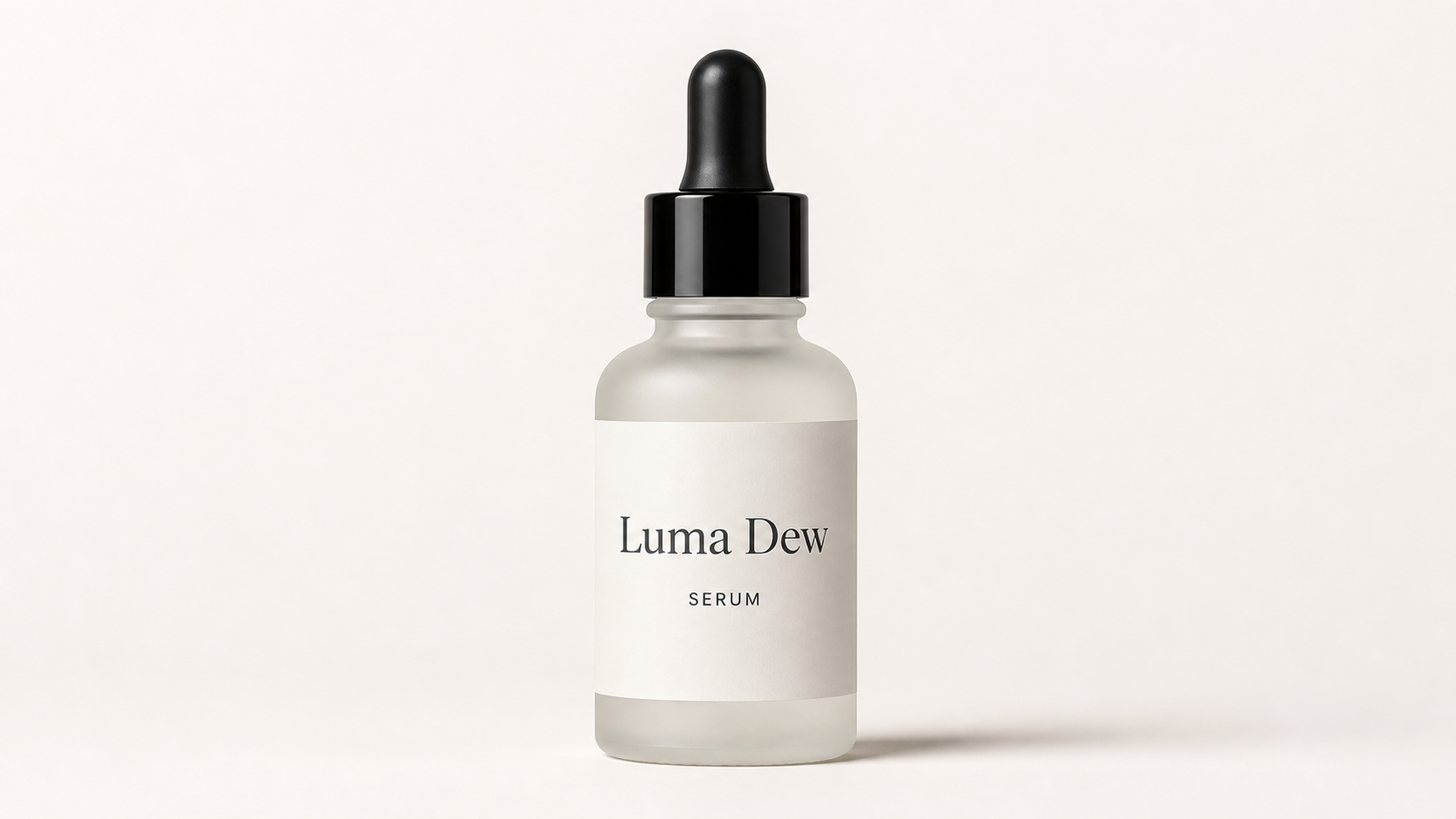
This draft demonstrates the testing stage: a simple catalog composition, blank label area, no invented brand name, and no fake badges or claims.
Shopify Product Hero
Edit this product mockup into a Shopify homepage hero image. Keep the same unbranded fictional skincare serum bottle shape, black dropper cap, matte frosted glass, and clean blank white label area. Move the product slightly to the left third of the frame. Add a minimal bathroom counter scene with soft morning light, pale stone surface, and subtle background blur. Leave clean empty space on the right side for headline text. Do not warp the label, do not change the bottle shape, do not add logos, badges, certification marks, claims, or small legal text.
Use this when the image needs to support a page layout, not just show the object.
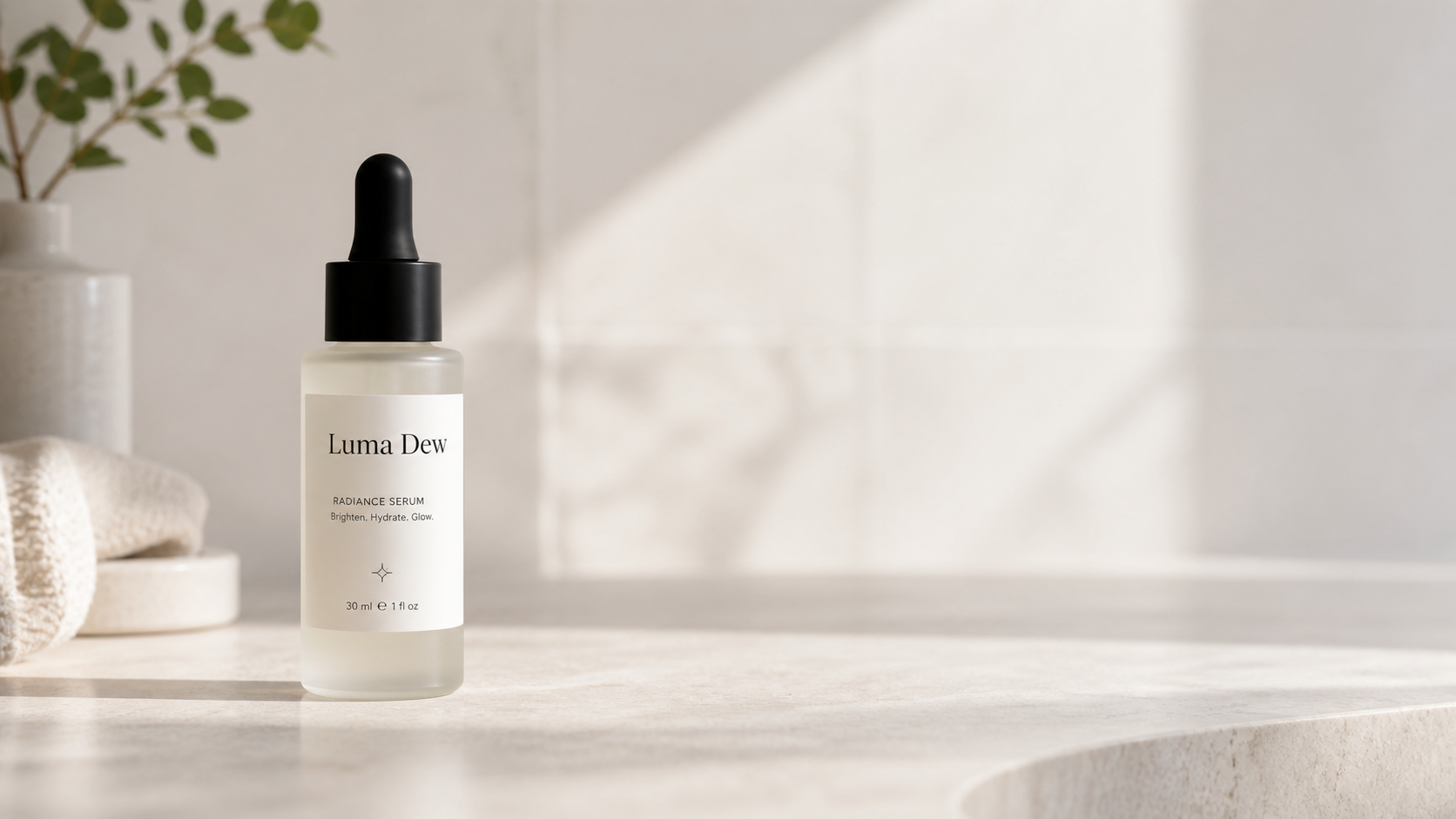
This edit demonstrates the layout stage: the product moves into a hero-style scene with room for page copy.
Paid Social Ad Creative
Create a square paid social ad creative for the same unbranded fictional skincare serum bottle. Product large in the center, bold clean background with high contrast, soft shadow, clean skincare campaign mood, space at the top for a short headline, bottle shape preserved, blank label area preserved, no fake claims, no logos, no extra badges.
Use this for quick ad-direction testing. Generate several background and color variants before committing to final ad design.
Packaging or Launch Mockup
Create a realistic launch mockup for the same unbranded fictional skincare serum bottle standing on a minimal stone counter. Three-quarter view, warm bathroom vanity lighting, a few neutral skincare props nearby, product remains the main subject, blank label area clean and unwarped, no readable claims unless provided, realistic ecommerce photography style.
Use this when you need a campaign concept, pitch visual, or landing-page asset before a physical shoot.
Using a Reference Product Image
If you already have a basic product photo, packaging render, or supplier image, use it as the reference when your selected AIReiter image workflow exposes image input or editing. The product mockup trial page itself focuses on prompt and resolution fields, so confirm the available inputs in the live tool before planning an edit workflow.
For reference-image edits, make the preservation rules explicit:
Keep the product silhouette, label area, cap shape, and main color unchanged.
Change only the scene, lighting, camera angle, crop, or background.
Do not add extra logos, badges, certification marks, claims, or readable legal text.
If the product label is important, review the output manually before publishing.
Example reference-image prompt:
Use the uploaded product photo as the source. Preserve the bottle shape, cap color, frosted glass material, label position, and product proportions. Change only the background into a clean Shopify hero scene with soft daylight, a pale stone counter, and empty space on the right for headline copy. Do not rewrite the label, do not add new logos, do not add badges or certification marks, and do not invent product claims.
Before final production, check the current credit cost, output-size options, and export settings inside the tool.
AIReiter vs Subscription-First Mockup Tools
Some mockup tools are best for placing a flat design onto an existing template. Others are better for generating a new product-photo scene from a prompt. For ecommerce work, the right choice depends on whether you need template placement, brand workflows, bulk mockups, reference-image editing, or a no-subscription GPT Image 2 path.
Tool or workflow | Strongest fit | What to check before choosing |
|---|---|---|
AIReiter | GPT Image 2 product scenes, ecommerce drafts, prompt edits, final-asset upgrades | Current credit cost, available output sizes, reference-image support, and final review needs |
Direct OpenAI or ChatGPT access | Users who already prefer official OpenAI surfaces | Model availability, subscription or API billing, image size options, and whether you need AIReiter's credit workflow |
GPTImager | Quick AI image generation from prompts | Whether the page supports product-specific edits, reference uploads, and commercial export needs |
Picsart | Broad design editing, templates, mockups, social assets | Subscription wall, watermark/export limits, template coverage, and whether you need a full design suite |
Recraft | Design and brand-asset workflows, including print-oriented needs | Export settings, team workflow needs, print requirements, and whether prompt-led product scenes are the priority |
Dynamic Mockups | Automated mockup generation from templates and product surfaces | Template availability for your product type, bulk workflow needs, and whether scene generation matters |
Ketchup AI | Fast AI product visuals and creative concepts | Product-photo controls, editing depth, pricing model, and whether GPT Image 2 specifically is required |
CrePal | Product and ad creative generation workflows | Ad-template support, product consistency controls, export limits, and plan structure |
Nano Banana or GPT Image 2 pages | Model-focused generation examples or access pages | Whether the page is a practical ecommerce workflow or mainly a model demo/reference page |
When You Still Need Human Review
Do not skip review just because the mockup looks good. Product images often contain details that affect customer trust and platform compliance.
Before publishing, check:
Did the packaging shape change?
Is the label area warped?
Did the image add false claims, badges, or certifications?
Are brand colors close enough for your use case?
Does the crop work on mobile and desktop?
Does the image follow Amazon, Shopify, ad-platform, or marketplace rules?
Do you need a real product photo for a compliance-sensitive category?
AI-generated product photos are useful for concepts, drafts, and creative testing, but final commercial assets still need brand, terms, and compliance judgment. AIReiter is not an official OpenAI product, and platform rules still apply for Shopify, Amazon, ads, and social media.