 AIREITER
We tested 10 free AI image generators using the same benchmark prompt and compared the outputs side by side. All testing was done in June 2026 using free-tier accounts, generating 5+ images per tool across photorealistic, stylized, and text-in-image prompts. Here's what each tool is good at, what the free tier actually gives you, and which one fits your use case.
Quick Comparison Table
Tool | Free Tier | Best For | Commercial Use | Signup |
|---|---|---|---|---|
ChatGPT (GPT Image 2) | ~2-3 images/day | Best quality | Yes | Yes |
Google Gemini (Nano Banana 2) | ~20 images/day | Quality + volume | Yes | Google account |
Seedream 5 (ByteDance) | Free on Jimeng | Fewer content restrictions | Yes | Yes |
Ideogram 4.0 | 10 slow-queue/day | Text in images | Yes | Yes |
FLUX.2 | Unlimited (local) | Open-source control | Schnell: Apache 2.0 | No |
Leonardo AI | 150 tokens/day (~18 images) | Style variety | Yes (public by default) | Yes |
Pollo AI | 20 credits on signup | Easy to start | Yes | Yes |
Canva Magic Media | 50 lifetime uses | Design workflows | Limited | Yes |
Craiyon | Unlimited | No signup needed | Yes | No |
Perchance | Unlimited (browser) | No server needed | Varies | No |
Our Top 10 Picks
1. ChatGPT (GPT Image 2) — Best Quality
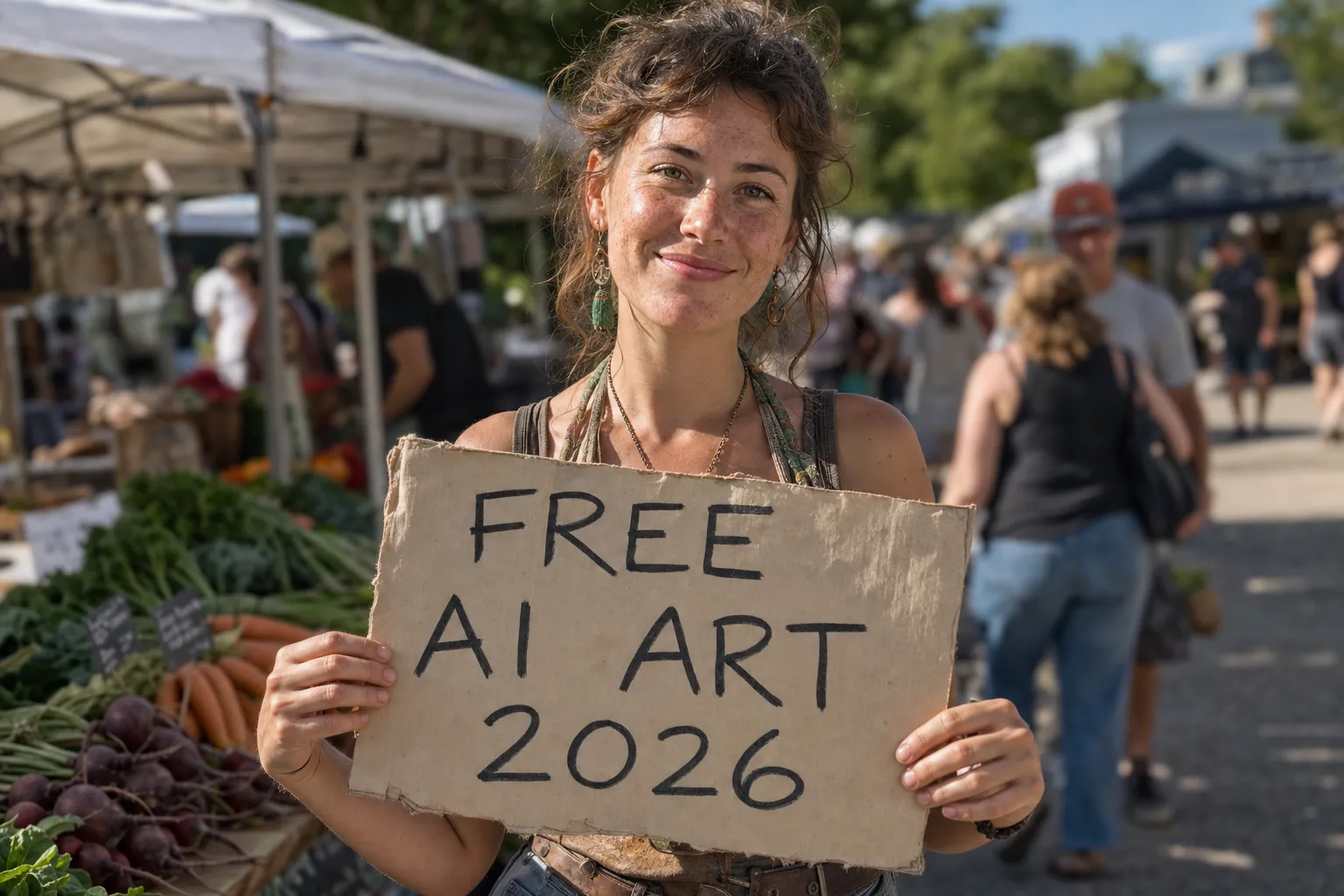
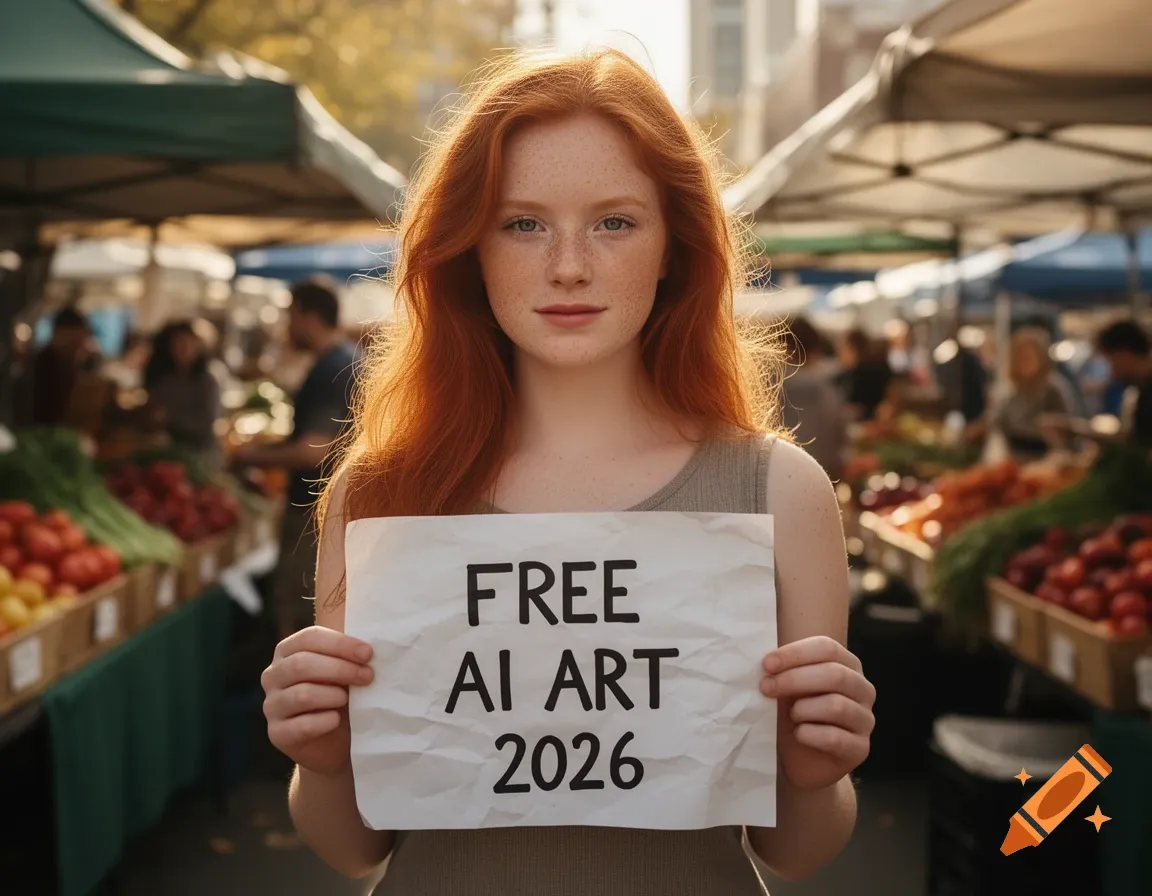
In our benchmark test, GPT Image 2 produced the most photorealistic output of any tool we tried. Skin texture, lighting, depth of field, and hand detail were all a step above the competition. The sign text rendered perfectly, and the farmers market background had convincing depth and variety.
The free tier gives roughly 2-3 images per day. You describe what you want in plain language and refine through conversation — "make the background darker" or "add a hat" just works, no prompt engineering needed.
Limitation: 2-3 images per day is tight. Heavy users hit the wall within minutes.
2. Google Gemini (Nano Banana 2) — Best Free Tier Balance
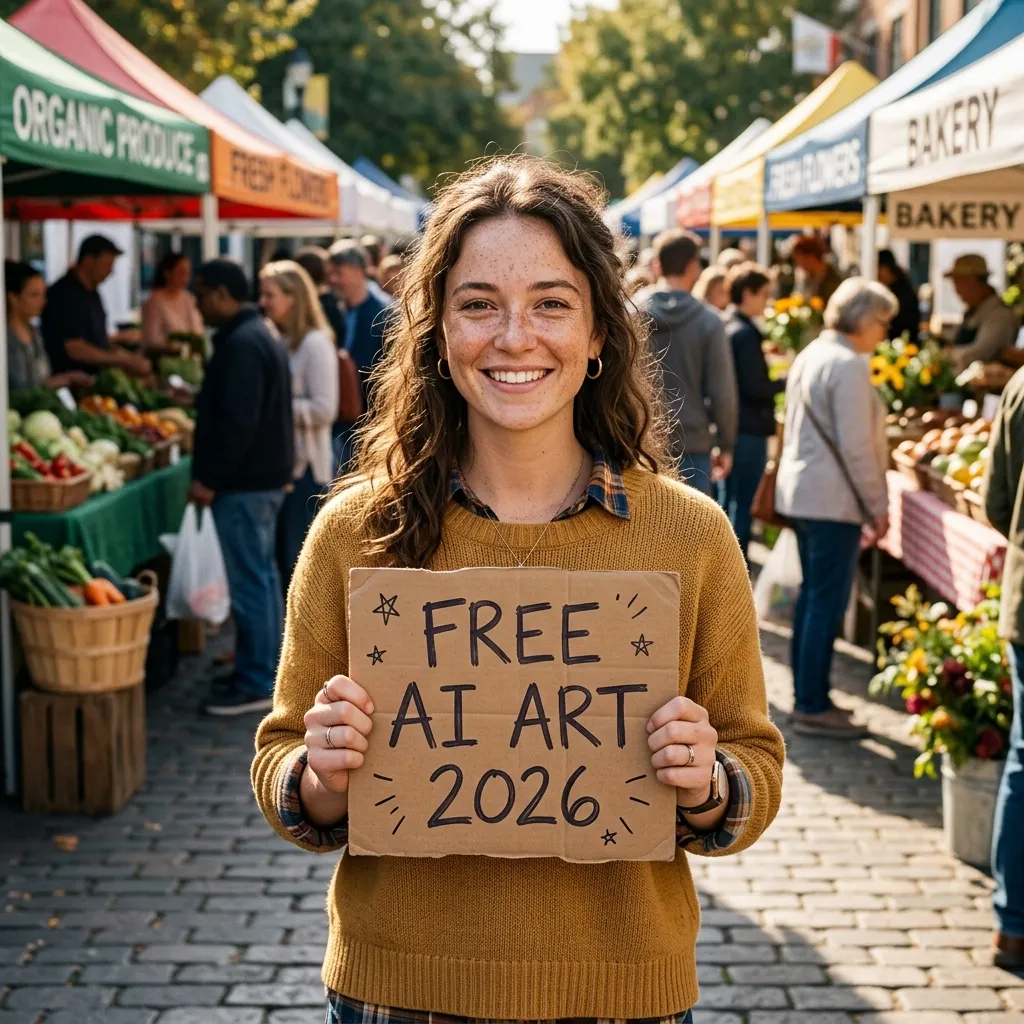
Nano Banana 2 came in second in our quality ranking — close behind GPT Image 2 in photorealism, with native 4K support and Google's search index helping it accurately depict real-world locations and cultural references. It's also fast: images typically generate in under 10 seconds.
The real advantage is the free tier: approximately 20 images per day at up to 1K resolution through the Gemini app. That's roughly 10x more than ChatGPT's free allowance, making it the best balance of quality and volume.
Limitation: Nano Banana Pro (the higher-tier model) only generates about 2 images per day on the free plan.
3. Seedream 5 (ByteDance) — Best for Creative Freedom
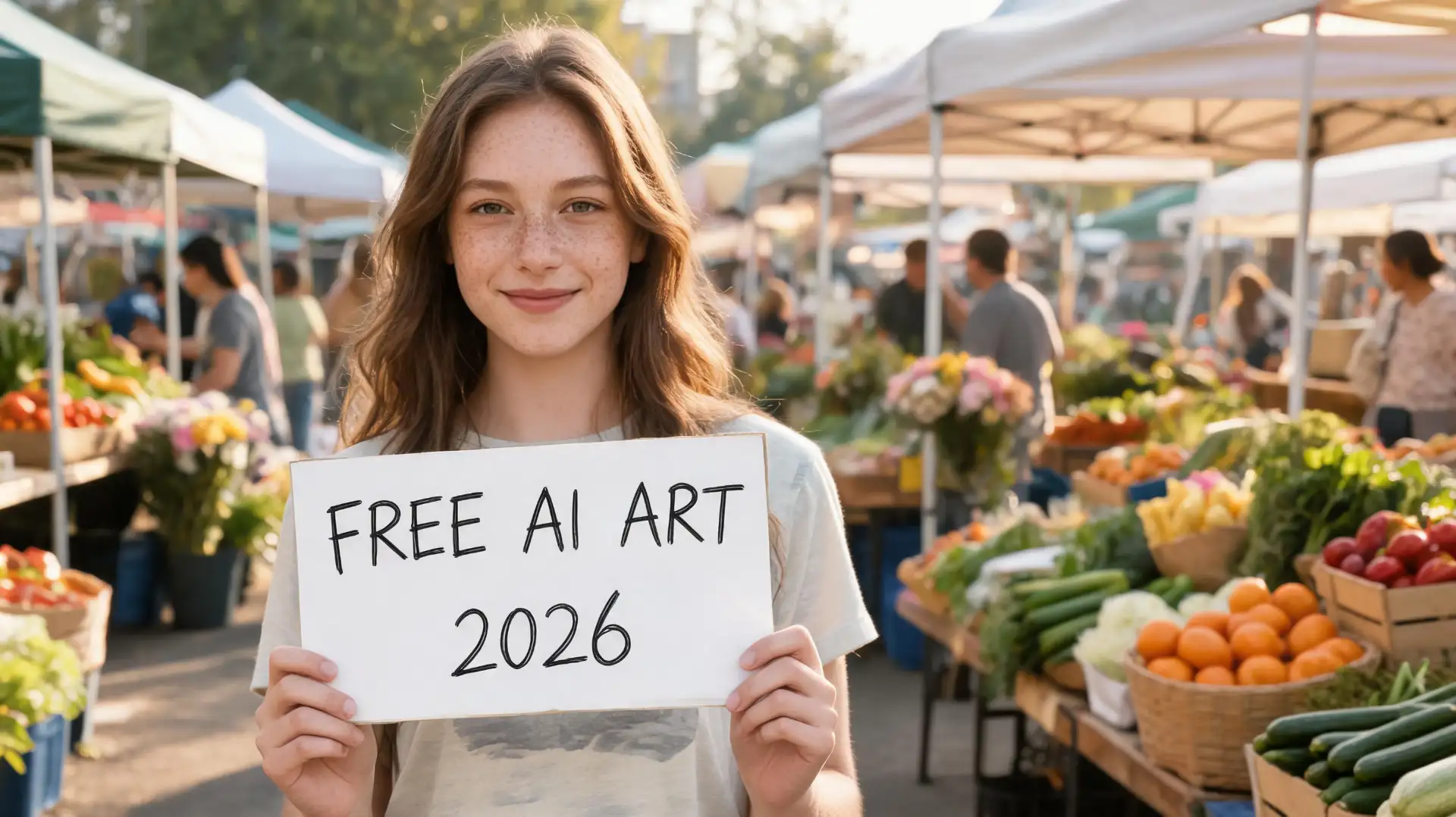
Seedream 5 ranked third in our quality testing — right behind Nano Banana 2 — with particularly strong character consistency across multiple generations and reliable handling of complex multi-subject scenes.
What sets it apart: Seedream 5 has noticeably fewer content restrictions than OpenAI or Google's models. Prompts that get refused or heavily filtered elsewhere tend to go through here, making it a practical choice for creative and artistic work that pushes boundaries.
You can use it for free on ByteDance's Dreamnia platform, or through third-party platforms like AIReiter on a pay-per-use basis (from $0.002/image). It also supports conversational editing — describe changes in natural language after generating, and the model applies them while preserving the rest of the image.
Limitation: Jimeng's interface is primarily in Chinese, which may be a barrier for non-Chinese speakers.
4. Ideogram 4.0 — Best Text in Images
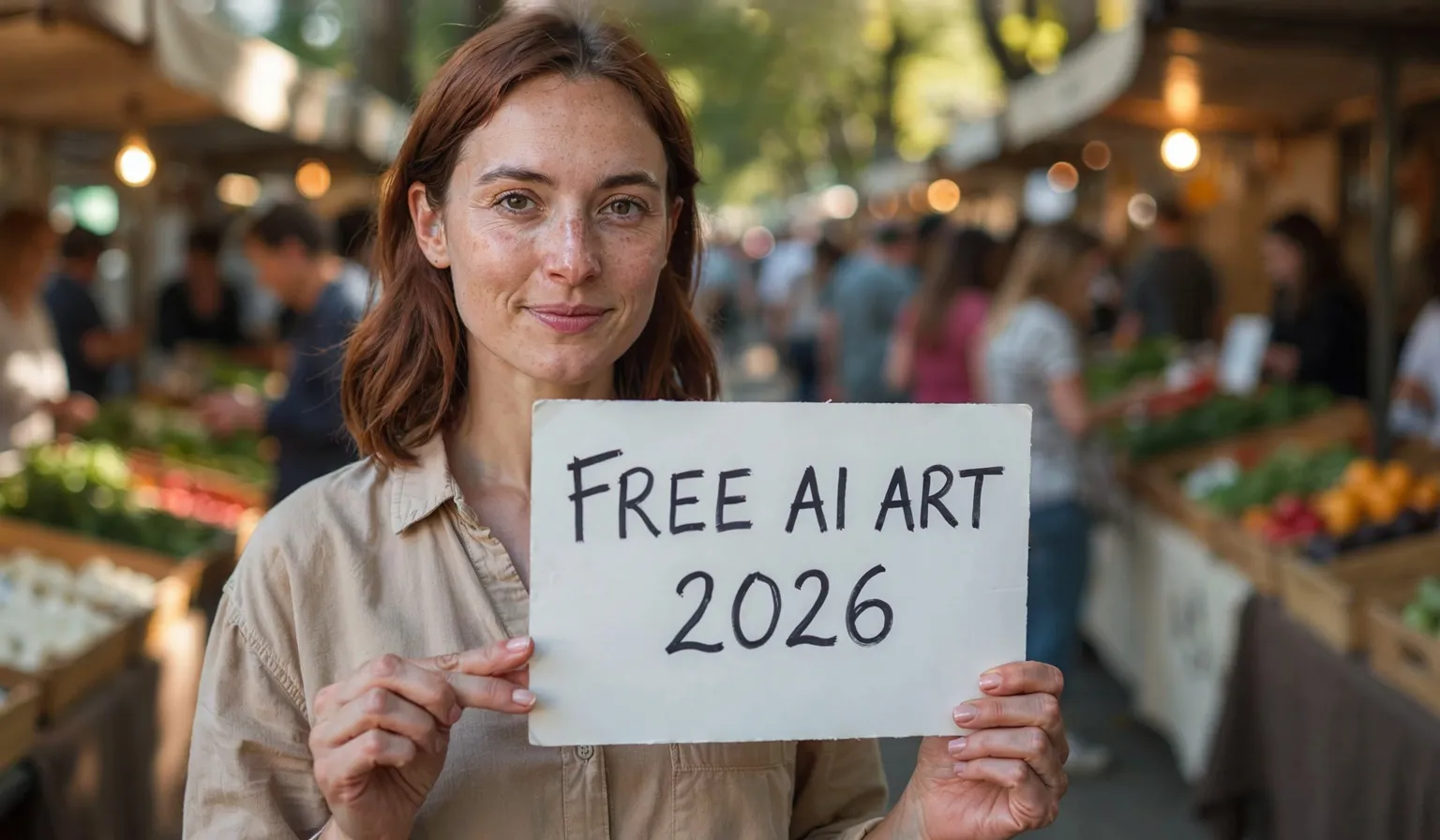
In our benchmark test, Ideogram was the only tool that handled text rendering reliably. When we added text to the prompt, other tools frequently misspelled words or garbled characters — Ideogram got it right almost every time.
The 4.0 model is also available as open weights on Hugging Face and ComfyUI for local deployment. Free cloud users get 10 generations per day in a slow queue — wait times can exceed 20 minutes during peak hours.
Limitation: Image quality for non-text elements ranked below GPT Image 2, Nano Banana 2, and Seedream 5 in our testing. Text rendering is its clear strength; overall photorealism is not.
5. FLUX.2 (Black Forest Labs) — Best Open-Source Option
A 32-billion-parameter open-weight model. With a GPU (12-16GB VRAM), you get unlimited image generation — no daily caps, no watermarks, full parameter control.
In our test, FLUX.2 Pro produced clean results with accurate text rendering and good composition. The output quality sat in the middle of our ranking — below the top 3 but above consumer-oriented tools like Canva and Leonardo.
FLUX Schnell is the fast variant with an Apache 2.0 license (fully commercial). FLUX Dev offers higher quality but is limited to non-commercial research. No GPU? Hugging Face Spaces offers free cloud access with queues.
6. Leonardo AI — Most Style Variety
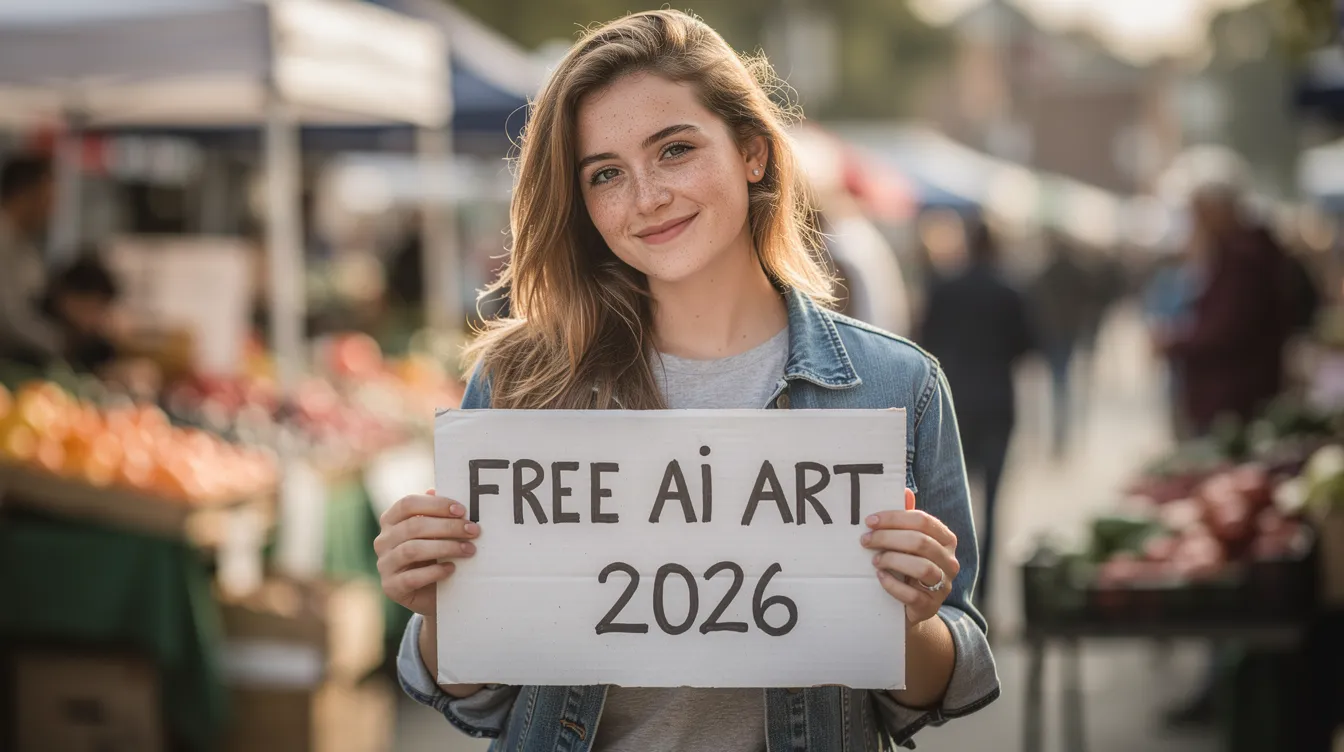
Leonardo AI provides 150 daily tokens. In our test, the default model consumed 8 tokens per image — so roughly 18 images per day, not the 25-37 that some reviews claim. Generation was fast.
Leonardo's strength is style variety: presets for photorealism, anime, concept art, fantasy, and product photography. In our benchmark, the output was usable but ranked below the top-tier models in photorealistic fidelity — the image had a slight artifact on the sign.
Limitation: Free-tier images are public by default. Leonardo retains usage and distribution rights.
7. Pollo AI — Easiest to Start
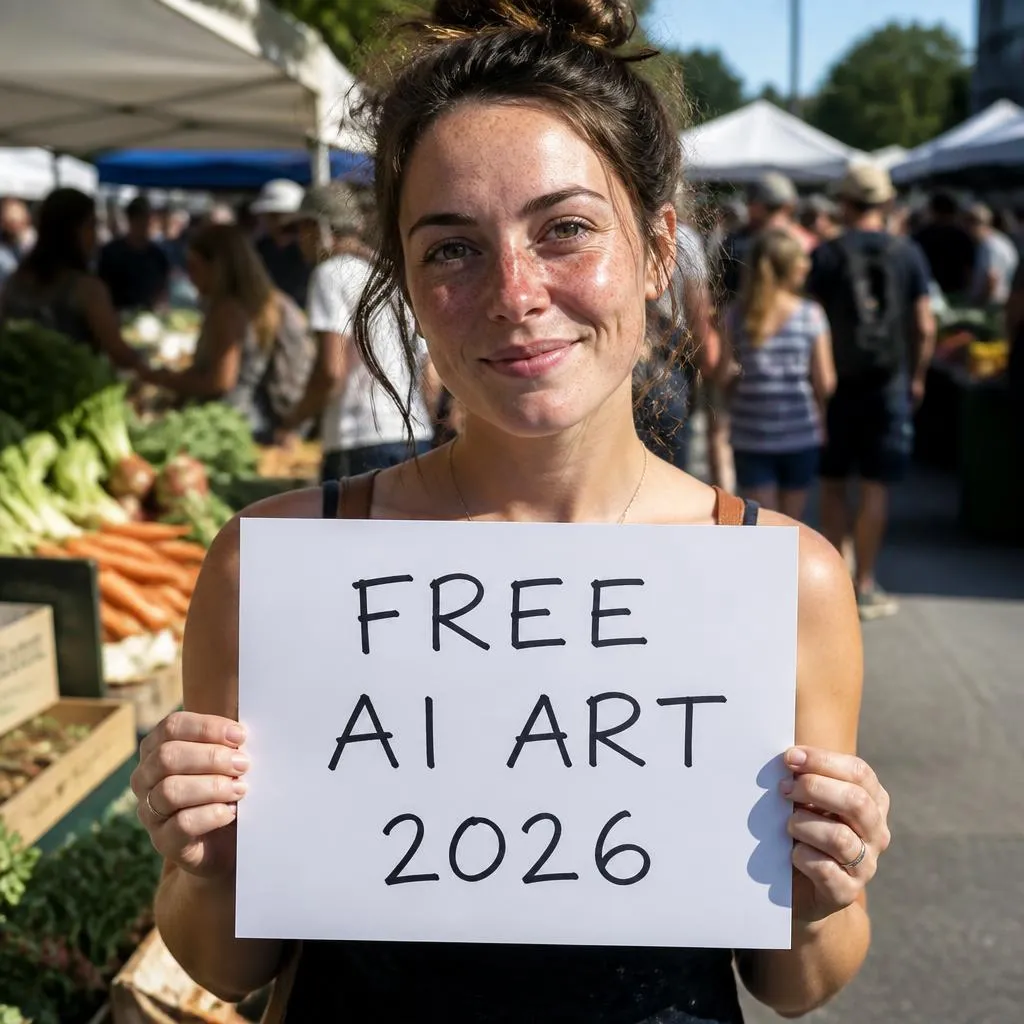
Pollo AI gives you 20 credits on signup, with its Pollo Image 2.0 model consuming 2 credits per image — so 10 free images to start. Generation took about 30 seconds in our test, and the output quality was solid, ranking above Canva and Leonardo in our comparison.
Limitation: Saving images without a watermark requires a paid plan. The onboarding experience is cluttered — expect several upsell popups and paid feature prompts before you get to the actual generator.
8. Canva Magic Media — Best for Design Workflows
Image generation built into Canva's design editor. Generate an image and immediately place it in a social post, presentation, or poster — no export step. For non-technical users who want one tool for creation and design, this removes the import/export friction entirely.
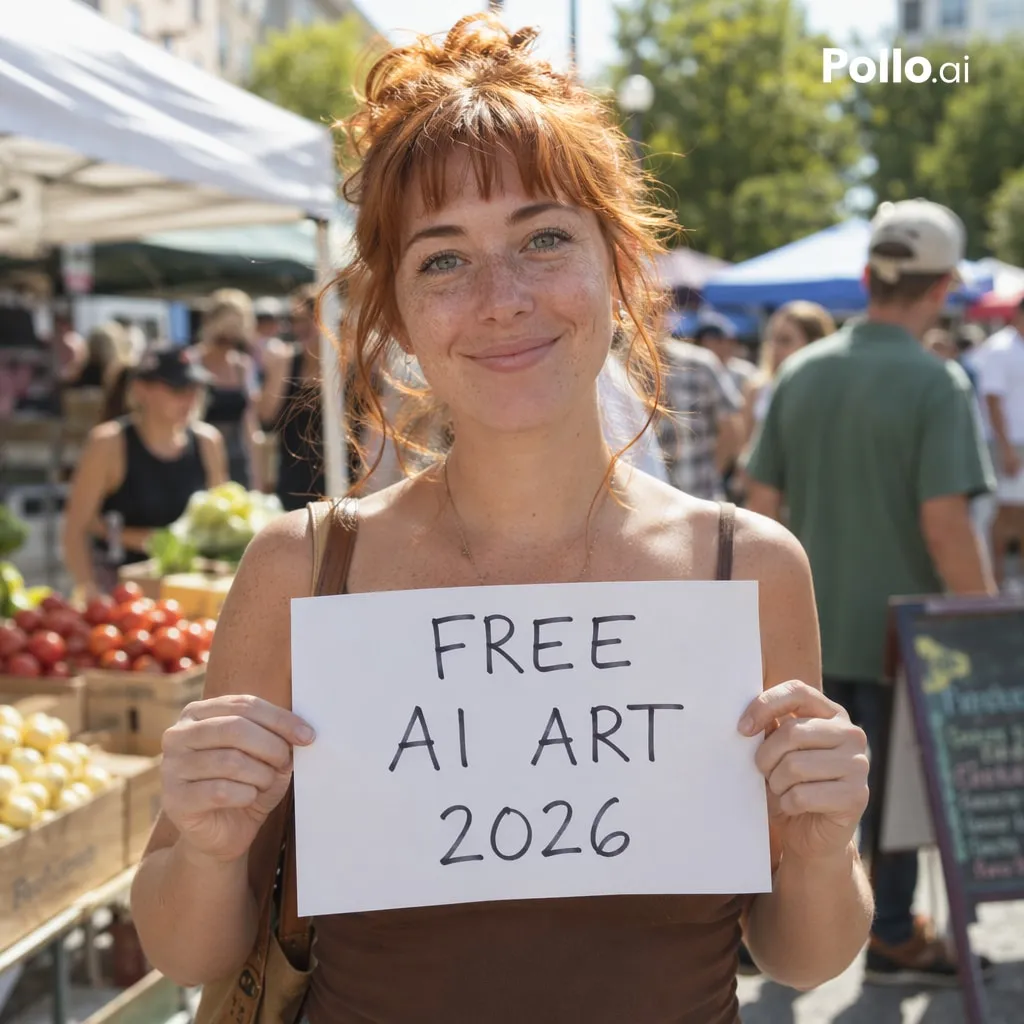
In our benchmark, Canva produced a clean, usable image but with a noticeable "stock photo" feel — flatter lighting and less natural skin texture compared to the top-tier models.
Limitation: The free plan gives 50 lifetime uses (not daily — lifetime), making it the most restrictive tier on this list.
9. Craiyon — Best No-Signup Option
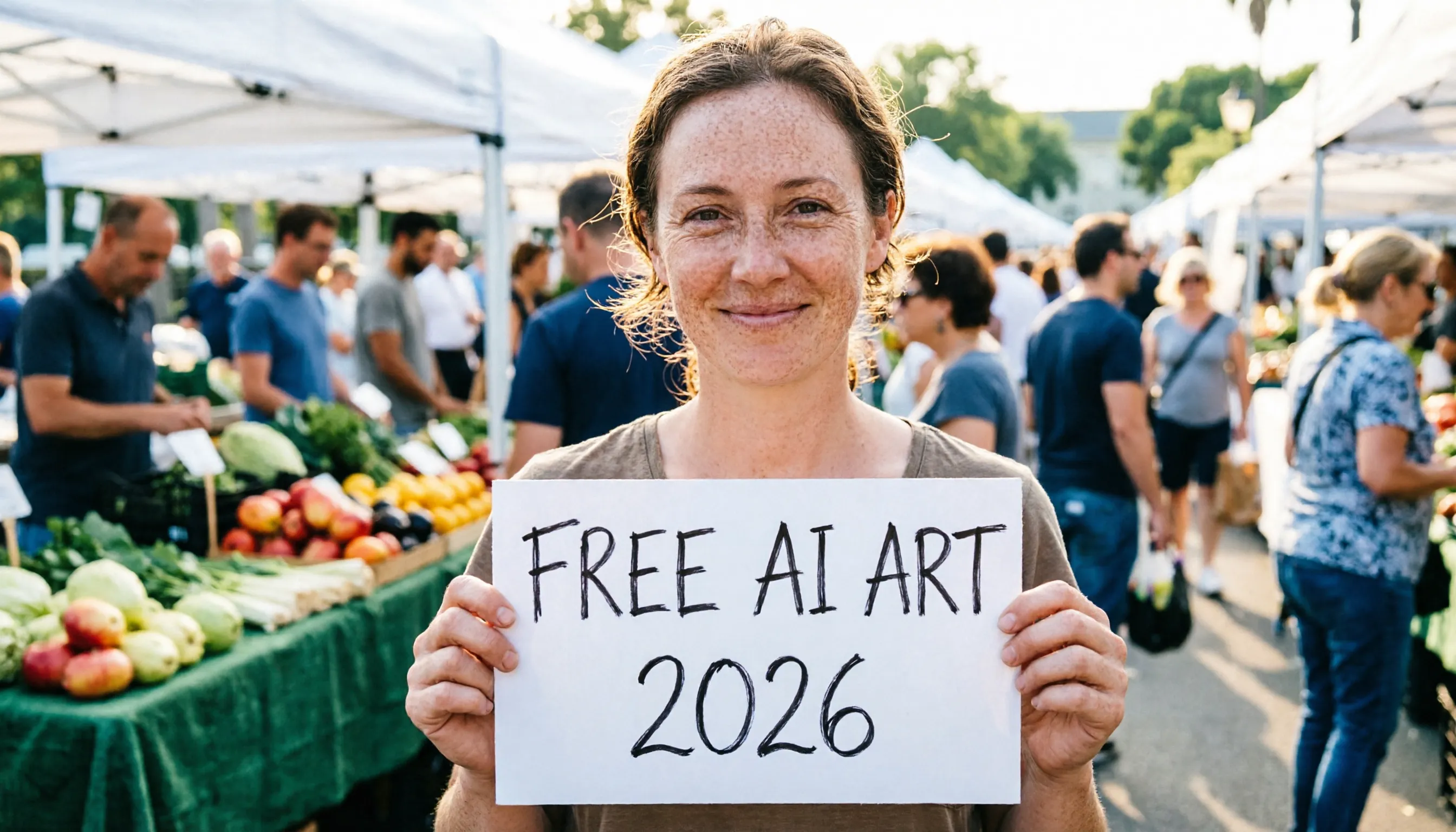
Zero signup required. Open the site, type a prompt, get images. The interface is clean and simple. In our test, images generated quickly but quality was a clear step below the premium tools — softer details, less accurate hand rendering, and a more illustrated feel.
Free-tier images are public by default. Private generation requires a Pro subscription.
10. Perchance — Best Browser-Based (No Server)
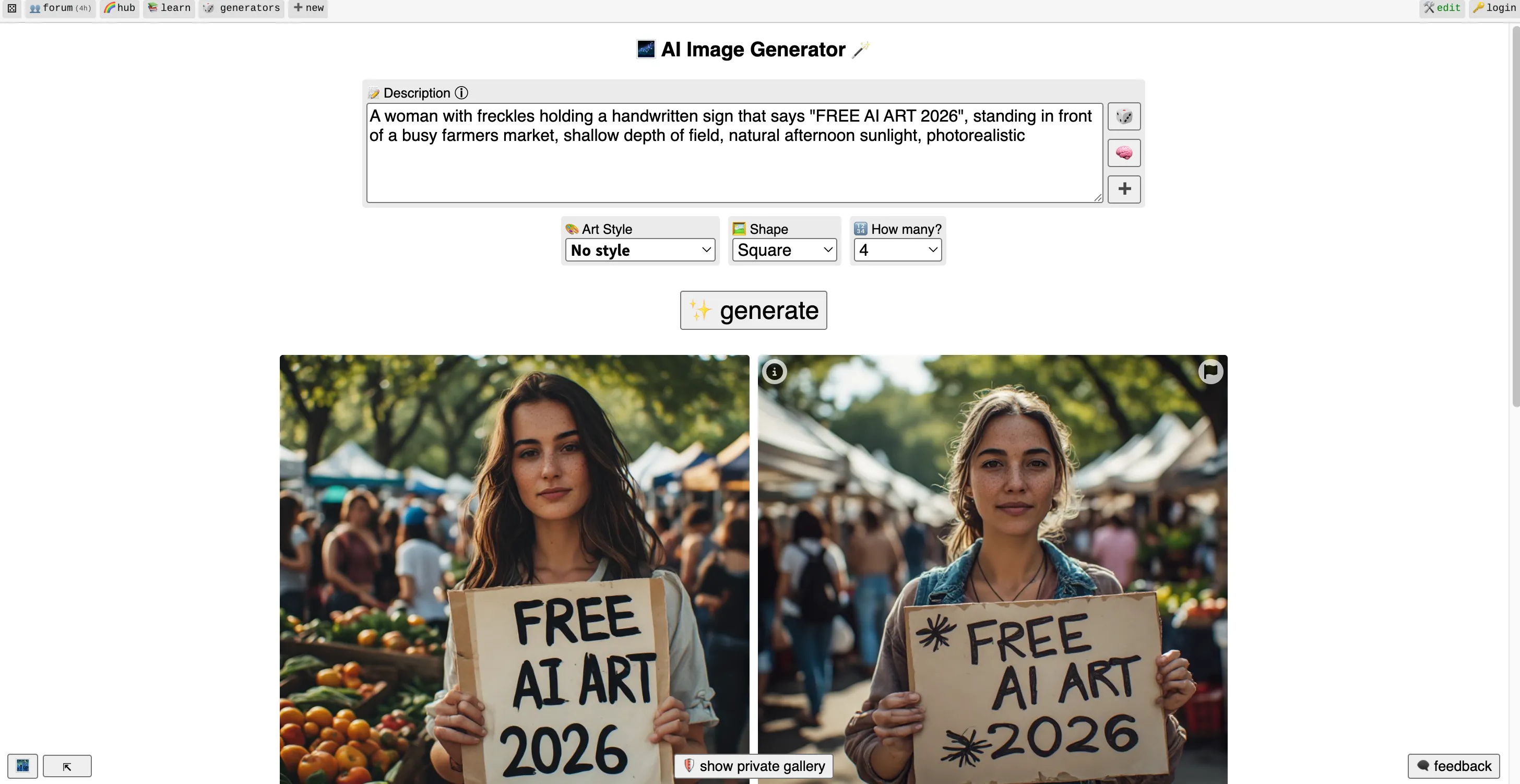
Perchance runs Stable Diffusion directly in your browser via WebGL/WebGPU — no server, no API, no account. The interface is bare-bones — looks like it skipped CSS entirely — but the tool works: images generate in 5-10 seconds on your device, completely free, no watermark, no login.
In our benchmark, output quality was comparable to Craiyon — usable for concepts and drafts, but noticeably below cloud-based premium models.
Benchmark Results: Same Prompt, 10 Tools
We used this prompt on all tools:
"A woman with freckles holding a handwritten sign that says 'FREE AI ART 2026', standing in front of a busy farmers market, shallow depth of field, natural afternoon sunlight, photorealistic"
This prompt tests five dimensions at once: text rendering (the sign), facial detail (freckles, skin texture), hand anatomy (holding the sign), background complexity (crowded market), and lighting/depth of field.
Quality ranking based on our testing:
Rank | Tool | Text | Face | Hands | Background | Overall |
|---|---|---|---|---|---|---|
1 | GPT Image 2 | ✓ | Excellent | Natural | Rich, varied | Best |
2 | Nano Banana 2 | ✓ | Very good | Good | Detailed | Very good |
3 | Seedream 5 | ✓ | Very good | Good | Detailed | Very good |
4 | Ideogram 4.0 | Best | Good | Good | Simpler | Good (text leader) |
5 | FLUX.2 Pro | ✓ | Good | Good | Good | Good |
6 | Pollo Image 2.0 | ✓ | Good | Good | Good | Good |
7 | Canva | ✓ | OK | OK | Flat | Stock-photo feel |
8 | Leonardo AI | ✓ | OK | Artifact | OK | Usable |
9 | Craiyon | ✓ | Soft | Soft | Simple | Draft quality |
10 | Perchance | ✓ | Soft | Soft | Simple | Draft quality |
Other Tools Worth Knowing
Microsoft Designer (Bing Image Creator) — Unlimited slow generations plus 15 priority boosts per day. Non-commercial use only. The backend is transitioning away from DALL-E 3.
Adobe Firefly — Trained exclusively on licensed content, making it the safest for commercial work. Free plan gives 25 credits/month; IP indemnity only on paid plans.
Grok Imagine — Produced strong results when it had a free tier. Now requires a SuperGrok subscription ($30/month).
Midjourney — Top-tier for artistic outputs. No free tier ($10/month minimum). All generations public by default.
Stable Diffusion 3.5 — Open-source, locally deployable. Free commercial license under $1M annual revenue. Deeper ecosystem of LoRAs and ControlNets than FLUX, but steeper setup.
NightCafe — Free credits through daily logins and community participation. Credits now expire.
How to Choose
Best quality? → ChatGPT (GPT Image 2)
Best quality + volume? → Google Gemini (Nano Banana 2)
Fewer content restrictions? → Seedream 5
Text on images? → Ideogram
Open-source / full control? → FLUX.2
Most style options? → Leonardo AI
Quick start? → Pollo AI
Already in Canva? → Canva Magic Media
No signup? → Craiyon or Perchance
Compare multiple models cheaply? → AIReiter (pay-per-use from $0.002/image)
FAQ
Which free AI image generator has no restrictions?
Seedream 5 (ByteDance) has noticeably fewer content filters than OpenAI or Google's models. For fully unrestricted generation, FLUX.2 and Stable Diffusion can be run locally with no content filtering at all.
What are the best free alternatives to Grok Imagine in 2026?
Google Gemini (Nano Banana 2) is the closest match in quality with ~20 free images/day. Seedream 5 on Jimeng is another strong option with fewer content restrictions. ChatGPT (GPT Image 2) offers the best quality but only ~2-3 images/day.
Can I use my own photo in a free AI image generator?
ChatGPT (GPT Image 2) and Seedream 5 both support image-to-image editing — upload a photo and describe changes in natural language. FLUX.2 supports img2img locally with full parameter control. Most other free tools on this list are text-to-image only.
Are these AI-generated images free to use commercially?
FLUX Schnell (Apache 2.0) has the clearest commercial license. ChatGPT, Gemini, and Seedream 5 allow commercial use. Leonardo AI allows it but retains distribution rights. Always check each tool's current terms before using outputs for paid work.
How many free images can I generate per day?
Google Gemini: ~20/day. Leonardo AI: ~18/day (150 tokens, 8 per image). Ideogram: 10/day (slow queue). ChatGPT: ~2-3/day. Craiyon and Perchance: unlimited but lower quality. FLUX.2: unlimited if you run it locally.
Can I run these AI image generators on my own computer?
Yes. FLUX.2 (open weights), Ideogram 4.0 (open weights since June 2026), and Stable Diffusion 3.5 can all be run locally with no daily limits or content filters. You'll need a GPU with at least 12GB VRAM.